Android devices are under fire once more with a newly discovered malware lurking in the Facebook ads you scroll past every day. Here’s what you need to know about this hidden danger and how to keep your device secure from now on.
Good to know: you might also want to read about how to prevent malware from stealing your photos containing sensitive information from your phone.
Unpacking the Latest Malware Threat on Android
Security researchers at Bitdefender have recently uncovered a new scheme operating on Facebook via a malicious advertising campaign.
The scam works by advertising free access to TradingView Premium for Android via what appear to be harmless ads and tricking users into downloading the Brokewell spyware on their device. The ploy looks especially convincing, as the ads mimic the branding and logo of TradingView. This is an authentic and popular market tracking and investment app.
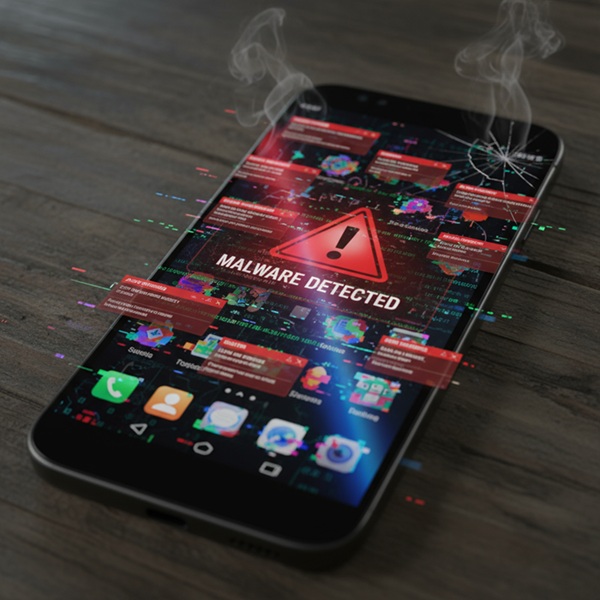
First discovered in 2024, the Brokewell malware initially spread through fake Chrome updates. It has since evolved and is now actively targeting Android users of the world’s most famous social media site.
According to the report, by August 2025, the ads have already reached tens of thousands of users in the EU alone, with the malware spreading on a global scale.
The Impact of the Brokewell Malware on Your Android Device
Clicking the Facebook ad redirects you to a convincing TradingView lookalike website. From there, a malicious APK is downloaded on your device.

Once installed, the dropped app immediately asks you for extensive Accessibility permissions and displays fake update prompts. Alarmingly, one will even request your lock screen PIN. If these permissions are granted, the dropped app can then uninstall itself to avoid detection.
The Brokewell malware poses a serious risk to any Android user. It enables attackers to monitor, manipulate, and steal your most sensitive data, including the following:
- Bypassing two-factor authentication (2FA) – stealing Google Authenticator codes
- Account takeovers – by deploying fake login overlays
- Cryptocurrency theft – by scanning for BTC, ETH, and other crypto currencies
- SMS hijacking – taking over your default messaging app for access to texts, including those containing banking info or 2FA codes
- Surveillance capabilities – via keylogging and live location tracking
- Remote control – giving attackers the power to send texts, make calls, uninstall apps, and even activate a self-destruct mode
Tip: learn about more Android security features you should be using.
How to Prevent the Broadwell Malware from Infecting Your Android Device
If you’re already wondering how to keep your Android device safe from this threat, you’ve already taken the first step. Staying informed regarding the latest threats keeps you vigilant and better equipped to avoid risky clicks.
For extra peace of mind, here are a few things you can do to stay protected while using Facebook on your Android device:
- Stay away from ads – ads will pop up every time you’re scrolling your Facebook feed, but our advice is to be wary of them. Even if they are from companies you know. If you notice something that might be of interest, we suggest looking up the website manually and searching for the product yourself. Also, we encourage you to skip any deals or offers that sound too good to be true – because in most cases, they are.
- Only download apps from trusted sources – stick to installing apps from the Google Play Store. Google scans them for safety, making them a much safer bet for your device, although occasional threats might slip through. For extra protection, make sure you enable the Improve harmful app detection feature. You can find it by opening the Google Play Store app, tapping your profile picture, and navigating to Play Protect. If you really require an APK, use one of these websites to download APK files safely. That said, recent reports appear to indicate that Google is taking steps to prevent sideloading apps by unknown developers in the near future, thus better preventing users from falling into harmful installation traps.
- Avoid giving intrusive app permissions – when installing a new app, pay close attention. See what permissions it asks you to grant. If these requests feel off to you, then abstain from granting them. You might also consider dropping the app altogether (even if it appears legit). Do this especially if it becomes unusable following your refusal to give it the permissions it seeks. You might also want to check your app list under Settings and revoke any intrusive permissions for apps that are already installed on your Android.
- Don’t share your PIN, ever (or other sensitive details) – if an app asks you to share your device’s PIN or other sensitive info like your card details, take it as a big red flag! Never, ever share this information, as app doesn’t ever have a good reason to ask for that. Proceed to immediately delete the app from your device.
- Keep your device updated – ensure your device is running the latest security patches that are available for your specific Android phone.
If you have a phone running Android 16, you might also want to consider enabling Advanced Protection. This is a tool that fights against hacks, scams, theft, and offers spam filtering.