

In today’s era of content creation, it simply isn’t enough to just create content. The content, be it videos, photo, or audio, has to look exceptional. For that, you need video enhancer applications, such as UniFab AI Video Enhancer. By using UniFab, you can improve the quality of your videos by a big margin and without much effort. Combining advanced AI technology with a user-friendly design, UniFab promises to transform your video content into a professional-grade experience.
The content contained in this article was paid by UniFab. Although this article is promotional and contains no opinions, Make Tech Easier did a thorough fact-check to ensure accuracy.
What Is UniFab?
UniFab is an ideal software if you want to have solutions for various video-related issues and to make your videos look better with just a few steps. It utilizes high-end AI algorithms and machine learning techniques to make sure that even the most ordinary looking videos come out looking refined and polished.
Video & Audio
UniFab is equipped to handle both video and audio improvements. When it comes to video enhancements, UniFab offers a wide range of solutions, including a video denoiser, deinterlace tool, video stabilizer, and more. Overall, you can use its video solutions to fix various issues that often occur with video content, while also making them look more immersive than before.
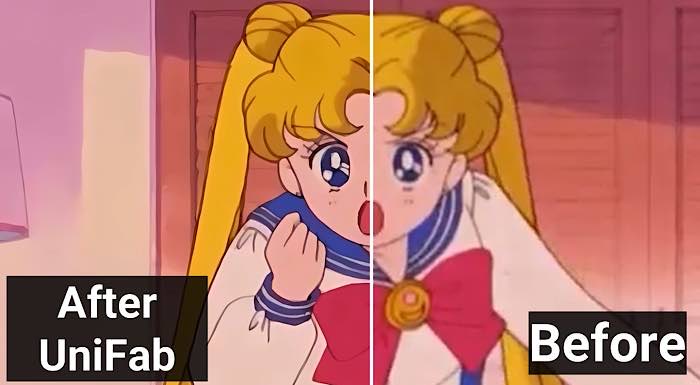
Speaking of the audio features, UniFab offers an upmix AI tool, as well as a vocal remover tool. With the upmix tool, you can enhance your audio by channeling it differently to make it sound like surround sound. You can also enhance the overall clarity of the tracks.
Technical Specifications
| Operating System 64-bit | Microsoft Windows 11/10/8.1/8/7 and macOS 10.10 to 14 |
| Processor | Intel 10th generation or AMD multicore processor, 2GHz or higher CPU |
| RAM | Windows: 8 GB, 16 GB for fast processing or more Mac: 32 GB free hard disk space for installation |
| Supported GPUs for Hardware Acceleration | Windows: NVIDIA RTX 30 series or higher graphics card, macOS Silicon: Apple M-series |
Key Benefits of Using UniFab AI
- Runs smoothly on all Windows 7/8/8.1/10/11 and macOS.
- Regularly updates its features and fixes bugs
- Offers 30-day money-back guarantee.
- Process in batches
- Fast processing speed
- One-stop video/audio enhancement solutions
- User-intuitive interface
- Studio-quality results
- Free and easy installation
Professional Software
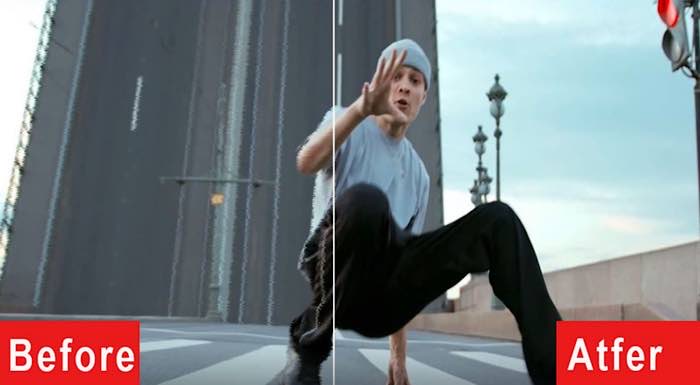
Despite its professional-grade capabilities, UniFab’s intuitive interface makes it accessible to users of all experience levels. You can start leveraging the app’s capabilities pretty quickly, as it does not have a steep learning curve. Even when we consider the software as is, it does not take up much space and provides a generous free trial so that you can get a proper understanding of the application.
Wide Use Cases
UniFab isn’t just for professionals. Its applications range from enhancing personal videos to creating high-quality promotional content. Content creators, filmmakers, educators, and even businesses can find value in UniFab’s versatility.
Outstanding Features of UniFab
AI Video Enhancer
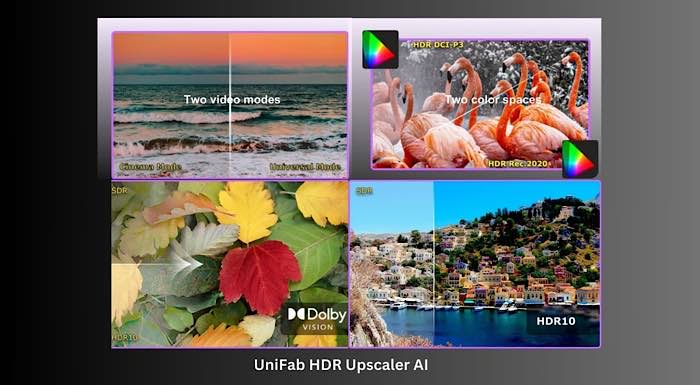
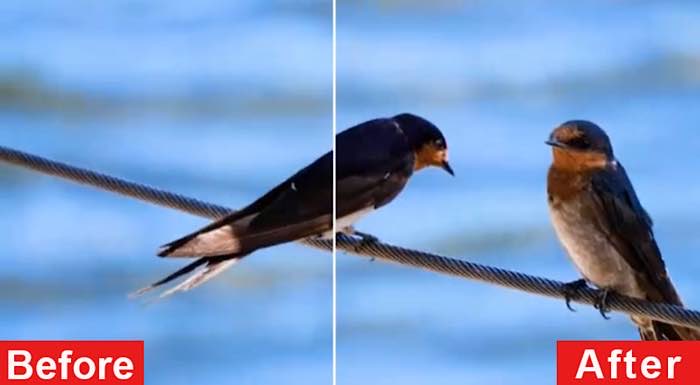
AI Video Enhancer is UniFab’s flagship feature, designed to upscale video resolution without compromising quality. It uses advanced algorithms to add clarity, enhance textures, and refine colors, making your footage look as though it were shot in 4K or even 8K. This is perfect for anyone looking to repurpose older, lower-resolution videos for modern displays.
SDR to HDR
With UniFab, it is pretty easy to change Standard Dynamic Range to High Dynamic Range. This feature breathes new life into your videos, offering richer colors, better contrast, and an overall more immersive viewing experience.
Deinterlace AI
Remember those interlaced videos with visible horizontal lines? UniFab’s Deinterlace AI eliminates those artifacts, delivering smooth and clear footage. This feature is particularly useful for restoring old videos or live recordings.
Stabilization AI
Shaky footage can ruin even the most beautifully shot video. UniFab’s Stabilization AI analyzes and corrects unstable video, providing smooth and professional-grade results. Whether you’re editing footage from a handheld camera or a drone, this feature ensures a polished final product.
What Makes UniFab Stand Out?
Exceptional Processing Effects
UniFab’s AI-powered tools provide results that rival professional editing software. The clarity, color accuracy, and smoothness achieved with UniFab are unmatched, making it an indispensable tool for creators aiming for perfection.
Versatility in Use Cases
Whether you’re working on a corporate video, personal vlog, or a film project, UniFab’s features cater to all. Its ability to enhance various video formats and qualities ensures that it meets the needs of diverse users.
User-Friendly Interface
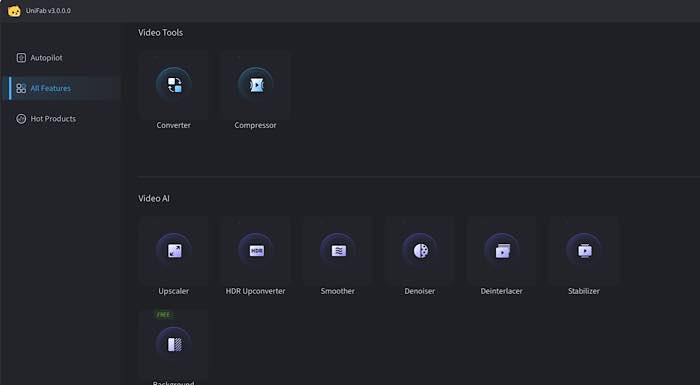
One of UniFab’s strongest points is its ease of use. Despite its robust capabilities, the software is designed with a simple, intuitive interface that guides users through the enhancement process. Even those with minimal editing experience can achieve professional results.
Time-Saving Efficiency
UniFab’s AI technology doesn’t just produce superior results; it does so quickly. Its intelligent algorithms process footage efficiently, saving users hours of manual editing.
Affordability
Compared to other professional-grade software, UniFab offers competitive pricing, making it accessible to a wider audience. With flexible subscription plans and a free trial option, it’s an excellent investment for anyone looking to elevate their video content.
Pricing of UniFab (30-Day Free Trial)
There are multiple options to choose from when considering a subscription with UniFab AI. The Free Trial gives you generous access to the app, for you to become familiar with the app. This is something that stands out about UniFab, as other similar apps do not offer such free trials.
Free Trial: UniFab All-In-One carries a fee but has a 30-day free trial.
Lifetime License: You can purchase once for lifetime access for only $299.99 (original $499.99) to get all features and updates. In a lifetime license, you will get:
- 8 video/audio enhancing tools in one package
- Gift 1: License for five computers
- Gift 2: $30 Amazon Gift Card
Wrapping Up
UniFab is more than just a video enhancer; it’s a complete solution for anyone looking to improve the quality of their video projects. With its AI-powered features, versatile applications, and user-friendly design, UniFab sets a new standard for video enhancement software. Whether you’re a professional editor or a casual creator, UniFab is an essential tool to have in your arsenal.