Want to create a detailed journal of your travels that includes photos, points of interest, favorite memories, and much more? Just try out a few travel journal apps to see which is best to collect your travel stories, and even plan out new journeys.
Best for General Journaling: Day One
Price: Free with premium option
Day One is easily one of the best travel journal apps – and overall journaling apps, by far. It’s incredibly easy to use, making it perfect for beginners who want to document their travel experiences or just journal day-to-day happenings. It also features encryption and password protection to help keep your entries safer.
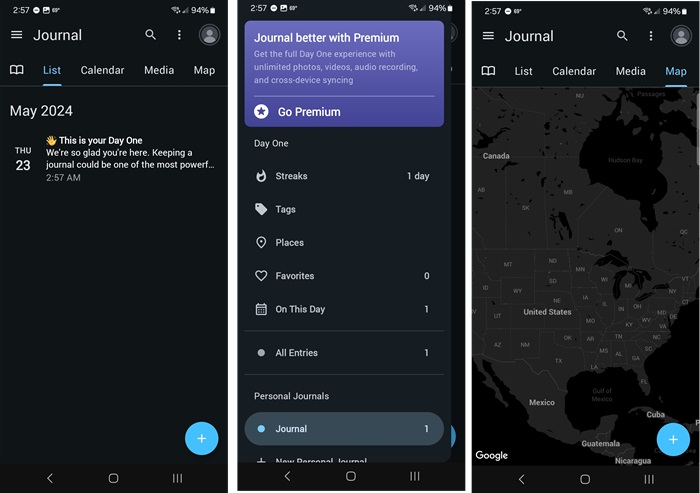
Day One isn’t just for travel. However, the ability to create text and media entries, add details on a map, and even keep track of special moments on a calendar make it perfect for jotting down every memory during your trip.
Personally, I love that even the free version is ad-free. But, this is one of those times that the premium version is well worth it at under $3/month, thanks to the addition of unlimited journals. The free version allows unlimited entries in a single journal, video, up to 30 high-res photos per entry, and audio recording.
Best for Sharing: TravelMap
Available for: All platforms that support web apps
Price: Free with premium options
TravelMap doesn’t have a dedicated mobile app, but it does offer a web app. From the site’s homepage, tap your browser’s menu, and select Install app. It’s that easy. This adds an icon to your device. Tap it, select the menu, and choose Administration to start documenting your travel adventures.
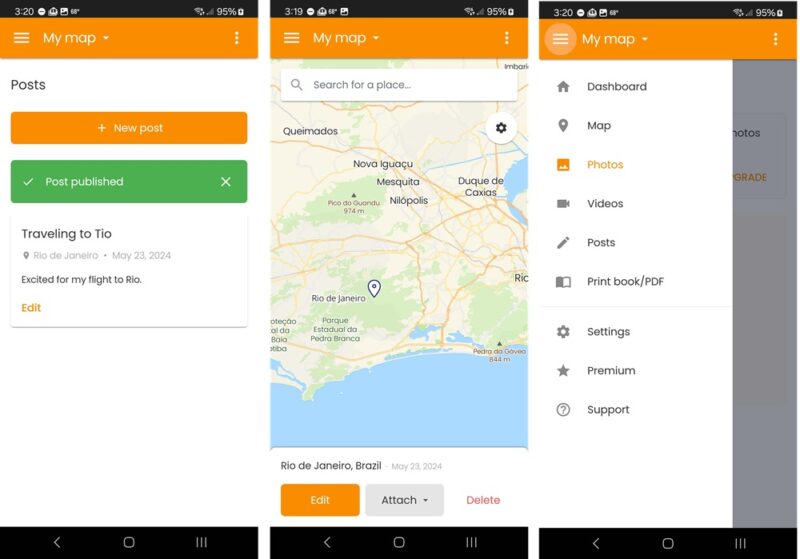
It’s completely free and easy to create a private blog, complete with a map showing lines to each destination. Upload up to 100 pictures and get your own domain for free. If you upgrade, you get 3,000 photos/year or unlimited, depending on the plan. Plus, the $97/year plan lets you import GPS files, create custom map styles, live track your travels, and more.
If you’re a travel blogger or influencer, TravelMap is perfect for sharing your travel memories with others in real time. Just share your TravelMap site, and they can join in at any time. If you’re traveling often, try these apps to save money on international travel.
Best for Customization: Journey
Price: Free with premium options
Journey appears to be a standard journaling app on the surface, but when you check out the variety of plugins, it’s easy to see why this is one of the best travel journal apps. I highly recommend immediately adding the Location and Places plugin to automatically list where you are when you add a new entry. Plus, you can always access your journal from any browser – not just your phone.
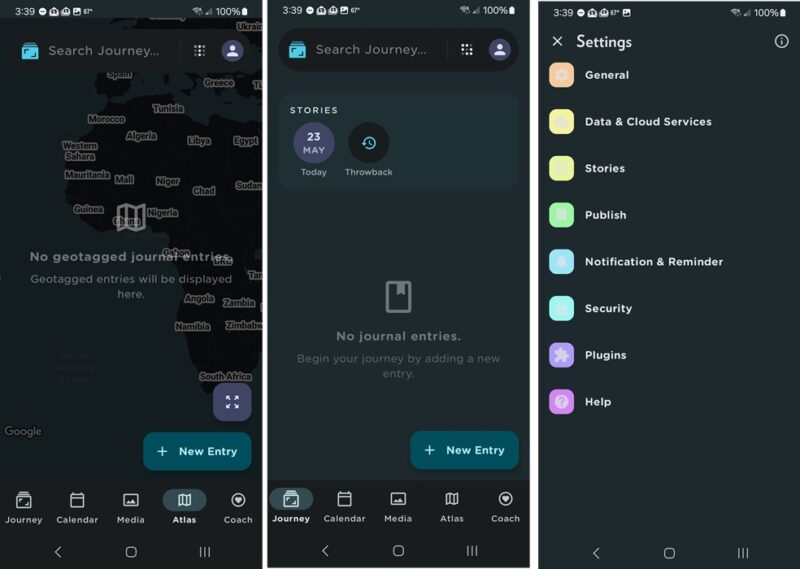
The free version is rather basic but still lets you geotag posts manually, add photos to your entries, and password protect your journal. It’s simple to use, and the free plugins let you add checklists, change journal colors, upload automatically to other services, record the weather, record your mood, and more.
The premium version boosts the experience by adding larger cloud backups, more media storage, end-to-end encryption, shared web links, custom templates, and more.
Best for Privacy: Penzu
Price: Free with premium options
Penzu uses passwords and even military-grade encryption to help keep your entries safer. You can completely wipe local storage if you’re switching to a new device. It’s the focus on privacy that makes this stand out as one of the best travel journal apps.
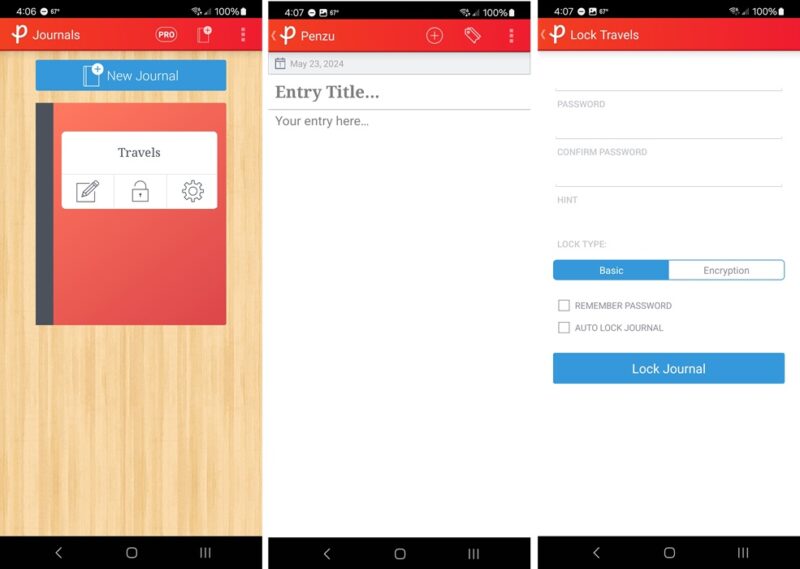
While it’s designed for any type of digital diary, you get unlimited entries and add photos and basic customization – completely free. As with most apps like this, the premium version gives you some nice perks, such as higher level encryption, unlimited journals (only one in free), handwritten fonts, much more customization, writing prompts, and more.
If keeping your travel memories private is important, upgrading is worth it. Otherwise, a good password in the free version is all you need.
Best for Finding New Adventures: Polarsteps
Price: Free
Polarsteps does something most other travel journal apps don’t – it guides you toward new adventures. Think of the platform as a traveling social network. Upload your travels, or keep them private. Explore guidebooks, photos, and more from fellow travelers. If you’re feeling inspired to go on a new trip, find out how to save money on flights.
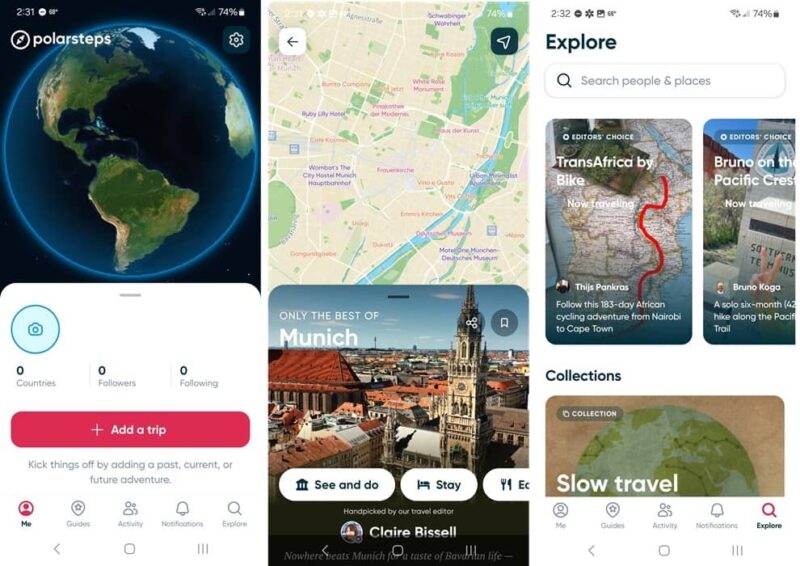
Surprisingly, it’s completely free to use Polarsteps, and your high-res photos are automatically uploaded to the cloud (if you want) to help save space on your phone. Once again, it’s free.
Explore your memories at any time, share them with others, and even create your own guidebooks. You can also turn your memories into an elegant hardcover book. This is how the app makes money, but it’s optional.
Best for Looking Back: Diarium
Price: Free with premium option
Diarium isn’t just a travel journal app. Journal about any and everything. But it’s easy to tag entries with a location, see travel memories in the calendar view, and even check out maps to see where you’ve traveled at a glance.
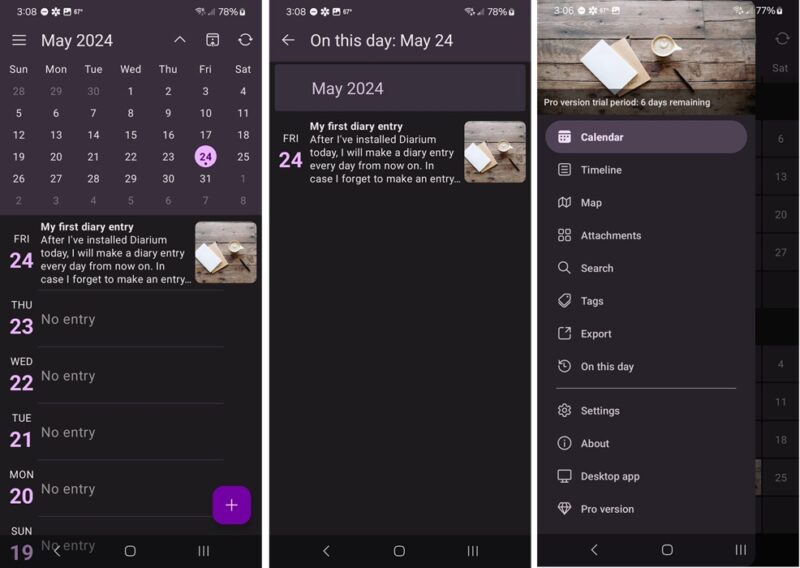
What I love is the different views. View entries in a calendar, timeline, or map format. Easily search for past entries, or turn on the On This Day notification for a fun look back. If you’ve used another journaling app in the past, Diarium helps you import your entries to make transitioning much easier.
While the app is cross-platform between iOS, Android, macOS, and Windows, you must pay a separate fee for each platform. For instance, to go between Android and Windows, you’d need to buy Diarium for each platform. However, it is just a one-time fee per platform.
No matter which of these travel journal apps you choose, it’s all about enjoying yourself during the journey. It’s not always easy to get perfect pictures for your journal, but try these online photo editing tools to help turn okay photos into amazing ones, or use a little AI magic to make your pictures even better.
Image credit: Unsplash. All screenshots by Crystal Crowder.