Forget grabbing tape measures or relying on road signs to measure distance. No matter what you’re trying to measure, these distance measuring mobile apps make it easy to get accurate results in seconds.
1. Best for Hiking and Biking: GPS Distance Calculator Trails
Platforms: Android
Price: Free with premium upgrades
Whether you’re hiking, biking, walking, or driving, GPS Distance Calculator Trails has you covered. It’s one of the simplest distance measuring apps. You give it location permission, set your starting point, and start moving. That’s it.
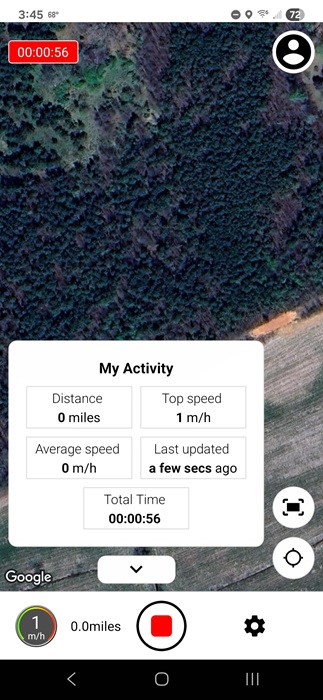
The best part is being able to choose your map style. This lets you view your measured trails the way you want. You can also set your preferred measurement unit. As I said, super simple.
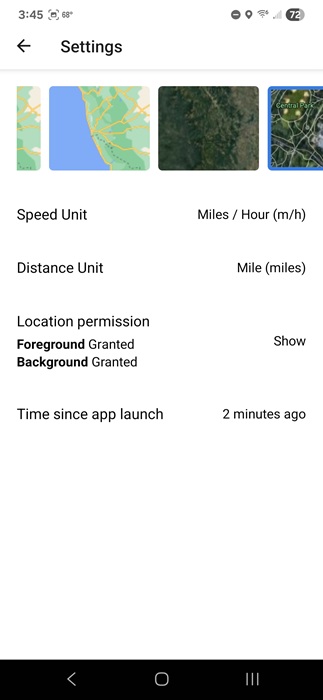
The app is fairly new, so it doesn’t have many downloads yet. Plus, it’s only available on Android for now. However, it worked easily without any complicated setup or the need to create an account. In the future, I could see having an account to save your trails as a must-have feature. It did randomly close once, but after clearing the cache, it worked fine.
2. Best for Planning a Hike: Footpath Route Planner
Price: Free with premium upgrades
While most distance measuring apps for hiking measure distance while you’re walking, Footpath Route Planner measures during the planning phase. Want to make sure that interesting trail isn’t too long or too high? Just use your finger to accurately measure the distance.
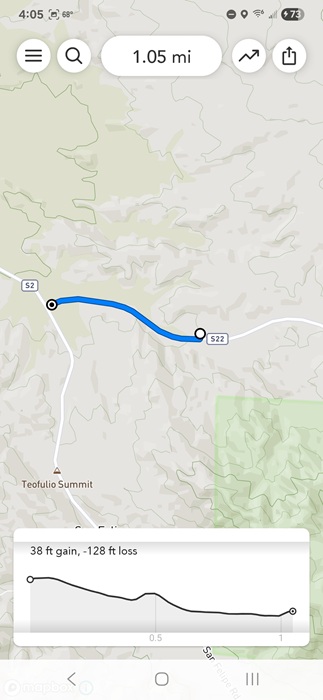
The free version lets you save a limited number of routes and record a route via GPS (free signup required). To export routes, save more, get premium maps, and turn-by-turn navigation, you’ll have to upgrade.
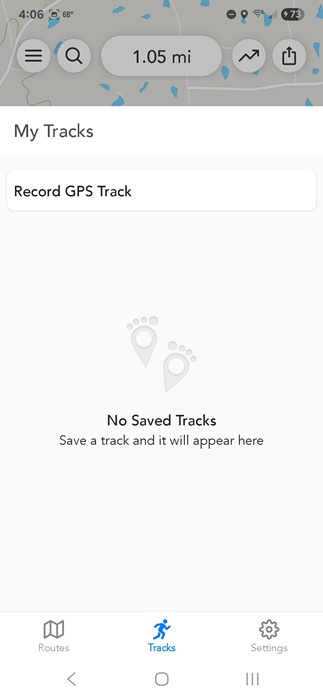
One thing that sets this app apart is goes beyond just distance. It’ll also measure the elevation to help you better determine how steep a trail might be before hiking.
3. Best for Perimeter Measurement: GPS Fields Area Measure
Price: Free with premium upgrades
GPS Fields Area Measure lets you start with a map, and use it to measure the distance between two or more points. Measure the distance between two cities, the length of a road, or perimeters, such as a field or other plot of land.
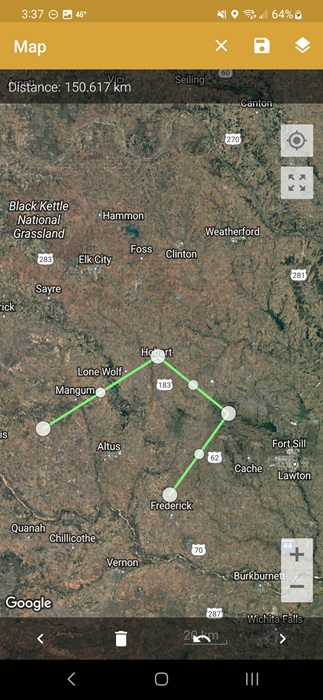
It’s designed with farmers in mind who want to quickly measure the perimeter of their fields. However, it’s really for anyone wanting to measure distances and perimeters all over the world.
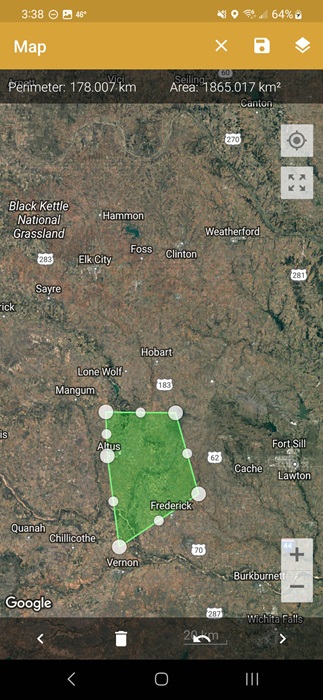
Use manual or GPS measuring to measure distance and area or find points of interest. Measure in both metric and imperial units. Click the +, choose your measurement option, and select your points. Or, use GPS measuring to measure while walking or driving. The free version does have large ads, and you have to pay to remove them.
4. Best for Home DIY Projects: AR Ruler 3D
Price: Free with Pro options
AR Ruler 3D, or AR Ruler App in the Google Play Store, turns your phone’s camera into a tape measure. If you’re working on renovating a room, landscaping your yard, or setting up a new floor plan, this app can help. It can handle everything from simple line measurements to volume to distance.
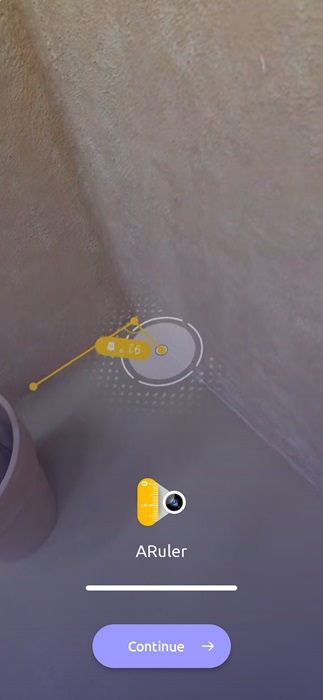
The app uses LiDAR technology to measure items. Gently moving your phone based on the tutorial in the app is all it takes to start measuring your target. Choose the unit of measure (both metric and imperial), along with your measurement type, such as a line, distance, volume, etc. The app even auto-detect shapes.
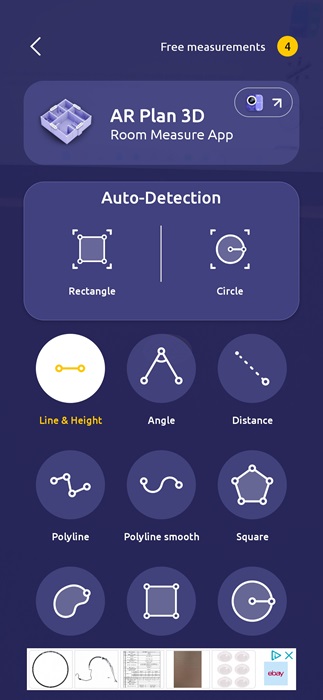
While it’s one of the easiest-to-use distance measuring apps, you’ll likely want to upgrade if you need to use it much. You only get four free measurements every 24 hours. And there are ads, though they’re not too bad.
5. Best for Walking Distances: Map My Walk
Price: Free with premium upgrades
Want to know the walking distance from your favorite coffee shop to your house? Just use Map My Walk. The app tracks almost everything about your walks, such as the route, pace, and distance via GPS on your phone.
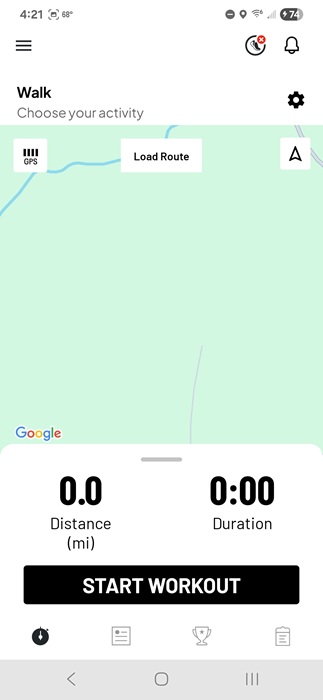
Unlike other distance measuring apps on this list, this is made for fitness and even integrates with some fitness bands and apps. There are even multiple types of walks and activities to choose from. I even used it to measure the distance of a hallway.
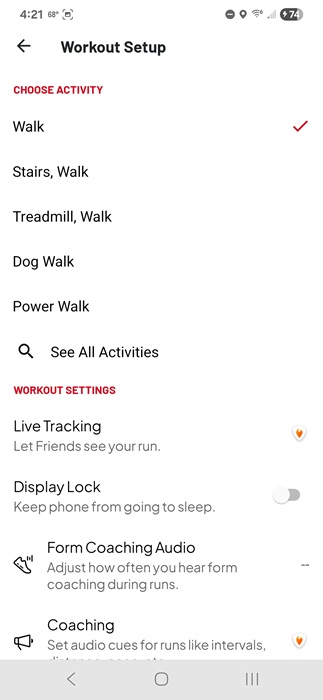
Obviously, the app needs access to your location to work properly. For basic tracking and saving your routes, the app is free. And it works extremely well. But, for customizing workouts and goals, you’ll need to upgrade. You do have to create a free account to use it, though.
6. Best for Completely Free Option: Google Maps
Platforms: Android | iOS | Web
Price: Free
While all other apps on this list have a premium option, Google Maps is free. Sure, you may already use it for traveling, but did you realize there’s also a built-in distance-measuring tool? If you want to see the distance for more than just a planned route, open the Measure Distance tool to get started.
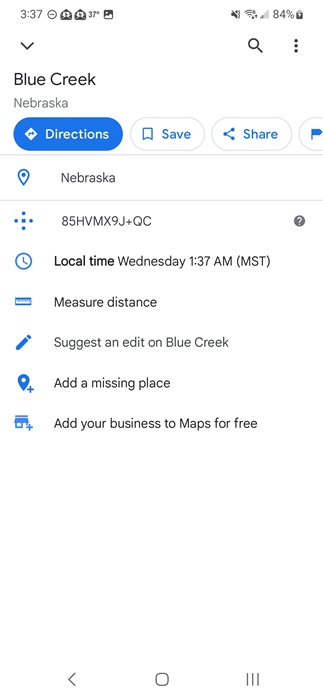
Measure as large or small of an area as you want. Zoom in to measure your own yard or how wide a local lake is. Or, check the distance between cities, states, or countries. Right-click (Web) or long-tap (app) on your first point on the map. Select Measure distance, then select your other point(s). If you don’t see the option, swipe up to view more options. It can be a line or any shape you want.
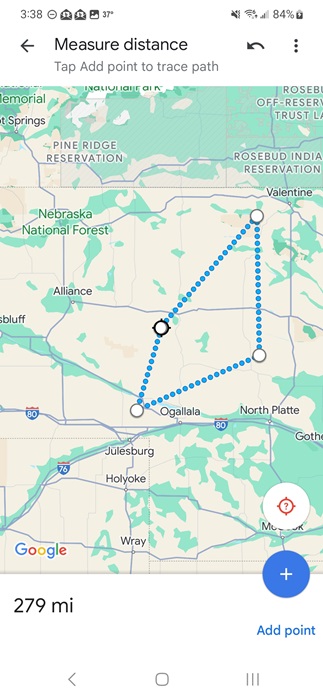
The map shows the overall distance. It’s that simple. Plus, there’s nothing to buy or any annoying ads. You don’t have to drop pins to measure distance, but you can make it easier to find your target locations. Some Google Maps alternatives also let you measure distance. You can even try Apple Maps on Android.
7. Best for Land Surveying: GPS Land Measurement and Survey
Price: Free with premium upgrades
GPS Land Measurement and Survey is a distance measuring app and area calculator in one. It’s made mainly for land surveying and offers both manual and GPS measuring modes.
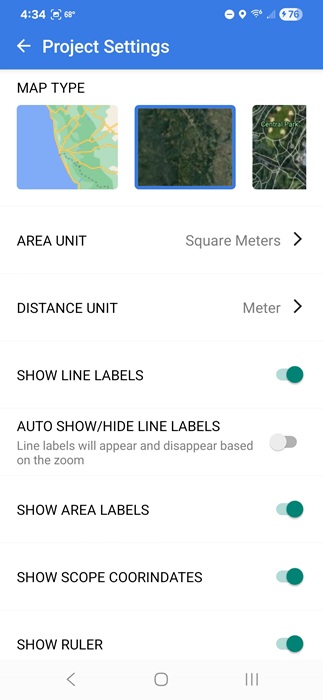
The map looks just like almost any other map app, but use the Area, Distance, and Circle measuring tools at the bottom right to select what you want to measure. Choose between tap, scope, draw, coordinates, and GPS live to plot your points. Once you’ve plotted your points, the distance and any other information appear at the top and on the map.
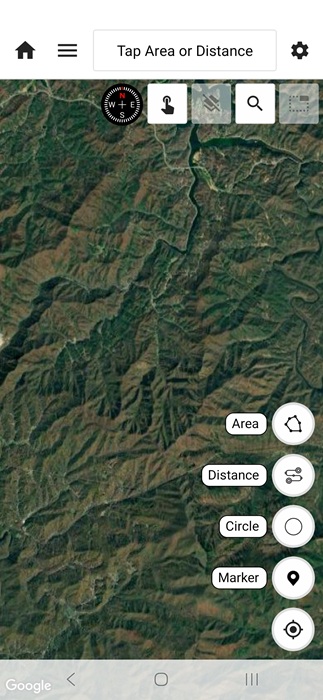
This is one of the top apps to measure distance on Android and iPhone. It’s simple and straightforward to use. Surprisingly, ads are sparse in the free version. If you want to save more than two projects, you’ll need to upgrade to a premium plan.
Whether you want to measure a few feet or a thousand miles, there’s an app to handle it. Get creative while using them and you can measure most anything. If you’re measuring distances while traveling, make sure public Wi-Fi isn’t broadcasting your private data.