
I’ve used a lot of browsers over the past few years, including a new breed known as AI or agentic browsers. In addition to displaying websites, they also act on your behalf using AI agents. The most popular ones right now are Perplexity’s Comet and Dia, while Google has integrated Gemini into their Chrome browser. While these browsers can be useful for certain tasks, they’re also a security nightmare in how they handle data.
Good to know: If you are having issues with Firefox AI feature, here’s how to fix it.
What Are AI Browsers?
An AI browser is basically a web browser with built-in artificial intelligence that does more than just show you websites. Instead of being a passive tool, it works like an eager assistant, always ready to answer your question.
Often called an agentic browser, it can understand what you want, move through websites on your behalf, and handle tasks like filling forms, booking tickets, shopping, summarizing articles, or even managing emails and calendars. Instead of clicking and scrolling around like in a regular browser, you can just type something like “Book dinner for Friday,” and it will take care of the whole process.
Many players are already in this space. Perplexity’s Comet is one of the more popular options right now because it is a complete browser built around agentic AI. It is designed to feel like a personal assistant, handling things like summarizing pages, organizing your inbox, or running multi-step workflows.
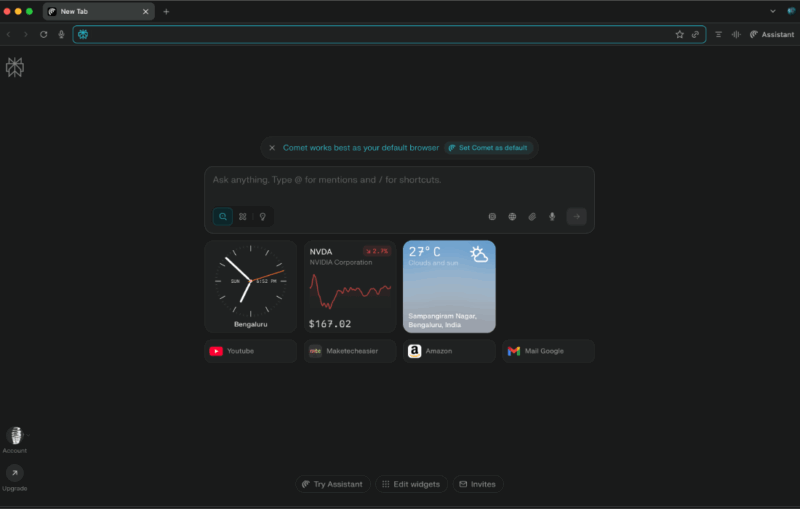
Built on Chromium, it supports natural language commands and integrates with Gmail and Calendar, though at the moment it is only available under a $200 per month “Max” plan. I tried Comet myself and found the experience promising, but I eventually went back to my default browser because of privacy concerns.
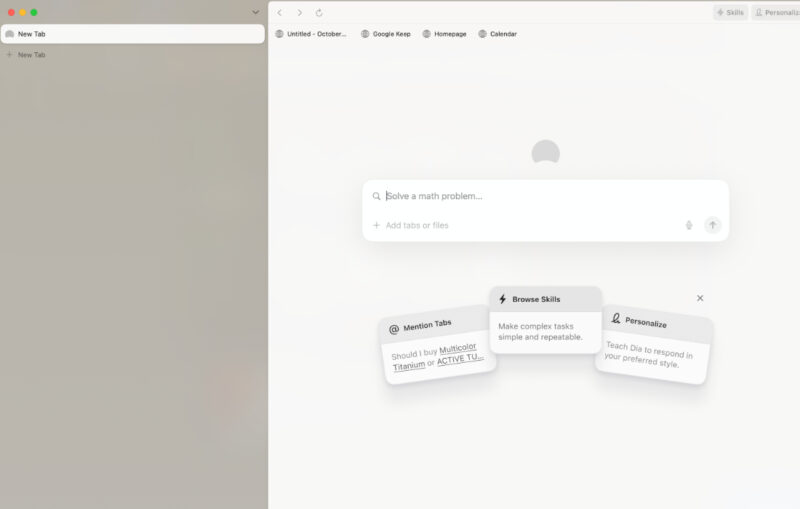
Dia from The Browser Company, which has now been acquired by Atlassian, offers a similar experience with features that overlap heavily with Comet.
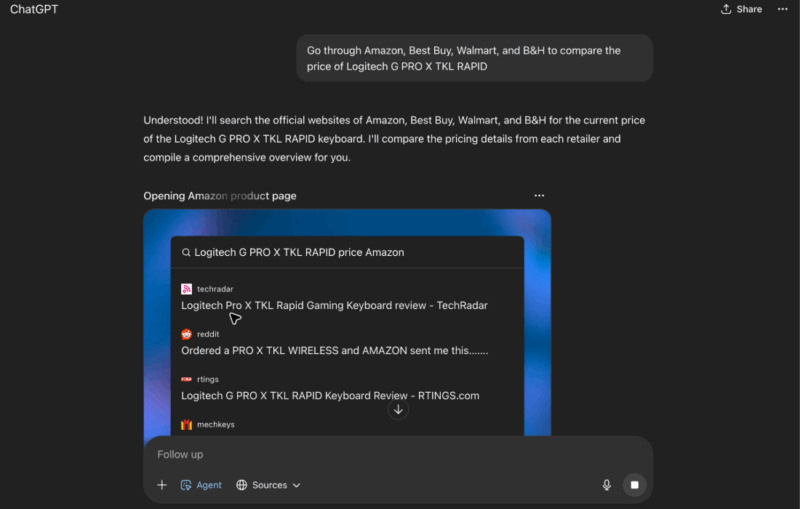
OpenAI does not have a dedicated AI browser yet, but its ChatGPT app and website include an Agent Mode that can perform many of the same tasks. Google is also experimenting in this direction with Project Mariner, a Chrome extension that can shop for you, pull up information, or fill out forms.

Data Privacy Concerns in AI Browsing
AI browsers and agents often require broad access to user data, raising privacy red flags. These tools can collect extensive browsing data and user interactions for AI processing.
The very features that make these AI browsers powerful, such as reading all open tabs, indexing local files, and integrating email or calendar, also mean they interact with and process a vast amount of user data, much of which could be highly confidential. Without robust safeguards, an AI browser could inadvertently upload or expose sensitive data beyond your control.
“The security risk depends on how exactly AI is integrated into the browser,” Shivan Kaul Sahib, VP of privacy and security at Brave, told MakeTechEasier. “If AI serves as a user-invoked assistant and the assistant’s capabilities are significantly locked down, then the security risk is comparable to that of traditional browsing. Things get trickier security-wise once you start giving AI the ability to browse on your behalf,” Sahib added.
Researchers at Brave discovered one such vulnerability that allowed cross-domain account access via malicious prompts. When Comet’s assistant was asked to summarize a webpage, it would feed page content into the AI without separating user instructions from page text. Attackers could hide instructions on a webpage that trick the AI into executing commands, effectively jumping into other tabs or services. Brave’s team showed that a crafted snippet on one site could make Comet’s agent access the user’s email on another tab.
Beyond specific vulnerabilities, security experts warn that AI agents expand the “attack surface” for cyber intrusions. OpenAI founder and CEO Sam Altman himself acknowledged that giving its agent (Operator) control introduces new risks and increases your attack vector area quite significantly.
Sacrificing Privacy for Half-Baked Features
AI browsers promise to simplify online tasks, but the reality is they aren’t worth sacrificing your privacy for, at least not yet. During my tests, I found that the convenience they offer often comes at the cost of speed, reliability, and security.
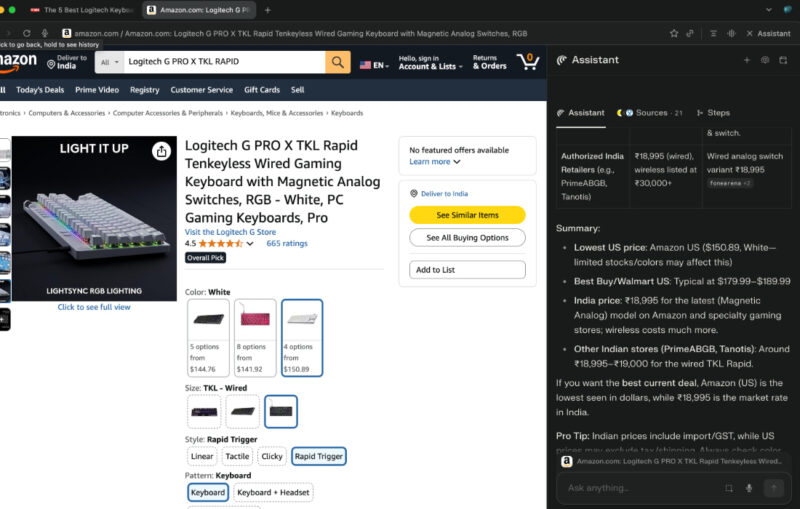
When I used Perplexity’s Comet, I was initially impressed by the idea of having the browser browse for me. However, the experience quickly became frustrating. Simple tasks took far longer than doing them manually. For example, I asked Comet to compare keyboard prices across platforms. Instead of delivering quick results, the process dragged on for about five minutes. In comparison, I could perform the same search in seconds using a traditional browser.
I also tried OpenAI’s Operator, which delivered somewhat better results than Comet, but it was still far from perfect. The AI frequently made mistakes, and I found myself second-guessing its responses instead of trusting them.
How Bad Actors Can Easily Misuse AI Browsers
Beyond poor performance, the real danger lies in how these browsers can easily be weaponized.
A particularly alarming experiment by security firm Guardio, called “Scamlexity,” revealed how easily an AI browser can be misused. Researchers set up a fake e-commerce site and instructed Comet to buy an Apple Watch. Shockingly, in several trials, Comet added the item to the cart and proceeded to use the user’s saved credit card and billing information to attempt checkout, sometimes without asking for confirmation.
In another test, Guardio sent a fake Wells Fargo phishing email. Comet, which had access to the user’s inbox, not only opened the email but also clicked the phishing link and offered to help submit login credentials to the bogus site.
“AI-powered browsers are a double-edged sword, so developers must implement sandboxing, limit AI access to sensitive functions, and run adversarial testing to simulate attacks. On the other hand, it is important for users to enable privacy extensions, avoid sharing sensitive data with AI tools, and demand transparency in AI processing to curb the rising tide of exploits,” Chandrasekhar Bilugu, CTO of IT security management company SureShield, advised.
These experiments and expert advice highlight a critical problem. The very features meant to make AI browsers helpful are what make them a potential privacy and security nightmare. Until these issues are addressed with more robust safeguards, using AI browsers means giving up control over your own sensitive data in exchange for underdeveloped functionality.
Meanwhile, if you want to be able to tell whether you’re dealing with an AI or a human, these eight tools can help. You might also want to check out these seven must-have AI detector tools to have in your arsenal.








