Since you already have your smartphone on you all the time, why not use it as the place you store your daily private thoughts? Check this post for a list of the best journaling apps for iOS and Android.
Good to know: if you like writing down your thoughts on your PC, check the best journaling apps on Windows.
1. My Diary
Price: Free with premium options
My Diary is my first choice when it comes to journaling apps for mobile. I’ve been using the app on my main Android device for a while now, as I am a big fan of its interface and fun customization options.
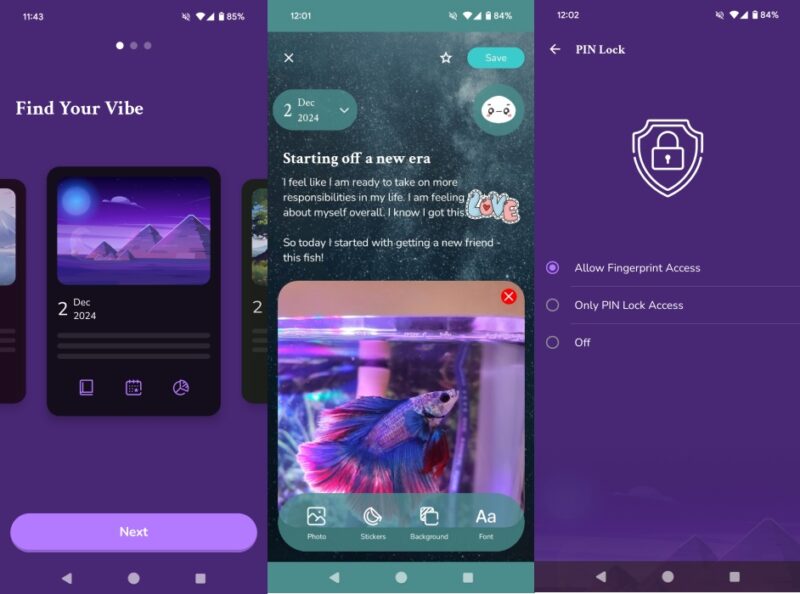
When you first open My Diary, the app lets you choose a theme as well as emoji pack. There are many beautiful options available, but once you make a selection you won’t be able to switch to a different theme unless you upgrade to premium. I like My Diary’s interface as it’s not too cluttered. You can add titles to your posts and you can view them on the main screen. The app also allows you to add images and stickers to posts and change backgrounds or fonts.
The app lets you set a PIN lock or if your phone has a fingerprint you can use it to authenticate yourself. If you want to save your entries for posterity, My Dairy has a backup function. An automatic backup option exists but is unlocked only in the paid version.
2. Journey
Price: Free with premium options
The Journey app is a digital journaling app with a modern look. It’s easy to start writing, just press the New Entry button positioned in the lower left corner.
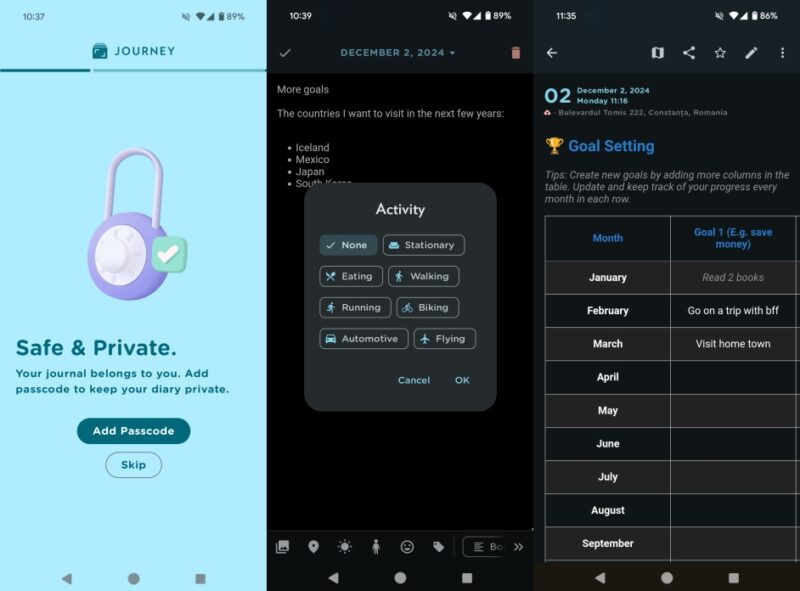
What I like about this app is that you can add rich data to each entry including location, weather info, images, mood, tags, and more. On the other hand, you can’t add titles to your entries, which is a flaw from my point of view. Journey offers access to a series of templates. For instance, I found the Goal Setting one particularly useful. When it comes to privacy, Journey allows you to secure the app by setting a passcode.
Journey entries are automatically backed up to a cloud of your choosing (including Google Drive). Journey offers a paid subscription that includes access to an AI assistant capable of answering questions about the journal. In addition, upgrading to a membership also offers access to various training programs such as Discover Your Relationship Style or Building Emotional Self-Awarness.
FYI: can’t format your microSD card on Android? Here’s what you can do.
3. Diarium
Price: Free with premium prices
Diarium is another journaling app that’s worthy of your attention. It lets you set an interface accent color as well as select a custom font (full set of options available in the Pro version).
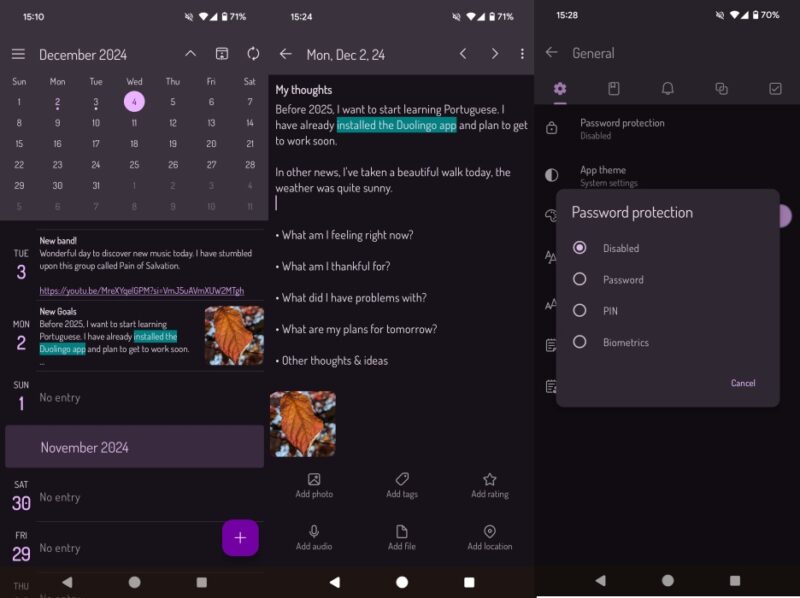
When it comes to journal entries, you can add images, videos, files, audio files, and more. Even better, if you don’t feel like typing, you can dictate your text. A few templates are also included in the bundle.
Diarium offers cloud sync with popular services such as Google Drive, OneDrive, or iCloud. It also lets you export diary entries in DOCX (available in Pro), TXT, HTML, and JSON format. You can protect your Diarium entries by setting up a password or PIN. If your phone has biometrics, you can use this to unlock your app.
4. Day One Journal
Price: Free with premium versions
Day One Journal is another journaling app that stands out. While it features a rather bland interface (compared to the other apps on the list) that’s minimally customizable, I’ve opted to include Day One Journal into this list due to a couple of standout features.
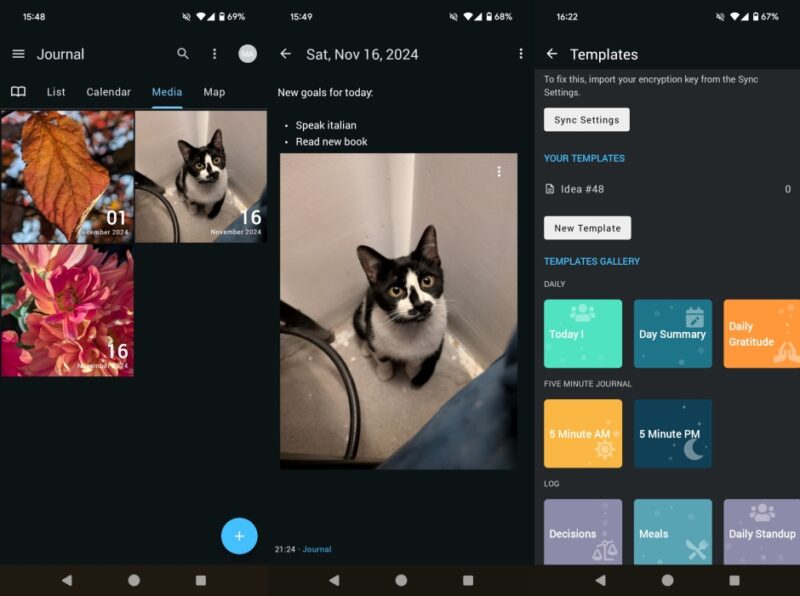
First, Day One Journal offers a cool thumbnail view of your posts, making it easier to navigate your diary entries and find the information you are looking for. Secondly, the app allows you to set a desired font size, something I haven’t seen with other journaling apps. If you’re a person affected by vision issues, this feature could be really useful.
Day One also has templates, lets you set a passcode to protect your secrets, and exports your data. Another standout feature of this app is its integration with Instagram so you can import content into new journal entries – but I should note this is a paid feature.
Tip: learn how to use your iPhone hands-free with this voice control feature.
5. DailyBean
Price: Free with premium options
If your daily journal entries tend to be on the smaller side, maybe you’d like to consider DailyBean. This is a simple journaling app that also tracks your mood and helps learn how to identify your emojis.
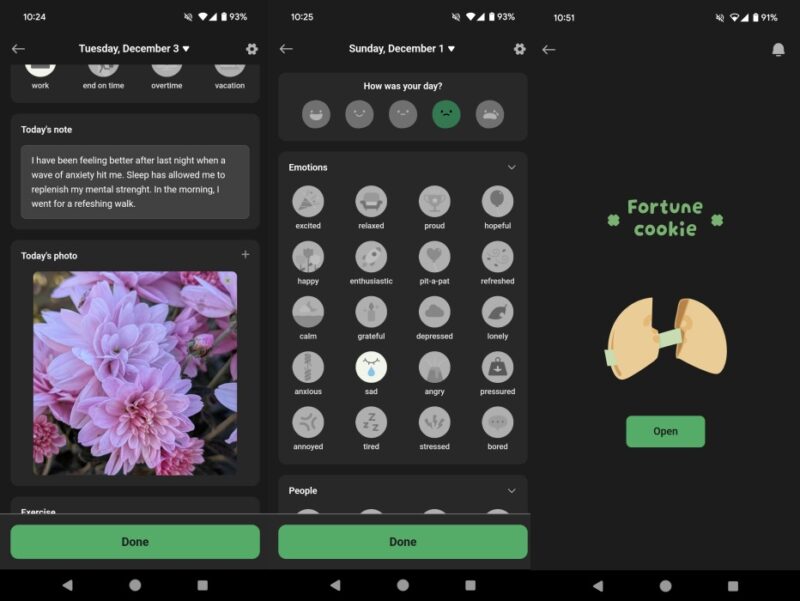
For every entry, I usually select a mood represented by one of the fun emojis. I can customize your post by including details about your day, such as how I’m feeling, who I’ve connected with, the weather, and beyond. You can edit these options from the app’s settings. In addition, you can add up to 3 images per post, as well as track exercise and daily steps data. To my surprise, the app offers a daily virtual fortune cookie to open, a detail I found especially enjoyable.
The app offers access to various cool themes which include adorable emoji packs. Unfortunately, these are paid options that require you to spend in-app currency (clovers). Upgrading to a subscription will unlock 180 clovers, but you can purchase more. Or you can watch 2 ads per day in exchange for free clovers. The app comes with a free library of fonts and also allows you to set a PIN lock.
6. stoic.
Price: Free with premium options
Stoic. isn’t 100% a journaling app but it has a strong journaling component. The app has a stunning minimalist black/white interface that just puts you into a contemplative mood.
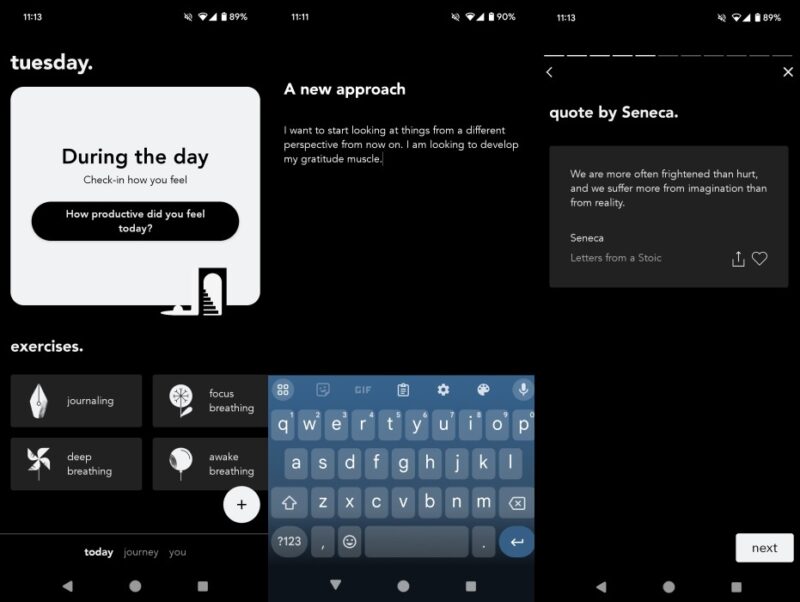
The focus is on the essentials, which is something I prefer as I’ve been on the journey to declutter my life for a while now. Journal entry pages are pristine. You can add text and images, but that’s it. As someone who practices breathing exercises, I appreciate that stoic. includes techniques for focus, deep breathing, and awake breathing.
In addition, stoic. gives you access to affirmations and even lets you do mood check-ins. You can access all these features in the free version, but if you want to password-protect the app and export data, you’ll need to upgrade to the premium tier.
7. Journal by Apple
Price: Free
Available for: iOS
If you don’t feel like installing yet another app on your phone and you have a newer iPhone, consider using your device’s built-in Journal app.
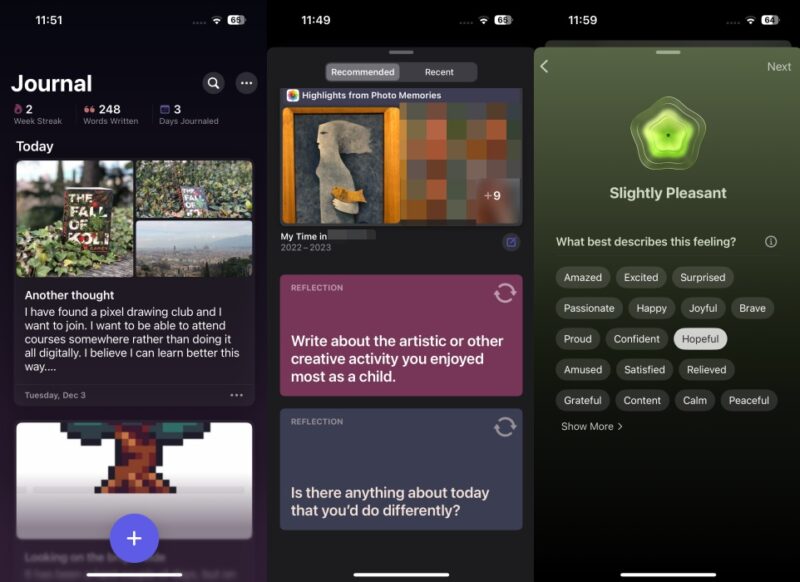
As expected since this is an Apple app, it comes with a simple yet beautiful interface. I love that Journal offers a suggestion feature that displays a set of recent, personal events and data, as well as invitations to reflect to inspire you in your writing. For instance, when I was writing a few thoughts about a trilogy of books I was reading at the time, Suggestions nudged me to include in the post a few photos of the books I had taken a few days prior. In addition, you can add images, location, and mood to your entries.
The app also lets you record audio and include them in your journal entries. When it comes to privacy, you can use your iPhone’s passcode as a lock for the app. If you have Face ID or Touch ID set up, you can use these options instead.
Tip: these apps will help you convert text-to-speech on your Android or iPhone.
8. Reflectly
Price: Free with premium options
Finally, if you’re looking for an app with a truly beautiful interface that can inspire you to write, you can check Reflectly. It’s a hybrid between a mood-tracking and journaling app that invites you to record your thoughts as well as feelings.
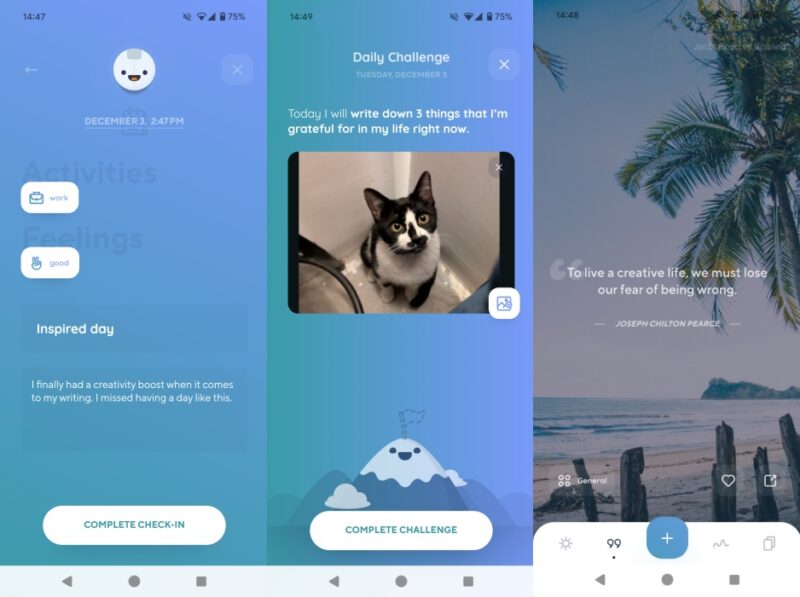
Journaling with Reflectly is simply a joy – the app lets you pick a color theme. Then you can start doing mood check-ins which is basically writing journal entries. Unlike with other apps, however, here you can only create text-based notes or audio notes. The app serves up a daily challenge each day, which has consistently motivated me to log into the app and write.
There’s a whole section dedicated to inspirational quotes which it’s really nice to have. There are many categories to choose from provided you’ve upgraded to a premium subscription. And if you’re out of inspiration, you can answer the daily question. Reflectly makes no exception and includes a biometric lock. In addition, it allows you to export data in PDF format.
If, on the other hand, simply taking notes on your mobile device, check our post which covers the best note-taking apps for Android and iPhone.
Image credit: Unsplash All screenshots by Alexandra Arici