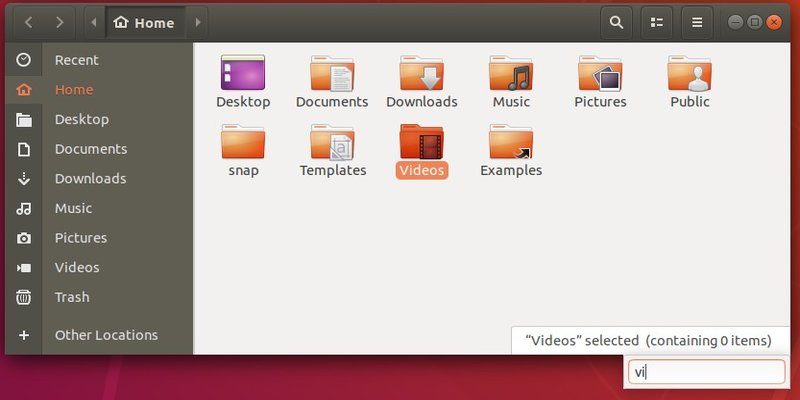
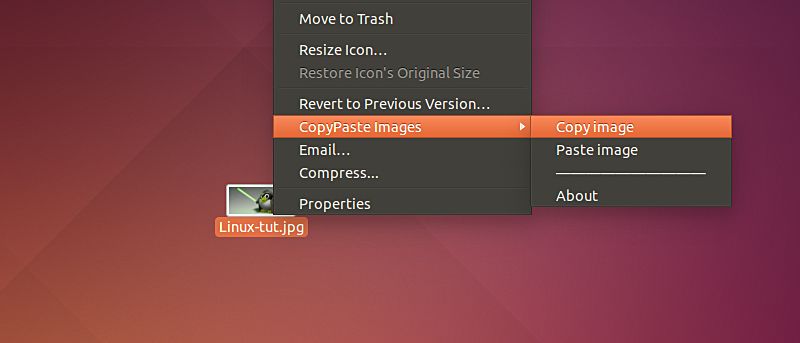
Being the default file manager in Gnome and Ubuntu, Nautilus has done its job well. You can add bookmarks to your frequently used folders, view folders in tabs, connect to a remote server, right-click to extract zipped files, synchronize with Ubuntu One and many other useful stuff. However, sometimes you may find that it is a a bit lacking in some areas, like the ability to open folder in terminal, run file as administrators, mount ISO file etc. This is where Nautilus Action Extra comes into action.
Nautilus Action Extra is an action script for Nautilus that adds plenty of useful options to the context menu (the window that pop up when you right-click your mouse). Once installed, you will get feature like “Open file in terminal”, “open file as administrator”, “repair filename”, “check sum” and many other advanced options easily accessible from the context menu.
[Read more...]
Having used Nautilus (the default file manager in Ubuntu) for several years, I have really no complaints about it. It does its jobs well and you can also install scripts and actions to increase its functionality. However, after installing Nautilus Elementary, I am surprised by the simplicity and the enhancements that it adds to the file manager, which makes Nautilus even more user-friendly and useful. If you haven’t install Nautilus Elementary yet, you got to give it a try.
For Ubuntu enthusiasts, you should know that the next iteration of Ubuntu – Maverick Meerkat is set to release on 10 Oct 2010. For those who are keen to find out what’s new in this release, here is the full review (and screenshots) of Ubuntu Maverick.
Whatever your desktop environment of choice, it likely came with its own file manager. Some have one pane, some have two panes, some work in Gnome, others in KDE, and they all have different options. If the default doesn’t work for you, how do you find the best replacement? How do you know if it will work in your favorite desktop environment? In this guide we’ll cover many of the most popular file managers for Linux and include the details to help you decide which one is right for you.
In Mac, the
If you have a website of your own, you would be fairly used to using various FTP clients to transfer files to and from your hosting space. I personally use Filezilla for this activity. What I do not like about most FTP clients is the interface and the number of sections that are there in front of a user. While the designers are trying to show all that is happening in the background when you transfer a file to a remote server, this transperancy is not always required.