Microsoft is pushing users to switch to Office 2024 or Microsoft 365 by ending support for Office 2016 and 2019. But, there’s still a way for users to get free zero-day patches for Microsoft Office even after support ends.
When Does Office 2016 and 2019 Support End
No matter how much you love using these older versions of Microsoft Office, Microsoft is moving on to newer versions. After October 14, 2025, you won’t receive any more security or feature updates.
This leaves your system vulnerable, especially from zero-day exploits. These exploits are vulnerabilities that were being actively attacked before the developer knew about the issue. Typically, developers release security patches within a few days to help protect users.
To keep receiving official updates, you’ll need to upgrade to Office 2024 or a Microsoft 365 subscription. Or, you can switch to a free Office alternative. Thanks to 0Patch, you have one more option that doesn’t require you to upgrade.
Get Third-Party Security Patches With 0Patch
0Patch is a product of Acros, a Slovenia security company. The tool provides micropatches to protect against current and potential vulnerabilities, even after official support ends.
Updates occur behind the scenes and don’t involve any restarts or downtime. Instead of massive updates that may change how Office works, these tiny patches focus solely on keeping Office working securely.
Starting in October, 0Patch will start providing free security patches for Microsoft Office 2016 and 2019. The micropatches are applied to your system’s running memory and don’t change the actual binary files from Microsoft.
The platform has a reputation for patching vulnerabilities for older software. And, in cases where the developer is still providing security updates for outdated software, 0Patch has sometimes patched vulnerabilities days and weeks before the developer.
Installing 0Patch Agent
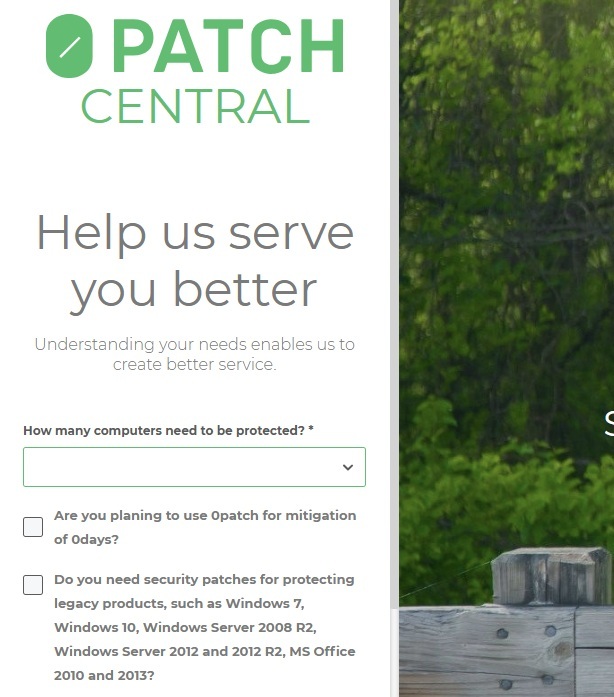
0Patch offers both free and premium plans. Register for a free account on 0Patch. There’s no credit card required to get started. Fill out the short form about how you plan to use 0Patch.
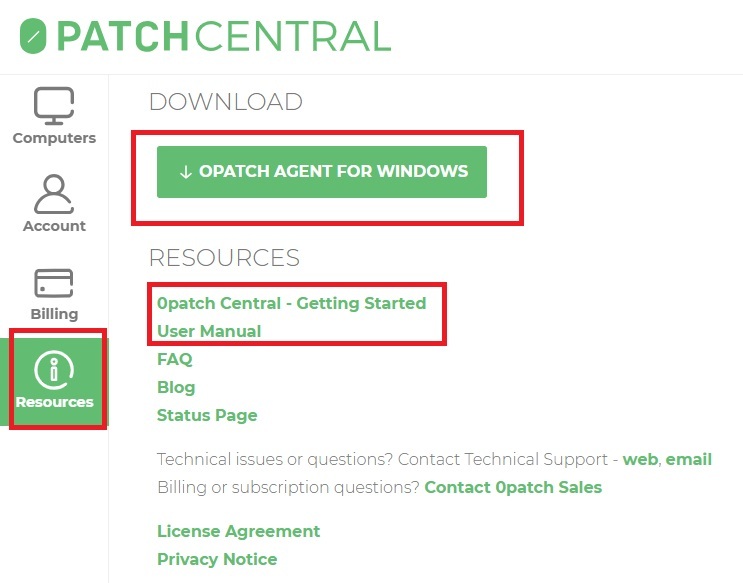
When the dashboard appears, click Resources in the left sidebar. Click 0Patch Agent for Windows to download the desktop manager for your updates. If you have any questions, check out the User Manual and Getting Started sections just below the download.
Install the 0Patch Agent for Windows after it downloads. Sign in with your 0Patch account when the software launches.
The moment you log in, you’ll start getting free security patches for any unpatched vulnerabilities. Unless you upgrade, you’re only eligible for free patches. But, the dashboard of the desktop software lets you know how many premium patches are available too.
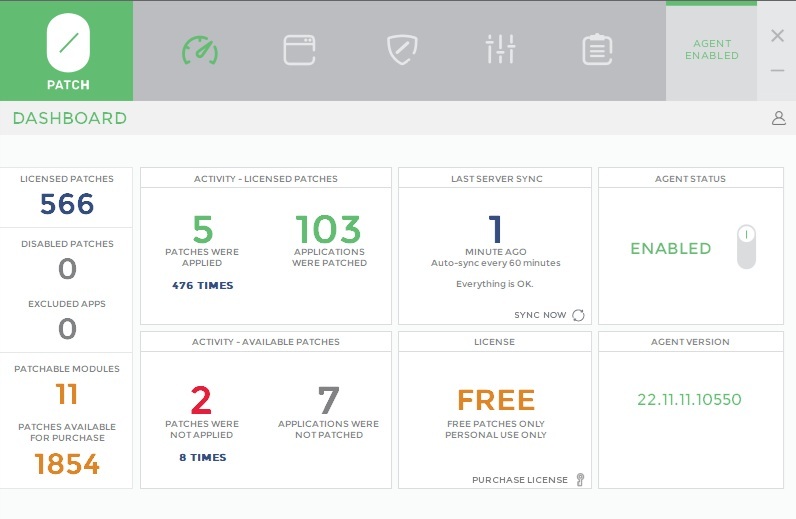
Everything happens in the background. You don’t have to install anything manually once the tool is running. You’ll see an occasional pop-up in your notification tray when new patches are installed.
Click the Applications tab in the desktop tool to view all the applications that are being patched or could be patched. If you want to exclude any app, toggle it off. Use the filters just above the list to filter the results.
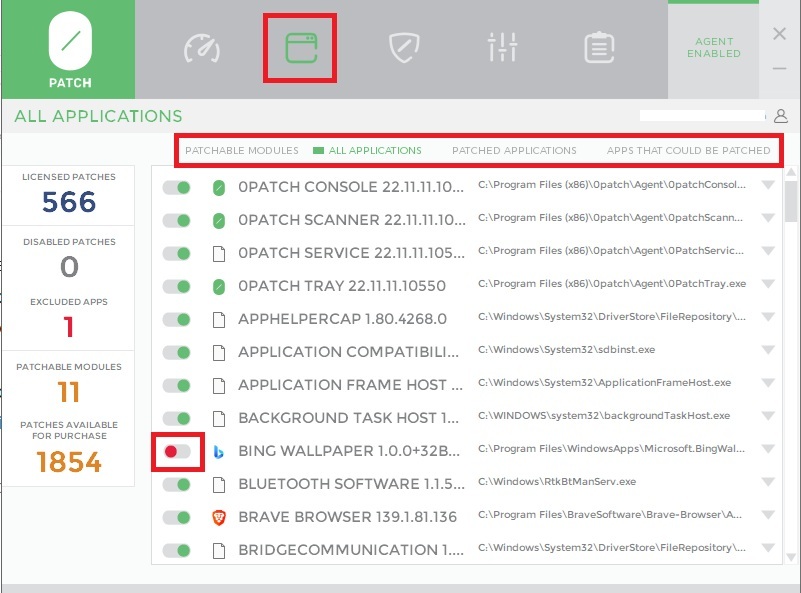
Until Microsoft’s official support ends in October, you probably won’t see too many Office patches. I only had a few myself.
Click the Patches tab to view all patches. Disable any patches you don’t want by using the toggle next to the patch. Use the filters just above the list to filter the results.
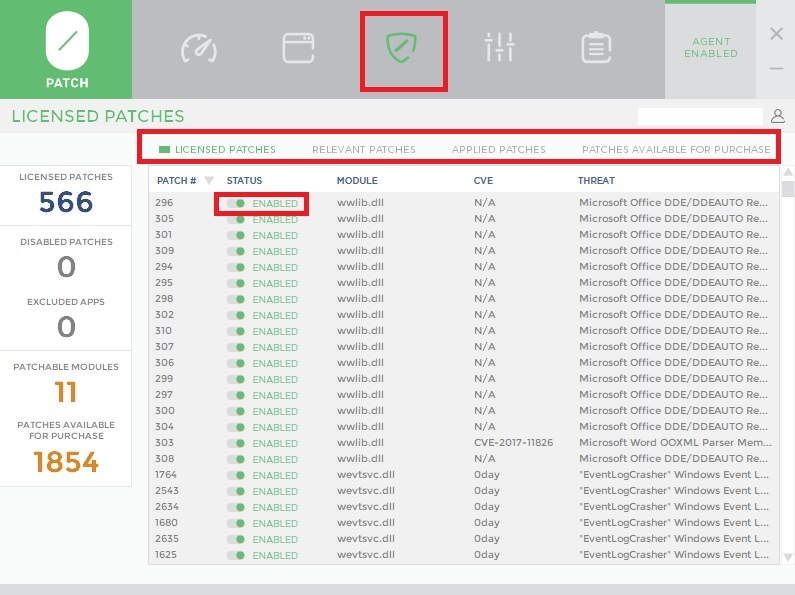
Enabling and Disabling 0Patch’s Micropatches
You must keep the desktop tool running on any machines you want to stay updated. If you remove it, this disables your security patches for Microsoft Office and any other patched apps.
If you’re having trouble with Office or other patched apps, try disabling 0Patch to see if that fixes the issue.
Open the desktop tool, click the Dashboard tab, and toggle Agent Status to Disabled. You’ll see a warning message that patches are no longer applied. Click Disable to confirm. When you re-enable the agent on your device, patches are re-applied.
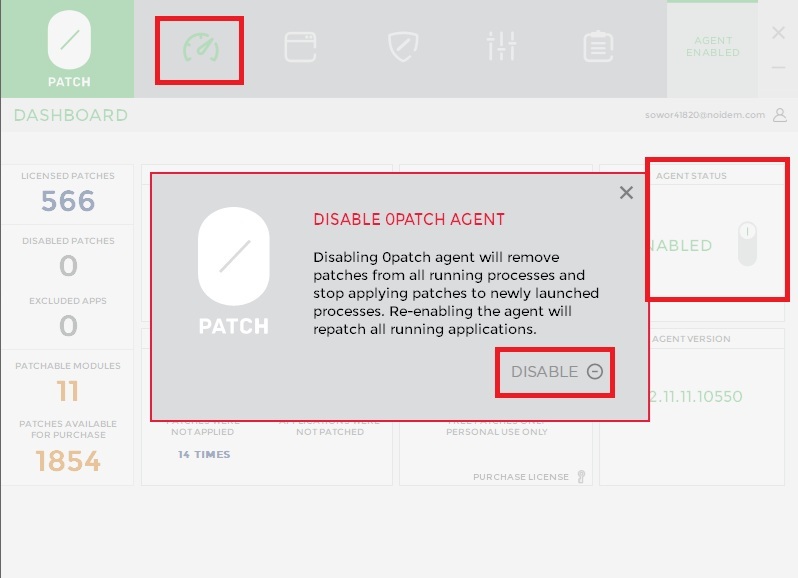
Anytime you log in to the web portal on 0Patch, you’ll see a list of enabled and disabled agents, or devices, for your account. The free version allows you to patch Office and other apps on up to 10 devices.
Getting Premium Patches
Free users get access to zero day patches for Microsoft Office and many other older apps/software. The free license is only for personal and non-commercial use. As the name implies, zero day patches are the priority. For other vulnerabilities, you’ll need to upgrade to a premium plan. All prices are in euros, but it converts to approximately $29/year for the Pro plan and $41/year for the Enterprise plan.
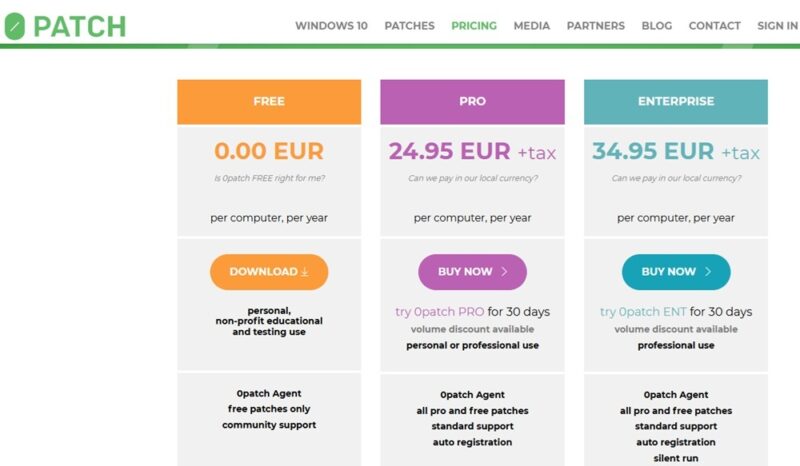
The good news is the price isn’t just for Microsoft Office 2016 and 2019. You also get security patches for Office 2010 and 2013, various Windows 10 versions, Windows 11 v21H2 (if you couldn’t upgrade any further), Adobe Reader, 7-zip, and more. One license covers all the patches.
A 30-day free trial is available so you can see exactly how many patches your system needs. Overall, it’s cheaper than upgrading or buying a new PC, especially if you just need it for a few years.
As you may already know, Microsoft is planning to provide Windows 10 updates, but it may cost you. And, if you’re running Windows 10, make sure you download the ISO before it goes away. Then, 0Patch can help keep you safer while you keep using Windows 10 and Office 2016 or 2019.