We speak faster than we type – yet keyboards still dominate, even though voice dictation has been around for decades. The main reason for this is that voice dictation is not accurate yet, and there are plenty of editing formatting afterward, which makes it a hassle. Wispr Flow, an AI voice dictation tool, changes that with a zero-edit rate. Here’s how it can make your writing faster and better.
What is Wispr Flow
Wispr Flow is an AI-powered voice dictation tool that uses AI to understand context and what you are trying to say. Instead of typing whatever you say, it tries to understand and write what you actually mean. This means it will omit any words that shouldn’t be part of written text, like “umm”, “eh” sounds, or words such as “like” or “you know”, etc.
While traditional voice dictation tools also understand context and try to guess words, Wispr Flow will try to guess your intention based on context and delivers well-written text. This means, even if you say incorrect sentences or take unnatural pauses, the final draft will still be perfect.
Best of all, it also perfects grammar and punctuation in real-time without any input needed on your end. This means you don’t have to do much editing afterward.
Main Features
While AI-powered voice dictation is the focus, it accompanies many features that make your experience better. Below are some of the most prominent features.
- Real-time Speech-to-Text: it converts speech to text instantly and easily handles rapid speed as long as you speak words properly.
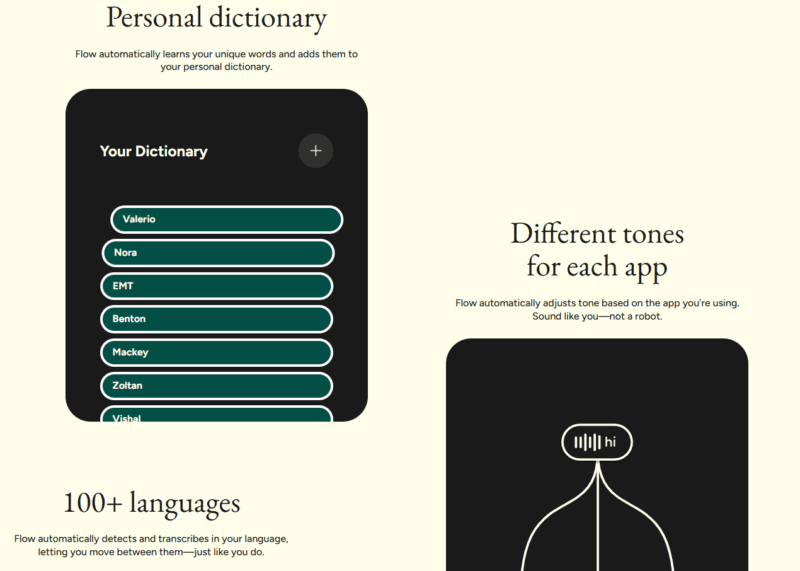
- Context-Aware: it knows the application you are using and changes its writing style accordingly. This means the auto-corrected words and sentences will match the tone, and it can also recognize names and other context-specific information.
- Multilingual Support: not only does it support over 100 languages, it also detects them as you speak and write in that specific language without needing to manually switch.
- Whisper Mode: in quiet or shared environments, it can also understand whispered words.
- Command Mode: similar to how you can use ChatGPT as a writing partner, you can use command mode to polish your text. You can ask it to rewrite text, change tone, shorten text, and make other AI-powered edits.
- Automatic Dictionary: while you can manually fill the dictionary with personalized information and spellings, it also picks up such information from usage, like names, email addresses, or any unique words.
Using Wispr Flow for Voice Dictation
You can download Wispr Flow on Windows, macOS, and iOS, but you’ll need an account to use it on any of the devices. By default, it runs on a limited free version that lets you dictate up to 2000 words per week. For unlimited words and Command Mode access, you’ll need the Pro version.
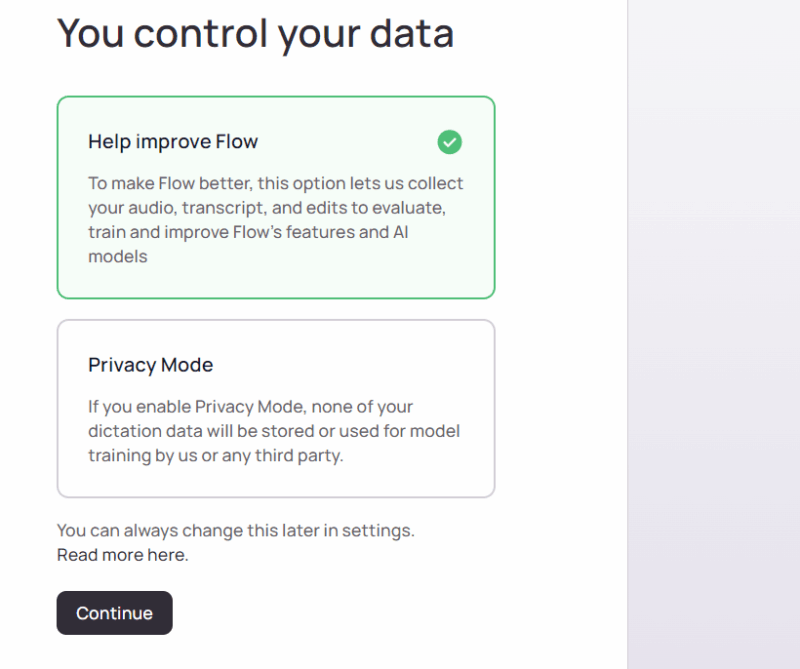
On startup, it will go through the initial setup to detect your hardware and configure data privacy rules. On Windows, it uses Ctrl + Win buttons as a shortcut to make the app start listening. It also adds a floating button above the taskbar to click and start dictating (can be disabled).
To start using it, hold the shortcut key while in any text field, and start speaking. When you release, it will transcribe and enter the text almost instantly. Wispr Flow only transcribes when you stop the recording, so you can take as much time as you like to dictate, and it will transcribe at the very end.
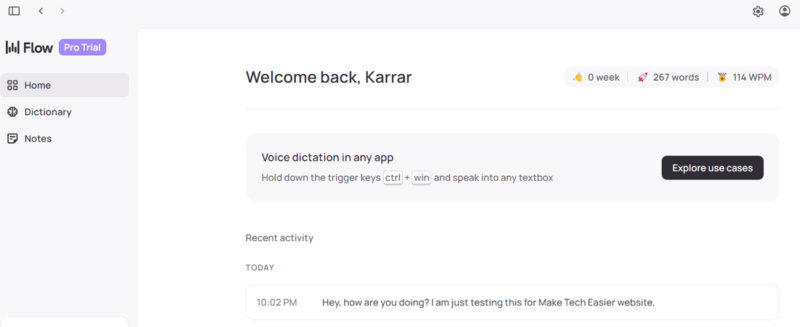
If there is no text box, it will show the dictated words in its interface to copy. In the same place, it keeps a record of all the transcripts to view later and even download the associated audio file. It also has a note-taking function built in, where you can quickly take transcribed notes and manage them.
Testing Wispr Flow
Wispr Flow did a flawless job of transcribing everything I said and applied perfect punctuation. It even auto-corrected wrong use of words, like “takes” instead of “taking”.
However, to really test its capabilities, I tried to be as unnatural as possible. I used dozens of filler words and sounds, went silent for over 30 seconds, and had lots of background noise (kids talking right next to me). To my surprise, it still transcribed only the two random sentences that I spoke with the intention of writing in nearly 3 minutes of audio.
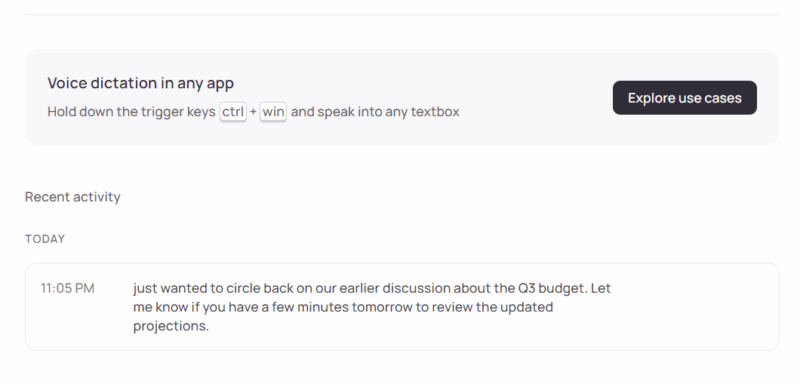
It also did a great job of detecting languages, but I had to specify my languages, as it was using the incorrect writing script.
Like AI chatbots, Wispr Flow doesn’t make mistakes when writing, even if it means changing what you said. It’s actually difficult to write something incorrectly with it on purpose. If you like things simpler, you can also give Windows Voice Typing a try.