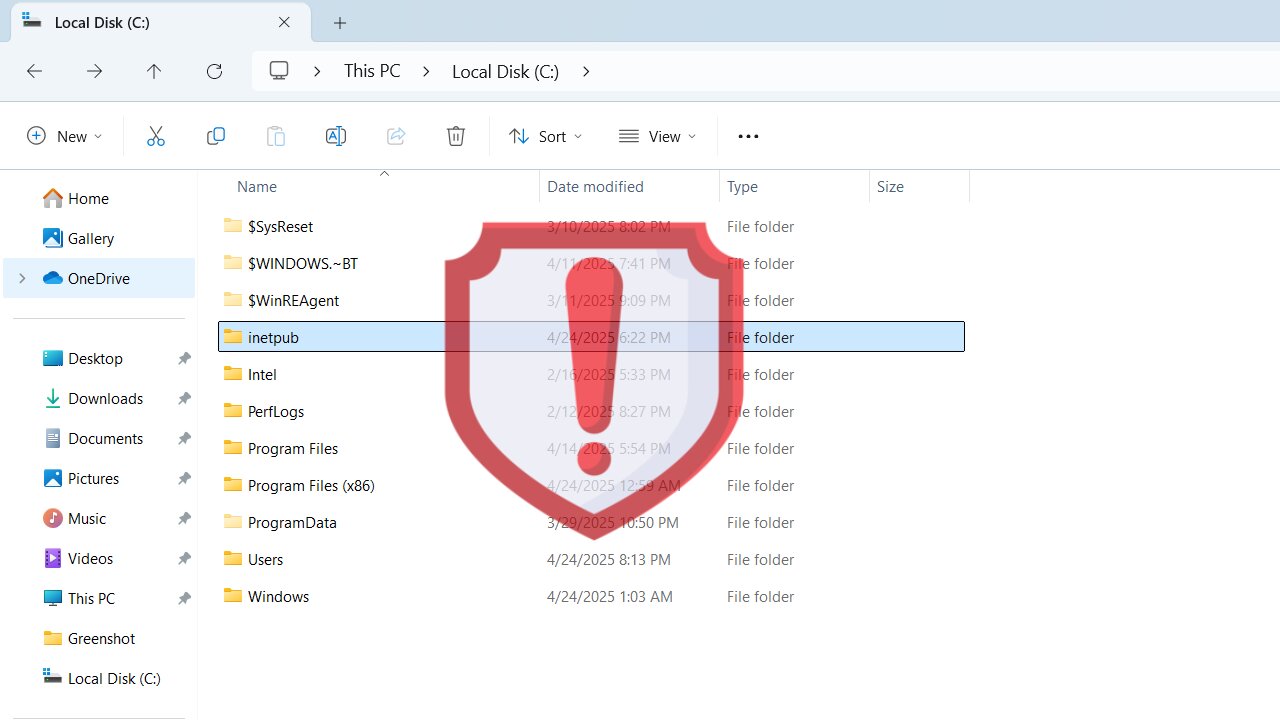
Recently, we covered how the inetpub is an important Windows folder and you shouldn’t delete it for security reasons. Turns out, its existence is a security vulnerability on its own. Yes, it’s really easy to manipulate this folder even by non-admin users to compromise PC security. Let’s find out how the inetpub folder can be exploited and how to prevent it until Microsoft provides a real solution.
How is the Inetpub Folder Hackable?
Beginning with the April 2025 cumulative Windows 11 update, every system now creates an empty inetpub folder in the C drive. This was supposed to patch a vulnerability that abused missing directories to plant symlinks in the Windows Update stack. The problem is that an attacker can replace that folder with a directory junction, causing Windows Update to hit the wrong target and fail.
Anyone with access to your PC can run a single command without admin privileges to change the final directory of the inetpub folder. As discovered by security researcher Kevin Beaumont, if they run the command mklink /J C:\inetpub C:\Windows\System32\notepad.exe, they can redirect the folder access to Notepad (or any other file), causing Windows updates to fail.
Under the hood, the Windows Servicing Stack runs as SYSTEM and treats C:\inetpub as a trusted directory. It doesn’t check for reparse points or ownership, so when it tries to stage files there and finds a junction to a file instead, the update fails or rolls back.
The Temporary Solution to this Vulnerability
So far, Microsoft hasn’t commented on this vulnerability or whether there will be a solution to it in an upcoming update. Until they do something, you can take steps on your own to minimize the chances of exploitation of this vulnerability.
Creating a directory junction requires write/delete permissions on the parent folder. By stripping those permissions from all user accounts, but still granting them to SYSTEM and TrustedInstaller, you block any non-system process (including admins) from using mklink /J on “C:\inetpub”. That’s exactly what we are doing below:
In the C drive, right-click on the inetpub folder and select Properties.
Move to the Security tab and click on Advanced at the bottom.
Here, click on the Disable inheritance button and then select Remove all inherited permissions from this object when prompted.
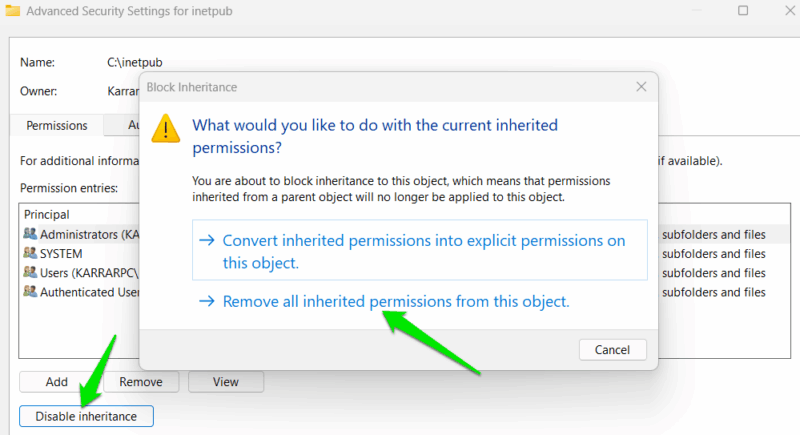
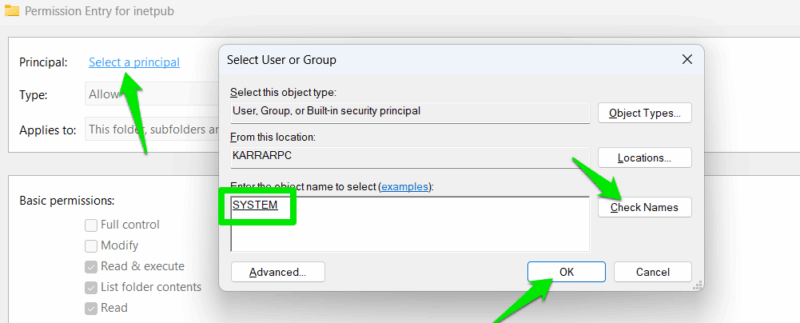
Now, click on Add and click the Select a principal link. In the next dialog, enter SYSTEM in the text field, click on the Check Names button, and click on OK.
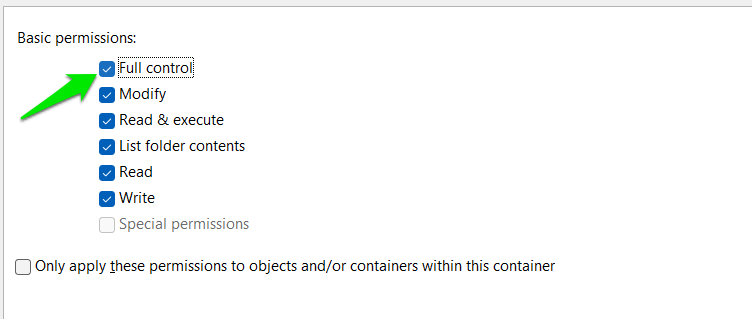
Under Basic permissions, select Full control and then click on OK.
Repeat the Add principal steps again, but this time, enter NT SERVICE\TrustedInstaller, grant Full control, and click OK. Afterward, click OK on all the opened windows to exit.
That’s it, now no users will be able to access or edit the folder, and any attempts will bring up the Windows permission denied pop-up. Windows and the updater will still be able to access the folder and update the PC.
If you need to revert all the above changes, open the Advanced Security Settings window again, click on Enable inheritance, and then click on Apply.
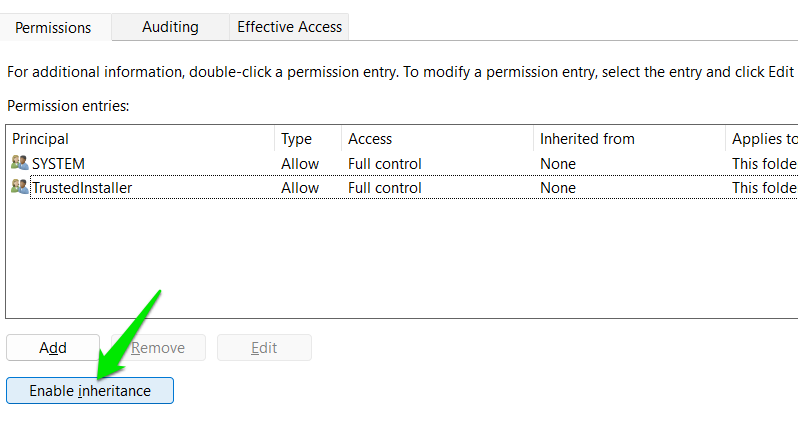
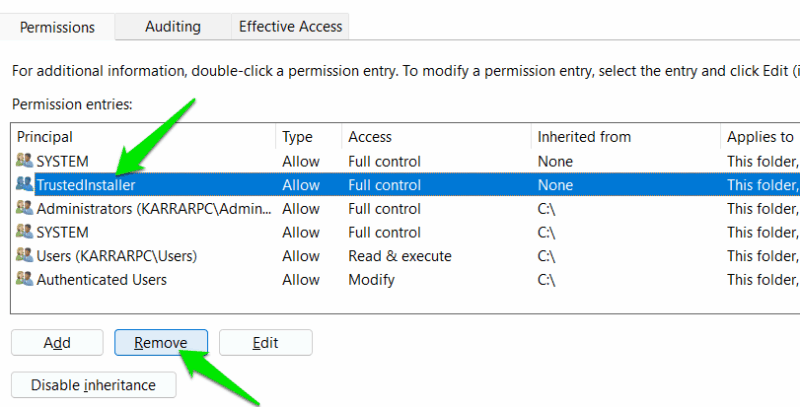
This will re-populate the original permission entries. Just delete the manually created SYSTEM and TrustedInstaller entries by selecting them and clicking Remove.
This solution should keep your PC safe until Microsoft fixes the vulnerability. The new permissions should be enough to ensure smooth Windows updates. However, if you face Windows update issues, try to reset Windows update components before resetting these permissions.