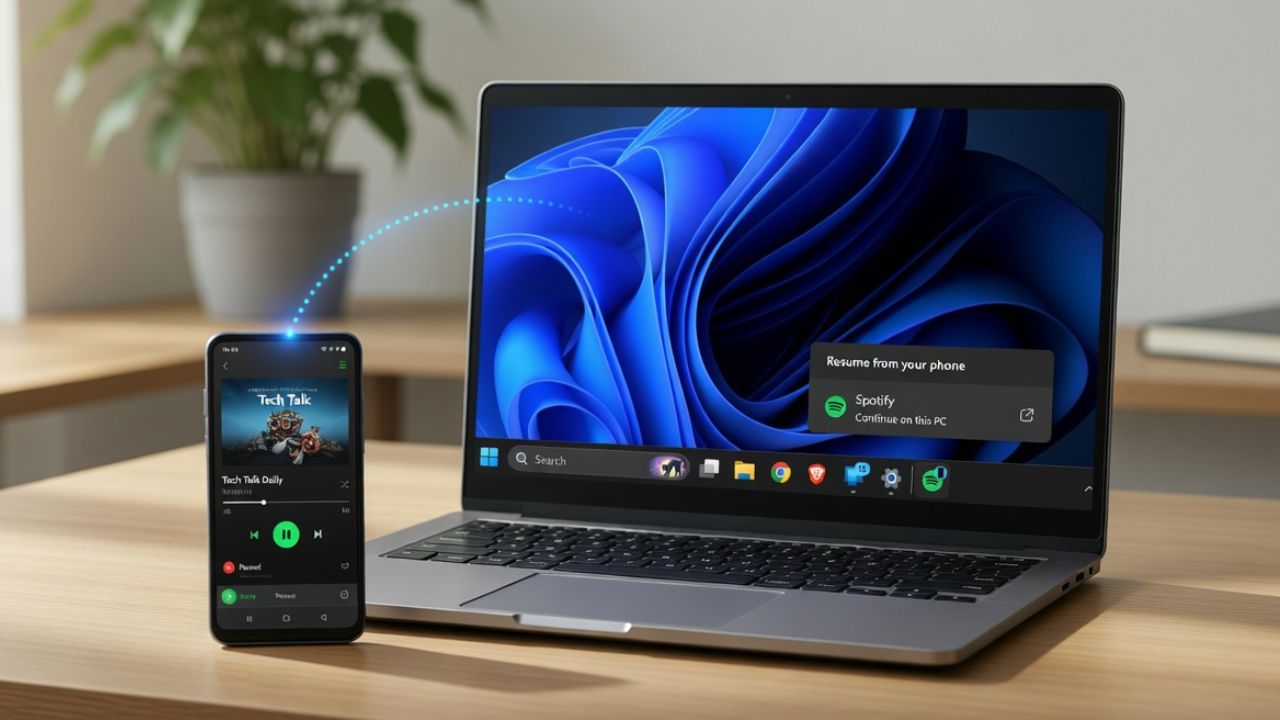
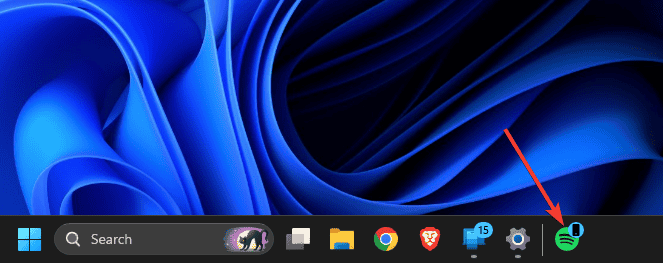
Apple users have had Handoff for years. Start something on your iPhone, sit down at your Mac, and it’s waiting there. Windows 11 now has its own version called Windows 11 Cross-Device Resume. Cross-Device Resume works through a metadata handshake between your Android phone and PC. When you use a supported app on your Android phone, Windows shows a small badge on the matching taskbar icon so you can reopen the activity on your PC and continue where you left off. Check out how it works, and how it compares to Apple’s Handoff.
What Apple Handoff Does That Windows Still Can’t
Anyone who has used Apple devices knows how smooth Handoff can feel. Start writing an email on your iPhone, sit down at your Mac, and the draft is already waiting. The same happens with Safari tabs, Maps routes, Notes, and even FaceTime calls.
The reason it works so well is simple: Apple built it deep into the system. Handoff works across most native apps, and many third-party apps support it too.
Windows 11 Cross-Device Resume is far more limited. Right now, it works with only a few things: Spotify sessions, Microsoft 365 cloud documents, one supported Android browser, and OneDrive. Compared to Apple’s ecosystem, that list is tiny.
The timing restriction also caught me off guard. The resume prompt only stays available for about five minutes. During testing, I missed it several times simply because I got distracted before sitting down at my PC. Apple’s Handoff doesn’t impose a countdown like this, which makes switching devices feel more natural.
Device compatibility also creates a noticeable gap. Windows 11 Cross-Device Resume currently works only with certain Android brands, including Samsung, Xiaomi, OPPO, HONOR, and Vivo. If you use a Pixel or Motorola phone, the feature simply isn’t available. Apple avoids this problem because it controls both the hardware and software ecosystems.
What Cross-Device Resume Does Well
Even with the limitations, there are moments when Windows 11 Cross-Device Resume feels genuinely useful. Spotify is where it earns its keep.
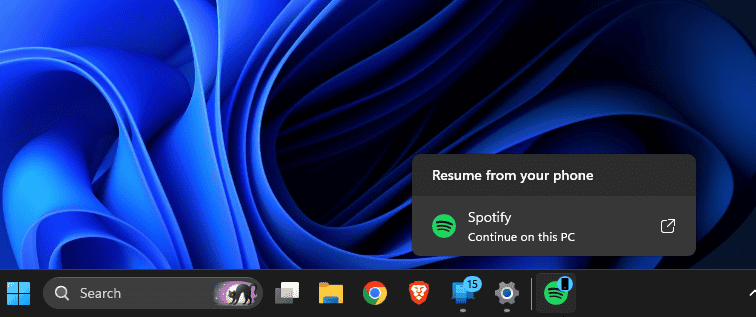
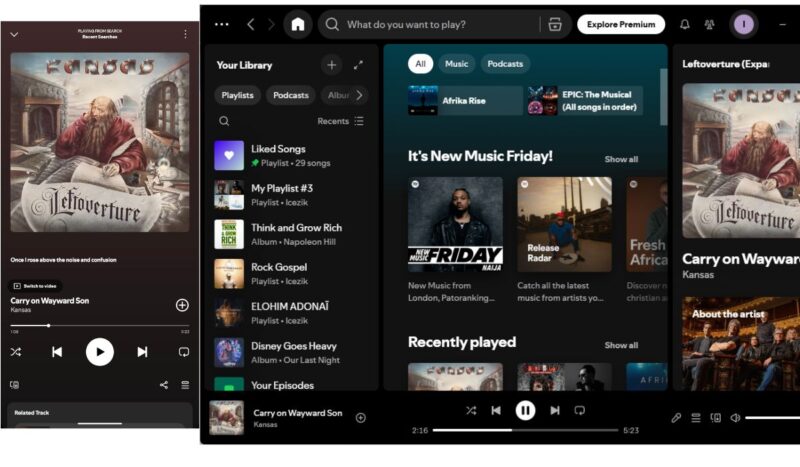
I test commuting scenarios by playing music on my phone, then switching to my PC when I sit down. The taskbar badge on Spotify is there, I click it, and playback shifts to my PC speakers without me touching my phone again. That part works every time and is genuinely useful if your mornings follow a predictable pattern.
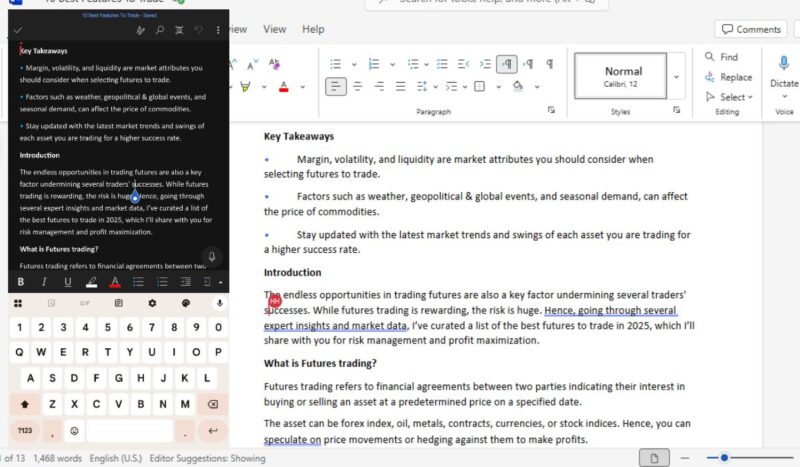
Microsoft 365 integration is also solid. When editing a Word document saved in OneDrive on my phone, the file opened on my PC right where I left off. As long as the document is stored in the cloud, the transition feels seamless.
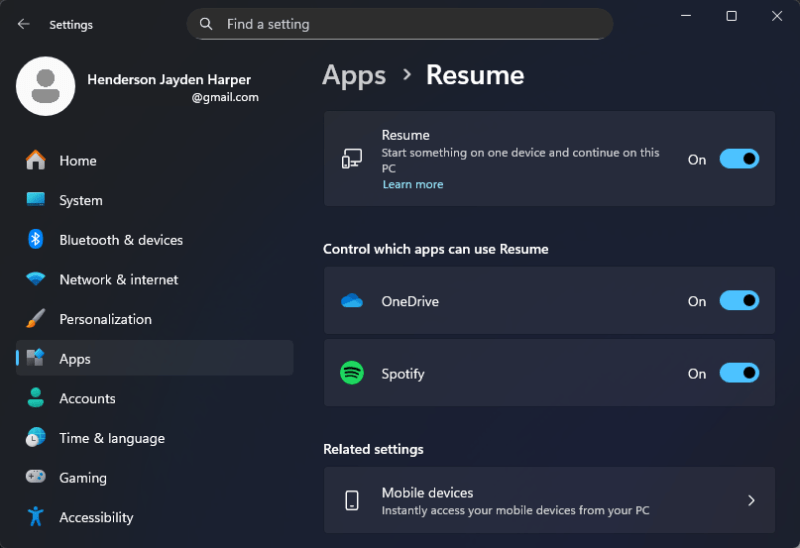
Setup is not the problem. If you already linked your Android phone to Windows through Phone Link, you are most of the way there. Phone Link is pre-installed on Windows 11. Link to Windows is a free Android app. Once you sign in to both with the same Microsoft account and pair them via QR code, Cross-Device Resume is on by default. Managing per-app controls sits at Settings → Apps → Resume.
You can also access your phone directly from the Windows 11 Start Menu once Phone Link is running, which makes the overall experience feel more like a connected ecosystem rather than a standalone feature.
The Catch (And There Are a Few)
Chrome and Samsung Browser are not supported. That is, the browser handoff is practically dead for most Android users before it starts, since Vivo Browser has a fraction of the install base. I kept waiting to find a workaround, but there isn’t one yet.
Local files are another roadblock. Anything stored directly on your phone and not synced to the cloud will not transfer. This is not a minor limitation if you work with files offline. I found myself checking whether a file was cloud-backed before testing, which defeats the point of a seamless handoff.
The rollout can also be confusing. Microsoft is enabling Windows 11 Cross-Device Resume gradually, so installing the latest Windows update doesn’t guarantee you’ll see it immediately. In fact, my system didn’t receive the feature for nearly three weeks after the update.
Ironically, some existing Windows-Android integrations still feel more useful. Many people rely on simpler tools like the ability to view Android notifications on Windows because they work consistently across apps. Compared to that, Cross-Device Resume still feels narrow in scope.
My Verdict
Windows 11 Cross-Device Resume is a real feature doing a real job in a very small lane. Spotify and cloud-backed M365 files are the two scenarios where it consistently delivers. Outside of those, the unsupported browsers, the brand wall, and the five-minute clock make it feel like a first draft of something that could be genuinely good in two years.
It’s worth setting up if you are on Samsung or Xiaomi and already live in Spotify and M365. Everyone else should check back when the app list grows.