


Don’t you hate when you want to watch a video but can’t turn up the volume? There’s a simple solution to that problem. You can enable closed captioning and view subtitles on YouTube for PC and mobile devices.
Captions on YouTube videos are handy for a lot of reasons. Perhaps you have a hearing impairment, or maybe you just like to read along so you can understand everything being said.
This article shows you how to easily turn the captions on and off. It also lets you adjust the font style to your liking and see the transcript whenever you want. Let’s take a look at how to do all this.
Also read: How to Upload and Listen to Your Personal Songs in YouTube
Enable YouTube Caption on PC
The PC version of YouTube gives you the most options for customizing the captions you see on the videos you watch. To make those captions appear and change the look of them, follow these steps:
1. On YouTube, click on the video you want to watch.
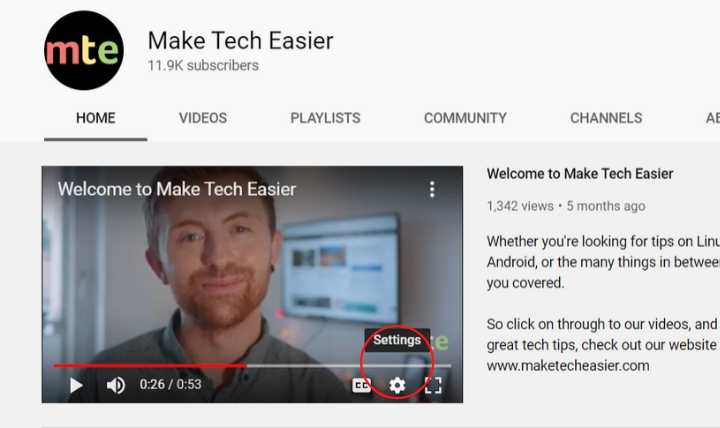
2. Click on the gear icon (Settings).
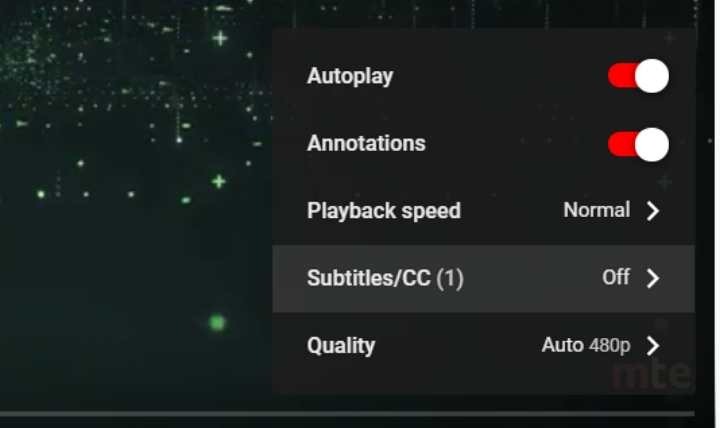
3. Select “Subtitles/CC.”
4. Choose the language you want to use from the list.
5. The captions will appear on the video.
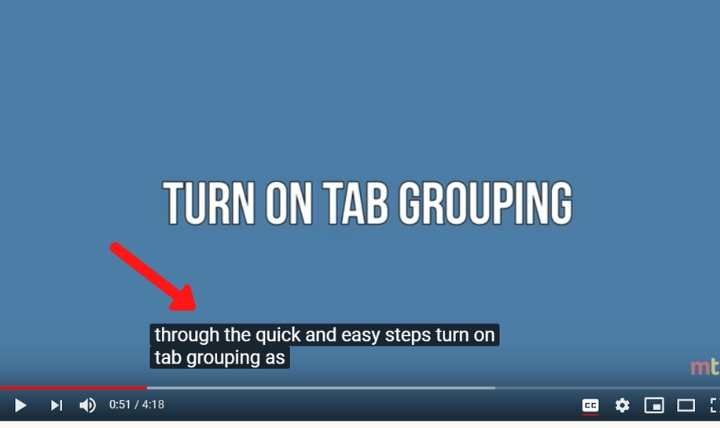
You can also change the style of the subtitles on YouTube videos on your PC. You have options for such styles as the font, size, text color, and background color.
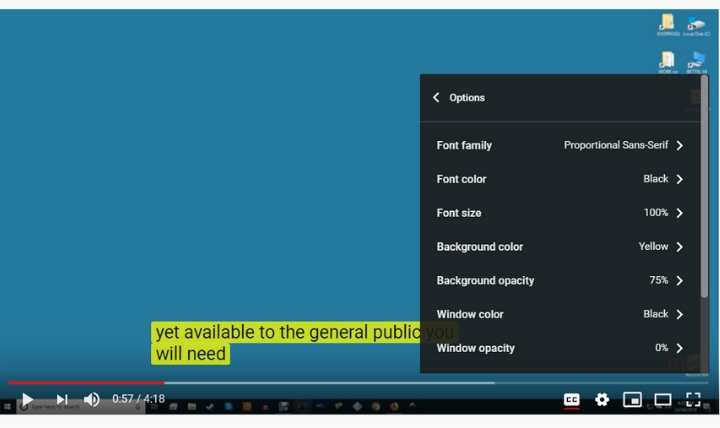
1. Click on the gear icon and then Subtitles/CC as you did before.
2. Click on Options at the top.
3. Open the menus for each of the styles that you would like to change.
Android
Using captions on your mobile device can be useful when you want to watch a video but are either in a very quiet place or a place where it is too loud to hear it. To set up your captions on an Android device, follow these directions:
1. Open the YouTube app for Android.
2. Choose your video.

3. Tap on the video and then the three vertical dots in the upper-right corner.

4. Tap Settings.
5. Find the option for Captions on the settings menu that appears at the bottom of your screen.
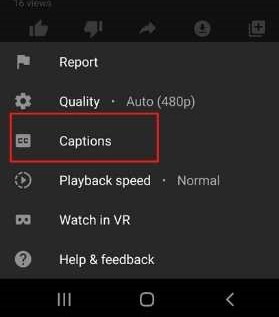
6. Select the language to use.
7. Enjoy the captions.

You cannot change any of the fonts or colors on a mobile device.
iOS
The directions for an iPhone or iPad are very similar to those for Android. Once again, you cannot change the look of the captions on iOS devices.
To enable captions for iOS:
1. Open the YouTube app and choose a video.
2. Tap on the video to show the on-screen playback options.
4. Select Captions from the menu.
5. Choose the language for your subtitles.
It is easy to turn on captions and view subtitles on YouTube. If you are using VLC to watch a movie, you can get it to automatically download subtitles.