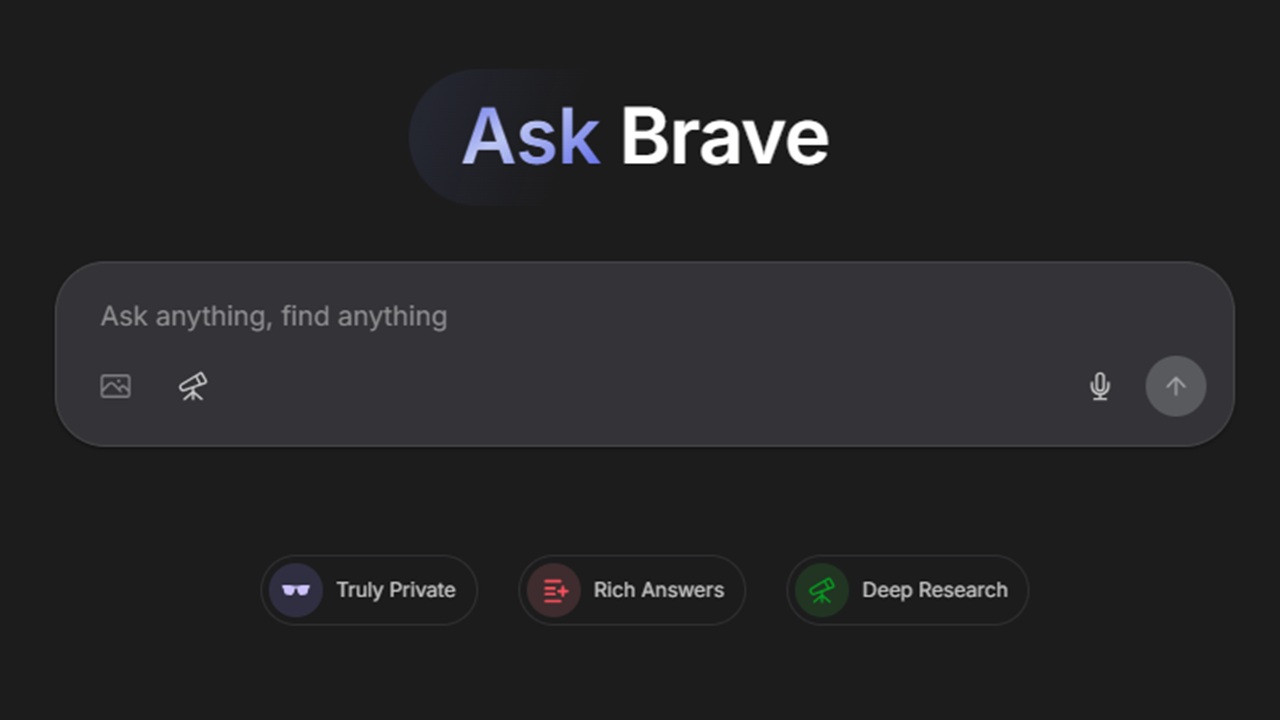
AI chatbots and privacy aren’t usually the best of friends, but with Ask Brave, you get AI search and chat without selling your digital soul. This new feature makes AI search easier, but stays out of the way when you don’t need it.
Ask Brave Combines Chat and Search
Brave, like most popular browsers and search engines, implemented AI features to summarize results. The search platform and browser also add an AI assistant called Leo to help you follow up on search queries. But, unlike Google’s AI Mode, there wasn’t a simple button to press to launch the chat. You had to use Brave’s browser to use Leo.
Now, Ask Brave combines search and AI chat into one convenient feature. It’s no longer limited to the Brave browser either. It’s fully integrated into Brave search, no matter what browser you’re using.
Brave’s AI Chats Stay Private
You might be thinking this all seems exactly like Google AI Mode, and you’re not wrong. Brave has been vocal about competing against Google.
There is one major difference – privacy. Google Gemini stores your chats and may even use them for AI training. Supposedly, data is stored safely, but we all know that data gets leaked and sold. You can delete your Gemini chat history and even use temporary chats to stay safer.
Or, opt for Brave’s AI that doesn’t store your chats or use your chats for AI training. Your chats are yours, putting privacy first.
Any chats are automatically deleted after 24 hours of inactivity. This time period allows you to come back and follow up on searches if you need to. Otherwise, it’s all gone in a day.
Plus, all chats are fully encrypted. The encryption key is stored on your local device. This adds an extra layer of privacy. Encryption is free and you don’t even need an account with Brave to benefit from it. You are able to make a chat public, if you want. It’s still only stored for up to seven days in this case.
Another way Google uses your AI chat data is by linking it to your IP address. Typically, you’d want to use privacy browser extensions to prevent browser fingerprinting. Ask Brave never stores your IP address, so your chats aren’t linked back to you.
1. Use Question Marks at the End of Your Query
Either visit Brave Search in your favorite browser or if Brave is your default search engine, use the address bar to search.
Enter any question you might have and add ?? at the end of your search. For example, if you want to know more about Brave’s new feature, you can search for “what is ask brave ??” without the quotes.
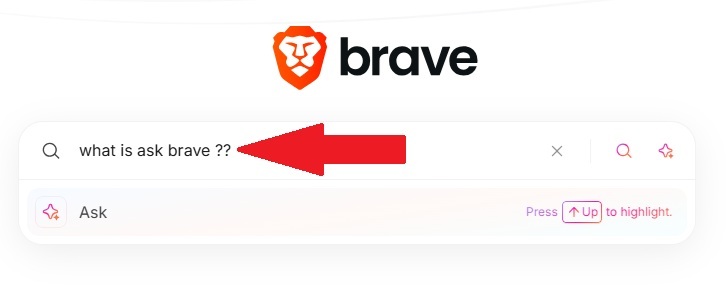
Click Enter on your keyboard or tap Ask below the search term to bring up the chat window.
2. Jump Straight to Ask Brave
If this is a feature you plan to use often, add Ask Brave as a bookmark or even as your browser’s start page. This takes you directly to the chatbot tool without having to go to Brave Search first.
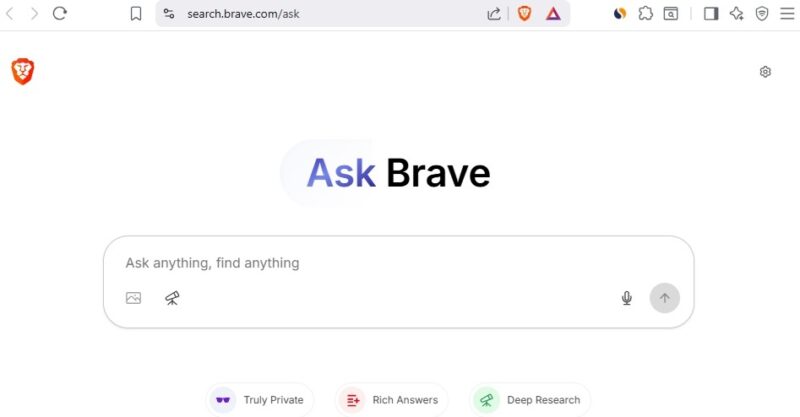
Think of this like going directly to Google Gemini versus Google Search then AI Mode.
3. Search Brave Then Ask
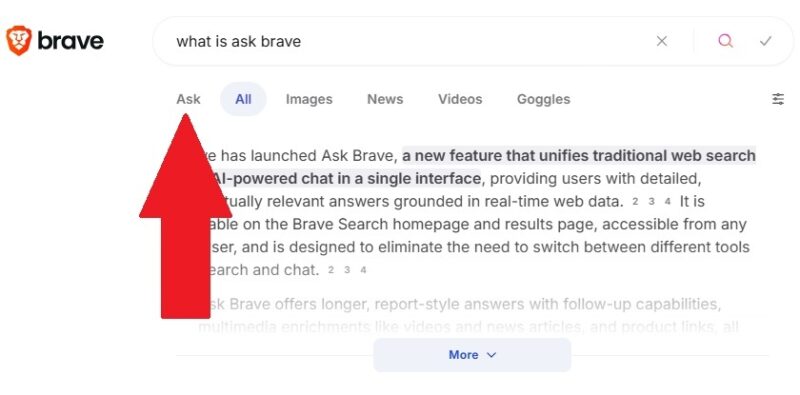
Once again, in a move that feels eerily similar to Google, Brave’s added an Ask button just below your search query in the search results page.
Search with Brave as usual and when the results page appears, just click Ask. This brings up the Ask Brave chat window to continue your search.
4. Use the Ask Icon in the Search Box
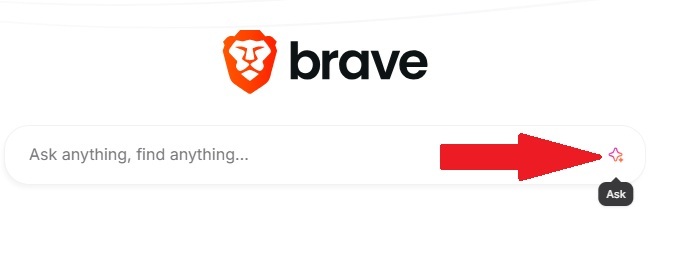
If you don’t want to search first and then use the Ask button, use the Ask icon button in the Brave search box. Before you proceed with a search, click the diamond icon at the far right of the search box. This opens the chat window with your search query.
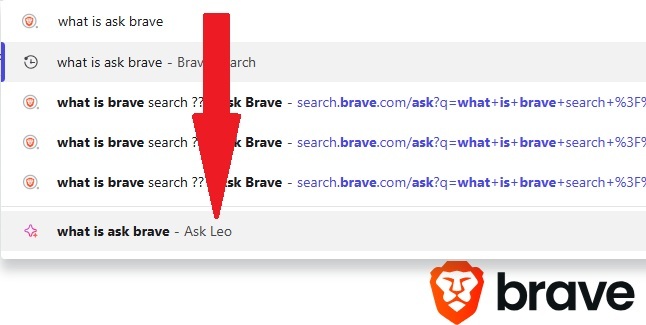
If you use the Brave browser, you have one more option – Ask Leo. Enter a query in the address bar and click Ask Leo from the suggested options.
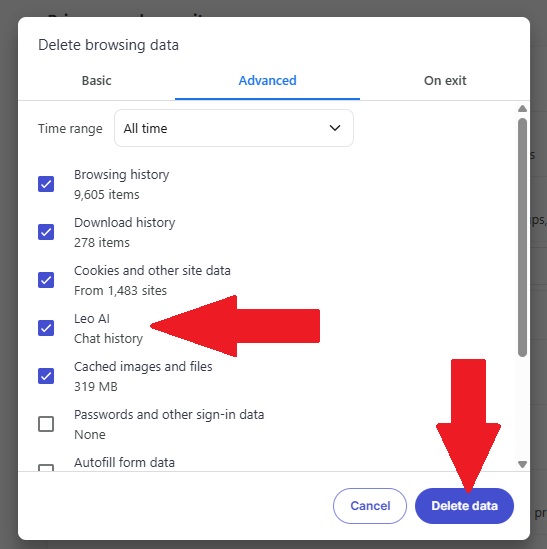
If you use this method, your chat history is stored locally until you delete it. Clearing your browsing history and cookies deletes your chats. While in Brave, press Ctrl + Shift + Del. Ensure Leo AI is checked and press Delete history.
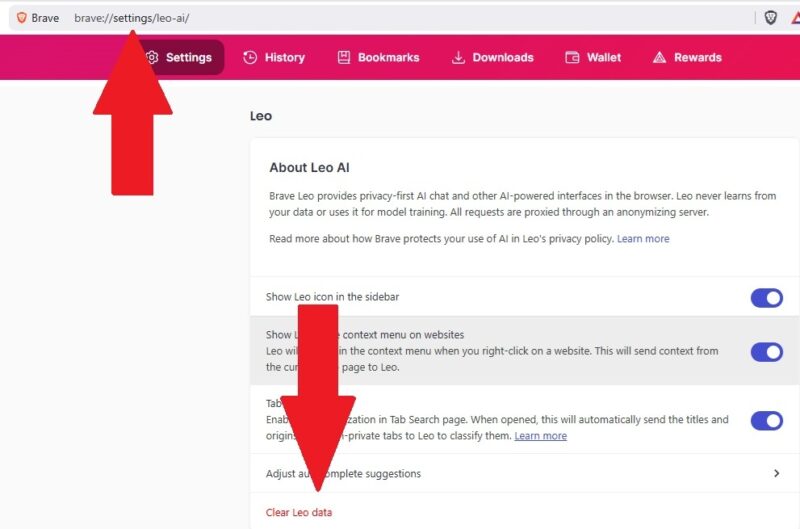
You can also just go to brave://leo-ai. Click the three dot menu at the top right and select Advanced settings. Click Clear Leo data to delete your chat history and other Leo settings. You can also turn off Store my conversation history in the Personalization section of the Leo settings page.
Some users already prefer Brave over AI browsers and Ask Brave just makes it even more useful. And, if AI isn’t that helpful to you, use Brave as an RSS reader instead.








