It is easy to set an alarm on your phone, and it is easy to turn it off when it rings too. Chances are, you could easily dismiss your iPhone’s alarm, even in your sleep. If you’re a heavy sleeper, the iPhone alarm isn’t designed for the way you sleep. It’s simple, predictable, and easy to silence. If you need something that forces you to wake up, Alarmy could be the one for you.
What Is Alarmy
Alarmy is an aggressive wake-up app designed for heavy sleepers who can easily snooze/dismiss traditional alarms. Alarmy’s alarms don’t dismiss unless you complete its missions, which usually require concentration, movement, or both.
The goal is to push your brain into an active, awake state by having you complete mentally or physically engaging missions.
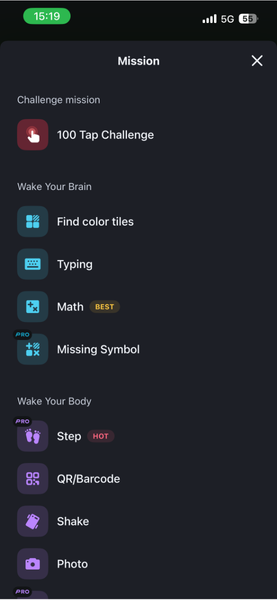
Alarmy primarily divides its missions into Popular mission, Wake your brain, and Wake your body.
- Wake your body: Includes tasks that require you to step out of bed, like Steps or Squats.
- Wake your brain: Includes tasks like Typing, Math equations, and Find Color Tiles.
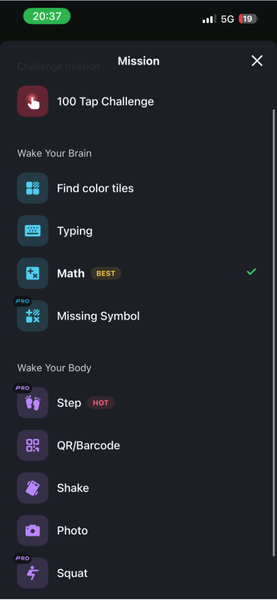
You can select single mission types or combine multiple if you subscribe to the Pro plan.
Setting Up Your First Alarmy Mission
Setting up Alarmy is slightly different from your standard clock app because you have to choose how you want to turn it off.
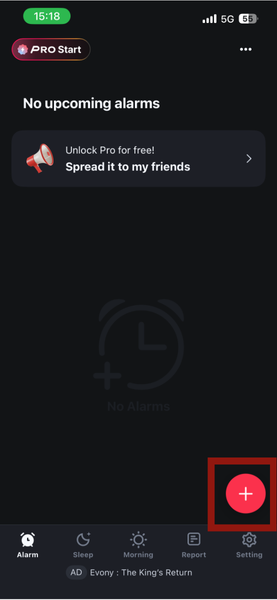
Open the Alarmy app and tap the + (Plus) button at the bottom of the screen.
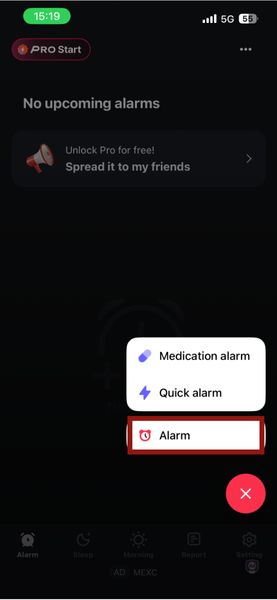
Select Alarm from the menu.
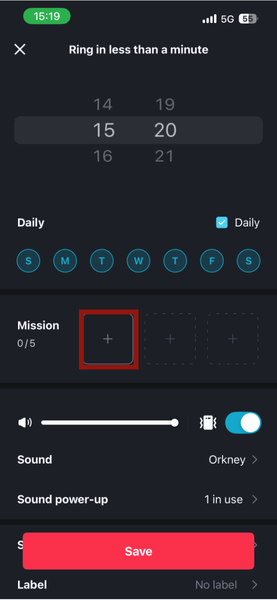
Set your desired wake-up time using the scroll wheel. Now, tap on Mission to choose how you want to dismiss the alarm.
Next, select a category (e.g., Math, Typing, or Shake) and customize the difficulty. It could, for example, be an easy math problem or a task involving 30 shakes. Tap Done to confirm your mission.
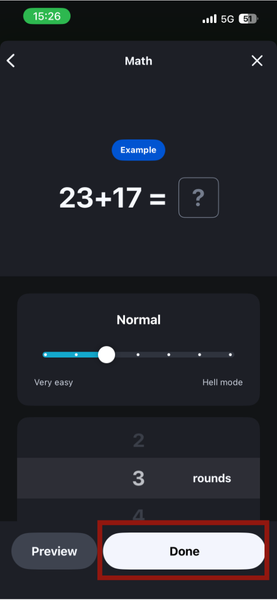
Finally, tap Save on the main alarm screen to activate it.
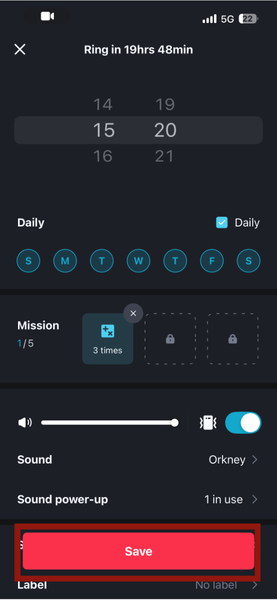
Note: When choosing your Mission, you can set the difficulty for the mission you want. I’d recommend choosing Easy or Normal, and as you adjust and start to wake up, you can increase the difficulty.
The Best Missions to Force You Out of Bed
Alarmy’s missions are diverse, and some have proven less challenging and stimulating to overcome. If you’re a heavy sleeper, you’d want more challenging missions like:
- Math: Solve equations before the alarm stops. You can choose from simple equations like (3+4=) to more complex equations like ( (162 x 87) + 1878=). This forces your brain online immediately and is perfect for chronic snoozers.
- Shake: You must shake your phone up to 160 times, depending on what you set. You can also adjust the shake intensity to ensure you aren’t just gently wobbling it.
- Step: You’re required to take from 15 steps to a maximum of 990 steps. The higher step numbers are perfect if you want to wake up and immediately go for a walk or jog.
- Other missions, like Typing, can also be very stimulating when you give yourself various long phrases to type and more repetitions. Missions like Barcode and Photo usually require you to take a picture of a specific object, like your bathroom sink. So, placing those objects far from your bedroom can be a great way to wake yourself up.
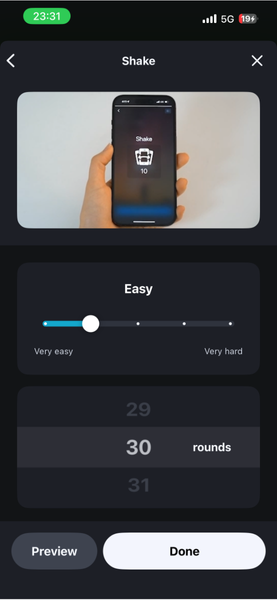
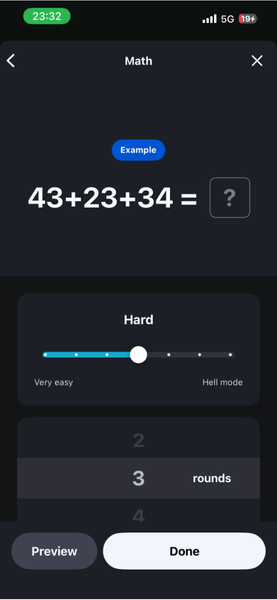
Good to know: These might seem excessive, but relax. Alarmy automatically dismisses alarms after three hours if you don’t attempt or complete the mission.
There are a few situations where Alarmy won’t work, could be tedious to set up, or a specific mission might not be ideal for you or your living situation.
Unlike the iPhone Clock, Alarmy works best when running in the background. If you force-close the app, it may fail to trigger the full mission sequence (though it will try to send a notification).
Further, Barcode and Photo missions must be registered in advance. If you travel or move away from the items you set, you might be unable to complete the mission and will have to wait out the alarm.
You should also consider your living space before setting higher-count step missions, unless you plan to go for a jog or walk right after waking.
Quick Tip: If Alarmy does not ring, check if a Focus Mode like Sleep or Do Not Disturb is on. You must allow Alarmy to send notifications within that Focus Mode settings.
Pricing: Free vs. Premium
Alarmy’s free version gives you more than 50% of its most useful functions. You get core missions like Math, Shake, Photo, Barcode, and Memory, along with loud alarm sounds and basic customization.
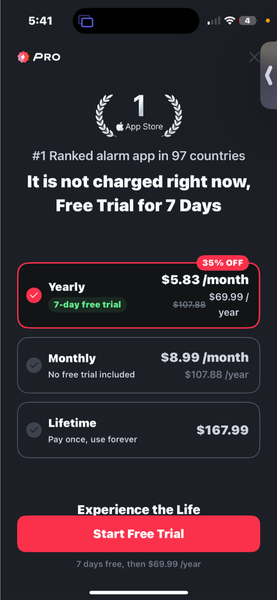
The Premium subscription adds advanced features like Squat missions, Wake Up Checks, and the ability to combine multiple missions for one alarm. Truly, for most users, the free version is more than enough.
Alarmy missions are hardcore and built for heavy sleepers, but if you prefer traditional alarm clocks, you can explore some of the best smart alarm clocks. Alternatively, you can check out these calming mobile apps for sleep meditation here to increase your sleep quality before the alarm even goes off.