


Last year alone, Yahoo’s data was breached – Krebs on Security faced a DDoS attack, and DNS service Provider Dyn was struck by the largest DDoS attack in history. In July of last year (2016) Facebook promised a new message encryption system to ensure consumer security, and in October this promise was kept. In this article we are going to show you how you can turn encryption on in your Facebook Messenger.
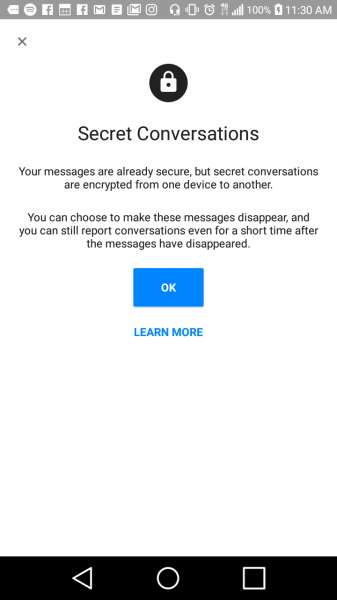
It may sound difficult to enable this encryption method, but it’s actually surprisingly simple. First and foremost, you’ll want to ensure that you have the most current version of Messenger so you can utilize this security function.
There are technically two ways to enable the security function: one is for individual conversations and the other is to encrypt all your conversations from that point on. The choice you make entirely depends on what you are trying to secure. For instance, if you are planning on contacting multiple business contacts through Facebook, you may want to encrypt all of your messages, whereas if you more commonly talk to your family but happen to be contacting someone with personal information being transferred back and forth, the individual encryption is more logical.
How to Encrypt Individual Conversations
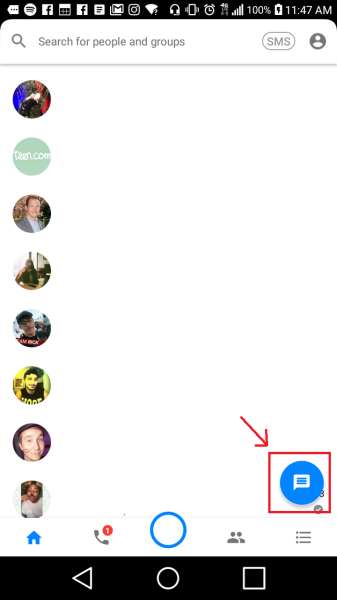
Once you have opened your Messenger Application, click on the “New Conversation” button and add the desired contact.
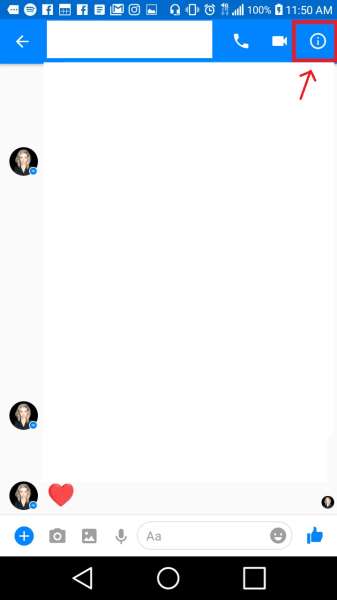
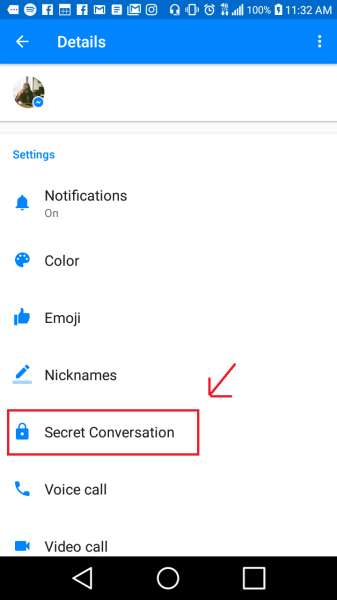
From there, click on the Information button at the top right and scroll down. You’ll find the “Secret Conversations” button about halfway through.
Simply click on this button, and it will ask if you want to turn on Secret Conversations. Simply click the “Yes” option.
Now your messages will be successfully encrypted between you and this individual of your choice.
Turn on Encryption for All Conversations
If you feel as though your messages are far too personal to be readily available for anyone with a modicum of data intrusion sense, this is a perfect way to ensure that you are not openly releasing this sensitive information into the wrong hands.
To turn encryption on for all Messenger conversations, simply click on the Profile button at the top-right of the application.
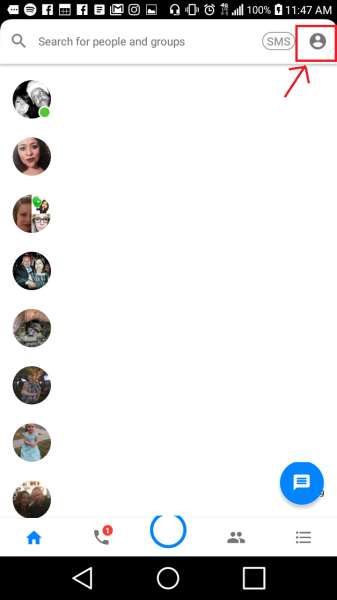
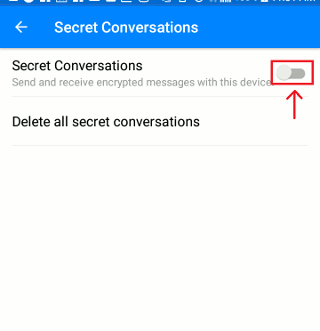
This will take you to your profile information page. From there, simply scroll down and click on the “Secret Conversations” button as you did before and enable Secret Conversations which will then enable this function for any and all future conversations.
Conclusion
Although the war on cyber security continues its reign, it takes security measures such as this to truly ensure consumer security in this modern world. With more and more companies jumping on the security bandwagon, we may finally be able to see the decline in data intrusion (hopefully) that we so desperately need this year, and in turn, be able to utilize modern technology without the fear of identity theft along the way.