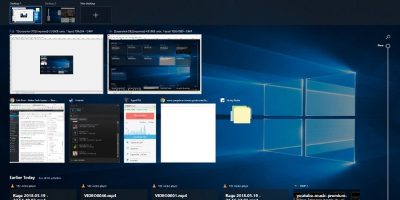
The redesigned Task View, updated during Windows’ big April update, is a feature that’s tangibly improved my day-to-day workflow experience. Here is why it’s so good.
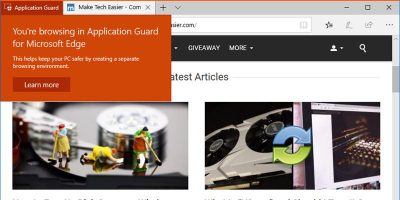
The Windows Defender Application Guard for Edge browser is one of the useful features in Windows 10 April 2018 update. This article shows how to enable it.
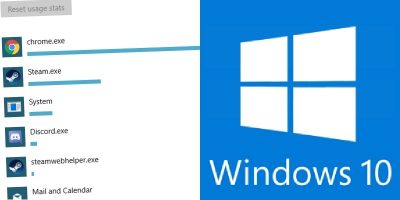
If your Internet is metered, you’ll want to keep an eye on it so you don’t go over your limit. Here’s how to monitor and control data usage in Windows 10.
Windows recently launched their latest update that’s full of great goodies. It’s too soon to see if this new update brings any unwanted features, but it does have quite a few that are quite useful.
Microsoft just saved all its Windows 10 users a heck of a lot of trouble. After finding an issue with the Windows 10 update, it scrapped the update, fixed the issue and set the new version for release.
Set to launch this April, Windows 10 Spring Creators Update brings a host of new features for Windows 10 and various improvements. Here’s what you can expect.
Windows Photo Viewer was phased out in Windows 10 in favour of the volatile “Photos” app. This will show how you can get Photo Viewer to work in Windows 10 and set it as your default photo viewing app again.
Erasing a file is a straightforward task, but sometimes the wrong files can be deleted. If there is a folder that you don’t ever want to erase, creating an undeletable folder is your best bet.
The process of formatting your hard drive may sound daunting, but it’s actually fairly easy to do. Here we’ll tell you everything you need to know about formatting a hard drive on Windows 10 and how to do it.
Windows 10 Fall Creators update comes with a new tips section on the right side of every page, but unless you are a complete beginner, you may not be using these tips that often. Here’s how to remove the tips from the Windows 10 Settings app.
One improvement in the Windows 10 Fall Creators Update was the addition of cross-device web browsing functionality. The feature “Continue on PC” feature connects your PC to your phone so you can share web pages between them.
Windows 10’s various power options won’t let you squeeze every bit of performance out of the system you have. A new Ultimate Performance feature introduced by Microsoft in Windows 10 can change all of this.
Microsoft is always on the lookout for ways to make Windows 10 a better operating system. The latest edition, Windows 10 Pro for Workstations, is powerful and one of a kind. Read on to learn more about Windows 10 Pro.
One of the new features in Windows 10 is the “My People” feature which was implemented in the Fall update. It’s a useful tool that gives you easier access to your favorite contacts. Let’s take a look at this new feature and see what can be done with it.
Windows comes with plenty of options to configure the mouse settings and enhance the mouse experience. Here are some mouse tweaks you can use to become more productive.
The Windows 10 Fall Creator’s Update brought in some new features for Cortana. Check out the new “Talk to Cortana” feature and see if it encourages you to try voice commands in Windows 10.
Many people upgraded to Windows 10 from Windows 7 and regretted it. If you are looking for a way to get back to Windows 7, here’s how to downgrade from Windows 10 and reinstall windows 7.