Did you know that the gestures you use on the touchpad of your laptop can be changed and customized? This article will show how to bring a bit more personality into Windows 10.
The thing about a digital map is that it requires an Internet connection to be accessible, which is not always possible when you travel. Learn how you can use Bing Maps offline in Windows 10.
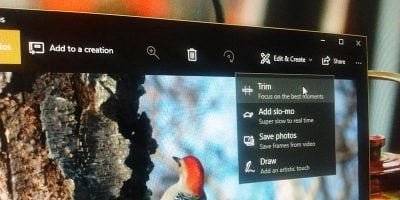
While there are plenty of video-editing apps that allow you to trim videos, Windows 10 Fall Creators update comes with this feature built in. Here’s how you can trim videos in Windows 10.
If you’re on the move with a laptop, it’s a good idea to turn your adapter off to save battery. Here are several ways to disable WiFi in Windows 10 and ways to have it turn back on again after some time.
When the lives tiles are not working, it can be very annoying. Here’s how to auto flush the live tiles on shutdown to fix the live tiles not updating issue.
Your PC stores DNS data locally to speed up browsing, but you man want to flush the cache at some point. Here’s how to flush the DNS cache in Windows 10.
The Anniversary Update for Windows 10 introduced an even easier way to make a mobile hotspot. Find out how you can easily enable a mobile hotspot in Windows 10.
Windows 10’s Creator’s Update comes with a virtual touchpad that is hidden from view. Learn how you can make use of the virtual touchpad in Windows 10.
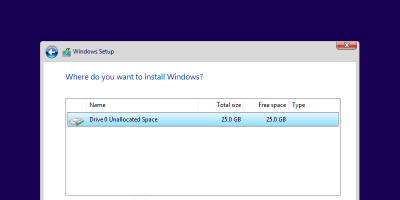
While installing Windows 10 is relatively straightforward, sometimes you might encounter the “We couldn’t create a new partition” error. Here’s how to fix it.
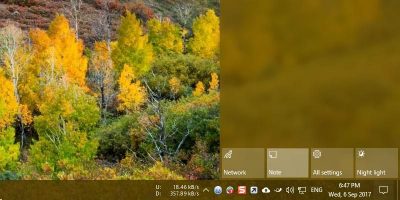
By default, the Note button in Windows 10 Action Center is mapped to the OneNote app. Learn how to modify the Note button to open other note-taking apps.
Have a new monitor but it’s not rendering well with your Windows 10? Follow these steps to fine tune your display in Windows 10 to get the best viewing experience.
Have you ever struggled with storage space on your computer? A new Storage Sense feature can automatically clean Windows 10 of unused files. Learn how to use it here.
Windows 10 likes to put the computer to sleep if you leave it idle for too long. Learn how you can stop Windows 10 from sleeping and locking up your computer.
The new “Set Aside” feature in Microsoft Edge allows you to declutter your browser. Learn how to set tabs aside in the Edge browser to improve your productivity.
Windows 10 includes some fairly advanced backup features. Here is how you can use the new backup features to create a Windows 10 backup to a network drive.
You can download plenty of Windows 10 themes from the Windows Store, but if you are keen to, here’s how you can create your own Windows 10 custom themes.
In addition to your phone and tablet, you can now download movies from Netflix on your desktop/laptop too. Here’s how you can download movies from Netflix on Windows 10.
Cortana in Windows 10 can help you with plenty of tasks, except for shutting down and restarting your PC. Here’s a trick to get Cortana to shut down your PC.