If you’re using Linux, you already have access to an array of tools that can help you to repair corrupted USB drive.
By Haroon Javed – Jun 30, 2025
Formatting your USB drive lets you switch the file system for better device compatibility or to handle bigger files, removes malware, and boosts performance by refreshing the file setup.
By Sayak Boral – Jun 28, 2025
If your USB stick stopped working, don’t throw it away. There is a high chance that you can still fix it.
By Sayak Boral – Jan 5, 2024
If you want to format a USB drive to work on Windows, Mac, and beyond, do it easily and within seconds by following these steps.
By Sydney Butler – Oct 17, 2023
PC full, but you don’t want to delete anything? Learn how to expand your PC storage without deleting anything.
By Crystal Crowder – Sep 13, 2023
USB flash drives may be obsolete storage devices, but they still have many other uses. This guide shows the most useful things to do with a flash drive.
By Tanveer Singh – Sep 9, 2023
Are you getting frustrated when seeing the error “The disk is write protected” while trying to copy files to a USB drive? Learn how to fix it.
By Meenatchi Nagasubramanian – Aug 22, 2023
Did you encounter a “USB device not recognized” error in Windows? These top fixes will get your USB drive working again.
By Sayak Boral – Aug 21, 2023
Does your flash drive need a Recycle Bin folder? This article walks you through the steps of adding a Recycle Bin to USB and external drives.
By Mustafa Ashour – Jun 12, 2023
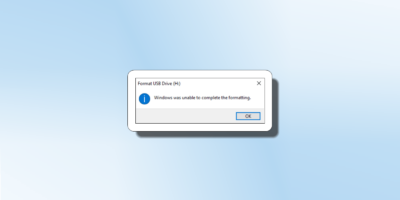
Learn how to fix the “Windows was unable to complete the format” error if it pops up on your PC while you’re trying to erase a removable drive.
By Mustafa Ashour – May 12, 2023
When a USB drive is encrypted, it protects it from unauthorized access. This guide shows how to encrypt your disk using BitLocker in Windows.
By Sayak Boral – Mar 8, 2023
Want to remove USB drives without ejecting them first? Learn how to enable Quick Removal of USB drives on Windows.
By Crystal Crowder – Nov 26, 2022
Learn how to clone the contents of a flash drive to a USB image to back up your data safely and restore it if the drive is lost or corrupted.
By Sayak Boral – Sep 23, 2022
Make sure your USB drive is really bootable in Windows.
By Sayak Boral – Aug 14, 2022
Tired of hearing the USB connect/disconnect sound out of the blue? Learn what it means and how you can stop random USB noises on Windows.
By Crystal Crowder – Jul 18, 2022
How do SSDs, HDDs, and USB flash drives differ in terms of storage, speed, usage, and price? Let us show you while we break down the pros and cons for each type of storage.
By Crystal Crowder – Sep 10, 2021
It is best to have a bootable backup of your OS in the event it crashes. Learn how to install macOS on a USB drive and create a backup.
By Tom Rankin – Sep 4, 2021
Want an easy way to recover Windows 10 if something goes wrong? Learn how to create a Windows 10 recovery drive to repair damage.
By Crystal Crowder – Jan 8, 2021
It is easy to setup a virtual operating system with VirtualBox, but sharing USB and network devices in VirtualBox is not as straightforward. Learn how to do so here.
By William Elcock – Oct 16, 2020
Next >
Affiliate Disclosure: Make Tech Easier may earn commission on products purchased through our links, which supports the work we do for our readers.