Windows File Explorer previews can expose NTLM password hashes, putting your security at risk.
By Karrar Haider – Oct 28, 2025
With iOS 26, Apple has allowed you to make more changes to the default apps. Find out the newer ways to change default apps in iOS.
By Oluwatokiloba Folami – Oct 22, 2025
Find out what the Preview app for iOS can do and how it can improve your workflow.
By Alexandra Arici – Oct 9, 2025
This new Firefox feature prevents you from clicking links that you are not interested at.
By Henderson Jayden Harper – Apr 10, 2025
To be an early adopter of new, experimental Windows features, use ViVeTool to enable or disable specific feature flags.
By Jay Kakade – Feb 28, 2025
Learn how to easily remove a password from a PDF file on your Mac using Adobe Acrobat, Preview, web browsers, and third-party apps.
By David Morelo – Apr 10, 2024
Want a sneak peek at online content before you sign up or subscribe?
By Alexandra Arici – Apr 10, 2024
Need to copy the text you see in a photo or picture? This guide shows how to extract text from an image on your desktop or mobile device.
By Sandy Writtenhouse – Oct 13, 2023
The next time you need to sign and/or fill out a PDF on your Mac, use the built-in Preview app. This tutorial shows you how.
By Brahm Shank – Dec 12, 2022
If you have to combine scanned documents on macOS, you can do so without additional software. This post shows you how to do it!
By Tom Rankin – Jul 26, 2021
The Preview app in Mac does not allow you to view animated GIFs. Here are a few ways to play animated GIFs on your Mac.
By David Joz – Jul 15, 2021
Do you need to do a simple edit to your photos on Mac? Here are some of the best photo editors for macOS you can use for simple edits.
By Robert Zak – Jul 6, 2021
A recent Google update has added the ability to preview links in Google Chrome. Learn how you can do so on both Android and desktop.
By Alexandra Arici – Jun 23, 2021
It is easy to extract a page from a PDF document in macOS. All you need is the Preview app. No third-party software is required.
By David Joz – May 27, 2021
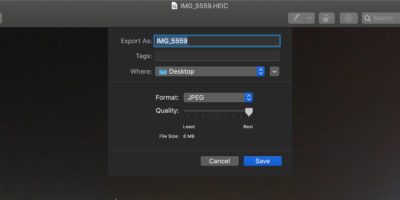
iOS’s HEIC file format does not play well with other platform. Here is how you can use Preview on Mac to easily convert HEIC files to JPG.
By Shujaa Imran – Dec 15, 2019
One useful feature of Gmail is the preview pane, where you can see the content of an email and the list of emails at the same time. Here’s how you can enable and use it.
By Fabio Buckell – Apr 28, 2019
macOS has a Quick Look feature for users to quickly preview the content of a file. You can also get this Quick Look feature in Windows 10. Find out how.
By Fabio Buckell – Aug 3, 2018
The Quicklook feature in Mac’s Finder only supports .mov and MPEG-related formats for video. QLVideo adds support for extra video types to Quicklook.
By John Parsons – Jan 4, 2017
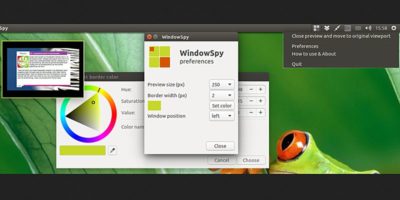
If you want to find out what’s happening in another workspace without switching over, you can now get a live preview of another workspace in Ubuntu. Here’s how.
By Himanshu Arora – Dec 8, 2016
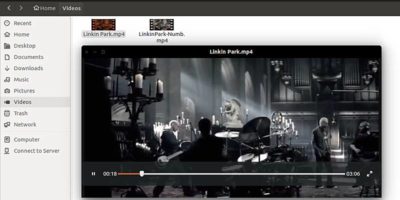
Checking out a bunch of files and folders can be a tedious process. Here is a way to quickly preview files in Ubuntu without having to open them.
By Himanshu Arora – Oct 15, 2016
Next >
Affiliate Disclosure: Make Tech Easier may earn commission on products purchased through our links, which supports the work we do for our readers.