LightPDF convertor is an online tool that lets you quickly convert PDFs to Word documents, among other things.
By Alexandra Arici – Dec 29, 2022
Do you want to copy the content of a Word document and paste it to a PowerPoint presentation? Here’s how to do it without losing formatting.
By Natalie dela Vega – Dec 13, 2022
Want to use Microsoft Word without paying for a Microsoft 365 subscription? You can use Microsoft Word for free on your web browser.
By Natalie dela Vega – Dec 10, 2022
Convert non-editable PDFs for easy editing.
By Megan Glosson – Oct 16, 2022
Is someone using your Microsoft 365 account without authorization?
By Sayak Boral – Sep 15, 2022
Videos can be a great educational tool. Learn how to add a video to a Word document. You can embed both online and offline videos!
By Alexandra Arici – Aug 27, 2022
Scribble away on Microsoft Word, Excel, and Powerpoint!
By Laura Tucker – Aug 15, 2022
Update now before you fall to this vulnerability.
By Laura Tucker – Jun 16, 2022
Learn how to insert the degree symbol instead of typing out the word.
By Crystal Crowder – Mar 12, 2022
It seems like an easy task, except that Microsoft Word doesn’t come with a Delete Page function.
By Mehvish Mushtaq – Nov 8, 2021
If you have a large monitor, Microsoft Word displays more than one page at a time. Easily change to see one page at a time in Microsoft Word.
By Crystal Crowder – Jun 8, 2021
Are you looking to remove all images from a Word document? Here is a simple trick to remove all images, graphs,and charts in one go.
By Sagar Naresh – May 31, 2021
Microsoft Word has a rich collection of special symbols and bullet styles. Here is how you can add checkmarks and square bullets to Word.
By Sayak Boral – Sep 24, 2020
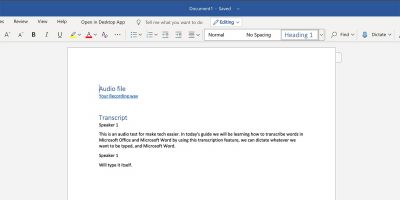
A feature in Microsoft 365 is an audio transcription feature. Here we show you how to transcribe audio in Microsoft Word 365.
By Shujaa Imran – Sep 19, 2020
Whether you’re browsing the Internet, reading a PDF or working in a document, it’s actually quite easy to look up words by definition on your PC.
By Robert Zak – May 4, 2020
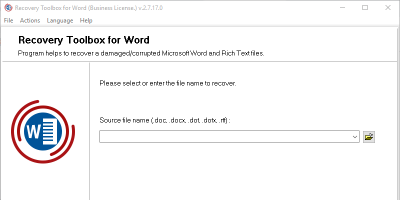
The built-in repair tool in Microsoft Word doesn’t always fix corrupted files. Recovery Toolbox for Word can recover data from a severely damaged Word file.
By Kenneth Kimari – Mar 11, 2019
When you’re collaborating on a document, it’s helpful to combine two separate documents together. Learn how to merge two documents in Microsoft Word.
By Chris Stobing – Dec 7, 2018
Add-ins for Microsoft Word provide a simple way to enhance its functionality. Here are the best add-ins for Word that you should be using.
By Kenneth Kimari – Dec 2, 2018
Pagination
Affiliate Disclosure: Make Tech Easier may earn commission on products purchased through our links, which supports the work we do for our readers.