• Computing
  • Mobile
  • Lifestyle
  • PC Guides
  • Reviews
  • Tech Explained
    • Windows
    • Linux
    • Mac
    • ChromeOS
    • Android
    • iOS
    • Gadgets
    • Productivity
    • Smart Home
    • Social Media
    • Gaming
  • Internet
  • Tech Explained
  • News

More from us

  • Reviews
  • Cheatsheets
  • Buying Guides
  • Deals
  • Newsletter
How to Monitor Progress of a Linux Command Line Operation Using PV Command

How to Monitor the Progress of a Linux Command Line Operation Using PV Command

The pv command, used to monitor the progress of a Linux command line operation, displays related information through a pipeline, including time elapsed, percentage completed & ETA. Here’s how it works.

By Himanshu Arora – Nov 5, 2015

How to Monitor Stock Prices From Ubuntu Command Line Using Mop

How to Monitor Stock Prices from Ubuntu Command Line Using Mop

Mop is a command line tool that displays continuous and updated information about the US stock markets and individual stocks. Let’s take a closer look.

By Himanshu Arora – Oct 11, 2015

Top 2 Online Resources for Learning the Command Line (For Linux and OS X)

The command line may seem intimidating. Luckily, there are many online resources for you to learn and master the command line.

By Khamosh Pathak – Sep 9, 2015

Using WpScan to Audit WordPress Security From the Command Line

How to Audit WordPress Security from the Command Line with WpScan

WPScan is a Ruby-based WordPress security scanner that runs from the command line. Here’s how to use it to audit WordPress security and detect vulnerabilities.

By Ayo Isaiah – Aug 27, 2015

Check Running Processes Like a Power User

Check Running Processes Like a Power User

The ‘ps’ command is an invaluable tool used to check running processes on a Unix system. Discover some amazing options available to ‘ps.’

By Obaro Ogbo – Mar 31, 2015

Record Screen as Animated GIF in Ubuntu with Byzanz

If you are looking for ways to record your screen as an animated gif in Ubuntu and other Linux distro, Byzanz is a small command line tool that you can use. Check it out here.

By Damien Oh – Feb 24, 2015

How to Create and Run a Presentation from the Linux Command Line

Not all presentations require animation effects. For a simple presentation, you can use mdp in Linux to run a presentation from the command line.

By Himanshu Arora – Feb 19, 2015

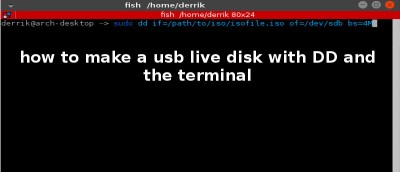
How to Make a Linux USB Live Disk with the Terminal

While there are plenty of graphical tools for you to create a Linux USB live disk, nothing beats the command line for its easiness. Here’s how to do it.

By Derrik Diener – Feb 5, 2015

3 Easy Ways to Send Emails From the Command Line in Linux

In this article, we will discuss the following three ways to send email from the command line in Linux: Sendmail, Telnet, Ssmtp.

By Himanshu Arora – Jan 22, 2015

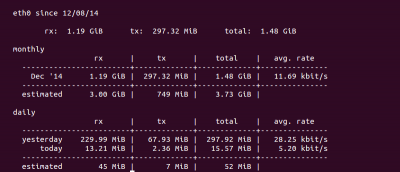
Use VnStat to Monitor Network Traffic from Linux Command Line

vnStat is a command line-based network traffic monitoring tool that uses the network interface statistics provided by the kernel as information source

By Himanshu Arora – Dec 15, 2014

Use Logcheck to Spot Problems and Security Violations in System Log Files [Linux]

Log files are important in uncovering system problems. Logcheck is a command line tool that are capable of analysing logs and producing meaningful information.

By Himanshu Arora – Dec 12, 2014

How to Check the Progress of Running Commands in Linux

While copying large files with the cp command, you have no idea how long it will take. cv command allows you to find out the progress of the operation.

By Himanshu Arora – Dec 8, 2014

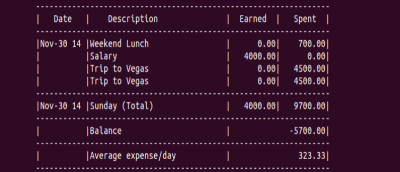
Pem: Manage Your Personal Expenses from the Command Line

If you are those who are into expense tracking and a geek who love the command line, you should give pem a try.

By Himanshu Arora – Dec 4, 2014

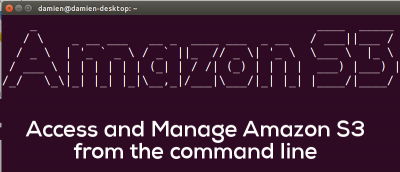
How to Manage Amazon S3 From the Command Line

There are many tools for you to access and manage Amazon S3, but in a command-line based environment, S3cmd is the best tool for you.

By Damien Oh – Nov 25, 2014

4 Windows Command Line Tools That Every Windows User Should Know

There are some features in Windows that can only be accessed via the command line. Here are some command line tools you can use to troubleshoot Windows PC.

By Vamsi Krishna – Oct 27, 2014

5 Deadly Linux Commands You Should Never Run

It is easy to copy, paste and execute a command in the Linux terminal, but there are some commands that can wipe out your system totally. Let’s check them out.

By Vamsi Krishna – Oct 9, 2014

How to Use mpv – CLI Media Player

mpv is a simple yet powerful command line media player. it is free, open source and cross-platform compatible. Let’s check it out.

By Ivana Isadora Devcic – Oct 2, 2014

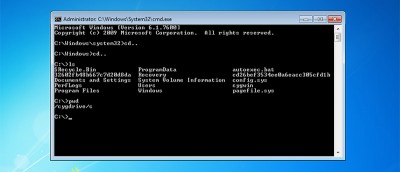
How to Install and Configure Cygwin in Windows Environment

For those who are missing the Linux terminal in Windows, you can use Cygwin to do the same task. Learn how to install and configure Cygwin in Windows.

By Vamsi Krishna – Sep 28, 2014

Use Pianobar to Listen to Pandora From the Linux Command-line

If you love the command line and like listening music while doing work, you’ll be thrilled to know that Pandora can be accessed through command line as well.

By Himanshu Arora – Sep 21, 2014

How to Read Windows Command Line Syntax

Using command lines in Windows is easy if you understand its syntax. Here is a quick guide to show you how to read Windows command line syntax.

By Vamsi Krishna – Sep 11, 2014

Pagination

<1…678>

Trending

Twitch Vs Youtube Gaming Vs Facebook Gaming Featured

Twitch vs. Facebook Gaming vs. YouTube Gaming: What’s the Best Live Game Streaming Platform?

Mar 31, 2026

Anytype Android

I Swapped Notion for Anytype on Android, And I’m Not Going Back

Mar 31, 2026

What Is Emulation Featured

What is Emulation? Benefits, Downsides and More

Mar 31, 2026

Play Legend Of Zelda Pc Featured

How to Play The Legend of Zelda on PC

Mar 31, 2026

Nvidia Dlss Featured

What Is NVIDIA DLSS? Upscaling and DLSS Alternatives Explained

Mar 30, 2026

Featured Image depicting the latest Windows10 and 11 Update Problems

Latest Windows Update Problems and How to Fix Them

Mar 30, 2026

More Posts >

Affiliate Disclosure: Make Tech Easier may earn commission on products purchased through our links, which supports the work we do for our readers.

Uncomplicating the complicated, making life easier

Make Tech Easier provides tech tutorials, reviews, tips and tricks to help you navigate the complicated world of technology. We aim to uncomplicate the complicated, making your life easier.

  • About
  • Contact
  • Advertise
  • Editorial Guidelines
  • Terms of Use
  • Privacy Policy
  • RSS Feed Terms

© 2026 Uqnic Network Pte Ltd.
All rights reserved.