


If you have used Google Chrome for a while, you may have noticed that sometimes it will block your downloaded files and flag them as a malicious software. This happens because the downloaded file information is sent to Google’s servers where Google maintains a remote list of malicious software and websites. For Firefox’s users, that same feature is baked into Firefox (from version 31) as well. If you are not a fan of Google vetting your downloads, here is how you can stop Firefox from sending downloaded file information to Google.
Note:
1. According to Mozilla’s wiki, Firefox will only send information for executable files (.exe).
2. Although Firefox 31 has the remote lookup feature, it will only become fully integrated from Firefox version 32, and it is a Windows only feature.
Prevent Firefox from Sending Downloaded File Information
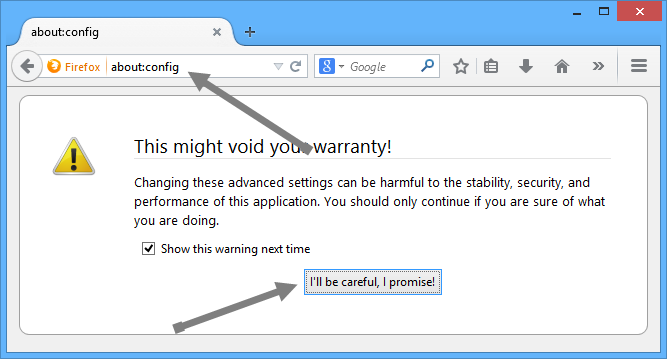
1. There are two ways to prevent Firefox from sending downloaded file information to Google. The first way is to change a value inside Firefox configuration settings. To do that, open up your Firefox browser and type about:config into the address bar and press the Enter button (make sure you are using version 31 or above).
2. If your Firefox browser displays a warning message, just read it and press the “I’ll be careful, I promise!” button to continue.
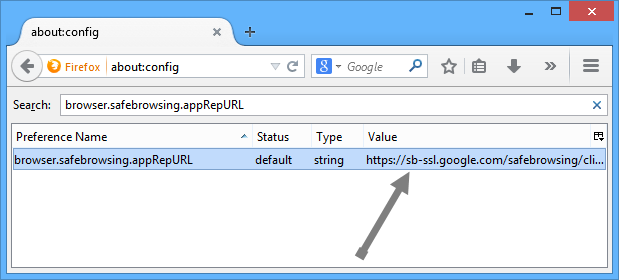
3. Now in the search bar, type browser.safebrowsing.appRepURL. This will reveal a preference name or string with a Google URL in its value.
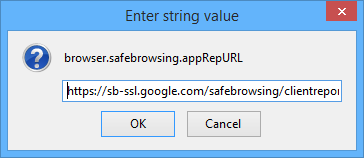
4. Just double click on that string to open the “Edit string value” window. Delete the entire URL and click on the OK button to save the changes.
5. Once you have deleted the URL, the string looks something like this.
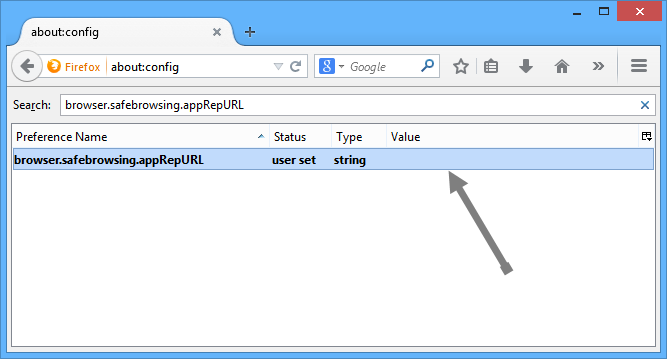
That’s all there is to do; you have successfully disabled the remote lookup feature in Firefox.
If you don’t want to mess with Firefox configuration settings, the second method is to disable the “safe browsing” feature completely. By disabling this feature, Firefox won’t protect you from any malicious or phishing websites. You have been warned!
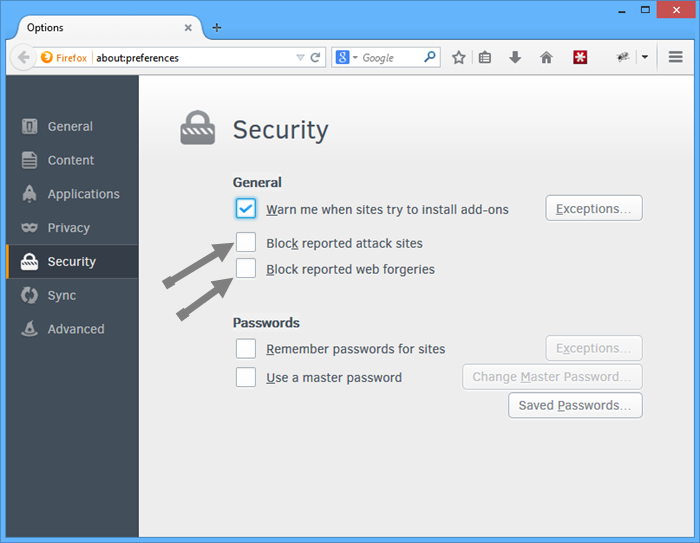
1. To disable safe browsing, open up your Firefox browser, type about:preferences and press the Enter button to open the Firefox preferences page.
2. Navigate to the security tab and uncheck the check boxes “Block reported attack sites” and “Block reported web forgeries.” Once you have done that, just close the page to save the changes.
That’s all there is to do.
So, what do you think of this newly introduced application reputation feature in Firefox? Do share your thoughts using the comments form below.