


For years, a database program for desktop, for many users, meant Microsoft Access – a program that requires a fair amount of knowledge for setup and usage. However, in recent years, this need has become easier to fill with web apps and other desktop software popping up around the internet, bringing easier usage and lower (sometimes free) prices.
One of the latest web apps to jump into the database pool is Sodadb – simple online database. It brings along the promise of being always free (though there is a premium version with more records and storage) and no skill level required for setup and usage. There are even a few templates for common uses, such as music and movie collections, address books and more. Here’s how to setup your own database.
Setup and Use
For the purposes of getting through this, we’ll just be adding a couple of items to our database, so let’s start by choosing a template from the Sodadb homepage.
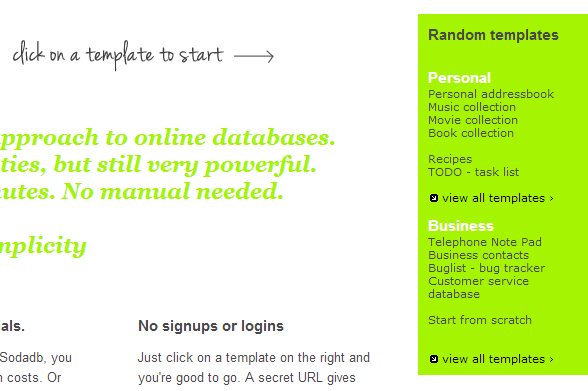
Music is listed right here, but these are not the only templates available – you can view the entires lists of both personal and business forms to see if what you need already exists, before attempting to create your own. The developer also offers to design custom templates for users as well.
The web app creates your database with a custom, personal URL. If you are worried that you may lose track of this address, you can register your email and Sodadb will send it to you if needed.

We’re now greeted with the sad sight of a completely blank database, so there is some work to do here. Click on the “New” option at the top left to get underway.
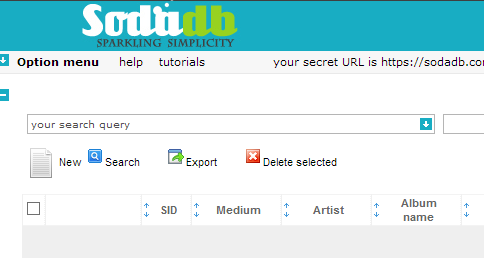
This brings us to the “Add a record” screen, where the real work begins. Each bit of the music database must be added by hand, entering the artist, album name, release date, genre and any of several other categories which you may wish to use if you see fit.
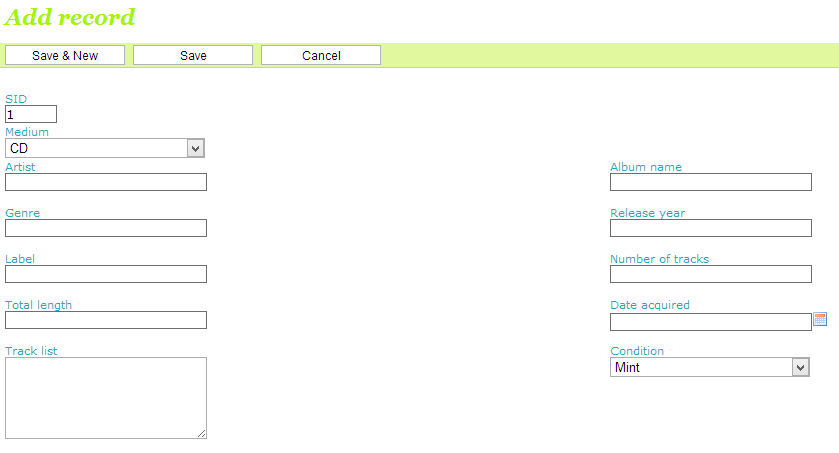
When you complete the process of entering in your information, then you can choose to “Save” it, returning to the main screen, or “Save and new”, if you have another record to enter.
The home screen now displays the information entered, but there is more to it than just a list. Databases are all about being able to search out the data you are looking for – easy access to everything at your fingertips. Sodadb is no different, as once you have everything entered, you can begin using it to your advantage. Enter a term in the box on the home screen and get only the results that match it.
Options
The Options menu, which can be found from the top left of the main page, allows you to add custom fields, set sub-users, import and export data, and a lot more.
You will need to import via a .csv file, so coming from Access is no problem. However, MS Excel has problems with exporting to .csv. Microsoft — in their infinite wisdom — refuses to improve this. So you are better off with the free Openoffice Calc. Import your .xls into Openoffice and export to .csv from there. You can also easily import from Grubba.net.
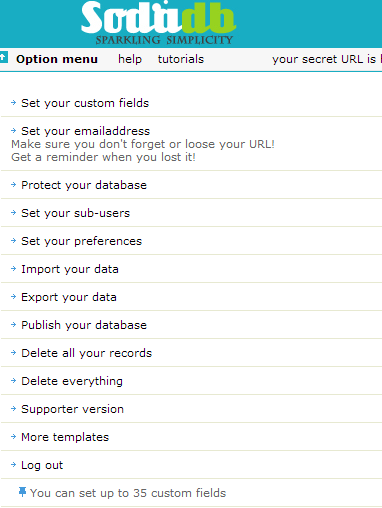
Users can also add an email address (if you didn’t do so previously), or simply delete the whole thing if that need arises.
If any of this is not familiar to you, or you simply can’t find how to do what you need in Sodadb, then there are a number of tutorials that have created by the developer to help you out.
Conclusion
There is a lot more to Sodadb than what we just looked at. But now that you have a brief overview, you know what to expect and can get started playing around with this great little free database program for yourself. What are you going to build today?