
Package managers on Linux make it easy to install, update, and remove software and system components. However, each Linux distribution relies on its own package manager. For example, Ubuntu and Debian use APT, Fedora and other RPM-based distributions use DNF, and Arch Linux uses Pacman. The downside is that these package managers are tied to their respective distribution families and generally don’t function across others.
Universal package managers solve this problem by working on any Linux distribution. Instead of relying entirely on the system’s libraries and dependencies, these packages bundle what they need. This ensures you get the same version of an app regardless of your distribution. The two most popular universal packaging systems today are Snap and Flatpak. Let’s explore their differences and see which one might suit you best.
What is Snap
Snap is a universal package format developed by Canonical, the company behind Ubuntu. It simplifies application distribution by packaging software with all required dependencies, making it independent of the underlying Linux distribution. In other words, a single Snap package works on any Linux system that has Snap installed, without most of the compatibility issues that often affect traditional package managers like APT.

Since each Snaps package is self-contained, system updates are less likely to break your applications, and app updates typically won’t interfere with the OS. This design reduces the risk of dependency conflicts or compatibility problems, though issues can still occur.
Using Snap
Snap comes preinstalled on recent Ubuntu releases. On other distributions, you can install it manually. After setting it up, you can install apps via graphical managers like Ubuntu Software or from the command line:
sudo snap install app-nameWhile snaps can be sideloaded manually, the Snap Store is the main source. It hosts everything from lightweight utilities to complex programs like Visual Studio Code, Discord, and even games.
What Is Flatpak
Flatpak is another universal packaging system for Linux, built with the same goal as Snap: making applications run consistently across distributions without compatibility issues.
Like Snap, Flatpak bundles applications with the components they need and runs them inside sandboxes for stability and security. However, Flatpak handles dependencies differently. Instead of every app carrying its own, Flatpak uses shared runtimes – common libraries multiple applications can rely on. This approach reduces duplication, installation size, and update times.
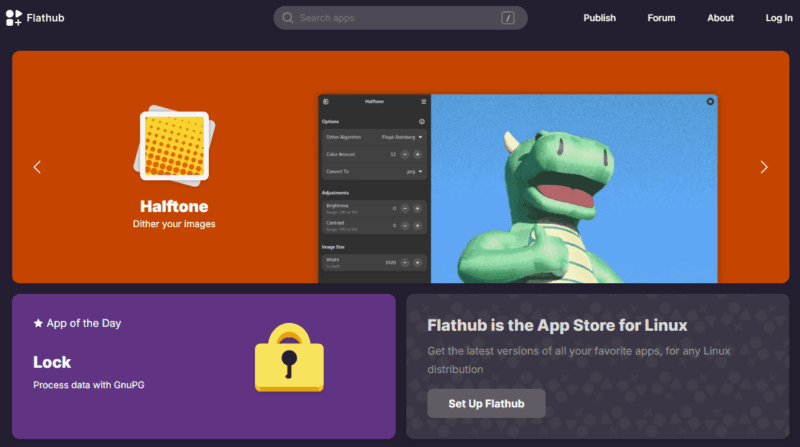
For distribution, Snap uses the centralized Snap Store, while Flatpak relies on remotes (repositories). The most popular one is Flathub, a community-managed hub with thousands of applications. Beyond Flathub, anyone can set up their own remote, making Flatpak’s ecosystem more open and flexible.
Flatpak also gives users finer control over app permissions. Thanks to tools like Bubblewrap, you can choose which resources an app can access, such as files, network, or hardware devices.
Using Flatpak
If your Linux distro doesn’t have Flatpak preinstalled, setting it up is usually a two-step process. First, you install the Flatpak framework itself. Second, you add a remote repository, like Flathub.
To install Flatpak on your distribution, simply use your default package manager, like on Ubuntu/Debian:
sudo apt install flatpakAfter installation, you’ll want to add the Flathub repository, which is the main source for Flatpak applications:
flatpak remote-add --if-not-exists flathub https://flathub.org/repo/flathub.flatpakrepoAnd that’s it! You’re now ready to install Flatpak apps from the largest repository available using this simple command:
flatpak install flathub [application-name]The system will handle dependencies automatically, downloading any required runtimes in the background.
Pros and Cons of Snap and Flatpak
Let’s discuss the pros and cons of each packaging system so you can better decide which one aligns with your needs.
Snap Pros:
- Easier for developers to build and maintain packages compared to some alternatives
- Supports a broader scope, including CLI tools, server applications, and desktop apps
- Strong security with AppArmor-based sandboxing
- Automatic background updates for installed applications
- Better Ubuntu integration as snaps are designed by Canonical
- Good availability of proprietary applications (e.g., Slack, Spotify, VS Code)
Snap Cons:
- Slower application startup times, especially on first launch after boot
- Larger package sizes in many cases due to bundled dependencies
- Centralized ecosystem, fully controlled by Canonical
- Configuration challenges requiring manual adjustments for system access
Flatpak Pros:
- Higher availability of desktop software compared to snaps in many cases
- Shared runtimes reduce duplication and speed up updates
- Faster startup times compared to snaps, with near-native performance
- Strong sandboxing using Bubblewrap and Namespaces, enhancing security
- Fine-grained permission controls for applications
Flatpak Cons:
- Disk usage can grow with multiple runtimes and apps installed
- More complex setup for repositories compared to native package managers
- Configuration complexity for apps needing broad system access
- Mainly focused on desktop apps; less used for server or CLI tools
What Are the Differences, Really?
Both Snap and Flatpak aim to provide cross-distro software, bundle dependencies, and run apps in a sandboxed environment. Their main differences lie in philosophy, updates, and ecosystems.
Snap is developed by Canonical and relies on the centralized Snap Store. It provides automatic updates by default and supports both CLI and GUI applications. However, Snap packages are often larger and can have slower startup times because they include all dependencies within the package.
Flatpak, on the other hand, is community-driven and decentralized, with Flathub as the most popular repository. It mainly targets desktop applications, uses shared runtimes to reduce package size, and typically launches apps faster than snaps. Unlike Snap, Flatpak does not enforce automatic updates by default, so users have more control over when applications update.
Which One Should You Use?
The choice between Snap and Flatpak depends largely on your distribution and workflow. Snap performs best on Ubuntu, whereas Flatpak integrates seamlessly with a variety of desktop environments, providing more software options and greater reliability.
In practice, many Linux users install both Snap and Flatpak. Some applications are more easily available as Snaps, while others are better maintained on Flathub. Since the two systems coexist without conflict, there is no need to commit exclusively to one.