


If you have a blog at WordPress.com, you may have upgraded your WordPress website with a custom domain name. This may be for professional reasons, or may be because you simply wanted a more memorable URL for your website. Did you know, however, that if you purchase a domain through WordPress you can set up an email forwarding in WordPress.com from your domain name for free?
Services such as GoDaddy offer email addresses linked to the domain that you’re purchasing. These addresses come with their own email account you can log into and read emails from. Given that an email account requires storage to store the emails, they often come with an additional storage fee. When purchasing a domain through WordPress, it also includes an email redirect. What this means is that your domain name has the ability to receive emails, but due to not having any storage for the email, it can’t keep hold of it.

What it can do is take the email and send it to another email address. That email address then (hopefully) has storage available to store the email. For example, if you owned “email@gmail.com” and bought the WordPress domain “www.example.com”, you could configure all emails sent to “name@example.com” to be redirected to “email@gmail.com”, where you’ll read the email.
Why would you want to do this? Custom domain names have a level of professionalism and ease-of-use to them. Instead of asking people to send comments and suggestions to “mysitecomments@gmail.com”, you can tell them to send to “comments@mysite.com” instead. Even better, you can tie the domain name to an email mask and send emails from that address, too. You can have a stylish “name@mysite.com” email which you can use to email people professionally – and for no additional charge on your WordPress plan.
With this in mind, let’s explore how to set up custom email forwarding in WordPress.com.
Note: this article deals with WordPress.com blogs and not your self-hosted WordPress.org site.
Making a WordPress Email Redirect
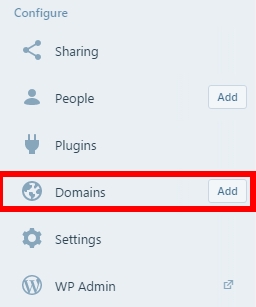
First, go to your WordPress.com dashboard. Find “Domains” on the left sidebar and click it (but not on “‘Add”!).
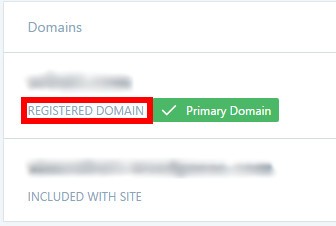
You’ll see a list of your domains that you own. Click the domain you want to have a custom email with; make sure it’s listed as a “registered domain.”
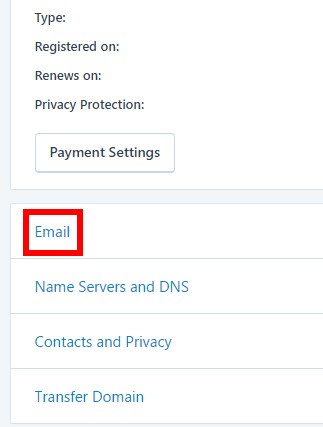
From here, click “Email”.
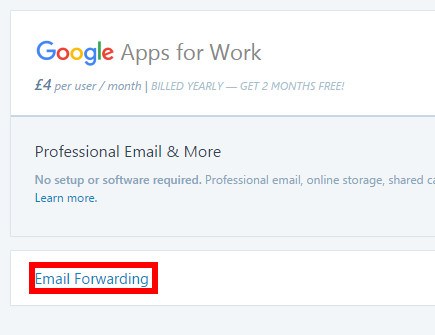
You’ll see a page where you will have to make a choice; use “Google Apps for Work” or go to “Email Forwarding.” The Google Apps option looks big and eye-catching, so it’s easy to miss the “Email Forwarding” button below it! While you can go through Google Apps to set up your email, they also charge money for email storage. Let’s go with the free option for now.
You’ll see a screen where you can add email forwards. Press the “Add New Email Forward” button.
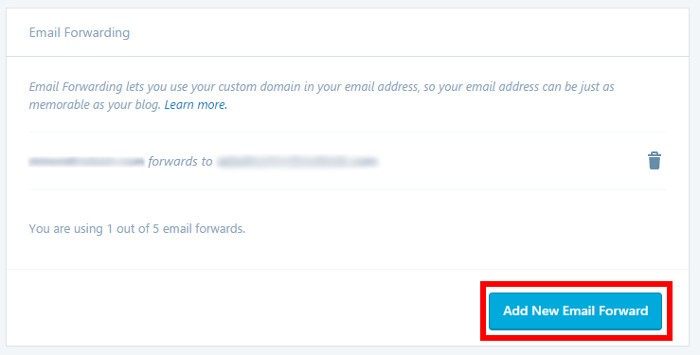
This is where you set up the email you’d like to use. In the top box type in what you’d like people to send email to. For example, if you had example@gmail.com and wanted people to send email to comments@yourdomain.com, type “comments” in the top box and “example@gmail.com” in the bottom one, like the following.
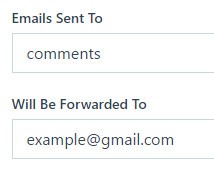
Once done, press the “Add New Email Forward” button. WordPress will then send an email to the account you specified (in this example, to example@gmail.com) to verify it’s your email account. Just look for the email, and click the blue button in it.
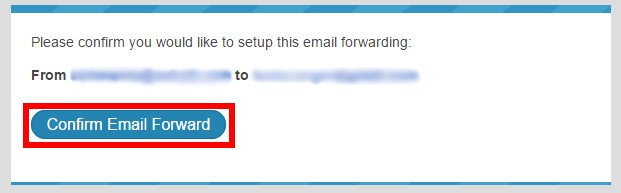
That’s it! Now people can send email to the domain you specified, and you’ll receive them in your regular email. If you’d like to reply to emails using your custom email address, you’ll have to set up a “mask” for it. Check your email provider to see how to do that.
Using Your New Email Address
You have five redirects assigned to one domain, so don’t think you’re stuck with just the one. You can have a personal name email you give to professional contacts, a feedback email for your website, another one for personal and leisure accounts, and still have two more to play with. It’s possible to delete and create redirects at any time, so feel free to try them out.
Also note that when sending an email to test your redirect, WordPress advises that you use a different email than the one you’re redirecting to. If your redirect points to example@gmail.com, you’ll have to send an email from a different account than example@gmail.com to test the redirect.
When purchasing a WordPress domain, many people don’t know that they’ve also bought the ability to set a custom redirect, costing nothing more than a little bit of effort. With these simple steps you can set up a great-looking email for friends or business clients using a plan you’ve already purchased!
Image credit: email