
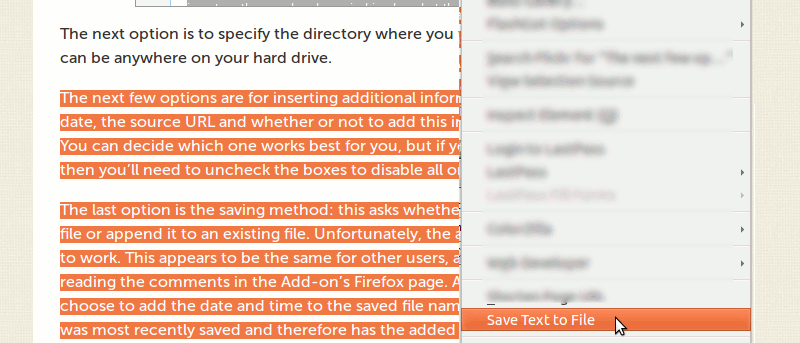

Researching on the Internet can sometimes be cumbersome, and the amount of information we find can be a challenge to organize. There are many note-taking and clipping apps out there, but a Firefox extension called Save Text To File performs a simple, yet extremely useful, function: to save highlighted text in any web page into a .txt file, then save it in any location on your hard drive.
To save highlighted text in Firefox, download the Save Text to File extension and start using the feature right away. Highlight the text you want to save and right click on it.
Click on the option Save Text To File. This should bring up the extension’s menu with all of its options.
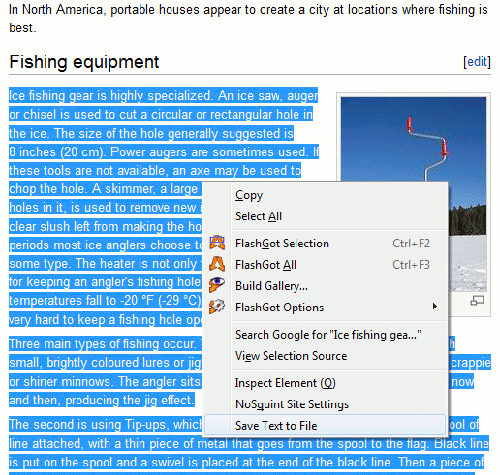
First you can rename the file (the default is set to Highlighted Text). This is a must if you’re planning to save multiple files this way. In the example below, I renamed the file to “Ice Fishing” which is the main topic of my research.
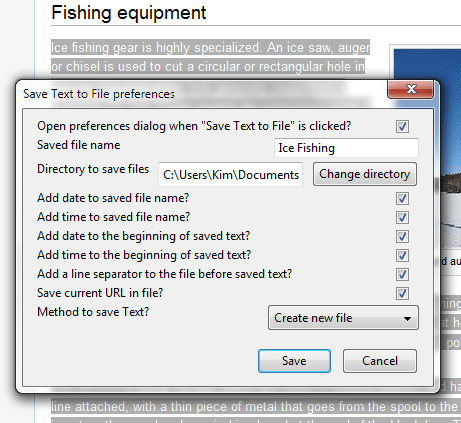
The next option is to specify the directory where you want to save the file. This can be anywhere on your hard drive.
The next few options are for inserting additional information about the file such as date, the source URL and whether or not to add this in the beginning of the text. You can decide which one works best for you, but if you’d rather just save the text, then you’ll need to uncheck the boxes to disable all or any of these.
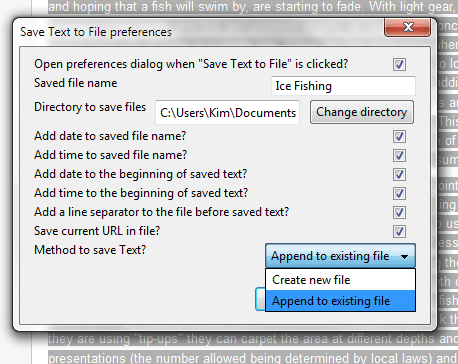
The last option is the saving method: this asks whether you want to create a new file or append it to an existing file. Unfortunately, the append feature did not seem to work. This appears to be the same for other users, as I’ve come to know from reading the comments in the Add-on’s Firefox page. As a workaround, you can choose to add the date and time to the saved file name so you’ll know which file was most recently saved and therefore has the added information.
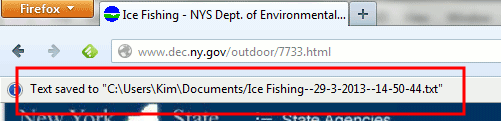
When you have all settings in place, click on Save. A pop-up on top of the browser window should appear indicating where the file was saved and the actual file name. You can close this by clicking on the x mark to the right.
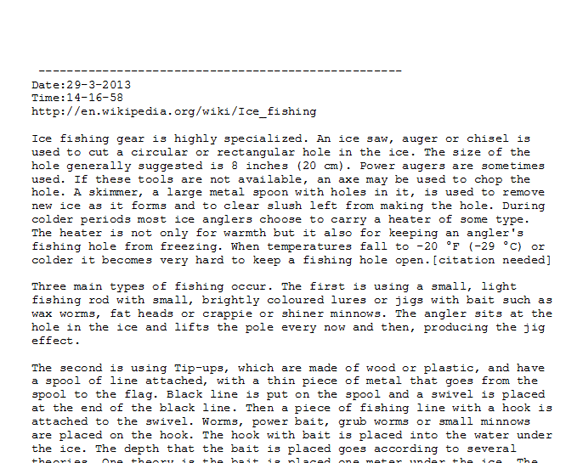
Remember that the saved file is in the .txt format, so any word processor or note-taking software should be able to open it. You can use Notepad or Microsoft Word in Windows. In MS Word, you’ll need to specify to open All Files in the Open File dialog box so that the file is visible in the list. A saved text file (with all options checked) will look like this in Word:
Save Text To File is great if you want a quick and easy way to save highlighted text into a file. It obviously has a few bugs (unable to append to existing file), but it’s a good start if you want something that will help you gather information for important pieces of writing that you might be doing.