

Is your Inbox full of email subscriptions and newsletters from various brands and services? Are you looking for an easy way to get rid of the subscriptions that you don’t want and combine the ones that do want to keep? If you’re like me, going through all those messages each day is almost like torture, and it leaves you with a big headache!
Luckily, there’s an easy solution thanks to a service called Unroll.me; it includes two services, which are both great for cleaning up and organizing your Inbox. For starters, it lets you easily unsubscribe from email newsletters that you’re not interested in. Then, it offers a “revolutionary rollup” to organize and prioritize the rest of your email messages.
Today we’ll take a look at how to rollup your email subscriptions into a single daily digest using Unroll.me.
1. From the Unroll.me home page, choose the email service that you want to use with the service: Gmail, Google Apps, or Yahoo.
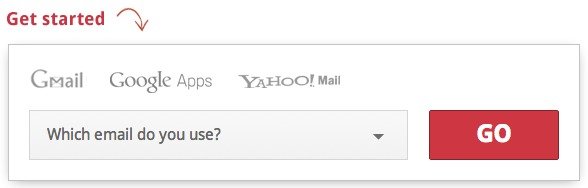
2. After selecting your service and clicking the “go” button, you’ll use OAuth to select your email account and give Unroll.me permission to access it. For the purpose of this tutorial, I’m using a Gmail account.
3. You’re welcome to look through the short tour while Unroll.me scans your Inbox, which should only take a minute. The initial scan will find all of your subscriptions and pick them out so that you can go through them.
4. After the scan is complete, you will be able to see just how many items are in your rollup. From here you can manage your subscriptions individually.
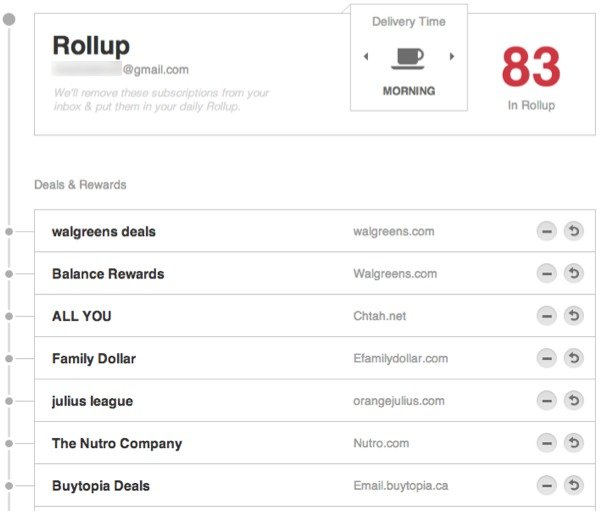
5. Before going through each item, you’ll want to choose a delivery time for your rollup. At the top of the rollup you’ll see the Delivery Time is set to “morning” by default. You can change it to afternoon or night.
6. Next, go through each subscription listed in your rollup and use the action buttons at the far right of each item to edit them. There are three different icons that you will see:
- Minus sign – used to completely unsubscribe from a service and remove it from your Inbox altogether.
- Circular arrow – used to remove an item from your rollup digest and send it directly to your Inbox; this basically keeps it as is.
- Gear icon – this icon will direct you to the actual website of the service in order to manage your preferences exclusively for that service; this is mainly used for social networking services like Twitter, LinkedIn, YouTube, Facebook, etc.
7. Once you go through your rollup to unsubscribe and remove the items that you don’t want in your rollup, click on the “view rollup” button on the right side of the page. This will give you a glimpse of what you’ll receive each day.
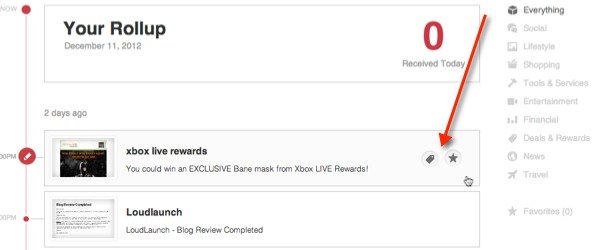
8. In your rollup you can sort items by category, change the category that a particular item belongs to, and also add mark items as a favorite.
Just like that, the process of going through your email each day just got a lot easier. Unroll.me is sure to make any Inbox lighter and neater.