What we like
- 3-channel camera
- Up to 4K front cam
- SONY STARVIS 2 IMX678 and Gen2 technology
- Voice commands
- Touch screen
- App controls
- SD card included
What we don’t like
- Poor rear footage at night
- Difficulty connecting to Wi-Fi
- Camera randomly freezes when disconnecting from Wi-Fi
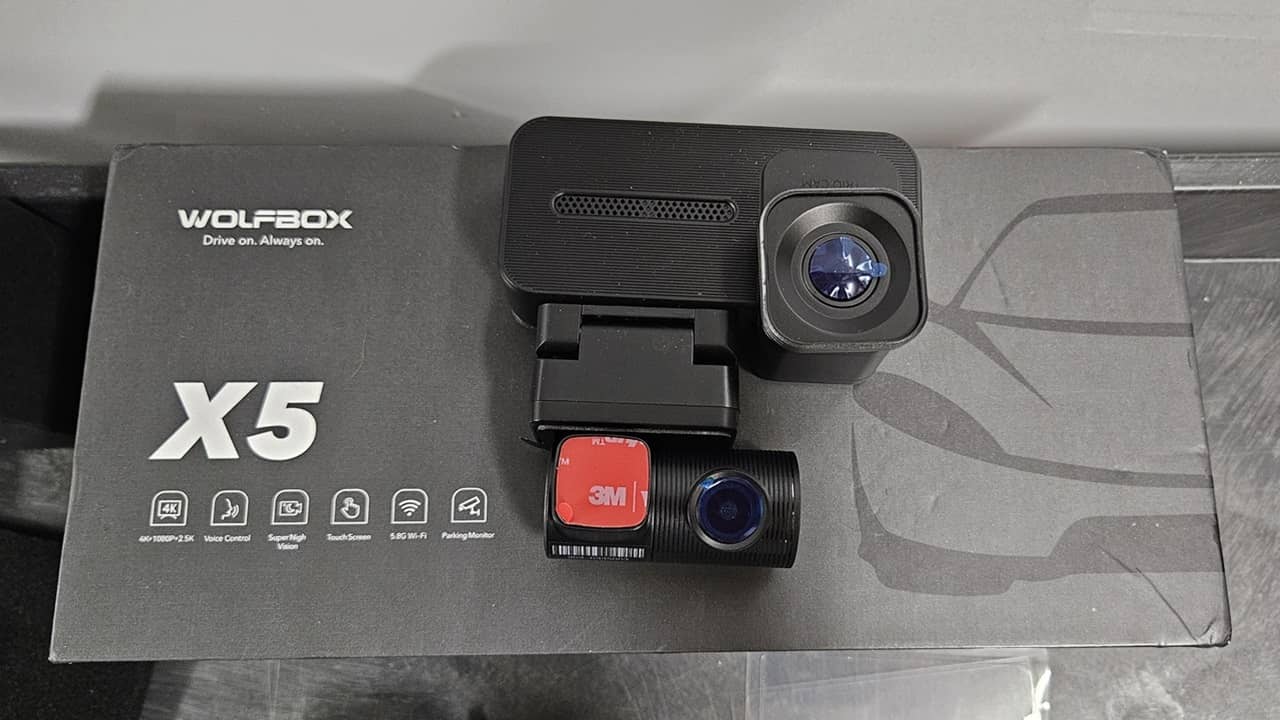
Everybody has 4K video now, and I thought that was clear enough. I never realized that not all 4K was created equally until I got my hands on the small, but mighty WolfBox X5 3-Channel dash cam. Read on to learn how it performed as I put it through the paces for this review.
This is a sponsored article and was made possible by WolfBox. The actual contents and opinions are the sole views of the author, who maintains editorial independence even when a post is sponsored.
Three Channels Show Everything Inside and Out
Let me warn you right now: if you sing in the car, turn off the sound recording on the WolfBox X5 Dash Cam before using it. Otherwise, you may discover you’re not nearly as great at car karaoke as you thought.
Yes, this dash cam shows the front, inside, and rear of the car. Of course, I couldn’t really see much detail on the small 2.5-inch screen when all three cameras were displayed at once, but the recorded footage looked great on a larger screen later.
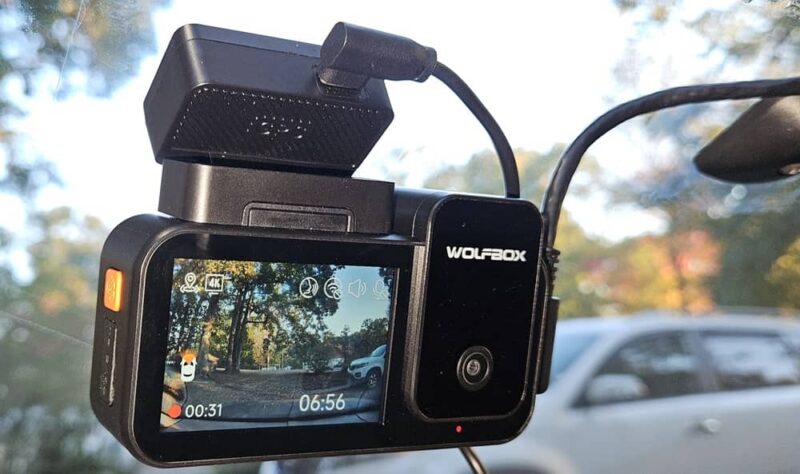
What really impressed me is how incredibly sharp the 4K footage is, though 4K isn’t on all three cameras. The three cameras offer
- Front – 4K (30fps)
- Interior – 1080P (25fps)
- Rear – 2.5K (30fps)
The SONY STARVIS 2 IMX678 helps give me clear footage day and night. And the
STARVIS 2 Gen2 ups the clarity in low-light conditions. During my review, I was impressed with how clear the front and interior cameras were at night. The rear camera was more anticlimactic. Unless a car with bright headlights was right behind me, I couldn’t see much of anything.
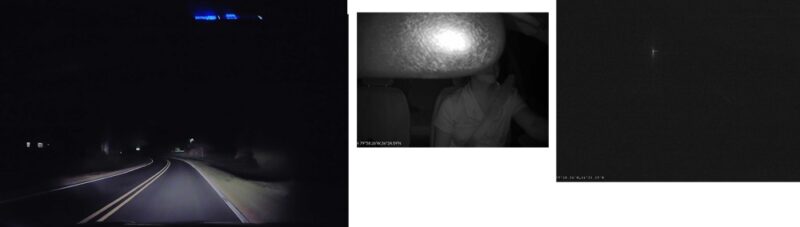
On the other hand, all three cameras were crystal clear during the day.
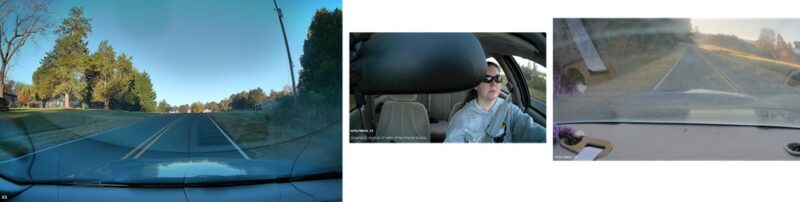
Even in bright sun, the camera stayed clear with no glare.

Touch, Voice, and App Control
Obviously, I should have my eyes on the road while driving, not on my dash cam, fiddling with settings, so it’s a good thing the WolfBox X5 has 12 voice commands for hands-free operation. I could easily turn recording on/off, take pictures, turn the Wi-Fi on/off, turn the screen itself on/off, and switch camera views.
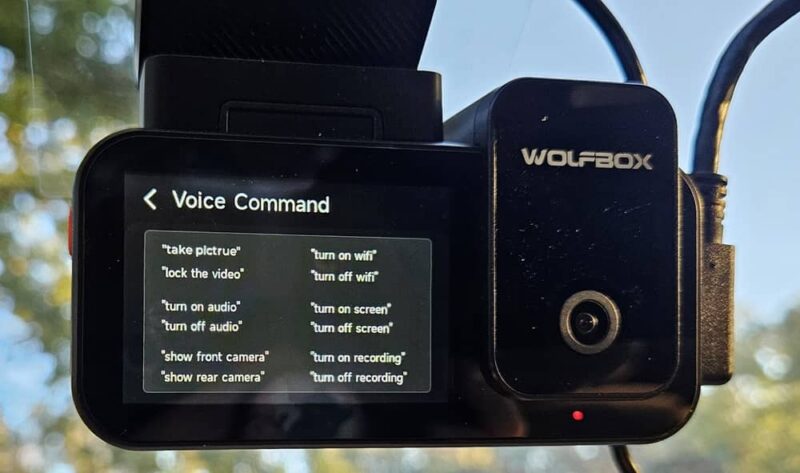
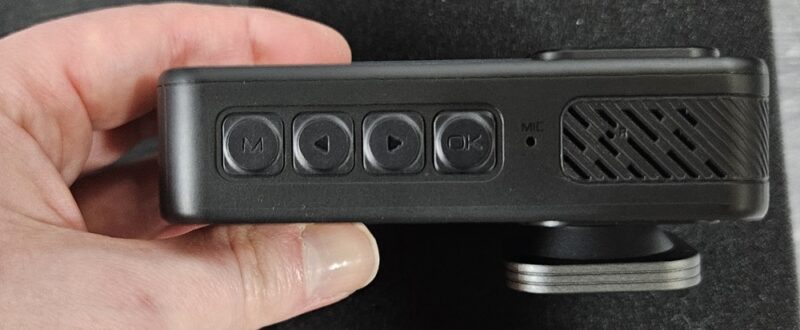
Naturally, the voice commands are limited to just certain actions. To change settings, I had to use the 2.35-in LCD touchscreen. Four buttons on the bottom of the camera let me jump the menu, scroll, and confirm my choices.
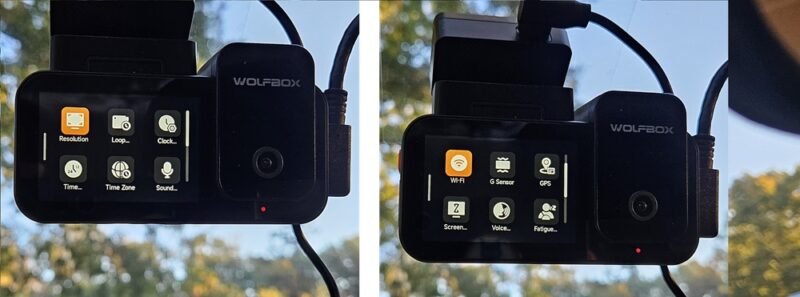
From the main menu, I’m able to adjust time zones, turn sound recording on/off, adjust resolution, set up loop recording, set up GPS, turn on fatigue alerts, and much more.
Finally, I could change some settings, though very few, through the WolfBox mobile app. The app itself is mainly for viewing and downloading footage from the dash cam.
Connecting to the WolfBox App
The WolfBox X5 Dash Cam works well, but the app is sluggish and takes a while to actually connect. The built-in 5.8G high-speed Wi-Fi is designed to make viewing photos and videos on the microSD card (128 GB included, supports up to 512 GB) quick and easy. It also boosts download speeds if you want to keep any videos/photos.
Every time I tried to connect to the camera’s Wi-Fi, I had to force close the WolfBox app multiple times before the app would recognize I was connected to the network. Each time, the connection process took several minutes at least, and sometimes, I couldn’t connect at all.
But when I was connected, I could browse all recorded videos and photos. I like that each was labeled with F, I, or R to distinguish which camera was used. Files are in MP4 and JPG formats, so most players should recognize them.
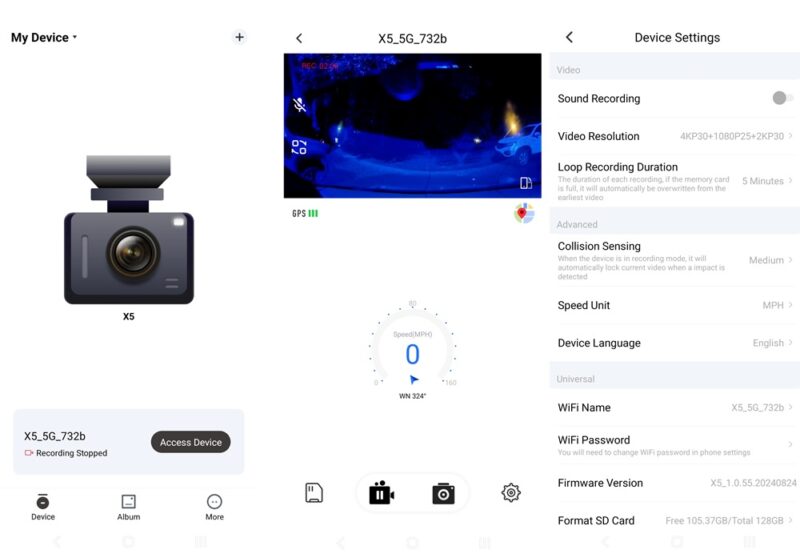
The app itself shows videos and the GPS with the videos. Speaking of GPS, the accurate GPS shows exactly where you are at all times in the bottom corner of the video.
And, if you want to view videos/photos on a larger screen, the WolfBox Player is a desktop version that lets you pull videos from your phone or the microSD card from the camera.
Personally, I found it easier to just remove the microSD card, pop it in my PC, and pull the files from there, versus using the mobile app.
One other issue with the Wi-Fi is that sometimes the dash cam would lock up when trying to turn off the Wi-Fi. Suddenly, the camera wouldn’t respond to touch or voice commands. The only way I could get anything to work was to disconnect the dash cam from its power source for about a minute. Then, everything worked great again. I had this happen twice in a week.
At least updates don’t have to be performed in the app. Instead, the dash cam supports OTA upgrades.
Compact Design That Doesn’t Get in the Way
Once I tucked all the cables out of the way (tools are included for this), I discovered that the WolfBox X5 Dash Cam is compact and doesn’t stand out, which is a good thing. I have a small sedan, but trust me when I say that the cable for the rear camera is more than ample for much larger vehicles.
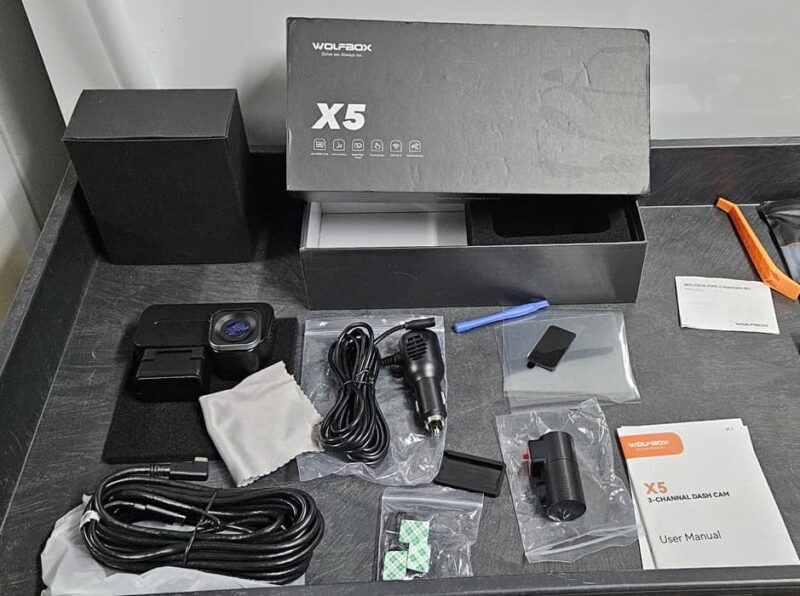
The rear camera is tiny, yet it rotates 360 degrees to ensure the perfect angle. For some reason, I had a hard time getting the electrostatic sheet to adhere to my back window, but once I did, the camera stayed in place with no issues. The good news is that if you do have issues, the kit includes three electrostatic sheets, so there are spares.
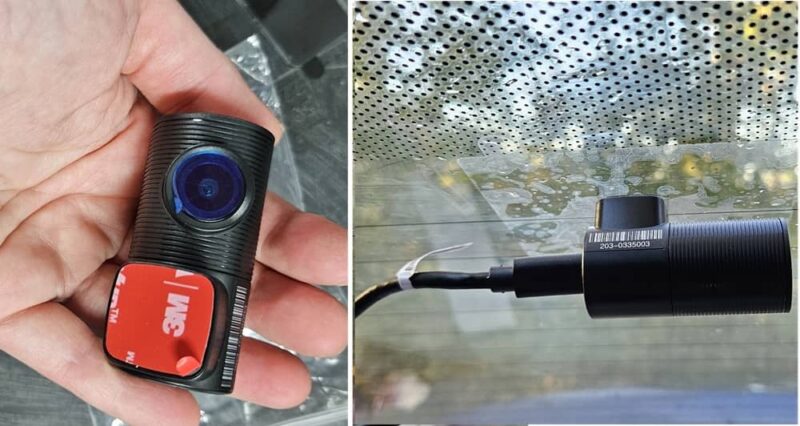
The front camera is also adjustable, rotating up to 90 degrees. It adhered so well to my windshield that I could adjust it easily once it was installed.
The connectors on the cables are angled to be as discrete as possible, so I could only see a tiny bit of cable. Overall, it never felt like it was in the way or too bulky.
One final thing I appreciated is the USB port in the camera’s power adapter. Not only do I get a dash cam, but an extra USB port to charge or power another device.
Experience Ultra Clear 4K
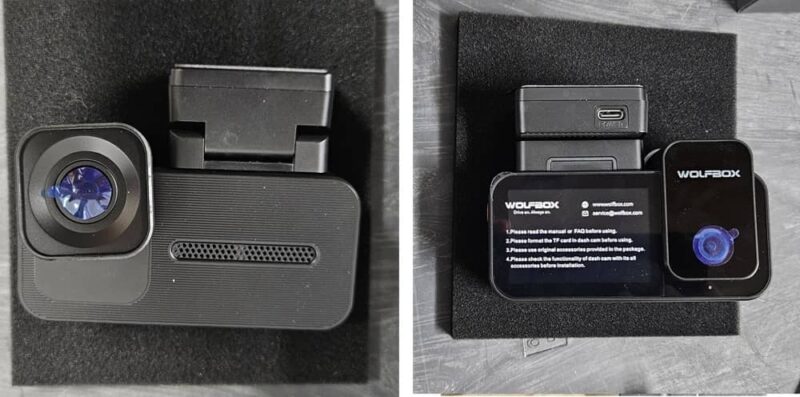
The WolfBox X5 Dash Cam blew me away with its tidy design, easy touch-screen navigation, and ultra-sharp 4K front cam footage. Honestly, the front camera alone is enough to make me want to keep using it, but having the rear and interior cameras is a nice bonus.
Pick up your own WolfBox X5 for just $279.99 from WolfBox.
Subscribe to our newsletter!
Our latest tutorials delivered straight to your inbox