What we like
- 3-channel mode
- Up to 5K video for front camera
- 1080p rear and interior cams
- Full color day and night for all three cameras
- 128 GB SD card included
What we don’t like
- Navigation of buttons is tedious
- Photo button doesn’t always work right
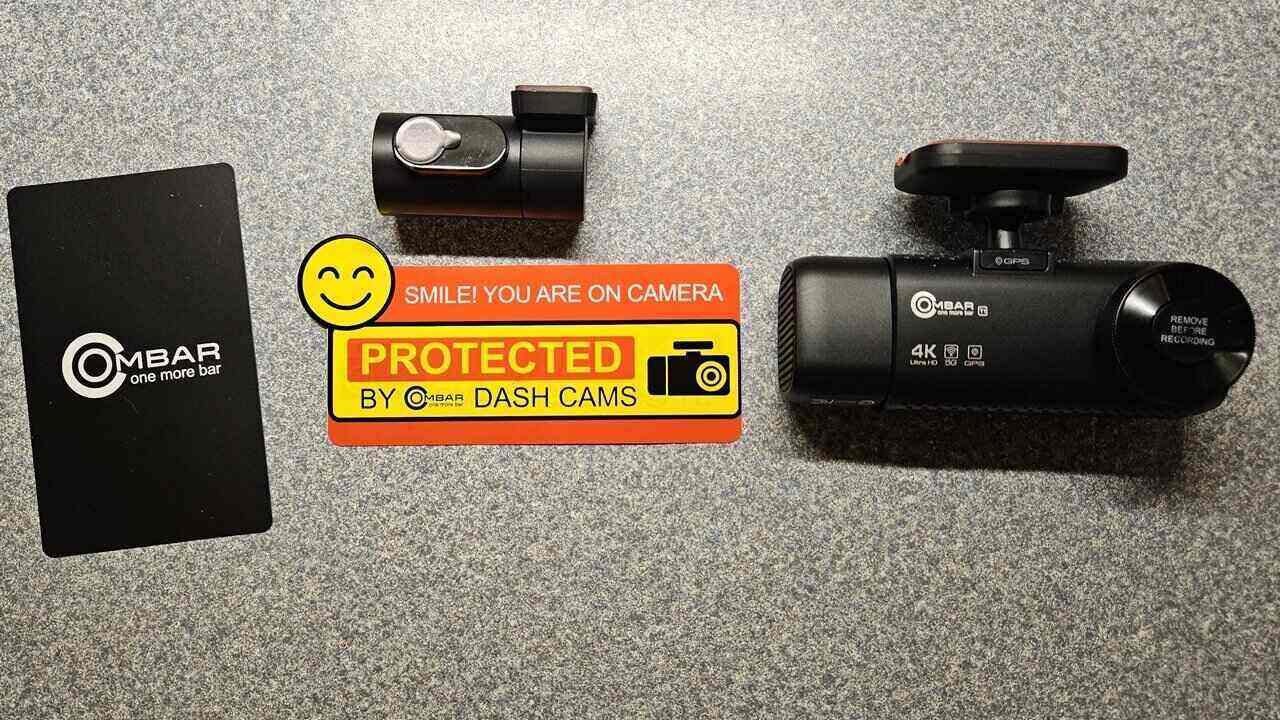
From having proof in the event of an accident to capturing a cute moment with your kids inside the car, the OMBAR T1 4K dash cam promises to do it all. I recently took this 3-channel camera for a test drive to see just how well it works.
This is a sponsored article and was made possible by OMBAR. The actual contents and opinions are the sole views of the author, who maintains editorial independence even when a post is sponsored.
Impressive Feature Set
Before I even set up the OMBAR T1 4K Dash Cam, I was impressed with the feature set. Not only does it feature three cameras, but each camera offers high resolution video and photos. Some of the standout features include:
- Up to 5K for the front camera (4K resolution when paired with the other cameras)
- 1080p rear and interior cameras
- Sony STARVIS 2 IMX678 sensor for front camera
- STARVIS IMX307 for rear and interior cameras
- Full color night vision, even in low light settings
- Video automatically locks when a collision is detected
- Always-on 5GHz Wi-Fi for easy connection with the companion app
Easy Installation and Recording in Minutes
I couldn’t ask for a simpler installation. The instructions for the OMBAR T1 4K Dash Cam were clear. They step you through the process of connecting cables for the front and rear cameras, formatting the SD card (128 GB card included), and using the menu to configure the initial settings.
Everything you need is included. You even get two sets of static stickers and adhesives for each of the two cameras. Alcohol prep pads are also included. The addition of the “Smile! You are on camera” sticker is a nice way to let other drivers know they’re being filmed if they’re driving recklessly.
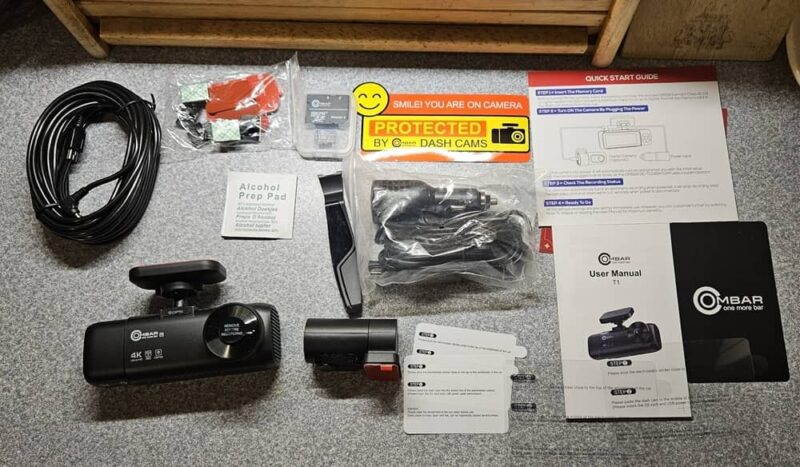
The longest part of the process is just tucking away the excess cable. The dash cam does come with a tool to make this easier. There’s ample cable for both the front and rear cameras to work with most vehicles, including SUVs.
I was completely set up and the camera was recording in about 10 minutes.
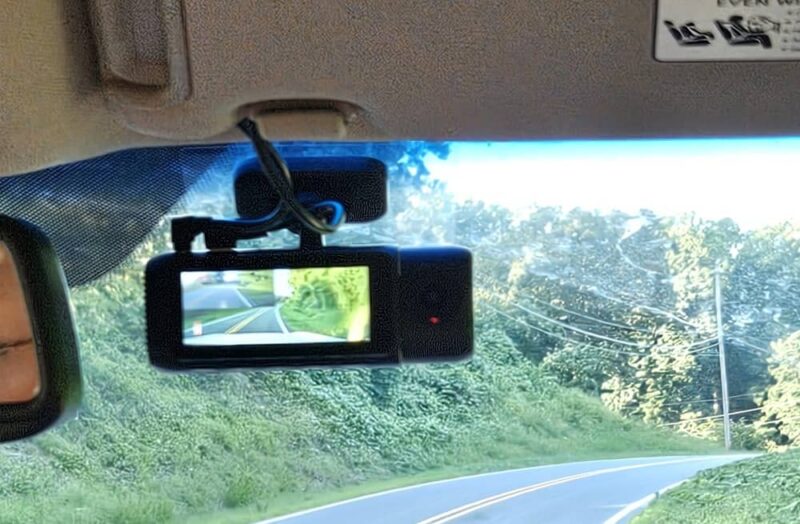
If you want to take advantage of the parking sensor, you’ll need the hardwire kit, which is sold separately. I didn’t have this kit for the review, so I didn’t install or test this feature of the camera. However, if you choose to buy it, the camera starts monitoring 24/7 when the engine turns off.
Numerous Menu Options, But Difficult to Navigate
The OMBAR T1 4K dash cam isn’t touch screen, so you have to use the buttons on the underside of the camera. Personally, I wish they were just under the screen itself so that they’d be easier to see and use.
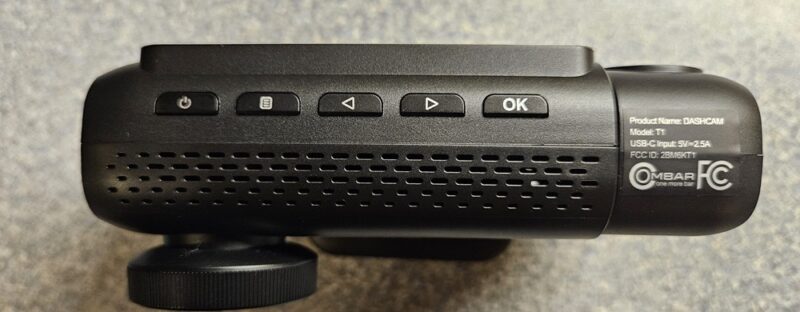
Until you get used to the location of the buttons and the many options each button can be used for, you will press the wrong one often. I was constantly locking the video while it was recording instead of taking a picture like I wanted. On the other hand, the video locking feature does work quite well.
To jump between all the menu options, you have to keep pressing the arrow buttons. This gets tedious if you need to get through several pages of the menu. With 28 options over three pages, it’s easy to see what I mean.
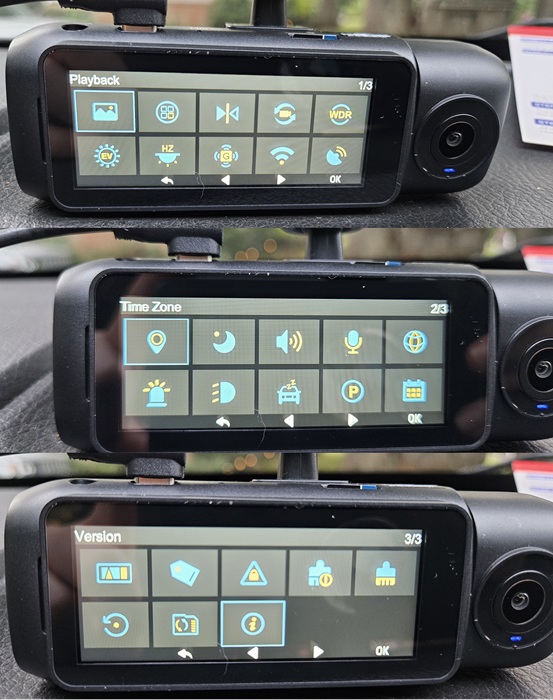
By the time I was ready to write my review, I had the buttons figured out without having to feel around too much. The only issue I had was that the picture button didn’t always work. Plus, the manual says to use the left arrow to take a picture, but the right arrow was the only one that ever took a photo – and it only worked about half the time.
Easier to Manage With the App
I found it much easier to just use the RoadRec app to manage the settings. All I had to do was turn on the dash cam’s 5GHz Wi-Fi, connect, and I was all set. From here, I could view the camera live, take photos, view footage, and download photos and videos to my phone. Downloading was surprisingly fast as well, especially with the larger videos.
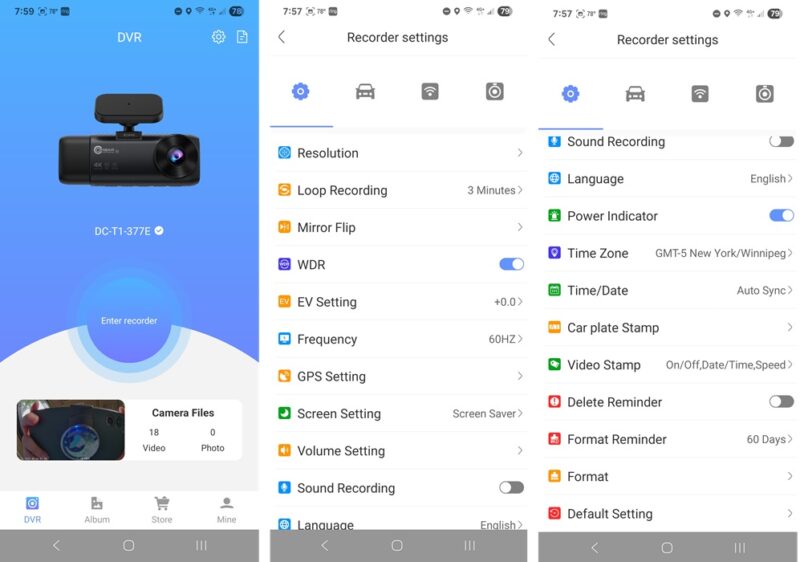
The OMBAR T1 4K accomplished something I didn’t think was possible with a dash cam. I didn’t have to keep turning the camera’s Wi-Fi back on every time I wanted to connect.
The setting stays on until you manually turn it off on the dash cam itself. You just have to choose the camera’s Wi-Fi network on your phone to connect via the app.
Within the app, you also see a map of where you are when playing back footage, along with your speed. If you’re viewing the camera live on the app, just tap the buttons to switch between camera views (front, rear, cabin, and a mix). It’s also the easiest way to switch between the camera views and resolutions.
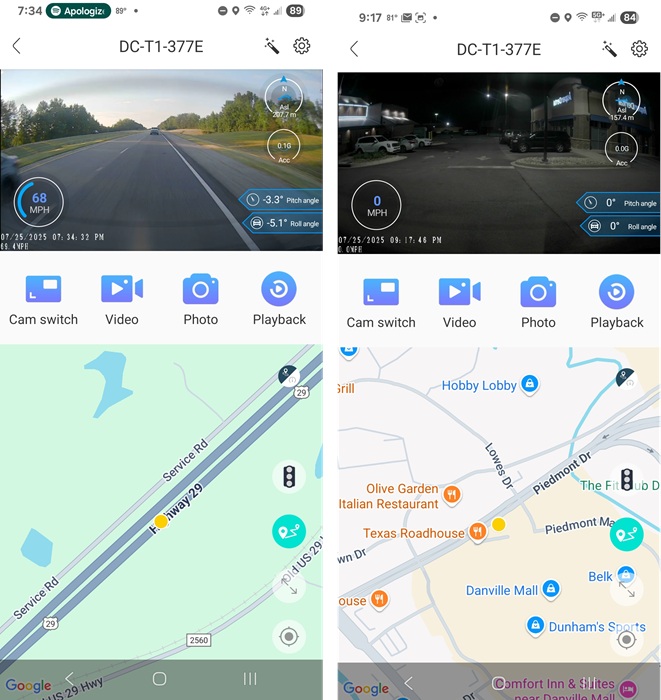
All videos also include GPS data. The OMBAR dash cam uses a quad-mode GPS that uses BeiDou, GLONASS, GPS, and Galileo for the most accurate details possible.
Monitor Just the Views You Want and Need
I appreciate that the OMBAR T1 4K offers three channels for monitoring the front, rear, and inside of my vehicle. But what I love even more is being able to choose between the three. After all, you may not need the cabin view or perhaps just want a high-quality front view.
You have multiple options to choose from:
- Front 4K (3840 x 2160p at 30fps), Interior 1080p (1920 x 1080p at 30fps), and Rear 1080p (1920 x 1080p at 30fps)
- Front 4K (3840 x 2160p at 30fps) and Rear 1080p (1920 x 1080p at 30fps)
- Front 5K at 25fps (you can also switch this to 4K or 2K to save on storage space)
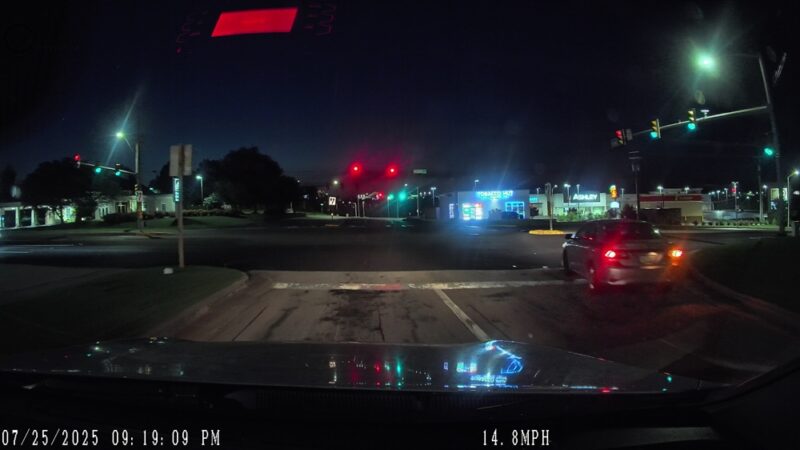
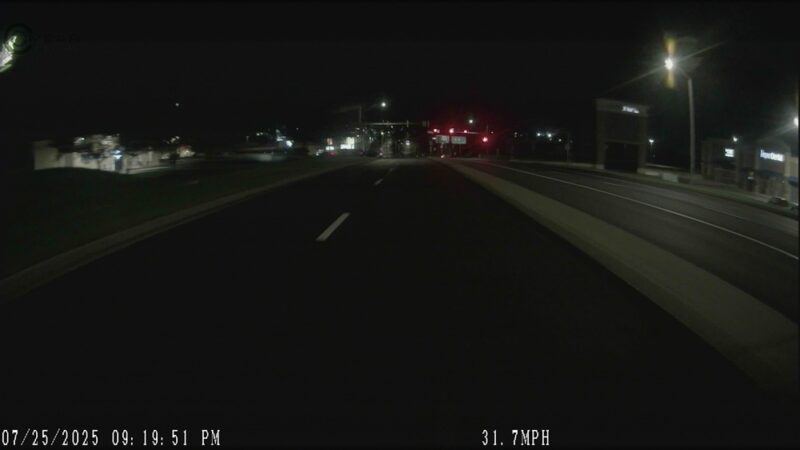
The following shows the front, rear, and cabin cameras, respectively:
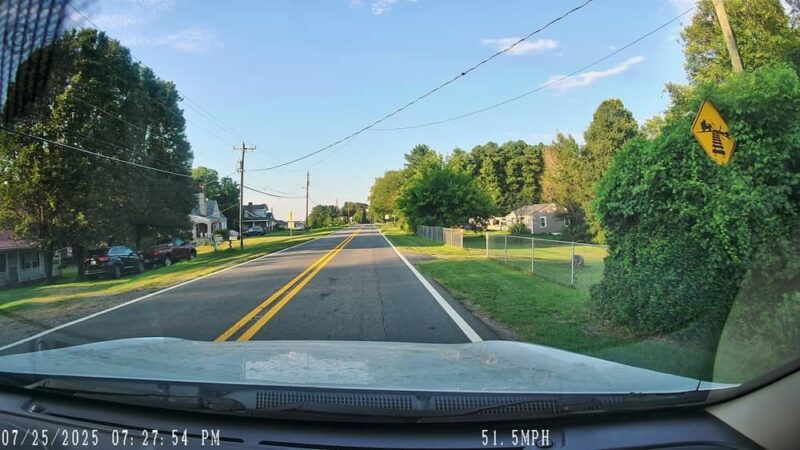
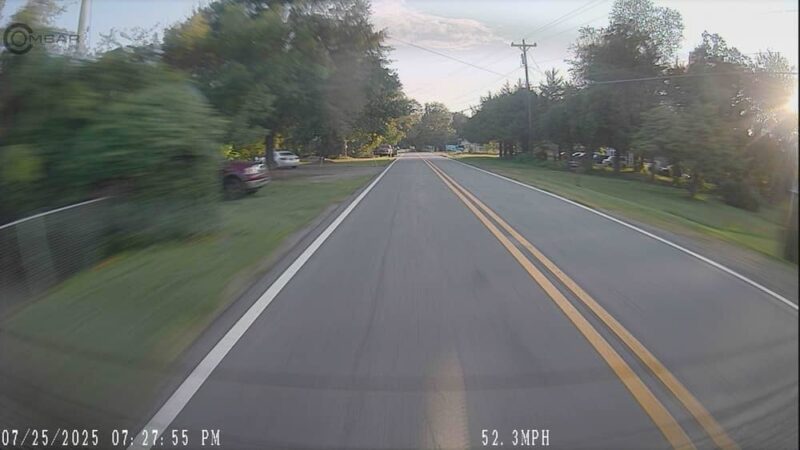
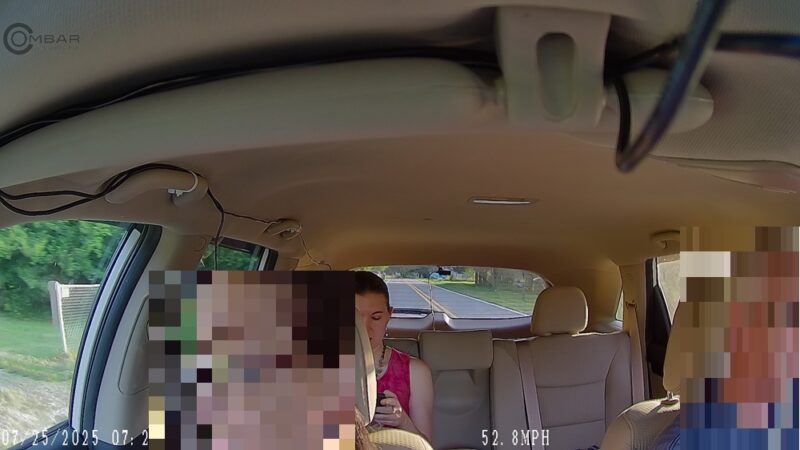
The below image doesn’t fully capture how clear the video actually is, but it does show how the dash cam looks with all three views on the screen at once.
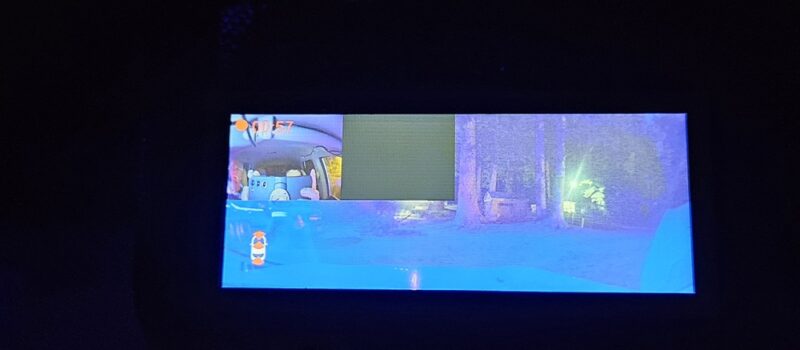
No matter which combo you choose, the video also looks ultra clear and crisp. It’s easy to make out license plates, even in bright and low light conditions.
Clear Footage Both Day and Night
The OMBAR T1 4K dash cam’s front camera features a Sony STARVIS 2 IMX678 sensor to better handle various light conditions without sacrificing video quality. The rear and interior cameras use the STARVIS IMX307. The interior cabin camera also has an f/1.8 aperture for better views.
The result is full-color video both day and night. Even the rear camera picks up well at night, though if it’s fully dark with no light around, you won’t see much of anything.
Extra Features You’ll Love
I’ve seen some dash cams that don’t do well in extreme temperatures. During my tests, my area was under heat warnings every day with temperatures around and over 100 degrees Fahrenheit. By default, the camera does shut down to protect itself if temperatures do get too hot or cold.
However, it worked flawlessly in the heat, thanks to the supercapacitor. This not only helps it withstand more extreme temperature ranges but increases the life of the camera.
In the event of a crash, video footage locks automatically. This ensures that the loop recording doesn’t overwrite it. I also discovered hitting local potholes will lock the video as well.
One feature I was surprised to see was the headlight warning. If you tend to forget to flip on your headlights at night, the OMBAR T1 4K will let you know.
Compact Dash Cam Monitors Everything You Need
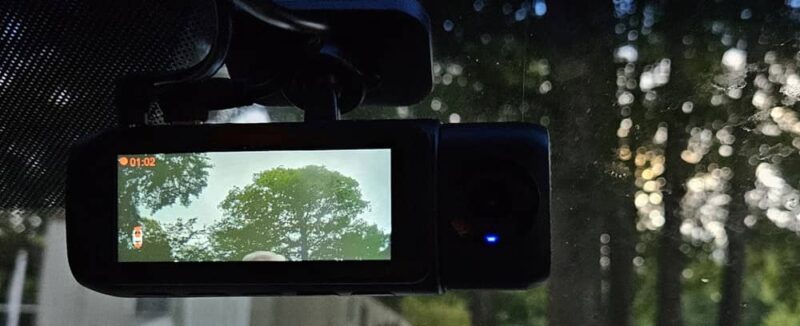
Both the front and rear cameras are relatively small, so they don’t get in the way. Plus, with a 3-channel monitoring option, it’s easy to view everything you need at all times.
Overall, the dash cam exceeded my expectations with only a few minor flaws. You can pick up the OMBAR T1 4K dash cam for just $139.99 and lower by using the code 7BBUL3NP.
Subscribe to our newsletter!
Our latest tutorials delivered straight to your inbox