What we like
- Small size
- Charging case
- Alternate charging option
- Multiple binding options
- Bind two devices at once
- Clear sound
- Transcribes recordings perfectly
- Provides summary, core elements, and pending tasks for calls
What we don’t like
- Speaker a bit too large.
- Needs secure fit for mics to record clearly
- Not the best when using as headphone
Meetings are a necessary evil in the business world, whether in person or virtual, with virtual growing in popularity during the pandemic. To help you with virtual meetings, or those conducted via voice only, you need a good headset. I tried the Oleap Archer AI Meeting Headset to see how it would fare in meetings and other situations.
This is a sponsored article and was made possible by Oleap. The actual contents and opinions are the sole views of the author, who maintains editorial independence, even when a post is sponsored.
Unboxing the Oleap Headset
The Oleap Archer AI Meeting Headset package includes everything you need for various situations, save for a USB-C cord. It includes:
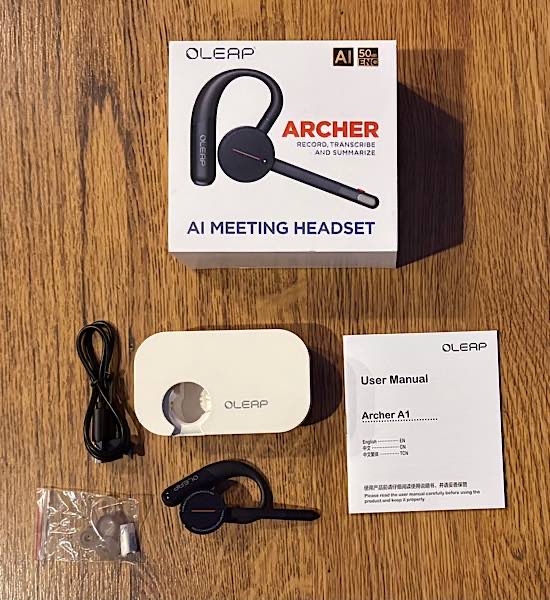
- Headset
- Charging case
- Dongle
- Charging cable
- Ear tips
- User manual
These items allow you to pair the headset with your phone, other mobile device, or your computer. Download the app to use AI and transcribe or summarize your conversation.
Setting Up the Headset
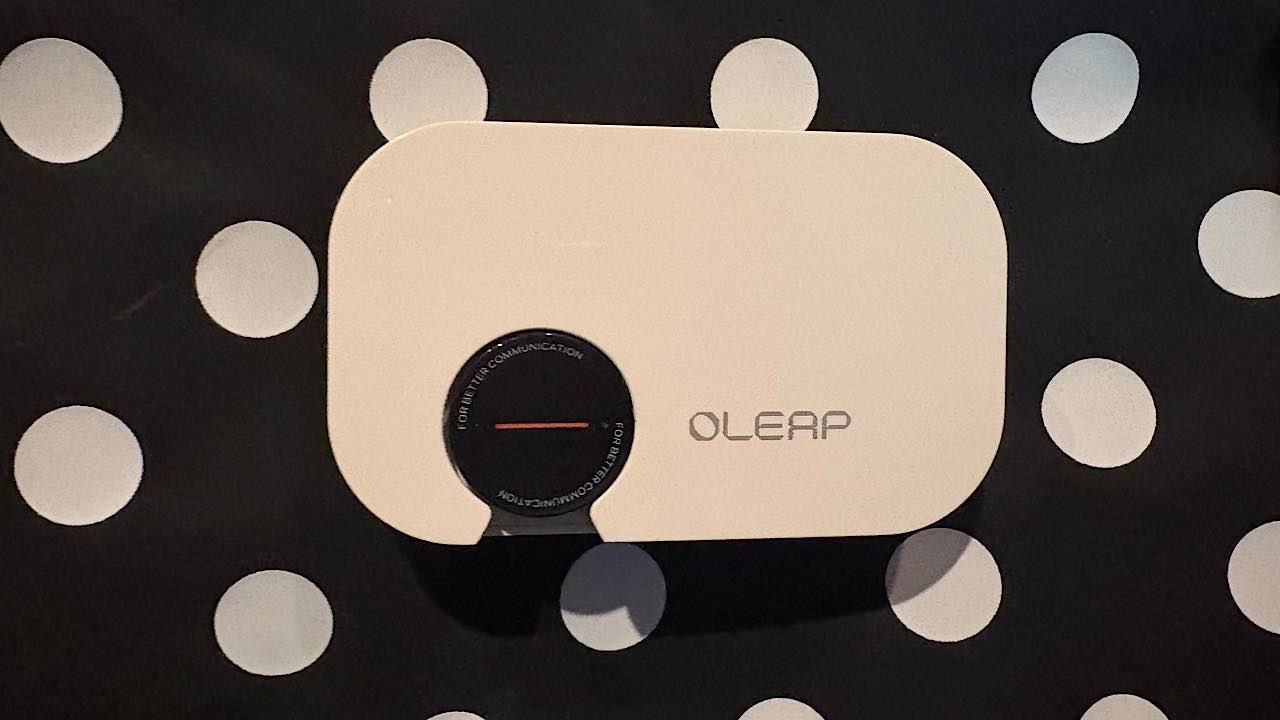
Perhaps the best physical aspect of the Oleap Archer AI Meeting Headset is the small size of the headset and charging case. You can easily take it with you to record calls away from your office or home.
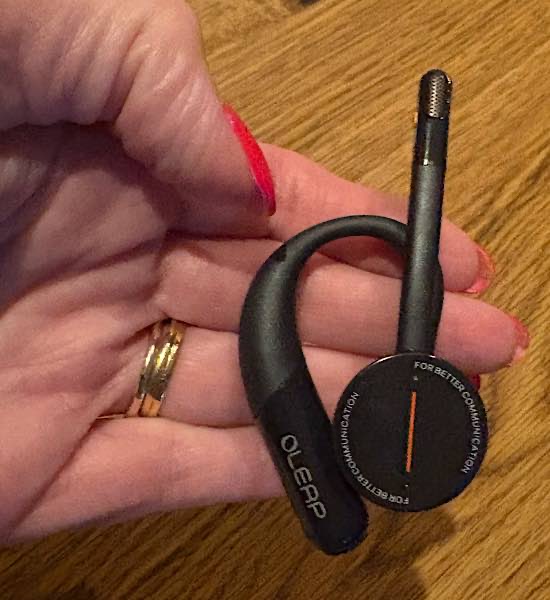
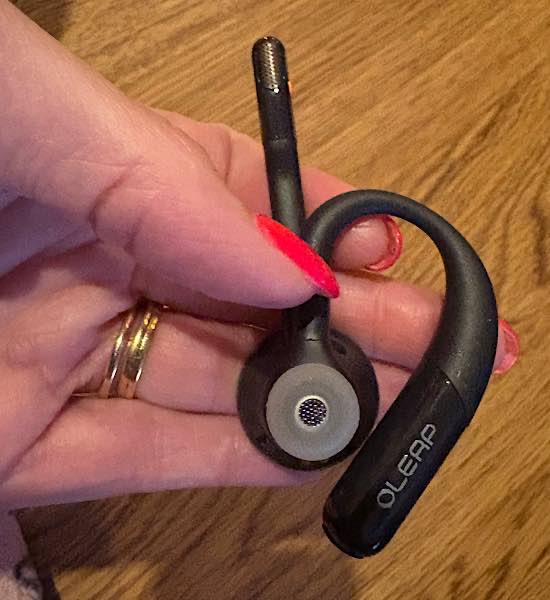
The headset takes on a familiar form. It loops around your ear, with the speaker on the concha cavum (the “sandbar” in front of your inner ear), while the microphone stretches downward toward your mouth. The mic stem and earpiece rotate separately to help with the fit. It also ships with additional rubber pieces to fit over the earpiece for a better fit.
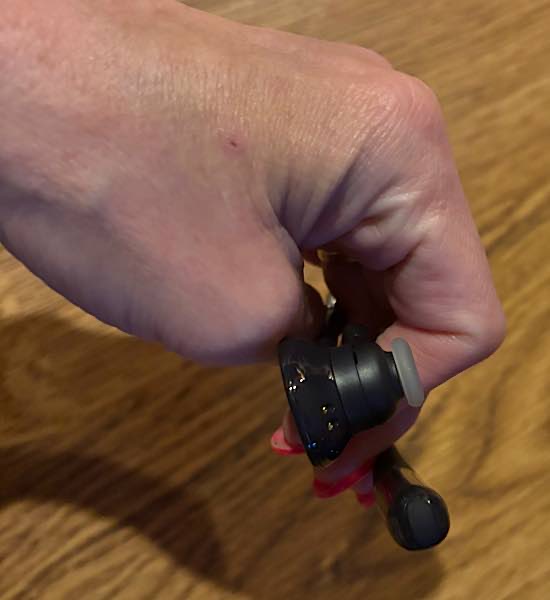
I found it a bit difficult to find a good fit for me, but I have a smaller than usual head, and things such as glasses don’t always fit me well. None of the additional rubber pieces fit well in my ear, to where the headset would initially stay in my ear. Additionally, the whole headset wasn’t a tight enough fit to stay over my ear.
However, I had a friend try the headset and found that it would fit well around her ear with the speaker setting on her concha cavum. I had been trying to put the speaker in that ear canal like an earbud, but once I tried it sitting on my concha cavum, I had a better fit. However, the speaker was still larger than both of our ears, but so much more usable.
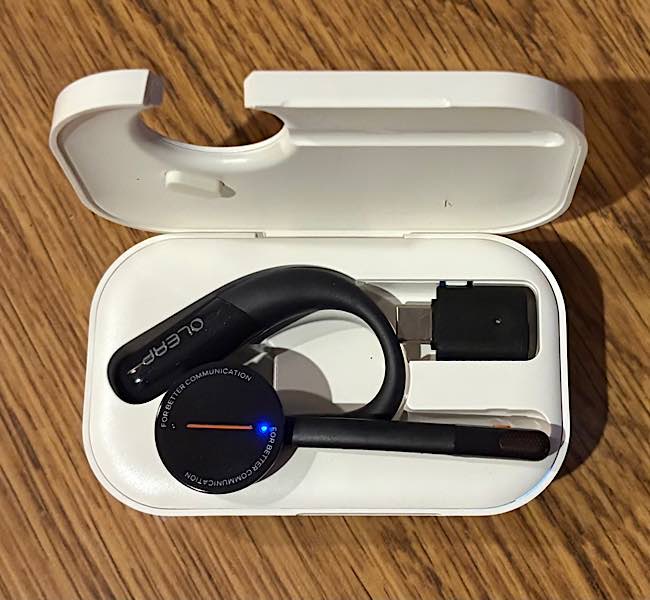
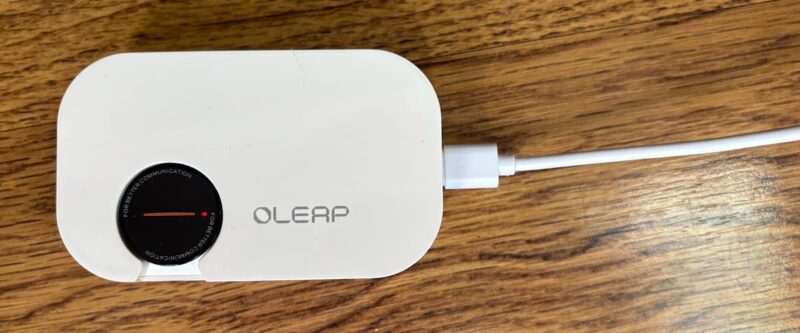
The headset can rest in a charging case, which is a very convenient way to charge it. It nestles inside the case, just like a charging case for earbuds. What was not supplied was a USB-C cord to charge the case.
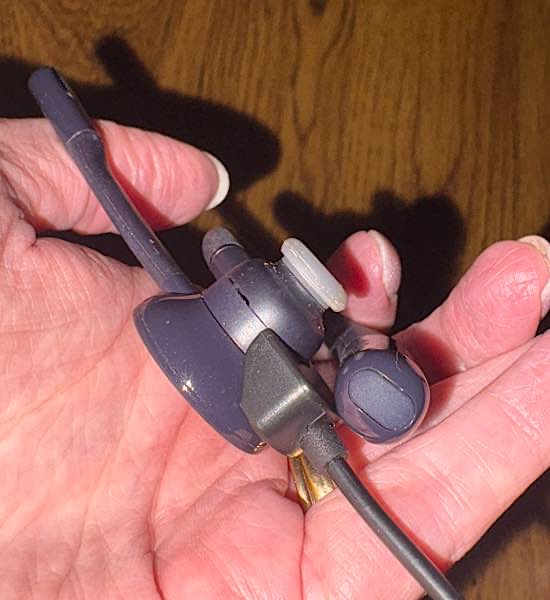
Optionally, you can charge it with the supplied USB-A charging cord. It had a unique cup-shaped end that fits magnetically onto the headset to charge it. There is nothing in the manual to figure out how it fits on there, but it isn’t too difficult to figure out.
You will need to pair the Oleap Archer AI Meeting Headset with an app on your phone, although the app calls it “binding” and not pairing. You can find the app on the App Store for iOS or Google Play for Android.
The headset binds very easily via Bluetooth with a press of the binding button on the headset. Optionally, there is a USB-C dongle for your device, if you do not want to bind via Bluetooth. Either way, you’re able to connect up to two devices, depending on the method. Once your device is bound, you’re ready to get started with it.

Using the Oleap Archer Headset
I first used the Oleap Archer AI Meeting Headset as a regular headset out on a walk, listening to an audiobook. Again, since I initially had a difficult time fitting it to my ear, it wasn’t in my ear securely as I walked. Yet, it did work. But had I worn it correctly, it would have been more secure on my ear, but still not as secure as earbuds.
You can control the recording from the headset, but I found that difficult with the intricate presses in different places while the headset is on my ear and I can’t see it. But that is no fault of Oleap’s – I struggle with that on all headsets of that type. You can control the mic, the volume, mute, and power. I found it easier to control all that on my phone. If you have no other use for this headset than listening to music, podcasts, etc., it wouldn’t be the best option.
But there are several other things that the headset is perfect for. The settings are:
- Call: to record your phone calls.
- Personal: to record personal notes to yourself
- Media: to make audio recordings of music and videos
- Ambient: to record classes, lectures, or meetings you are attending for later use
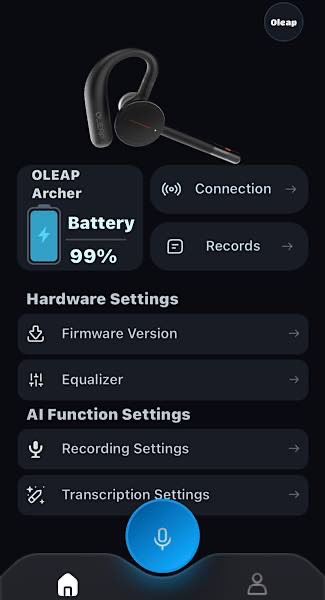
But the point of the Oleap Archer AI Meeting Headset isn’t just to make audio recordings. The point is to make audio recordings and transcribe them to a written record. The AI doesn’t just transcribe it; it also provides a summary of what you recorded, the core elements discussed, and pending tasks that need to be accomplished. The possibilities for using this tool are numerous.
To test the transcription abilities of the Oleap Archer AI Meeting Headset and the accompanying app, I chose to record an important phone conversation with a friend about how an investigation about an organization we belong to was being handled. The call was nearly an hour long, so it was a great choice. You get 300 minutes per month without paying for a paid subscription, so that could be five one-hour calls in a month.
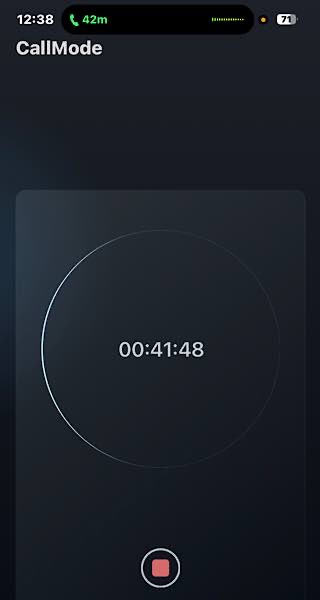
After hanging up, I tapped the Records tab on the home screen of the app and found my call. I could replay the phone call I wanted, which is very clear, of both me and my friend.
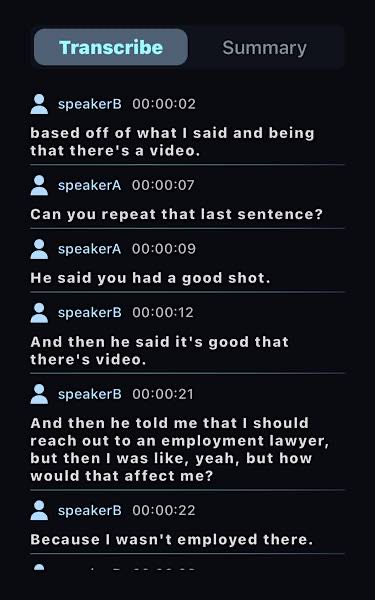
When I tapped Transcription, it took a little bit of time to complete this, but then clicking Transcribe showed our entire conversation from the time I pushed the record button to the time we said goodbye. If I tapped Summary, it showed a short summary that wrapped up the entire conversation, the core elements of everything discussed, and the pending tasks that we discussed that we needed to do.
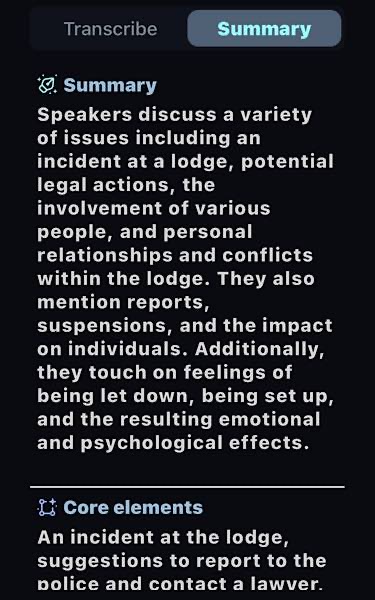
I also tried using the headset and AI app on a call with a dietician. It was the perfect situation. She was making suggestions of healthy foods, ideas, and recipes I could fit into my daily intake. After the call, I had a written record of everything she suggested. This included the pending tasks. It showed me what I needed to shop for.
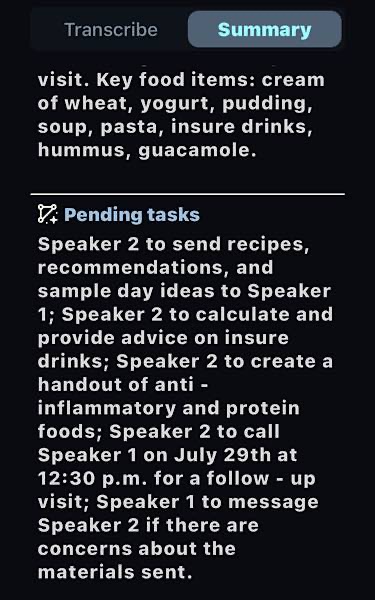
The initial problem here was once again the fit of the Oleap Archer AI Meeting Headset. Since it didn’t fit securely in my ear at that time, I could not walk around and attend to other tasks while I talked and listened to the dietician. I couldn’t be managing things on my iPad, nor could I eat my lunch. Not only did I have to sit still, but I also had to hold the headset securely to my face/ear. Without that, she could not hear me clearly. However, I tried it again once I was wearing it correctly and found I could move more freely.
I’ve used similar equipment and AI apps, and I have to say the Oleap Archer AI Meeting Headset and accompanying AI app is the most accurate transcription I have seen. Other software was never able to get an accurate transcription for parts that weren’t clear, and sometimes the app would make assumptions of what it thought was being said – even in the transcription. There are no assumptions here. Everything is very, very accurate and nearly always word for word.
Availability
If you need to not just record your phone calls, meetings, your notes, etc., the Oleap Archer AI Meeting Headset and AI app will do everything you’re looking for. The headset will pair up easily to your phone and record your calls or meetings, while the app will transcribe and summarize the conversation to perfection.
It’s just not a device that you want to use like regular headphones or earbuds. But, as with regular earbuds, you can recharge it quickly in a charging case and easily carry it around with you. If you want to record your calls and meetings, lectures, and music, it’s the device you’re looking for.
Buy the Oleap Archer AI Meeting Headset for $189.99.
Subscribe to our newsletter!
Our latest tutorials delivered straight to your inbox