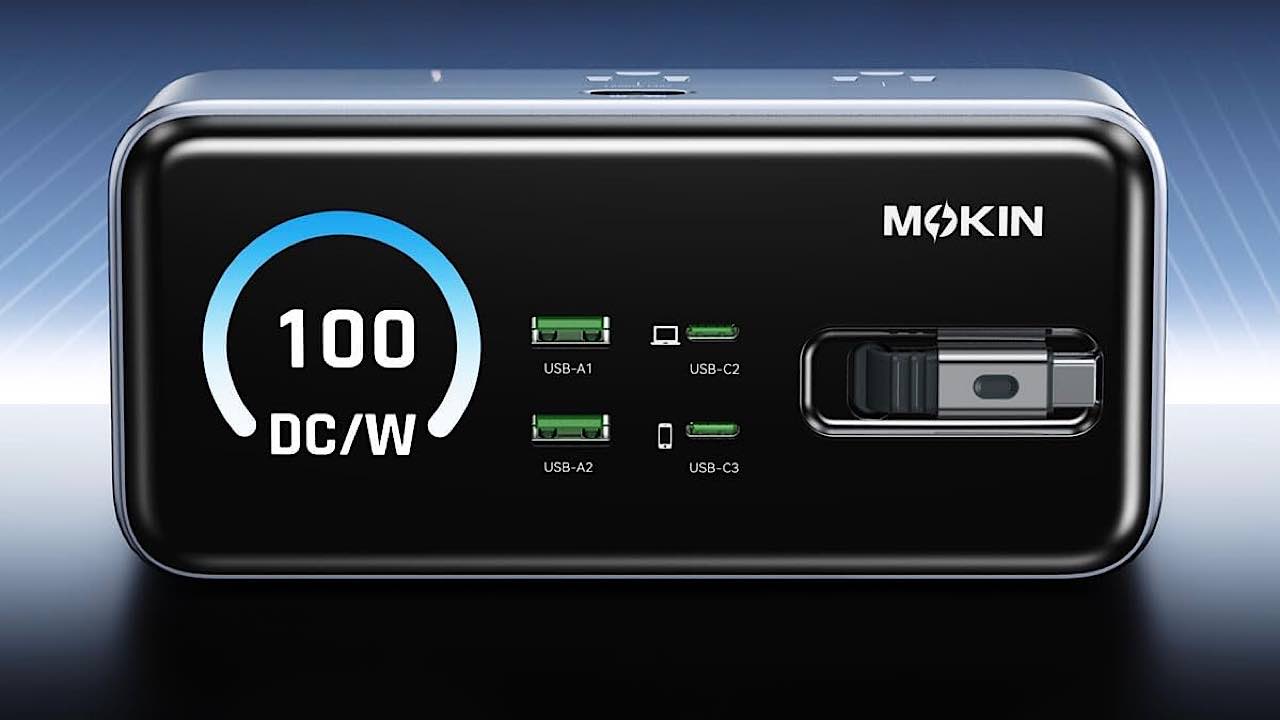
What we like
- Compact design
- Retractable USB-C cable
- 7 charging ports
- Vivid display
- Up to 100W
What we don’t like
- Cable feels flimsy
Do you have an ugly power strip sitting on your desktop just to plug everything in? Transform your desktop with the much more stylish MOKiN Core GC1005 8-in-1 Charging Station. It’s a good way to get the power you need while still having a more professional look to your desk or even counter.
This is a sponsored article and was made possible by MOKiN. The actual contents and opinions are the sole views of the author, who maintains editorial independence even when a post is sponsored.
Stylish, Modern Design for Any Desktop
Before I even tested the device itself, I loved the look of the MOKiN Core GC1005 8-in-1 Charging Station. The small silver box with a glass screen looks right at home with computers, monitors, phones, and other electronics.
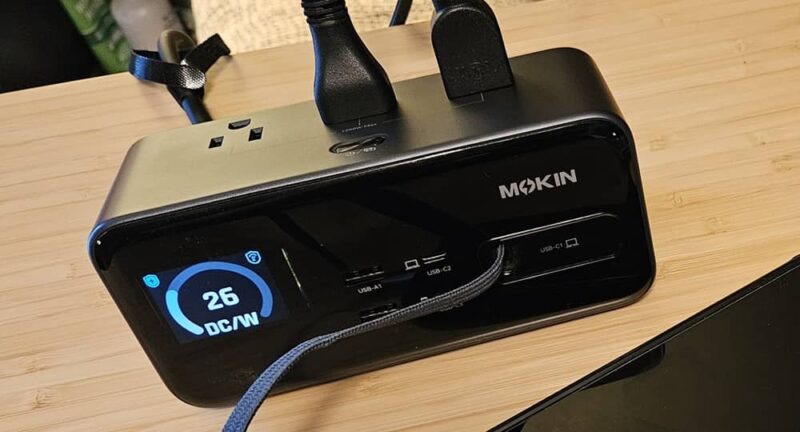
Of course, it looks great on a countertop as well, for plugging in small appliances like a coffee maker while still charging your phone and tablet.
The anti-slip feet ensure it stays in place, even as you plug and unplug devices throughout the day.
Convenient Access to Charging Ports
Typically, when you’re using power strips, you have them under or behind your desk. That’s not altogether convenient.
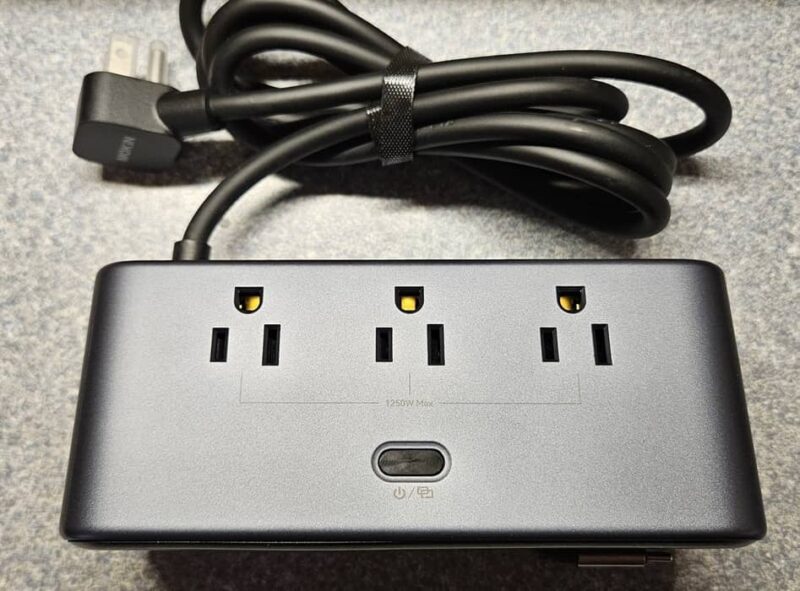
The MOKiN 8-in-1 Charging Station features three AC outlets placed on the top of the device. This makes it easy to plug in computers, lamps, small appliances, and more.
To avoid having too many ports crammed together, four USB ports are located in the front. I was happy to see two USB-A and two USB-C ports. Many charging stations only have USB-A or USB-C – but not both.
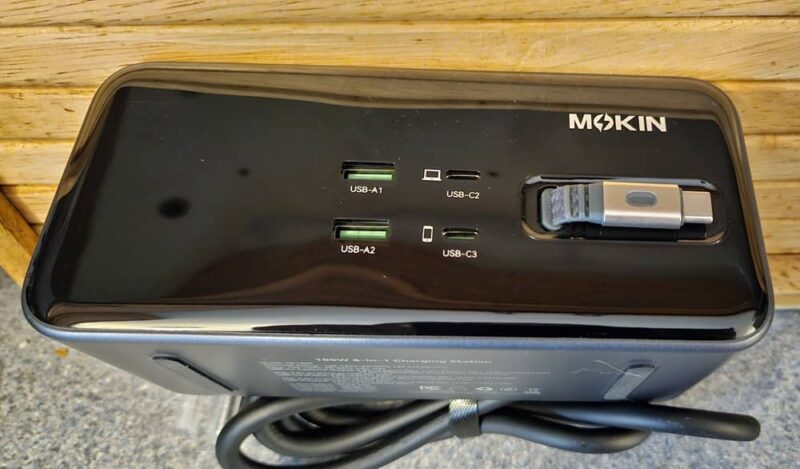
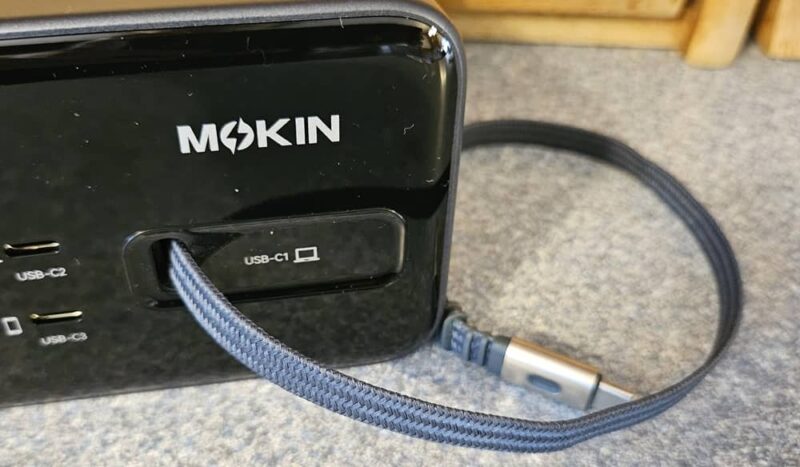
If you still need to power just one more USB-C device, just use the three-foot retractable cable. It gently slides back into place when you’re done. The cable and connector feel a little flimsy, but I didn’t encounter any issues when using it with multiple devices. The product description states the cable went through over 10,000 retraction tests with no issues.
Supports Up to 100W
Unless you’re using numerous high-power devices, you shouldn’t have much issue with power here. The MOKiN 8-in-1 Charging Station supports up to 100W at once. Even with a laptop, standing desk, lamp, phone, and Chromebook all plugged in at once, the power topped out at just over 30W.
This means it’s ideal for multiple-monitor setups, gaming setups, and more. The user guide even shows you optimal setups to get the most power from each port.
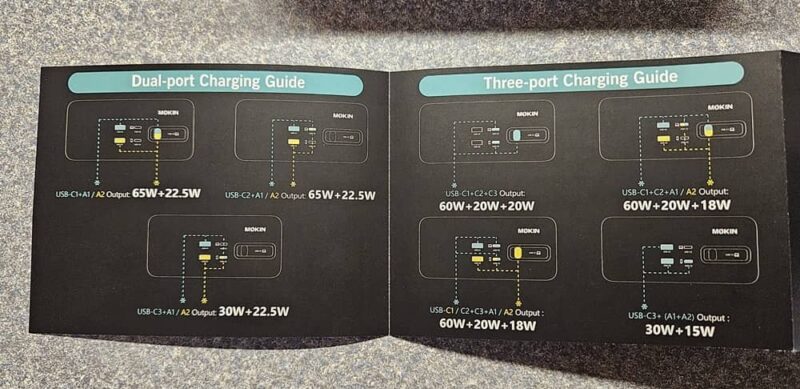
Even better, the GaN fast charging feature supports up to 100W on a single USB port. Of course, your device has to also support that to get the full power.
Easy-to-Read Display
I like that you don’t have to guess how much power you’re using. The MOKiN 8-in-1 Charging Station has a vivid display showing the current usage. Not only does it show the overall power, but it shows the power for each port. The screen switches between the two views.
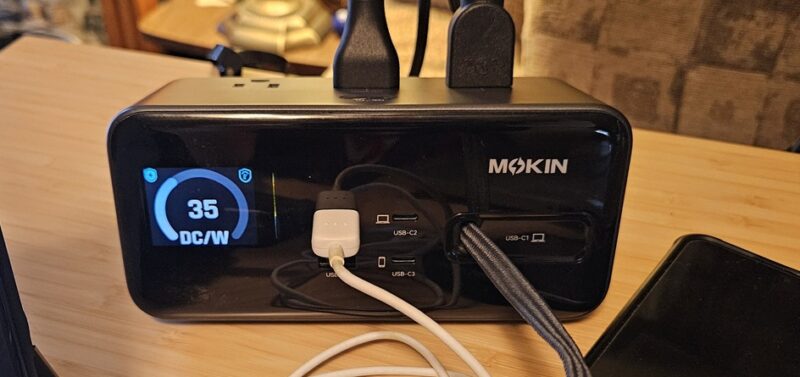
If you’re trying to fast charge devices, pay close attention to the power per port. You may want to disconnect a device or two for a faster charge on your most important device.
I couldn’t help but love the standby display. A cute little sleeping face appears on the screen. This lets you know the charging station is still on, but not currently powering anything.
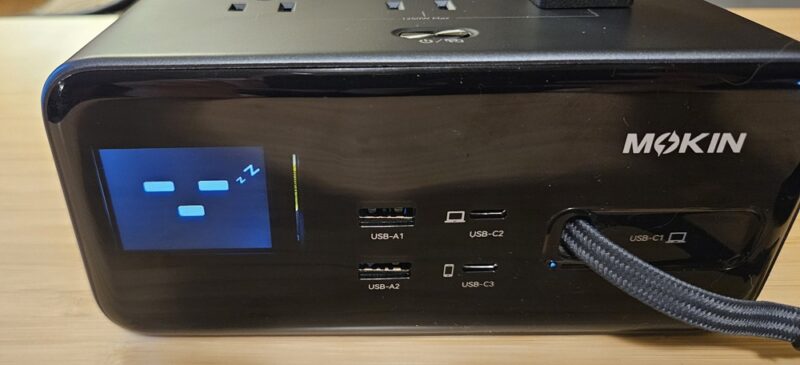
When the charging station isn’t in use, just turn it off using the power button on the top.
Built-in Safety Features to Protect Your Devices
As with any fast charger, the MOKiN 8-in-1 Charging Station does get warm when in use. But, it’s designed to turn off in just a fraction of a second if the safe temperature threshold is exceeded. You never need to worry about overheating.
It also boasts several must-have safety features, especially with expensive electronics, such as:
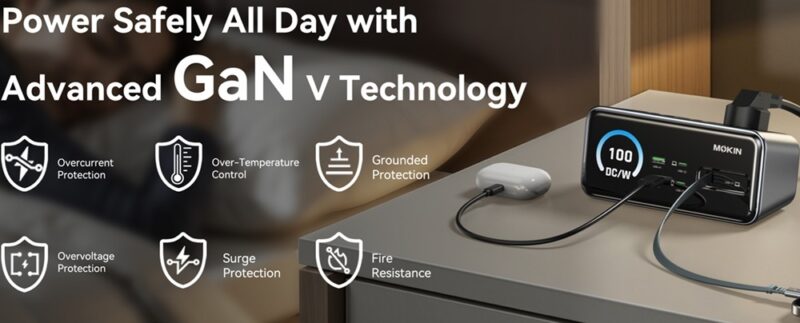
- Surge protection
- Grounded protection
- Fire resistant
- Overcurrent protection
- Overvoltage protection
The charging station is also UL, FCC, and ROSH certified. The power cord itself is even double-insulated for safer use.
Use it all day, every day without worrying about power issues. Even if you accidentally overload it, it just shuts off, protecting the charging station and your devices.
Lengthy Cable to Reach Most Areas
I was kind of surprised the power cable for the charging station is six feet. For most desktops, this is ample to let it sit on the side or near the back of the desk.
If you’re using it on a counter, it lets you move it to a more central area for powering your everyday small appliances.
The retractable cord pulls out a full three feet. If you’re trying to power a phone or tablet while using it, you have room to maneuver. It does retract slowly to prevent so much wear and tear. Plus, this keeps the USB connector from slapping against the display.
Works Smoothly Without Any Hassle
The MOKiN 8-in-1 Charging Station was a pleasure to add to my desk. I put together a quick setup to utilize multiple ports. This included a laptop, standing desk, lamp on full power, Chromebook, and an Android phone that was in desperate need of charging.
I placed the charging station on my desk, plugged it in, and turned it on, then started plugging in my devices. Even with everything connected, the phone was still fast charging with no issues. It went from less than 10 percent to 100 percent in under an hour.
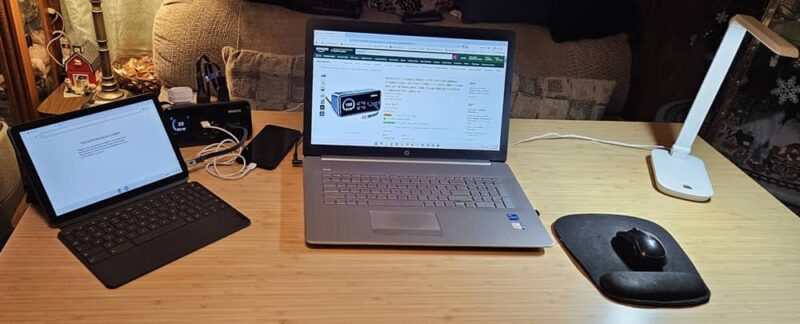
I was also able to use the Chromebook while connected to the retractable cable. The Chromebook was only partially charged, so it charged while I worked.
After several hours of use, the charging station was barely warm.
An Easy Way to Get More Power on Your Desk
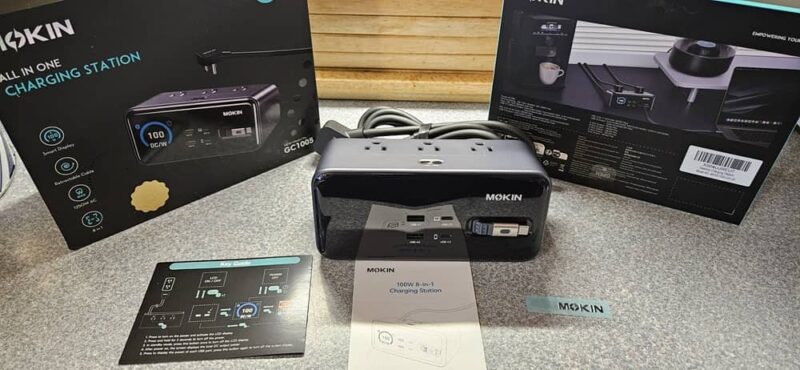
A smart mix of design, ample ports, and safety features make this charging station an easy way to add more power to your desktop. Ports are within reach for quickly connecting and disconnecting devices. Plus, it looks nice mixed in with all your other electronics.
Grab the MOKiN Core GC1005 8-in-1 Charging Station for just $69.99 and transform your desktop.
Subscribe to our newsletter!
Our latest tutorials delivered straight to your inbox