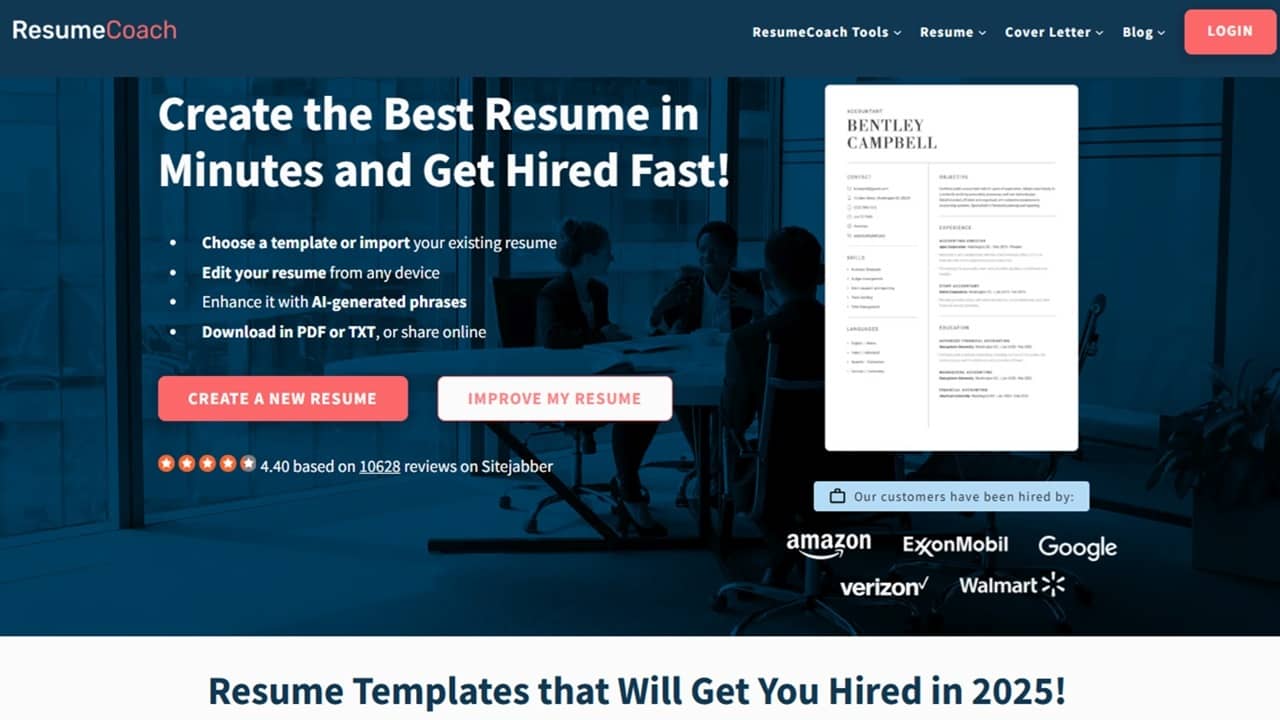
The worst part of applying for a job is trying to create a professional résumé and cover letter for that specific position. I tried the AI-powered tools ResumeCoach designed to turn a tedious task into an easier and quicker one.
This is a sponsored article and was made possible by ResumeCoach. The actual contents and opinions are the sole views of the author, who maintains editorial independence even when a post is sponsored.
AI-Powered Tools Simplify the Process
Unlike many résumé creation platforms, ResumeCoach uses AI to aid the process. It’s not just a list of templates that leaves you still trying to figure out what to do next. After all, why not just use free résumé templates for Word?
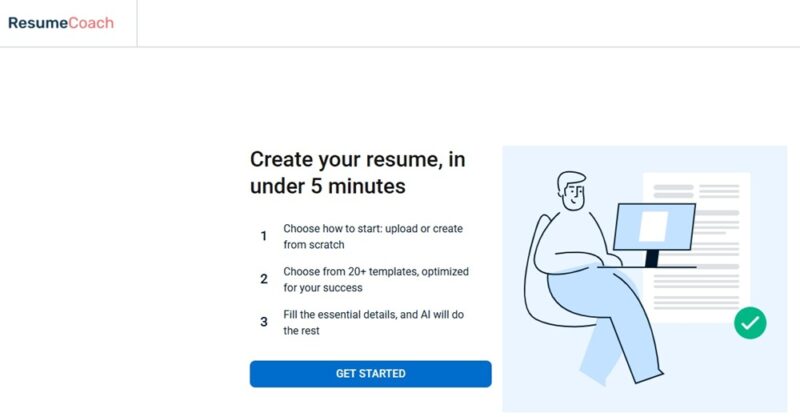
This is where the platform shines. The AI-powered tools guide you through every step of the process, optimizing your résumé to ensure you come out looking your best as you apply for new jobs. In fact, the onboarding process promises to help you create a new résumé in just five minutes.
These handy AI tools include:
- Résumé builder
- Skills generator
- Résumé summary generator – I love this one. More and more job listings are asking for a quick résumé summary, and it’s difficult to figure out which parts of your résumé to include.
- Résumé checker
- Cover letter generator
Combine all of these, and you’ll find it easy to see how ResumeCoach turns the tedious résumé creation process into something simpler and more efficient.
Building Your First Résumé
When you first create an account, you jump right into creating a résumé. What I like is that the platform offers you two options: Create a new resume and Improve existing resume. The latter option lets you import your existing résumé from Word, PDF, and even LinkedIn. Yes, it’s definitely faster to start from an existing one, but for my review, I decided to step through the process from scratch to see how quickly things worked.
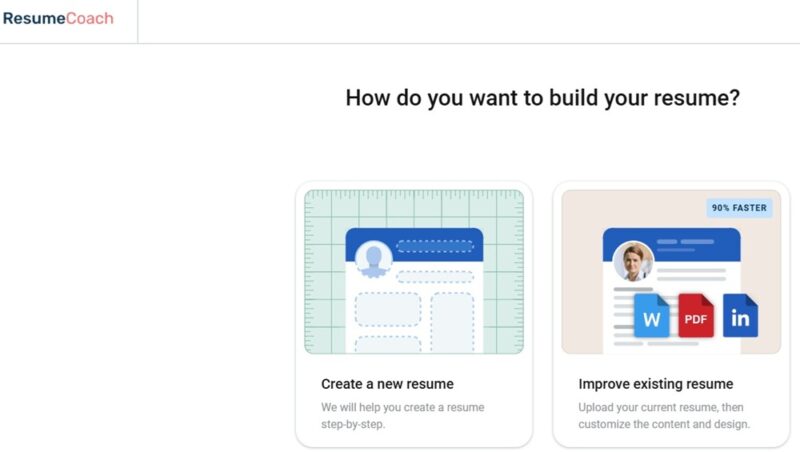
It’s important to note that you don’t have to do everything in one session. If you need to stop, everything is saved, and you can access your résumé in progress from the dashboard at any time.
While you don’t have to pick a template right away, you do have 22 options to choose from. What’s impressive is that many of the templates offer different colors and fonts to better customize your résumé.
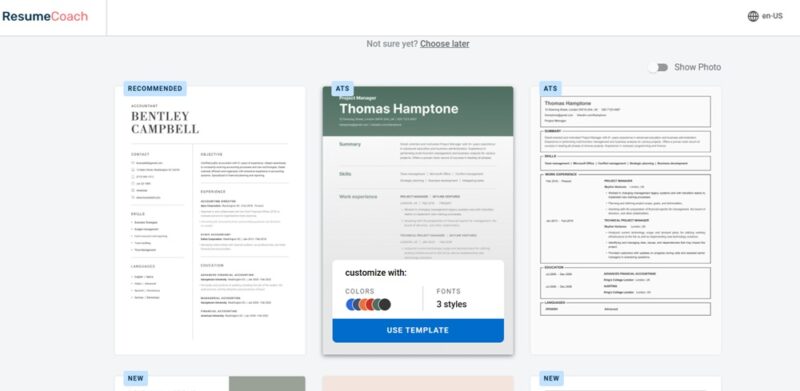
A step-by-step guide prompts you for information, starting with your name and contact details.
It then jumps to Work Experience. A prompt lets you generate a potential list of experience and skills based on your job title and industry. For each current/past work experience, use the Generate with AI button to help fill in the details. Edit these as much as you want and need.
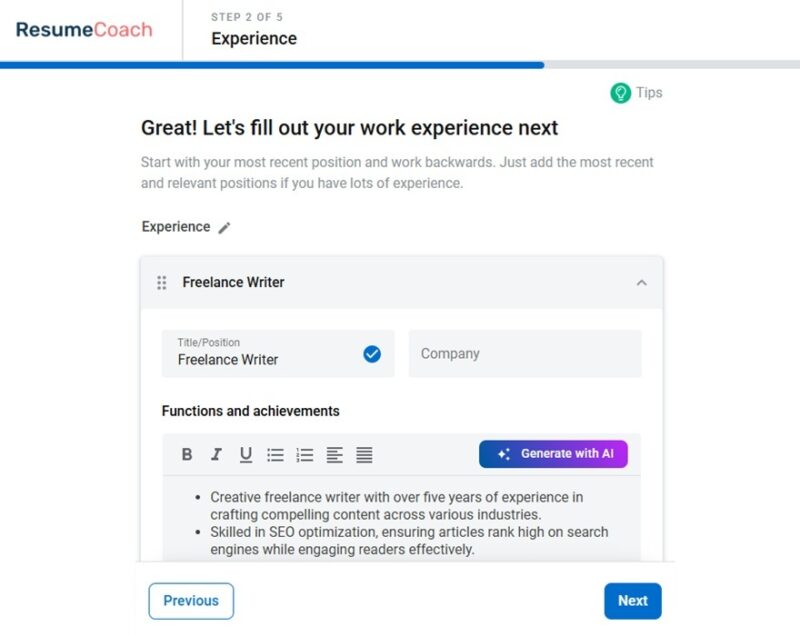
Overall, the Generate With AI feature worked well for quickly adding skills and highlighting the most important areas of the job. I’d highly recommend personalizing it a bit, just to ensure it truly fits what you did while at this job.
Next up is Education. There isn’t any AI here. Just enter your educational background, if applicable.
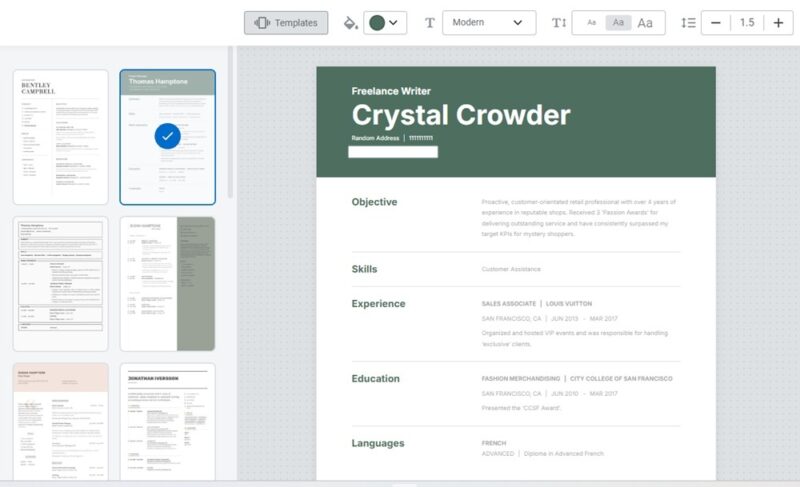
Click Customize at any point over the résumé preview to the right to adjust the font, colors, template, spacing, etc.
Quickly Generate a Relevant Skills List
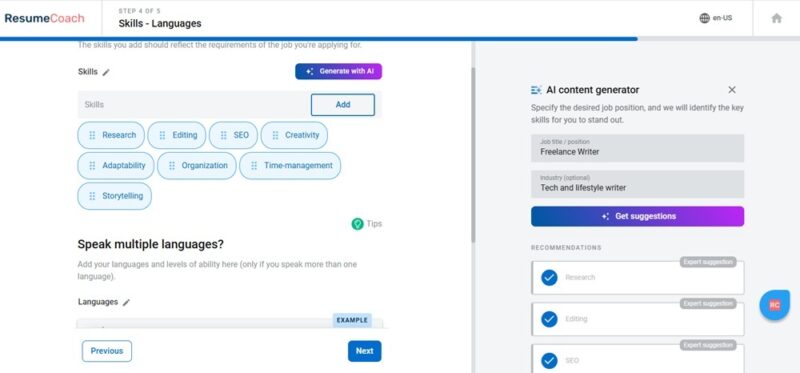
One of the last steps is generating a skills list. If you’re like me, you know your job, but trying to lay out your skill set in a bullet list makes your mind suddenly blank.
Yes, ResumeCoach’s AI helps here. Click Generate with AI, enter your job title and industry (or multiple industries), and click on the relevant skills. Of course, you may add in your own as well.
Generate Detailed Résumé Summaries
The final step is to generate an objective or summary of your résumé. Once again, ResumeCoach utilizes AI to give you a boost. When I entered ”Freelance Writer” and “Tech Writer” as my job title and industry, respectively, I was presented with multiple quick summaries.
I chose two, then customized them to better match my experience.
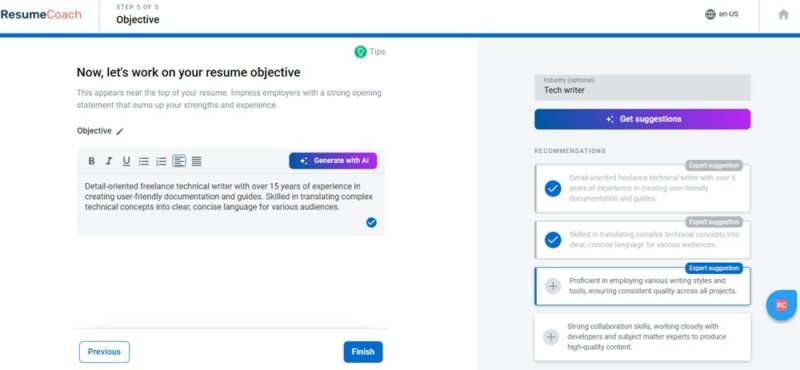
Typically, the Expert suggestions tended to be the closest matches, but you also get more suggestions whenever you’re using the generative AI tools.
Click Finish and you have a résumé. You do have the option to add more sections if you want. This includes projects, achievements, publications, etc.
Take Advantage of Tips
One thing I wasn’t expecting was tips that popped up along the way. Small green lightbulbs appear throughout the entire résumé creation process. Click these to get tips on how to create more professional résumés and better understand what employers are looking for.
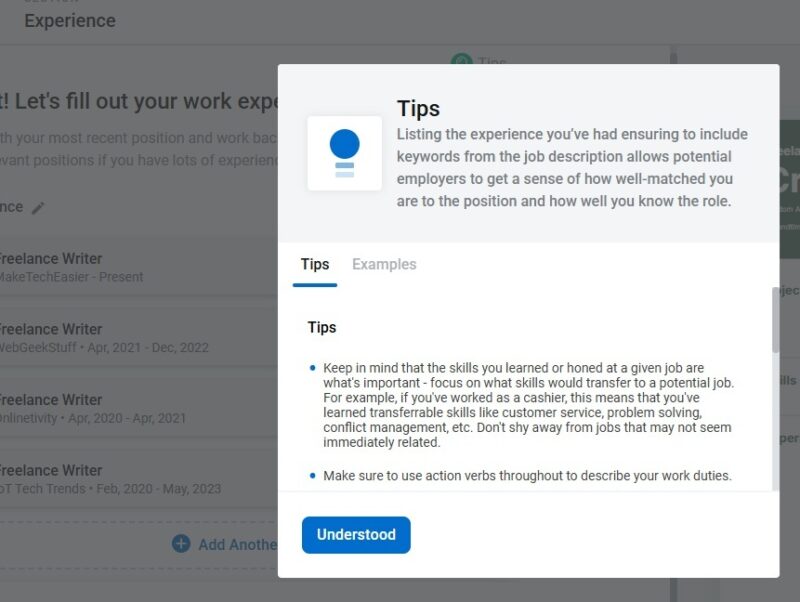
Every tip also comes with examples. Don’t just rely on the AI portion of ResumeCoach; use the expert guidance as well.
Overall, it took around 5 to 10 minutes to complete the résumé.
Reviewing and Downloading
When you’re done, check out your score on the left. ResumeCoach suggests areas where you may want to add more information. I kind of left the work experience section sparse, and it only gave me a 60%, meaning I needed to beef things up to get an employer’s attention.
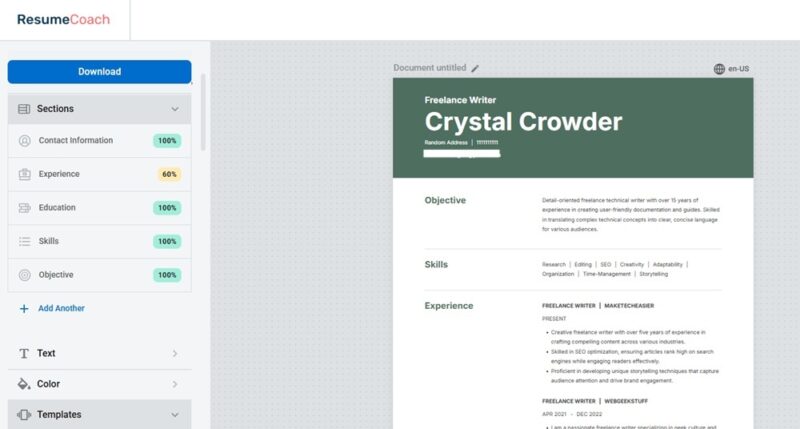
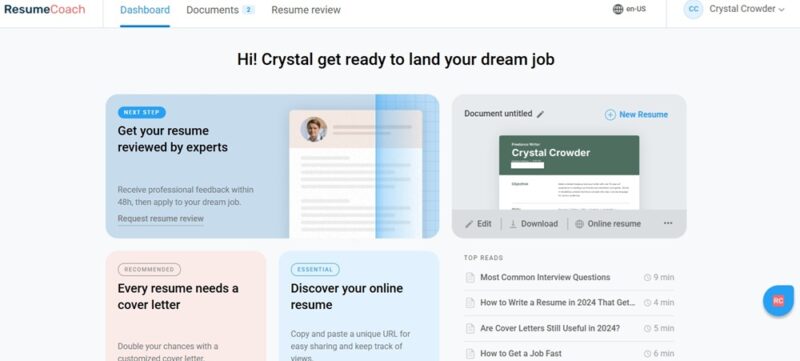
From here, I can also download and share my résumé. Your résumé is saved in your account. Go back and edit, download, or delete it at any time from the main dashboard.
If you’re a premium user, you can also create additional résumés.
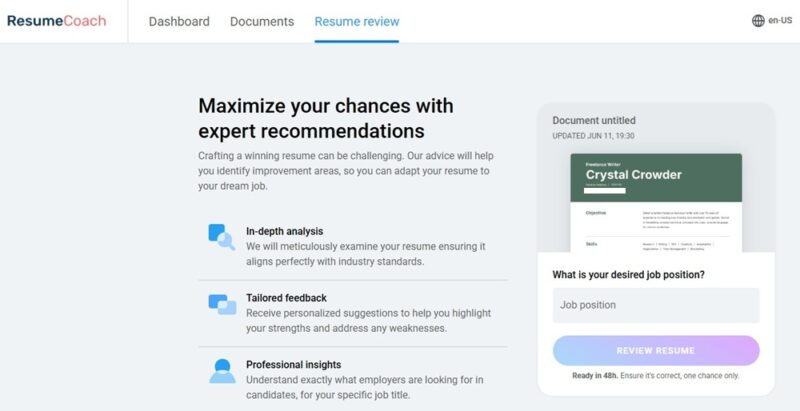
Get Expert Guidance With Résumé Reviews
If you want experts to take a look at your résumé, send it in. You only get one chance per résumé to get expert feedback. Make sure you’re sending in your best effort, then pay close attention to any feedback to improve your résumé.
It takes 48 hours to get your results back, but it’s well worth it. Experts compare your résumé, every little detail, to the job title you’re applying for. If you want to stand out, use their advice.
Finish With a Strong Cover Letter
Most employers also want you to submit a cover letter with your résumé. Go to the Documents section in ResumeCoach and select Cover letters. This works just like the résumé process. You provide a few details about the job you’re applying for, including the company name. Then, list your three top skills. These are auto-generated.
Finally, enter your contact details and choose a template. I had three to choose from.
The final cover letter is AI-generated. While I suggest proofreading it and editing it to ensure it matches what you need, I was impressed with how well the AI cover letter turned out.
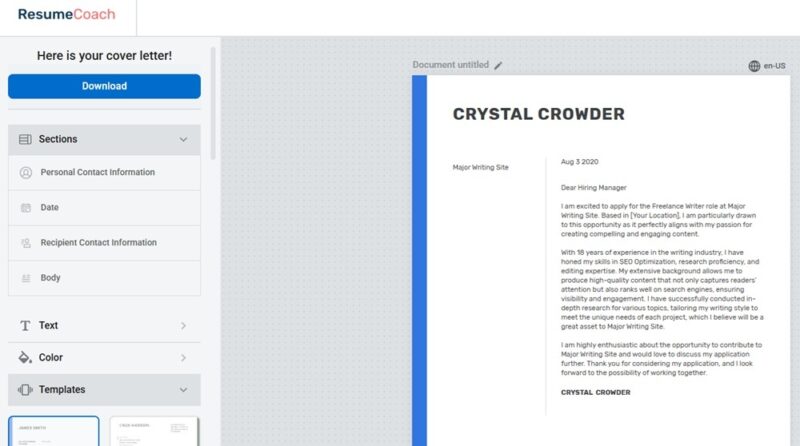
I had a nice cover letter ready to go in less than five minutes.
Intuitive Navigation and Guidance
Overall, ResumeCoach is incredibly easy to navigate and use. The uncluttered interface makes every element stand out. Whenever you need to edit or download documents, jump to the Documents tab. Or, check out the Dashboard to pick up where you left off.
Competitive Pricing
The one thing I didn’t like about ResumeCoach is that the pricing is difficult to find. You have to be logged out to view the pricing section on the main website. I feel like this should be easily accessible from the Dashboard area.
It’s completely free to create one résumé and one cover letter, along with downloading in TXT format. You also get basic AI functionality. It’s $29.95/month for unlimited résumés and cover letters, along with advanced AI. You also get to download your résumé in PDF. A 14-day trial is available for $2.45.
Final Thoughts
If you want to simplify the résumé process, you can create a professional résumé and cover letter in less than 10 minutes with ResumeCoach. The AI tools help generate skills, experience details, and more that would usually take you hours to do on your own.