

WordPress introduced Gutenberg to enhance the overall editing experience, but some users may still prefer the simplicity and familiarity of the Classic Editor interface for creating content. This tutorial explores how to bring back the Classic Editor to your WordPress website.
Good to know: not a fan of WordPress? Check out these WordPress alternatives.
How to Switch to the WordPress Classic Editor
To switch to the WordPress Classic editor, you must have the free Classic editor WordPress plugin installed. Follow these steps to install it:
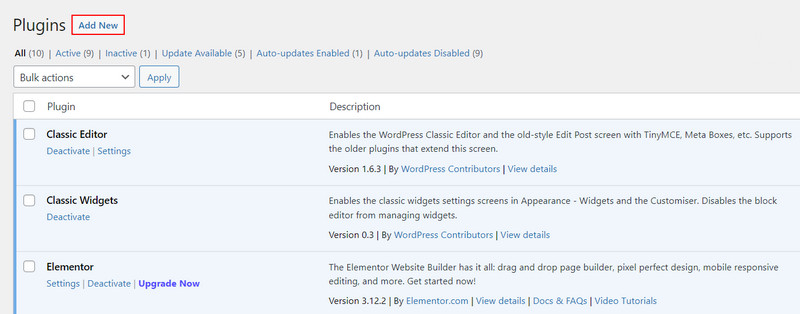
- Launch your WordPress dashboard and navigate to “Plugins.”
- Click on “Add New.”
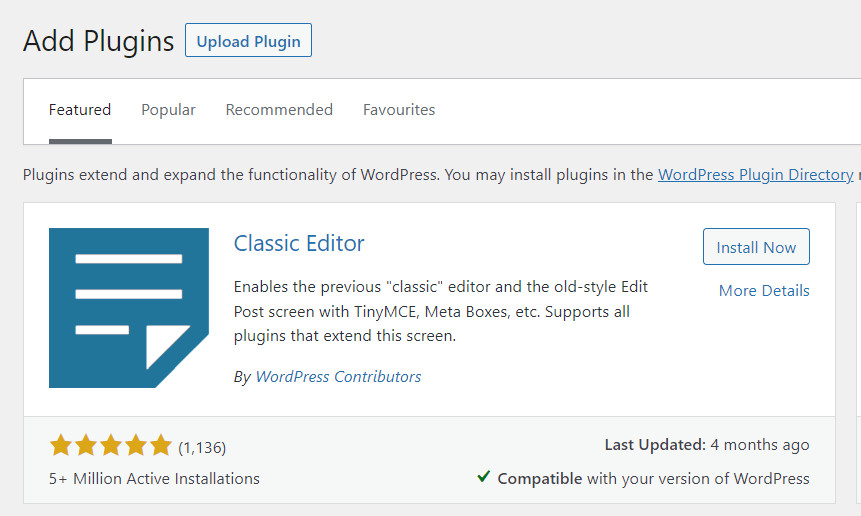
- Search for and install “Classic Editor.”
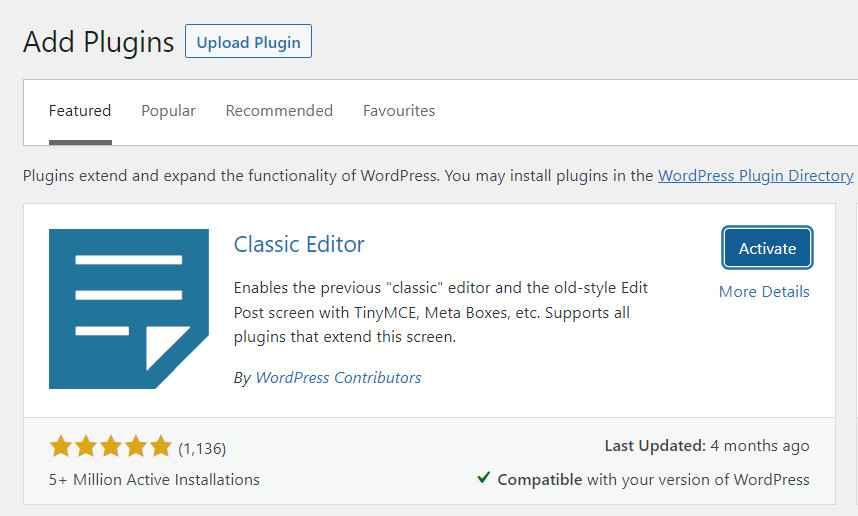
- Once the plugin is installed, locate it in the Installed Plugins section, and select “Activate.” Once the Classic editor is activated, Gutenberg will be disabled automatically.
Tip: also check out this list of some of the best WordPress notification plugins.
If you want to allow users to switch between the Classic editor and Gutenberg, modify the Classic editor settings.
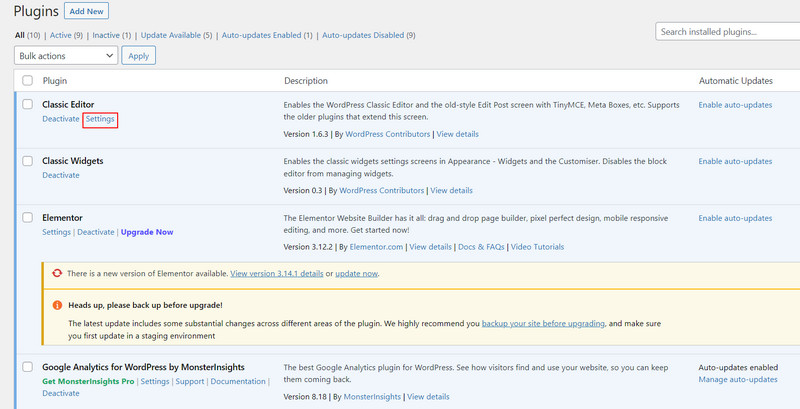
- Choose “Plugins” from the left pane, and click on “Settings” under Classic editor.
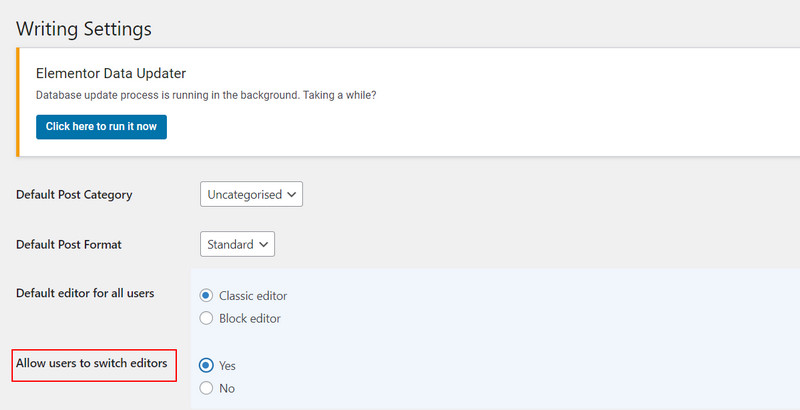
- Select “Yes” in the Allow users to switch editors section, and click on “Save Changes” to proceed.
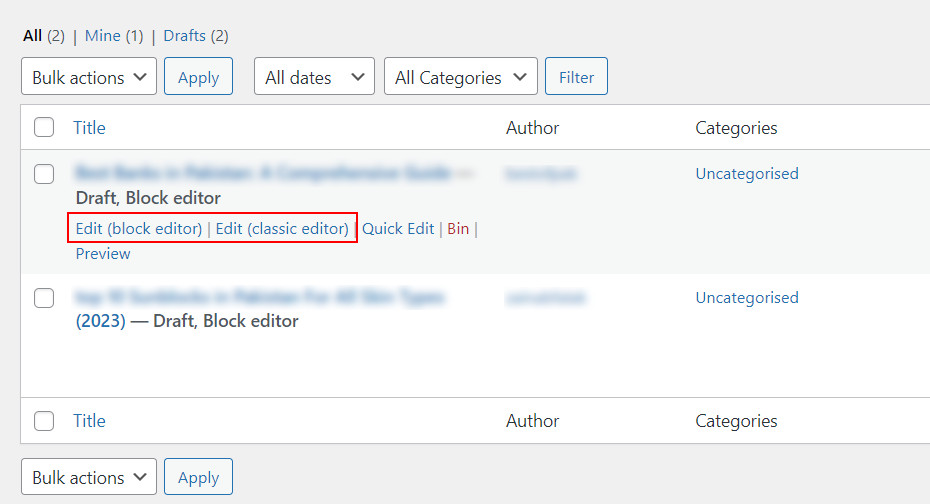
That’s it. The users should be able to easily switch between the editors. This option is available under all the posts.
If you are just starting on WordPress and want to improve the security of your website, we also recommend getting a free SSL certificate.
Frequently Asked Questions
Do I need to disable Gutenberg to use the WordPress classic editor?
Gutenberg is automatically disabled when you activate the WordPress Classic editor. However, if you want to keep both editors, you can do so by modifying the Classic editor settings as discussed above.
Can I switch between the Gutenberg and Classic editors while editing a WordPress post?
Yes. However, this option is disabled by default. To enable it, you must change the “Allow users to switch editors” setting to “Yes” in the Classic editor settings.
When will the WordPress classic editor reach the end of its life?
Classic Editor will be fully supported and maintained until 2024 or as long as necessary. When the support ends, Gutenberg will become the default and only built-in editor in WordPress. The transition will likely be automatic for most users, as you will only have to update your WordPress installation.
How can I switch back to the block editor in WordPress?
To switch back to the block editor, head over to the Plugins section, and choose the “Deactivate” option under Classic editor. Once it deactivates, the block editor will be automatically activated.
Image credits: Unsplash. All screenshots by Zainab Falak.