


Our Web browsers have a serious problem. Don’t get me wrong; they are becoming faster, more secure and stable with every update. However, there is one thing – actually, a couple of things, that are very wrong about them. The built-in tools, such as the bookmark manager, download manager, etc., haven’t really evolved a lot over the last few years. The good news is that web browsers allow you to easily install add-ons and extensions to enhance their capabilities. Here are some extensions you can use to replace the default functionalities of Chrome and Firefox to make them better browsers.
Add-on Manager
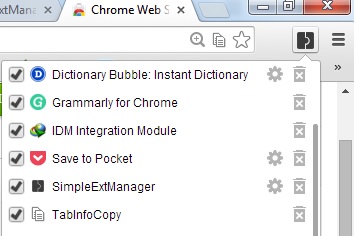
The default add-on manager for Chrome lists all the installed add-ons in the system and lets you install extensions manually. However, if you want more from the manager, you can try SimpleExtManager. The extension gives you quick access to enable/disable and uninstall add-ons via pop-ups. Furthermore, you can also disable the apps you don’t wish to see in Chrome. Firefox users can also try Cleanest Addon Manager.
New Tab Page
If you don’t like the default New Tab Page Chrome comes with, there are quite a handful of amazing alternatives that you can look into. Some of us at the site like Momentum, but if that doesn’t excite you, you can look into iOS 7 New Tab for Chrome or the whole collection of New Tab Page that we have showcased here.
Firefox users can change their browser’s New Tab Page, with New Tab Tools.
Tab Manager
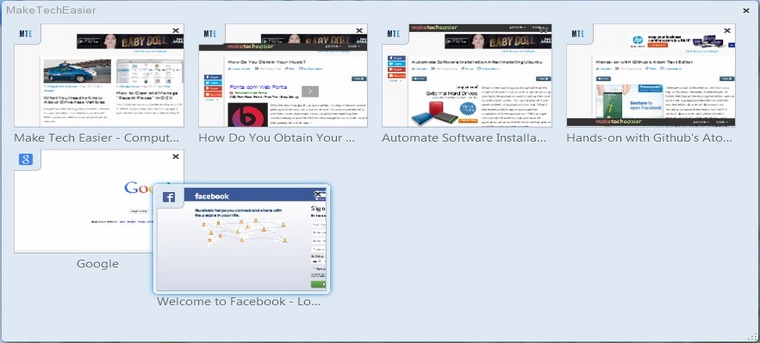
At Firefox, we have something called Tab Manager (press Ctrl + Shift + E to open it) which lets you organize your tabs. While this works fine and looks great, there aren’t enough features that it offers. For that, we recommend you use the tab enhancing add-on, Tab Mix Plus. It brings several interesting features like duplicate tabs, windows and many more that Firefox doesn’t currently have. Chrome users can get the Fruumo Tab Manager.
Bookmark Manager
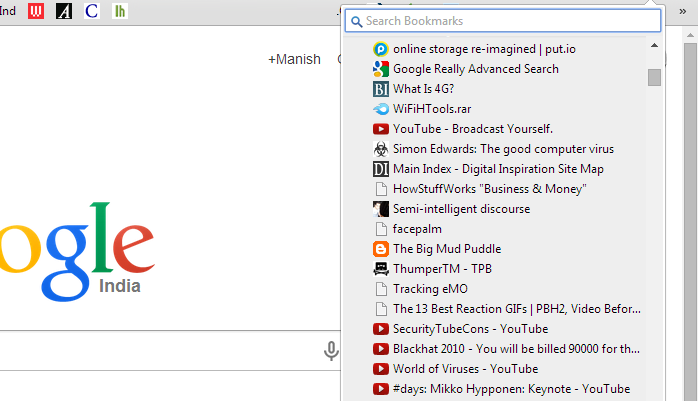
There are a couple of things that you can do to make your entire collection of bookmarks easily accessible. One is placing all your favorite ones in the overhead (below the address bar). To accommodate more bookmarks, you can shorten the name of the bookmarks while saving or by editing. You can also make a bookmark of the bookmark manager, “chrome://bookmarks/#1” save it as a bookmark and place it overhead to gain one-click access to all the bookmarks.

Alternatively, you can install Neater Bookmarks on Chrome. Firefox users can also install QuickMark.
Download Manager
When it comes to downloading files, both browsers lack several features. The resume capability doesn’t work as well, and the number of files that you can download in parallel with the speed factor seem displeasing. The good news is that both Chrome and Firefox support third party download managers. Chrome users can try the Chrono Download Manager, whereas Firefox users can be assured that there is no add-on that can help them download files better than DownloadThemAll.
Try these tools and let us know how they work for you. Do you have any other recommendations? We would love to hear from you.