
Data broker websites build detailed user profiles to sell to companies and individuals, usually for commercial purposes. Your personal information has effectively become a commodity, legally traded by hundreds of firms that mine public records. Thankfully, you still have the option to opt out, and we’ll show you how below.
Manually Remove Your Data From Data Broker Sites
Manually removing your personal data can be a very tedious process because there are thousands of data broker websites. Furthermore, these websites tend to hide the opt-out option and make the process complicated to discourage people from removing their information. For example, the popular people finder website Whitepages buries its opt-out form inside a help article and requires a multi-step verification process to unlist information.
Nonetheless, if you want to manually remove your data, you can follow this process. First, search for your full name on Google in quotes with your city/state without quotes, like this “Tillie Steve” Chicago. Since Google indexes these data broker websites, it should list data broker websites that created your profile (you can ignore social media results).
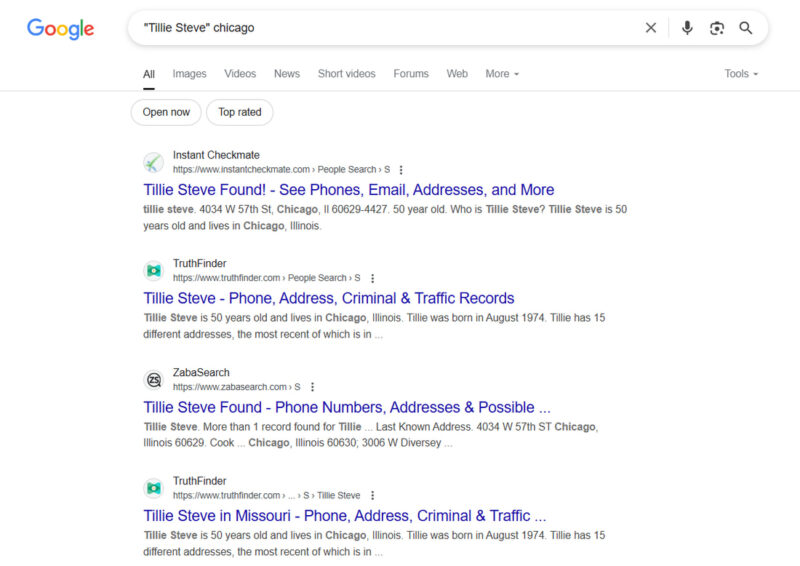
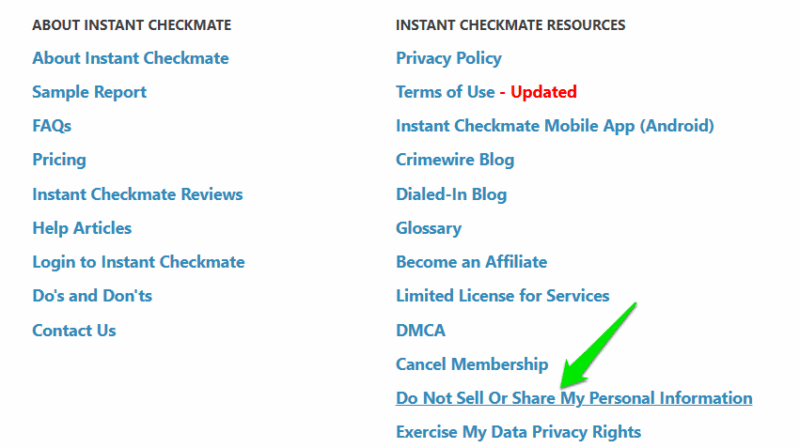
Now you’ll have to open each website to confirm it’s your profile by looking at the phone number or exact home address. After confirming, look for an option to opt out, which should be in the footer of the website. If not, look into the FAQ or Help pages of the website. Once found, follow the instructions to complete the opt-out process (each website has a different process).
This process doesn’t guarantee you’ll find all data broker websites with your data, but it’s the easiest way to find most of your profiles. The other option is to manually search thousands of data broker websites. For that, we recommend using a data broker removal service that will automatically remove your data from hundreds of data brokers. Below are some of the best ones:
Onerep
Price: Free scan with a premium subscription starting at $8.33/month
Onerep covers a total of 214 data broker websites, which isn’t a lot, but its scanning function makes it a great pick. You can scan your name and location for free, and it will tell you the total number of profiles it found online. You only need to sign up once it’s confirmed that it has found profiles with your name.
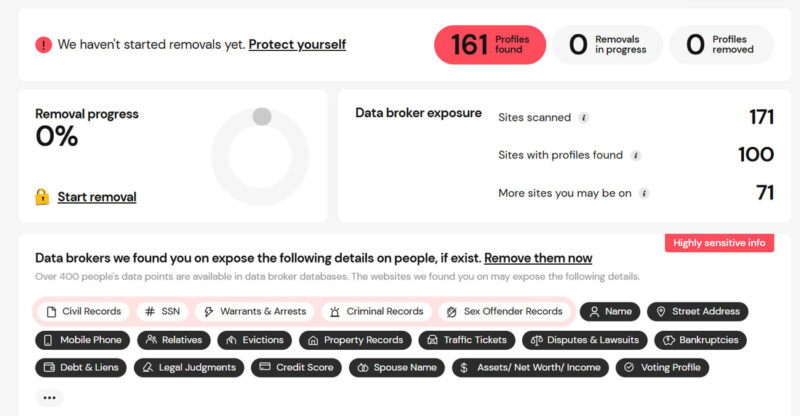
After signing up, you can see exactly what type of information is being revealed by these data brokers. Furthermore, you can view all found profiles for free, allowing you to manually opt out if you want. However, for automatically removing listings and monitoring future listings, you’ll have to get a premium subscription.
Data Broker Remover by Visible Labs
Price: Free
This tool takes a bit cold-call approach, but it’s free and easy to execute, so you have nothing to lose. Data Broker Remover sends a custom email to its list of data brokers, including all legal rulings and information to identify you. If any of these brokers are storing your data, they will hopefully remove it.
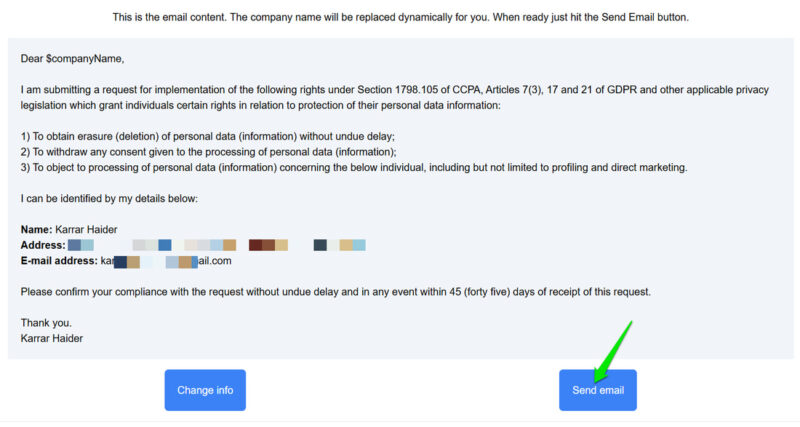
To use it, you have to first confirm your email and then provide basic details like name and address (used for email content). Afterward, the service shows a template email to send. You will be CC’d in emails, so you will see them in your inbox.
Privacy Bee
Price: Free scan with a premium subscription starting at $8/month
If you want a more comprehensive solution, Privacy Bee is perfect. It has one of the biggest databases with over 971 brokers. Furthermore, it also scans over 182,254 websites that make personal information public, such as social media websites.
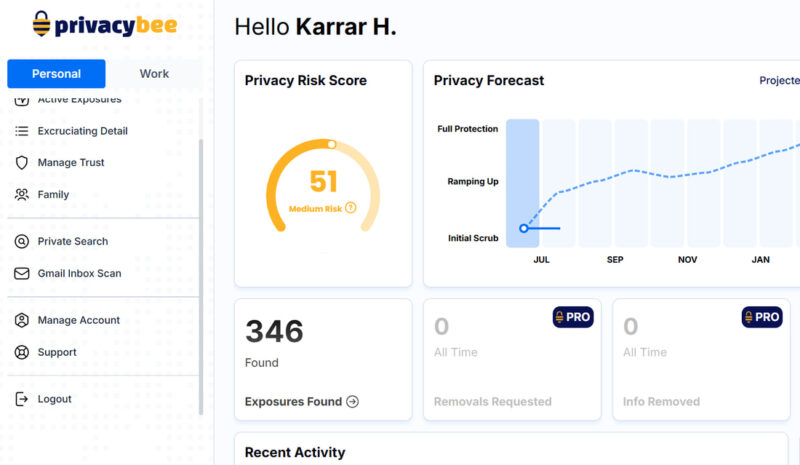
You’ll have to sign up to scan as it uses your email and associated information to search the database (you can add a phone number separately). If profiles are found, it categorizes them by information type so you can easily sort sensitive information. Like others, you’ll need a Pro subscription for automatic removal, but the data for removal depends on the package selected.
HelloPrivacy
Price: Free scan with a premium subscription of $99.99/year
When it comes to precision, it’s hard to beat HelloPrivacy. Its free scan usually doesn’t find hundreds of profiles like most other tools, but it rarely makes mistakes in finding the correct person. It achieves this by asking extra details like city, state, age, etc., to pinpoint the correct profiles.
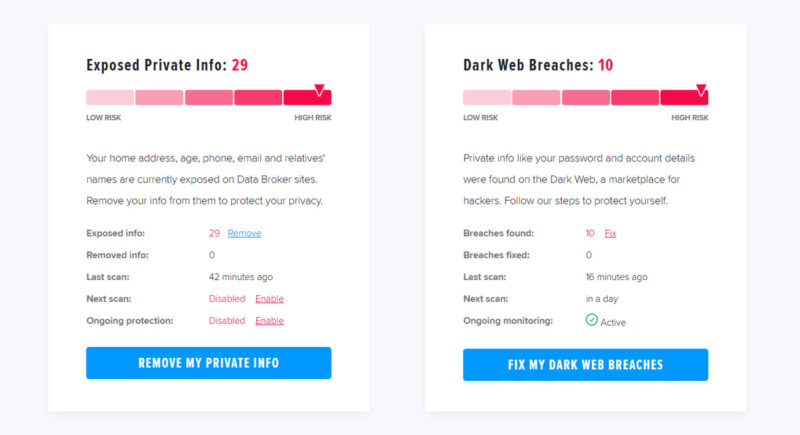
We tested multiple individuals picked from data broker websites, and it only showed 20-30 results for each, but it never mixed results with other people with the same name. Similar to Onerep, it also shows all available details of the found profiles so you can manually opt out.
It’s worth mentioning, you don’t have to subscribe to a yearly package if instant information removal isn’t necessary. To save money, just get a monthly package every 6 months to remove your data. If you are doing a complete wipe of personal data, you might want to delete your social accounts as well.








