


Notifications are an integral part of the smartphone experience, but have you ever wondered if they’re all the same? We’re all familiar with push notifications, but there’s another kind, too: in-app notifications. Learn the differences between the two, ensuring you’re always aware of what you’re seeing.
Good to know: learn how to change the notification sound on Android.
[mte_toc]What Are In-App Notifications?
As their name suggests, in-app notifications are messages that users see inside the application after they’ve opened it. This type of notification is designed to send more targeted and context-sensitive messages.
In-app notifications can blend seamlessly with the app’s user interface, creating a more immersive user experience. This is in contrast with push notifications, which can be disruptive, appearing unexpectedly and potentially breaking your concentration.
Some Use Cases
- User onboarding and tutorials – can guide new users through the app’s functionalities. If a new feature was recently added, in-app messages can quickly explain what the new option is all about and where it is located. They may even signal that a new update is available.
- Marketing and promotions – can serve as powerful marketing tools and send targeted offers, promotions, or personalized recommendations. Messages are created, taking into account a user’s unique behavior and preferences.
- Feedback and surveys – may prompt users for feedback after a feature has been used, creating a valuable loop for developers. This input helps them understand user experience and make improvements for the future.
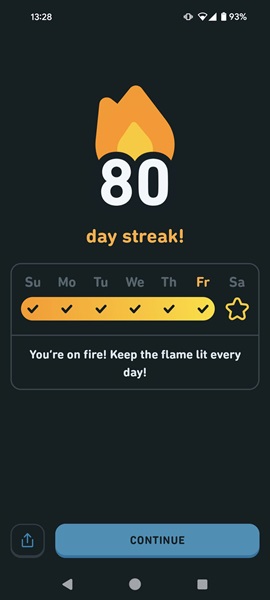
- Special achievements showcase – many games, sports or language-learning apps leverage personalized messages to keep users motivated. These notifications act as a friendly nudge, reminding them of their goals and encouraging them to take the next step. For instance, apps like Duolingo will show in-app messages once you’ve reached a milestone in your language learning journey. This tactic is powerful for driving customer loyalty and engagement.
Tip: Snapchat notification sounds not working on your mobile phone? Learn what to do about it.
Where Are In-App Notifications Located?
In-app notifications live within the app itself, but their location can vary greatly, depending on the app. They may appear as a full page, pop-up window or badge on a specific icon within the app.
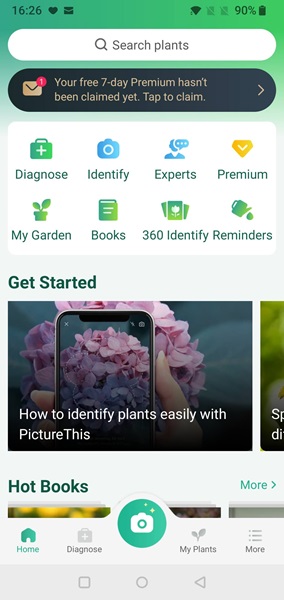
In certain cases, in-app notifications cleverly mimic push notifications, with a top banner, effectively capturing the user’s attention. On the whole, the placement of in-app notifications is up to the app developer’s creativity. They can show up anywhere within the app.
The Difference Between In-App Notifications and Push Notifications
Push notifications and in-app notifications both aim to keep mobile users informed, but how they achieve this differs. From their overall scope to delivery methods, these notification types have significant differences. This guide covers some of the major aspects that set in-app notifications apart from their push counterparts. If you’re curious to discover more about push notifications, read on.
The Notification’s Purpose
Push and in-app notifications are sent out by app developers for different purposes. Push notifications are meant to help reignite interest in an app, especially for people who haven’t used it in a while. A well-timed message can remind them of the app’s utility and prompt them to return.
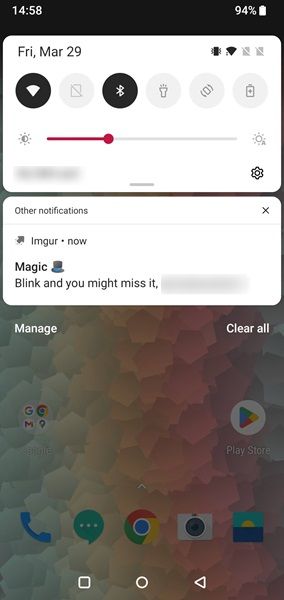
Push notifications can also promote daily interactions with an app without you actually having to open it. Some of these notifications are interactive, meaning you can provide feedback on the spot, and the app will automatically register it for maximum convenience.
In-app notifications, however, limit their reach to users actively using the app. The biggest advantage of in-app notifications is that they can easily pass as expected communication rather than unwanted interruptions.
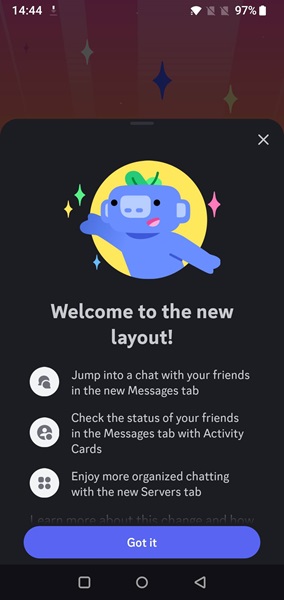
Unlike push notifications, which can sometimes feel out of place, in-app messages are contextually aware. They can be triggered based on what you’re doing within the app, ensuring that you receive relevant updates at the perfect time.
Tip: need to write a quick note? Use any chat app to message yourself.
The Notification’s Visibility
Your Android phone actively displays a stream of push notifications that are visible all the time at the top of the screen, or depending on your settings, even on your lock screen. Push notifications on iOS will typically appear at the bottom/center of your display in the notification center once you unlock your iPhone, and/or on the lock screen.
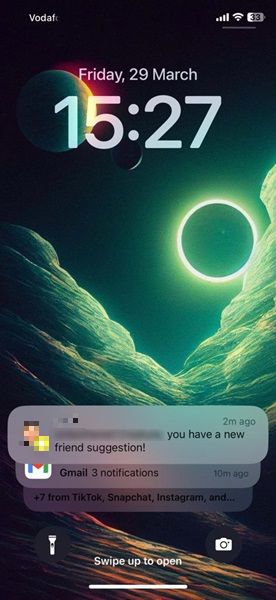
As for in-app notifications, they aren’t visible unless you’re actually accessing the app in question, so they are much less disruptive than push notifications.

Control Over Notifications
You can disable push notifications any time you want. It’s possible to turn off all push notifications for an app or only select notifications. It is up to you to decide. If you’re an iPhone user, read about silencing notifications.
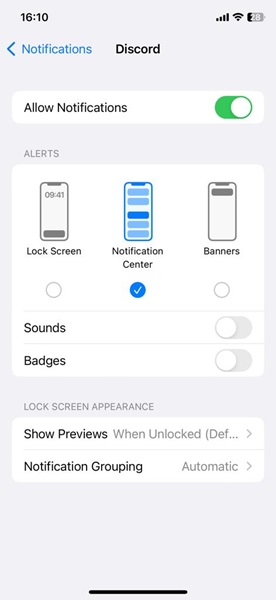
You won’t be able to turn in-app notifications off. While some apps offer notification settings, these typically only silence push notifications and don’t affect in-app notifications. Think of in-app notifications as the app’s way of talking to you directly.
Tip: can’t find the file you just downloaded on Android? Learn how to locate it.
If you don’t want to take out your phone to view notifications, you can also use your computer. If you have an Android or iPhone, you can use PhoneLink to check your alerts. You may also want to learn how to disable notifications on the lock screen, for some improved privacy.
Image credit: Unsplash, Flaticon. All screenshots by Alexandra Arici.