The Windows kernel links your PC’s hardware to the operating system. Its default security makes it extremely hard for malware to penetrate. Yet, a new type of KASLR bypass threats are exploiting LOLDrivers and cache timings to sidestep top-level access permissions. While they target older systems, these attacks have recently been shown to impact Windows 11 24H2 as well, exposing kernel memory. Here’s how to close these last-mile security gaps.
Why KASLR Bypass Threats Require Your Attention
The Windows kernel controls access to system resources like memory, CPU, and connected devices. To protect it, Windows uses Kernel Address Space Layout Randomization (KASLR), which randomizes memory locations. Bypassing it is very difficult which makes it harder for kernel-level malware to slip in.
However, in June 2025, an HVCI-compatible driver, eneio64.sys, was used to bypass KASLR on Windows 11 24H2. enios64.sys falls in the category of Living off the Land (LOLDrivers) which can be compromised with what is called a “Low Stub” method.
In this, malware authors use guesswork and memory scanning to uncover the base memory address of your PC. Bypassing the kernel is a gateway to real-world attacks, and the detection challenges indicate a high level of threat severity.
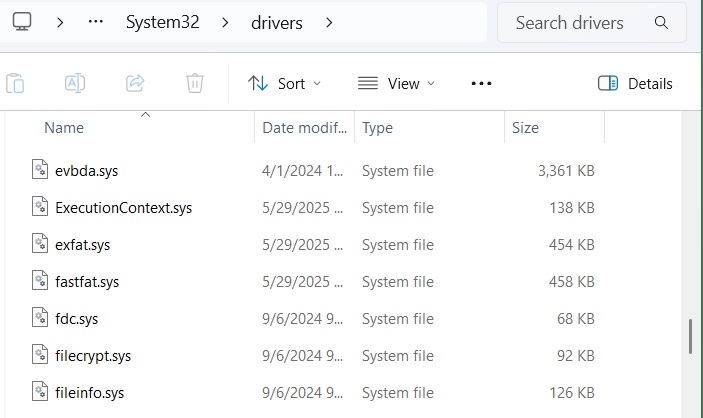
You can search for such drivers in System32 folder. If you don’t find them, it’s a good sign because it means these drivers weren’t installed or have been removed.
Another exploit that was used in May 2025 used cache timings to sidestep the whole KASLR security mechanism. Here, attackers measured access times to potential kernel addresses within a “0xfff” range, without requiring permissions such as SeDebugPrivilege.
Of course, this side channel attack mainly targeted Windows 10 systems and older Windows 11 versions (21H2, 22H2, 23H2). That is why we recommend Windows 11 users to migrate to 24H2 or higher. If you’re facing 24H2 compatibility hold issues, we have tried and tested fixes you can use to upgrade smoothly.
Get a Tab on LOLDrivers to Prevent KASLR Bypass Threats
Since Windows 11 24H2, kernel security has been strengthened even further with SeDebugPrivilege. Yet, in 2025, malware authors have started exploiting KASLR bypass techniques through LOLDrivers to access the 24H2 version of Windows 11.
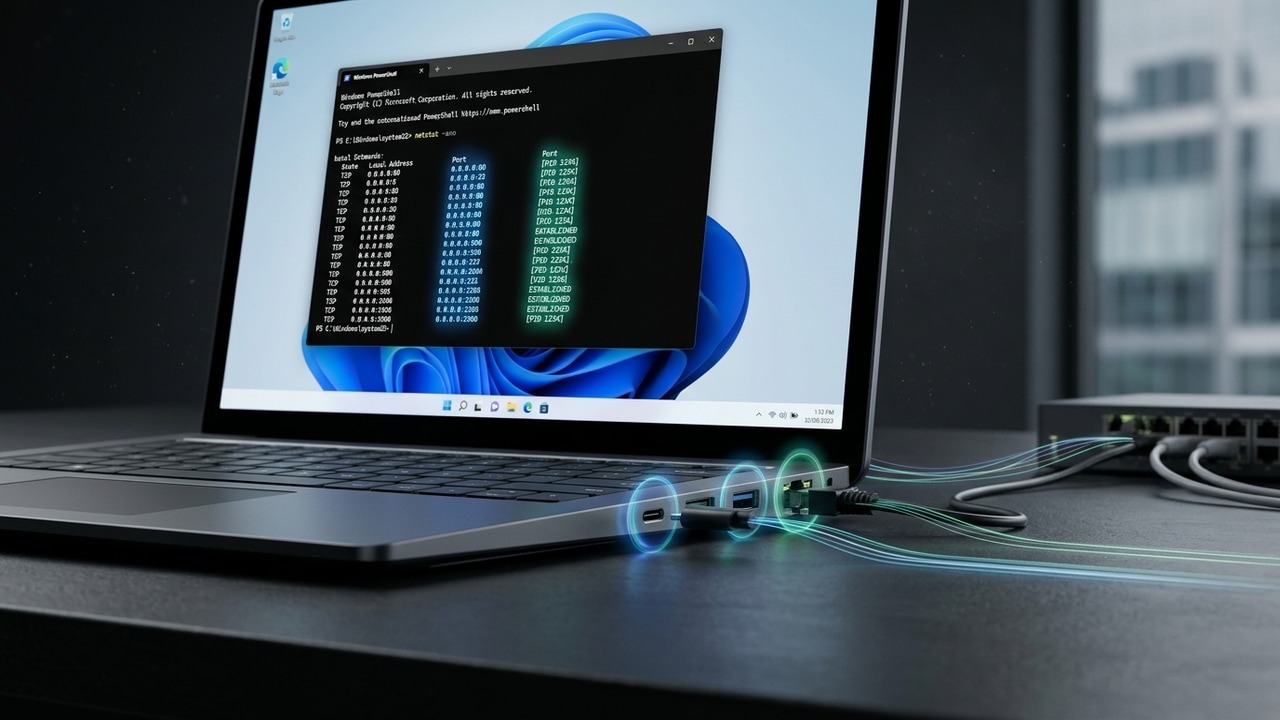
To find out if your PC has any system drivers that need attention, open PowerShell in elevated mode and type:
Get-WindowsDriver -Online | Where-Object {$_.OriginalFileName -match "sys"} | Format-Table OriginalFileName, ProviderName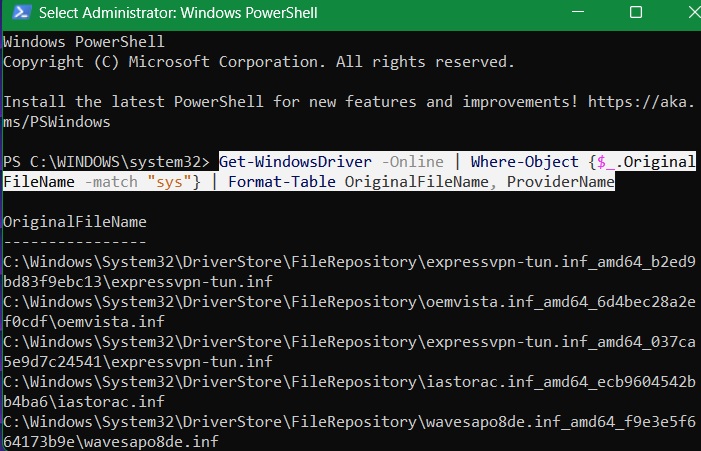
Once the list is populated, you can keep an eye for LOLDrivers if you receive a tip. However, there are so many examples of LOLDrivers, such as MsIo64.sys, nt3.sys, or VBoxTap.sys. To look for them, check a universal list of such drivers.
Microsoft maintains an updated list of blocked or outdated drivers including LOLDrivers. You can download them as an XML file and search for any specific ones, such as enio64.sys, using:
Get-WindowsDriver -Online | Where-Object {$_.OriginalFileName -match "eneio64.sys"}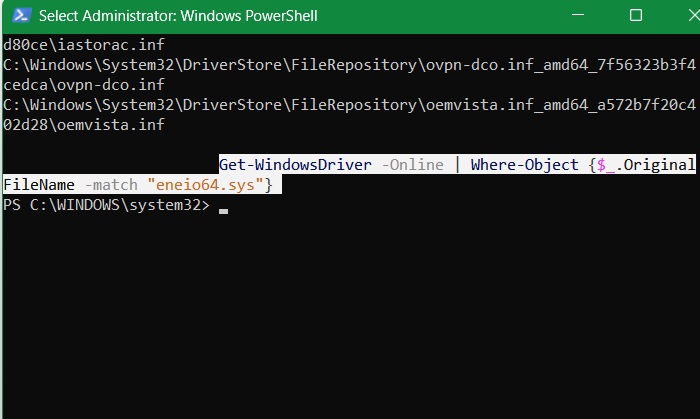
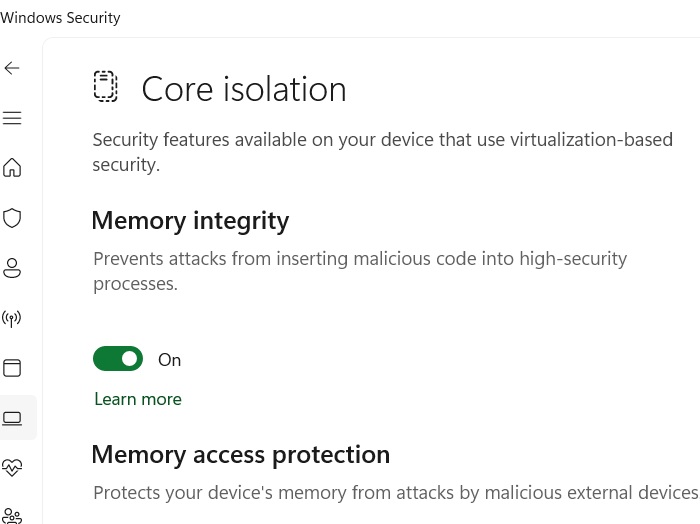
The detailed method above guarantees your device is free from vulnerable LOLDrivers that could cause a KASLR bypass. A simpler way to apply this blocklist on Windows 11/10 is to open Windows Security -> Device security -> Core isolation details, and ensure Memory Integrity is enabled.
KASLR bypass techniques are similar to Winos 4.0 malware. Both are persistent, and the payload is delivered in a chain. Verifying the digital signatures of installers and enabling Windows Security app protections protects you from such threats.
Prevent KASLR Evasions in Windows 10 by Enforcing SeDebugPrivilege
Side-channel attacks such as cache timing are another major source of KASLR bypass threats. Kernel addresses are leaked when attackers use various techniques to manipulate kernel memory directly without needing SeDebugPrivilege, which has been a strict requirement since Windows 11 24H2.
However, even if you’re on Windows 10 or an older Windows 11 version, you can enforce SeDebugPrivilege. It’s a simple system tweak which will make your Windows kernel immune to guesswork exploits.
On a Windows 10/11 Pro/Enterprise device, use Run command, type secpol.msc This will open the Local Security Policy window. Go to Local policies -> User Rights Assignment. Double-click on Debug programs.
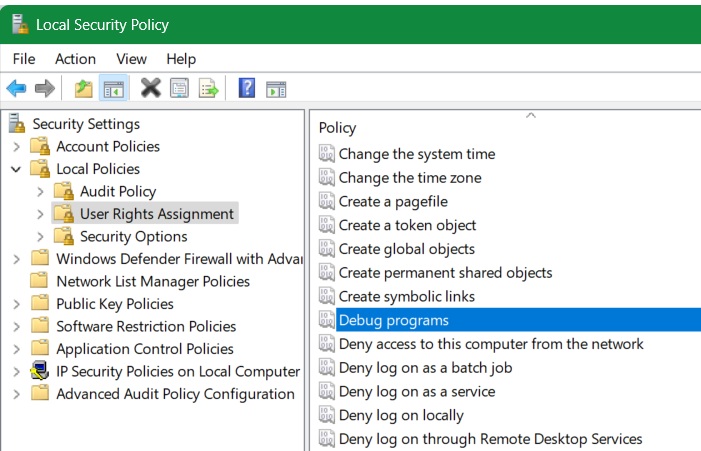
If, for a particular set of users, such as Administrators, the Debug programs is enabled, you don’t have to do anything. Otherwise, click Add user or group to enable it in the list.
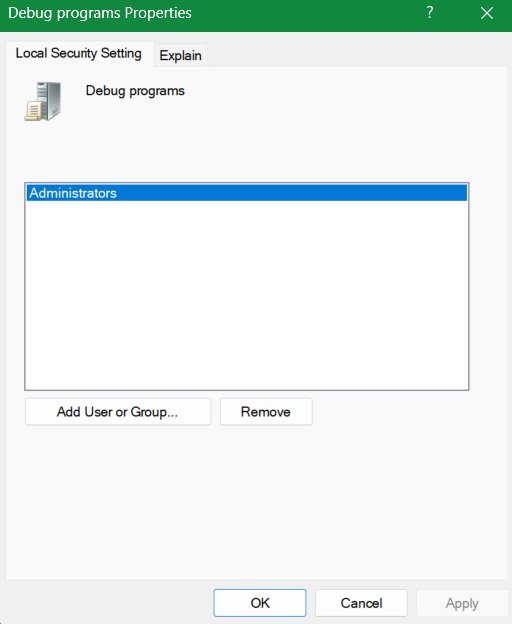
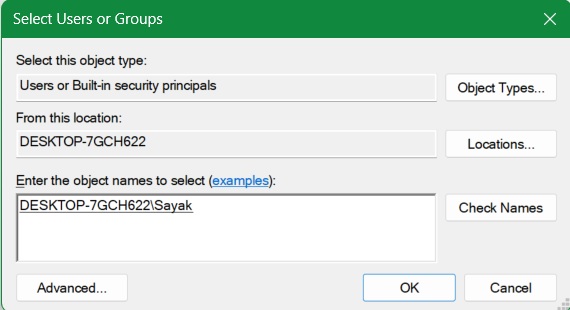
Click Check Names. Once you add the other usernames in your PC, click OK, and then Apply -> OK in the previous screen.
If you’re a Windows 10/11 Home user, you cannot access the Local Security Policy on your system. In that case, open Registry Editor by typing regedit. Next, go to
HKEY_LOCAL_MACHINE\SYSTEM\CurrentControlSet\Control\LsaIf it doesn’t exist, add a new key called Lsa. After that, right-click to create a REG_SZ value called SeDebugPrivilege. Modify its value to Administrators. Make sure to back up your registry before making this edit.
To deal with kernel-level malware threats like KASLR bypass techniques, it’s essential to prevent installing drivers that Windows Security does not want you to. If you have a rare need to install unsigned drivers, follow our tips. Microsoft often releases patches to address newly discovered vulnerabilities. Keeping your PC updated, and migrating to its latest Windows version are of course, essential.