

A year ago we wrote about a way to preview links without actually clicking on them in Google Chrome by using an extension called SwiftPreview.
This same function is now available on Firefox with a similar add-on called CoolPreviews. The tool is great for checking links, specifically shortened ones, to make sure they don’t lead to unsecure sites.
Once you have CoolPreviews installed, you should immediately notice a small magnifying glass icon on the add-on bar. For earlier versions of Firefox, the add-on bar is located on the bottom of the browser.
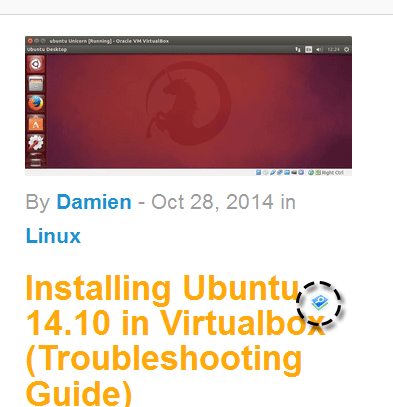
To enable the preview function, just hover over the web link and look for the same magnifying glass icon (usually located to the right of your mouse pointer). Mouse over the icon to preview the link.
A pop up window will appear showing the contents of the website link. You can pin the window in place by clicking on the blue pin button on the top right bar of the window. To close it, click on the red “x” icon on the top right corner.
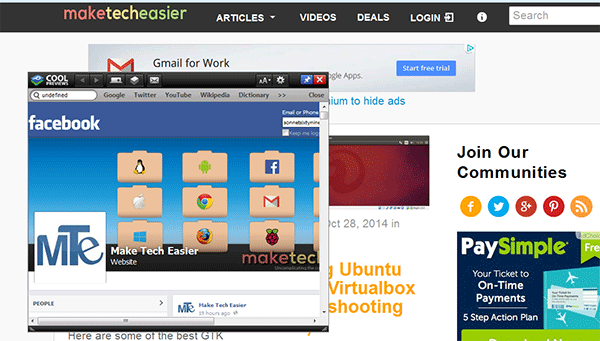
When you have the pop up window pinned, you can now mouse over other links, and it will automatically load the preview in the same popup window.
The popup window also has built-in features like a zoom in/out button (alphabet icon) and respective toolbar icons for opening the current link in a tab, sending it to email or saving it as a temporary bookmark. You can also access the add-on’s Options page by clicking on the gear icon. All these functions are found on the top bar of the window.
To change the default actions of the add-on, you can access the Options page by going to “Tools -> Add-ons” and click on Options for CoolPreviews.
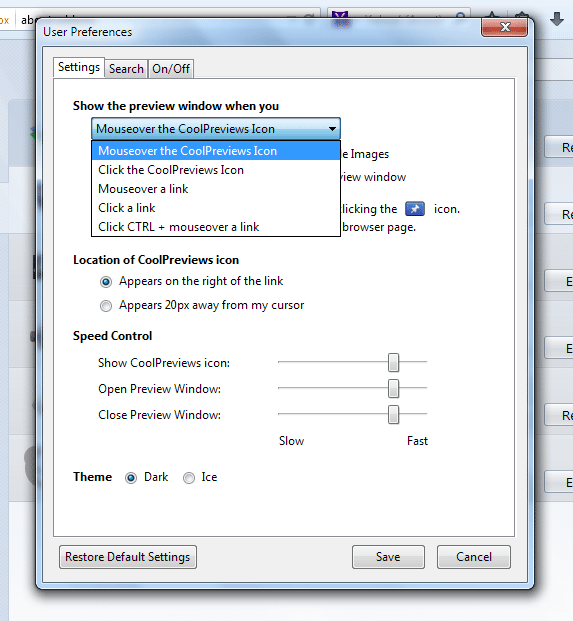
In this page, you can change the trigger for showing a page preview. By default, it is set to “Mouseover the CoolPreviews Icon”, but you can change this to other options like mousing over the link itself or holding down the Ctrl key and mousing over the link.
You can also change how the icon appears and how slow or fast it loads and change the overall look of the popup window by changing its theme.
The link preview window has a built-in search bar. If you want to hide or change it, go to the Search tab and make the desired change.
If you want to be able to access the CoolPreview feature by right-clicking on a link, go to the On/Off tab and choose “Show” under “Show CoolPreviews items in Right-Click Menu.”
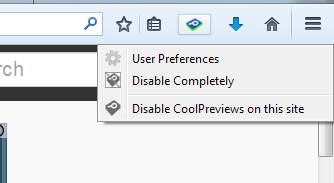
To disable the add-on when you’re browsing a specific site, click the add-on’s icon on the status bar and select “Disable CoolPreviews on this site.”
One thing missing with this add-on is the ability to specify a default window size. When a window pops up, you’ll need to manually resize it to suit your needs.
CoolPreviews is a solid add-on designed to save you time in browsing unfamiliar sites or links. It allows you to surf more by doing less.