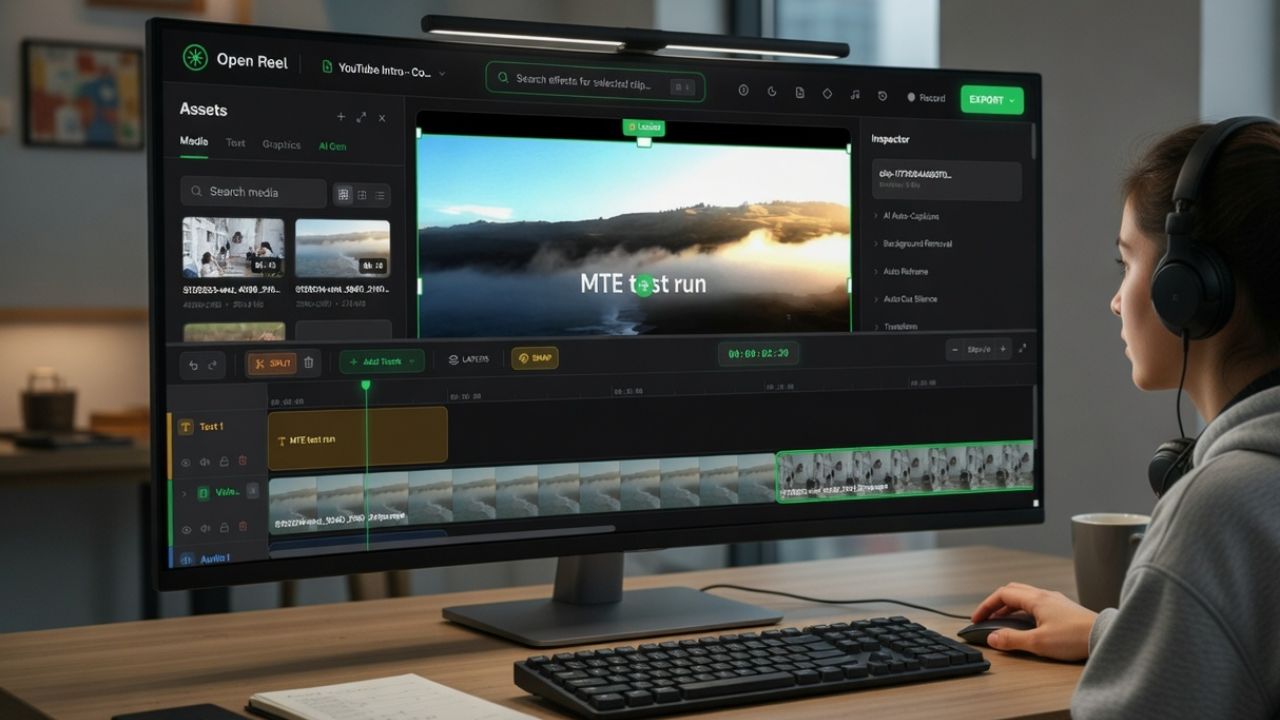
Adobe just dropped something that genuinely makes life easier. Photoshop, Photoshop Express, and Acrobat now run inside ChatGPT for every single user. No downloads, no hunting through the menu, no $20/month plan. You just type what you want and watch it happen. After trying it out, I’m convinced this is the editing shortcut most of us have been begging for.
Photoshop Now Works Where You Already Are
The biggest shift with Photoshop in ChatGPT is convenience. You don’t have to open a full desktop app or dig through menus. You stay in the same chat window where you plan projects, drafts, brainstorm ideas, or even ask for help.
One conversation handles the idea, the edit, and the final file. If ChatGPT is already part of your workflow, this Adobe integration fits right into place.
It also fits naturally with ChatGPT’s broader direction of becoming the central hub for your workflow. When you’re already using features like Group Chats for collaboration, this becomes another tool you can bring into the same space.
Plus, if you’ve tried running apps inside ChatGPT before, you will recognize the value of having a do-it-all space. The true value is the convenience of not interrupting your flow.
What You Can Actually Do With Photoshop in ChatGPT
Here are some of the tasks you can use these Adobe tools for in ChatGPT:
- Quick photo cleanups such as brightening dark shots, sharpening faces, and removing small distractions like messy backgrounds or random tourists’ photo bombers.
- Adding simple effects like warm tones, vintage looks, and glow with prompts to polish photos and turn them pro-looking without hunting for filters.
- Basic retouching, including contrast, exposure, sharpening, or color correction.
- Creating simple graphics using Photoshop Express. This is a great fit for social media posts, flyers, or invites. I’ve created a sample YouTube thumbnail with this.
- Fixing PDFs using Acrobat. That includes merging files, extracting text, reducing file size, converting formats, or pulling tables out of a document.
If you’re someone who only needs Photoshop for light edits like the kind you can do on your phone or inside social apps, this is a perfect fit.
Getting Your Photoshop in Chatgpt
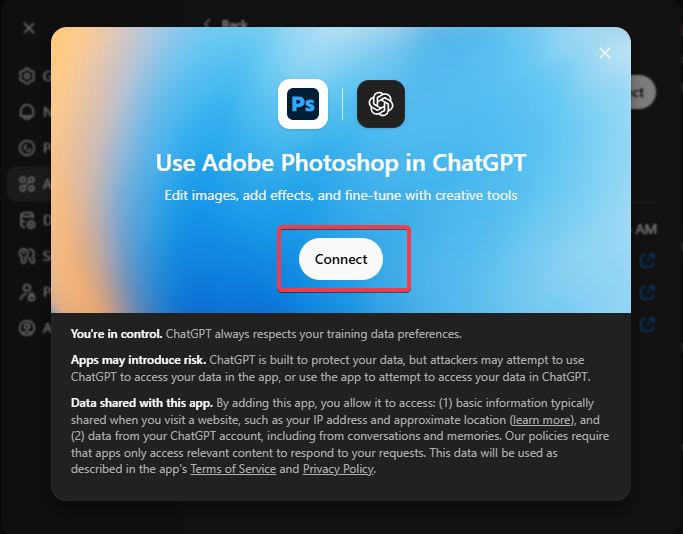
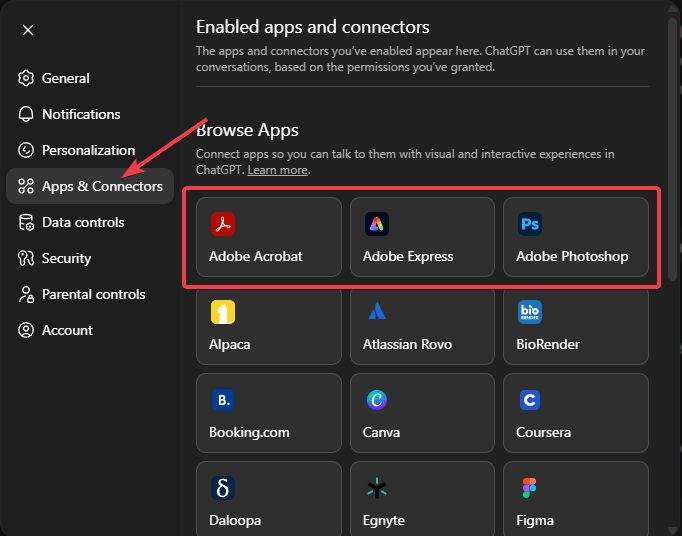
First, you need to enable the Adobe tools. Open ChatGPT, go to Settings -> Apps and Connectors. Then search for Photoshop, Photoshop Express, or Acrobat and connect your free Adobe account when prompted. There’s nothing to download.
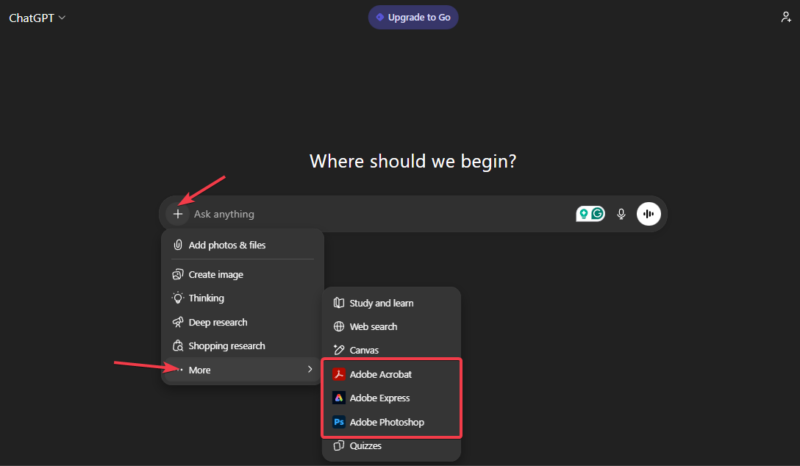
Before anything, click the + sign in the chatbox, select More options, and choose any Adobe tool. In my case, I selected Photoshop.
Next, I uploaded a full indoor photo of my cat with the prompt: “Photoshop, turn this into a bright professional studio portrait with soft, blurred background and sparkle in the eyes.”
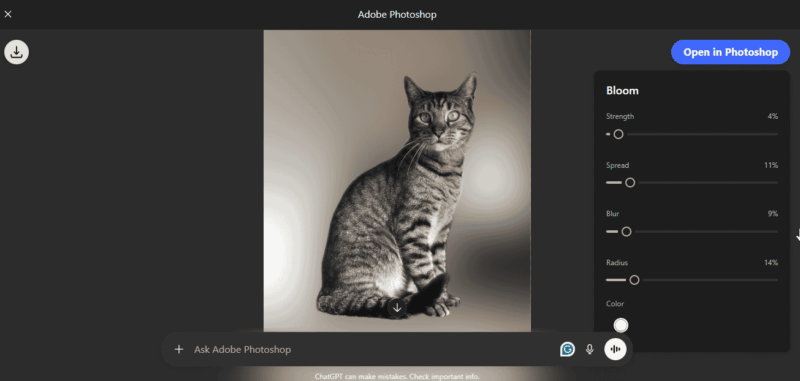
A minute later, Photoshop in ChatGPT generated a result that looked like a $200 pet photographer shot it. I added a follow-up, “add subtle grain and warm the whites,” to improve it.
I also created a YouTube thumbnail from scratch on this topic.
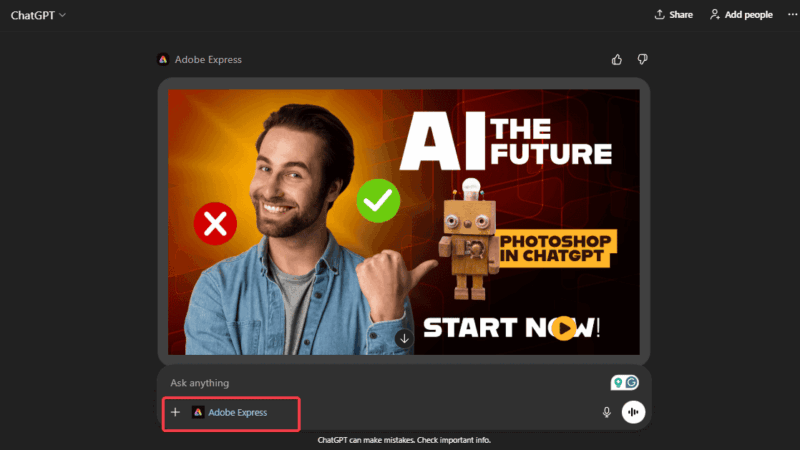
Both results were astonishing. I liked that it removed all the hindrances. No panels, no windows, no layering, and no navigating through features I’ve never seen before. Just simple plain English, and I achieved these results without breaking a sweat or laboring through a “60-minute quick tutorial.”
Why This Feels Like Cheating
Using Photoshop in ChatGPT feels almost unfair in how little effort it takes. Instead of navigating layers or spending 45 minutes on a YouTube tutorial, you just talk to it. That’s especially helpful when you need something small and don’t want to launch the full software.
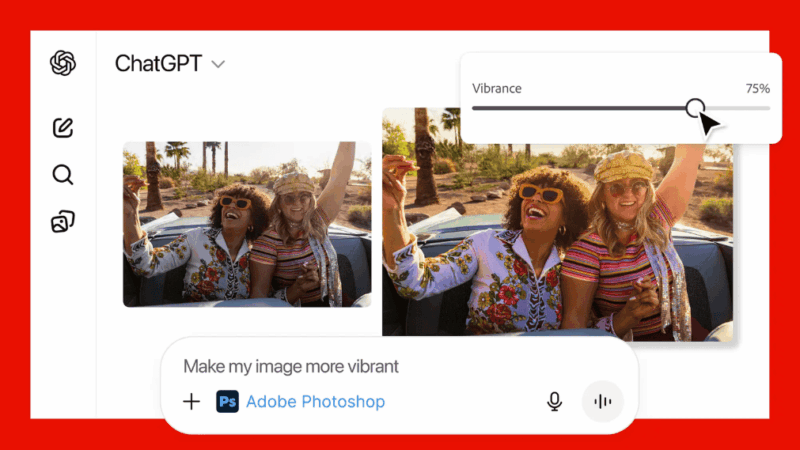
For example, I cleaned up a vacation photo by typing: “Photoshop, brighten the subject, soften the skin naturally, and blur the background.” It gave me an improved image within a minute, with simple sliders for final tweaks. The whole process took less time than opening Photoshop on my laptop.
This reminded me of the viral Ghibli-style image trend everyone loved last year, except now it is powered by an actual Photoshop engine instead of generic AI. If Photoshop has ever felt intimidating, this cuts away the parts that slow you down in a big way.
Also, there’s no need for downloads as you only need to integrate the apps into your ChatGPT account, completely free of charge.
The Catch (So You Don’t Get Disappointed)
It’s important to understand what this is and what it is not. You are not getting the full desktop version of Photoshop. Complex masking, multi-layer editing, detailed compositing, advanced retouching, or professional workflows still require the main application.
If you push too far, the results feel more like quick filters than pro edits. Think of this as a smart assistant. It’s helpful, but not limitless.
Also, because everything runs through a chat interface, good prompts matter a lot. Simple, clear, and detailed prompts will ease your process, while complex prompts will keep you in a back-and-forth loop.
Right now, it is web and iOS only. Android support is coming soon, but you can still use the Photoshop app on Android or tablets directly while waiting for the ChatGPT support. Besides, this gives you access to heavy retouching and pro print work too.
If your expectations match the real capabilities of Photoshop in ChatGPT, you will be happy. Think of this more like Photoshop Express on steroids with a conversational interface.
Who This Is Perfect For (And Who Should Skip It)
You will love Photoshop in ChatGPT if you are a:
- Casual user fixing phone photos for social media or family albums
- Content creator that needs fast thumbnails, stories, or Reels covers
- Student handling and managing PDFs
- Small business owner who wants clean graphics or product images
- Anyone who hates paying the $20/month for software they only use occasionally
Skip it if you’re a professional designer who relies on layers, masks, or precise control. If you need detailed retouching work or you send .PSD files to clients, this is not for you. Also, if Photoshop is part of your job, this tool is more of a convenience than a replacement. For everyone else, this just became your default editor.
Photoshop in ChatGPT does not replace the pro suite. It makes everyday edits simple and convenient. It is fast, accessible, and ideal for people who want quick improvement without launching heavy software.
For students, influencers, and everyone who is not a full-time designer, this is the most practical thing Adobe has shipped in years.