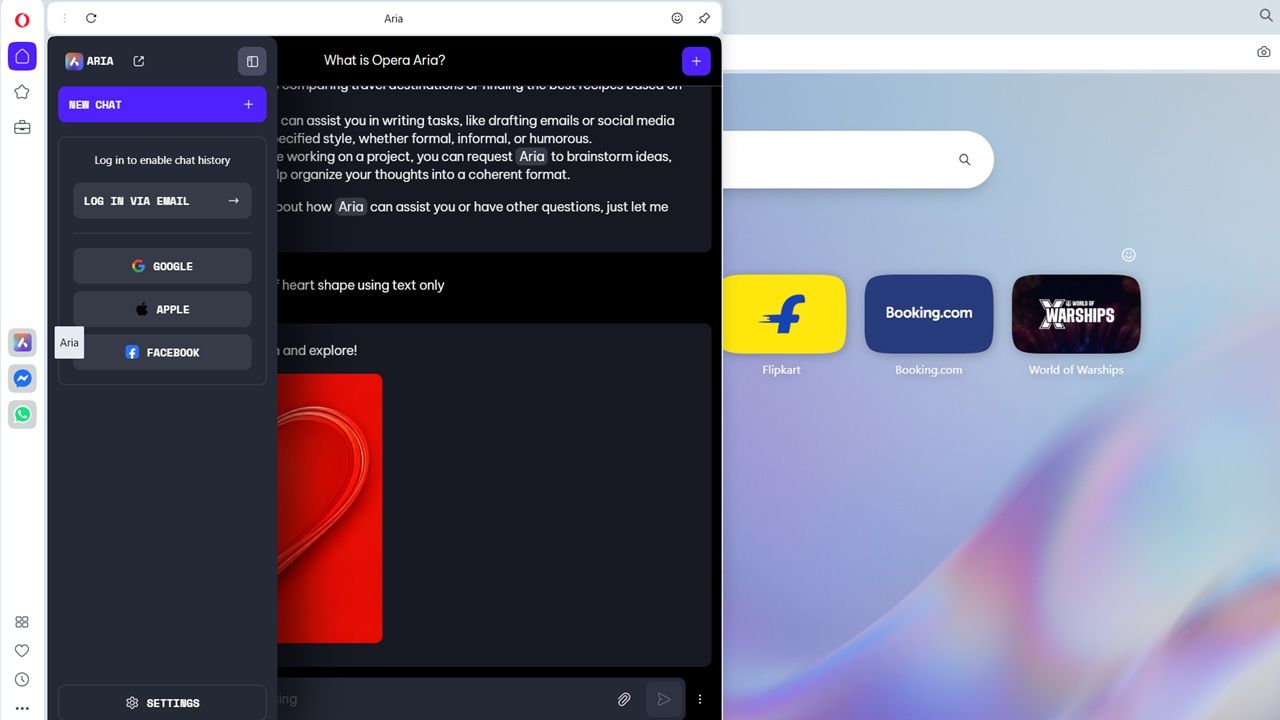
While there are many AI browsers out there, there is something about the latest version of Opera with Aria AI assistant that makes it the least obtrusive, fastest, super lightweight, and most comfortable for desktop experiences, at least in my opinion. If you’re a Windows user seeking an AI-powered browser, here is why Opera Aria is worth switching to from Chrome or Edge.
Is Opera Aria Different From the Opera Browser?
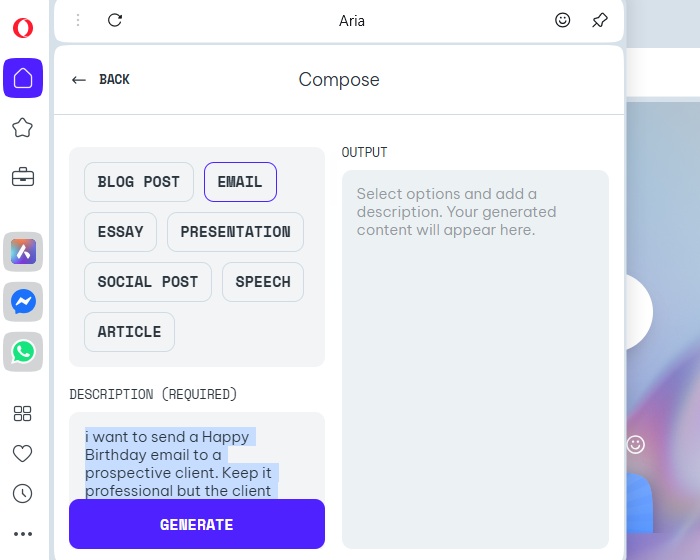
Opera Aria is an “agentic AI browser” which offers proactive assistance to users by anticipating their needs, and performs tasks rather than just displaying information. Common agentic browsing tasks include summarizing web pages, creating fresh contents based on prompts, crafting images, and generating new ideas, such as in Compose mode.
This approach is different from traditional browsers like Chrome, Firefox, Edge, or even the standard Opera browser, which may have some AI features, but do not embody the concept of agentic browsing, requiring users to do most tasks manually.
Until recently, Aria was available only by invitation, followed by early access. Now, after its public release, it’s available for download. Aria does not require separate account creation and is a fully integrated, non-removable feature of the Opera browser. There are many reasons why it would suit Windows desktop users.
Sidebar-Centric AI Browsing
A salient feature of Opera Aria is its integrated sidebar which you can open and close as per your browsing workflow. It’s a non-intrusive agentic browser that meets a core criterion of such browsers: remaining invisible unless summoned for a task.
Even though all the AI activities are restricted to a sidebar, you can access it multiple times on different tabs, without a second’s delay. The sidebar remembers your conversation, and integrates it progressively within each new tab. You can modify the chat window width, and a simple click fades the Aria chat window from your view.
A common complaint from Windows users about previous Opera versions was that the buttons were harder to click due to small hit areas. With Opera’s Aria, this issue is resolved. You can comfortably access the sidebar multiple times whenever you need AI outputs. Plus, there are a few other ways to interact with Aria.
Also read: manage and organize Opera tabs on Android.
Access Opera Aria With Keyboard Shortcuts
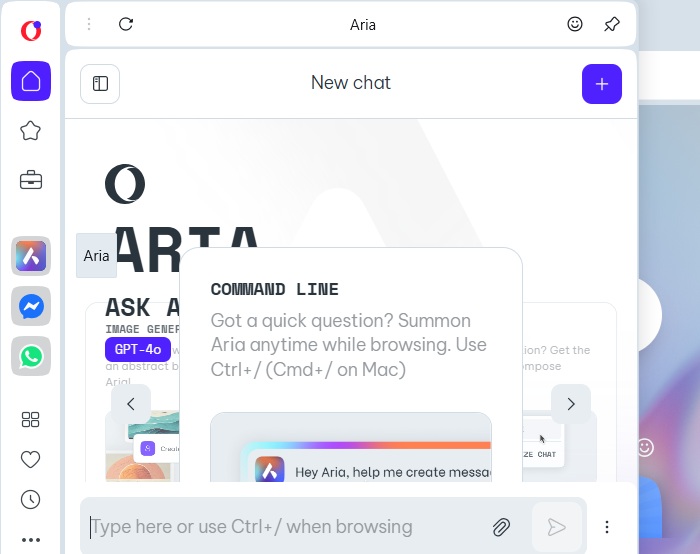
Hitting the sidebar is useful. But for a true agentic AI browser experience, use the keyboard shortcut: Ctrl + / (forward slash.) A quick chat interface called the “Aria Command Line” opens. Mac users can use Cmd + / for the same effect.
To explore any topic on a website further, use the Tab button. In Page Context mode, you can know what a website is all about. If you click below, there is a Summarize button to give a quick summary. The Writing mode allows you to create a piece of writing, say, a comment on a blog post, or filling up a form in an application online.
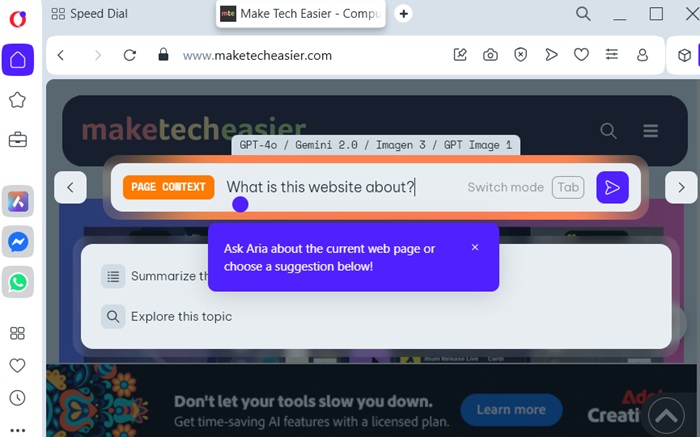
The fact that Aria can glean what you’re browsing may feel like a security concern. After all, it’s a known issue with Comet. However, the Opera browser has some of the best privacy standards for desktop users.
Stronger AI Privacy Terms
Unlike many other AI tools, your browsing history or any other personal data is not used to train this AI model. Only limited information which a user chooses to share is available in the chat window.
Conversations in Aria are stored for 30 days after which they are deleted. That too, it is anonymized. For best results, choose not to save any chat histories using Google, Apple or Facebook. Hit the “Backspace” button where you can to view various chat history accounts which you don’t have to sign in. Further, you can go to Settings to disable Google suggestions.
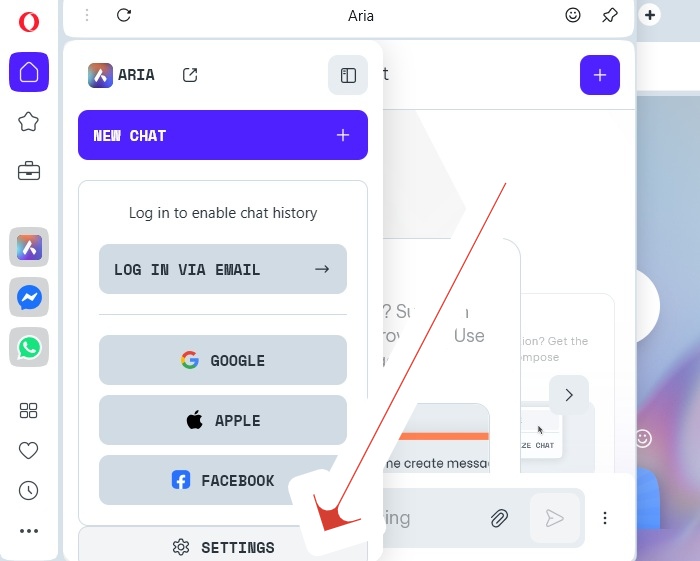
You can also enable greater privacy from Opera browser Settings. From there, click Privacy & security -> Privacy Consent Settings. Here, you can turn off location and personalized content.
Aria Can Control Your Opera Tabs
A secret feature benefit of Aria is that it’s the first AI agent that allows you to manipulate all the tabs on your browser. For this, you need to switch to the “Aria Command Line” interface using the keyboard shortcut discussed earlier. After that, you can manipulate the tabs simply by typing naturally, say, “group tabs.”
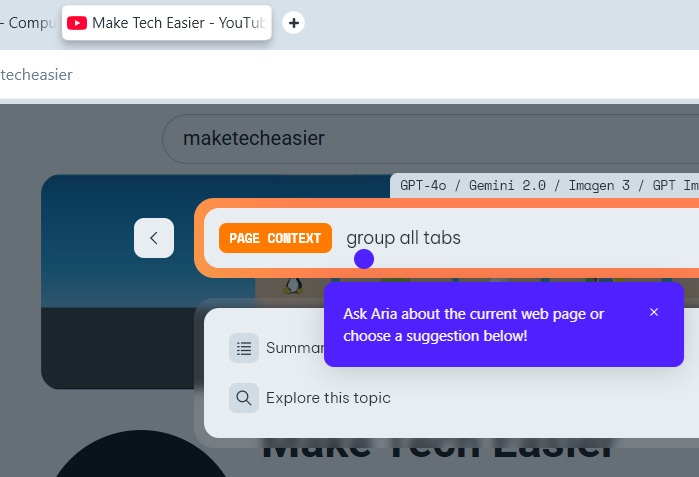
You can use natural language to perform many other actions, such as closing a current tab, pinning a tab, saving all tabs as part of a browsing history. With a little practice, you can also use voice commands.
All Standard Opera Features are Available
Opera has done some new changes, unlike previously when it faced significant backlash from Windows users. There is no sponsored content in new tabs and the sidebar. All standard features present in standard Opera browsers such as built-in VPN, ad blocker, and more are still supported. This makes Opera with Aria a ready-to-use browser in desktop for all tasks and activities.
Just like in the past, the Opera browser continues to have low resource usage, and consumes far less memory and CPU than Chrome or Edge. Also, it does not crash frequently, which was a bad memory in the past.
Having listed all the above, Microsoft is causing a few problems because it wants to promote Edge. The most annoying of these is startup failures that occasionally happen after a Windows update. If your browser is not performing as expected, check out our monthly Windows guide on how to mitigate those problems.
For our verdict, it’s clear there has never been a better time to use Opera on Windows or other desktop machines if you want to explore AI trends in browsing. On the other hand, if you’re not a fan of AI tools, you can disable them in traditional browsers.








