


I’ve tried various apps and devices to help me stick to fitness and health goals. None of them helped me for long. Once I found NoomVibe, I finally found the only fitness tracker that works for me and my needs.
The Struggles With Other Apps
I’ve tried dozens of fitness, goal tracking, and self-care apps. I know the importance of taking good care of yourself to improve overall health, mental wellbeing, focus, and even productivity. Still, I’d stick with an app for a week or two and then drop off.
Some of the top problems I found were:
- Too complicated to set up and maintain
- Overly gamified
- No feeling of accomplishment just from checking off items
- Too pushy with notifications
- Only focused on one area (just physical or mental health for example)
- Required specific extra devices to track fitness, such as a smart watch
- Couldn’t track much at all without a premium plan
I wanted something simple, straightforward, and free. I also just wanted to be able to use my phone and nothing more.
What Makes NoomVibe Different
I had already heard all about Noom– a weight loss app that uses personalization, lessons, and habit changes to achieve results. No, it’s not free. So, I was surprised to uncover NoomVibe about six months ago. It’s 100 percent free to use. There are no must-have features locked behind a paywall or free trials. It’s free.
I only have to link to the health tracking built in to my phone. No other apps to download and no need for a smart watch. As some of you know, some fitness tracker apps require you to have a specific brand and/or model smart watch.
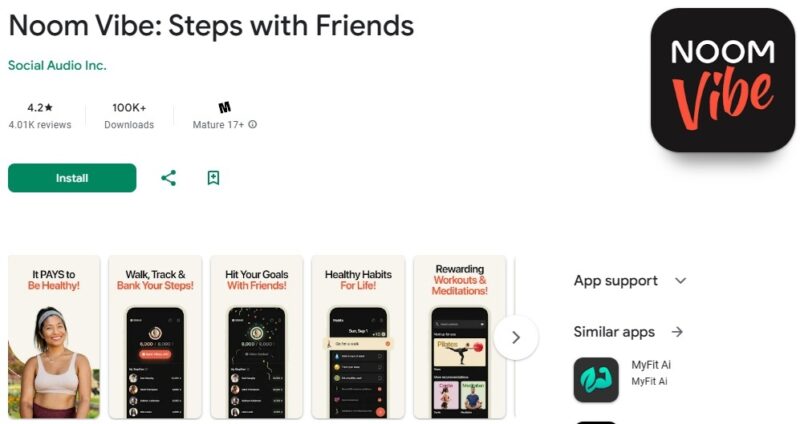
It’s also an all-in-one app that helps you with:
- Physical fitness, such as walking, yoga, and other forms of exercise
- Meditation
- Affirmations
- Building relationships
- Eating well
- Enjoying healthy hobbies
- Focus
All of these areas help improve your mind and body over time. And, you get to choose which areas you want to track. You don’t have to do everything.
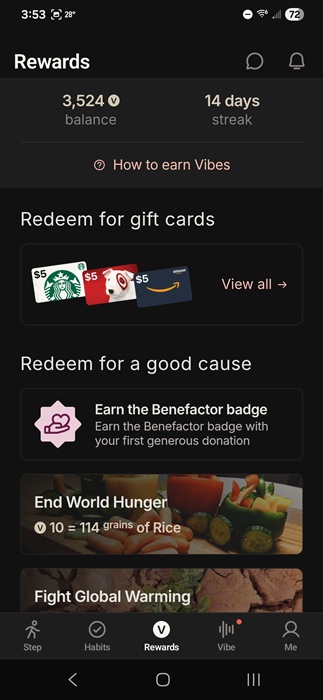
My other favorite part is you get rewarded with Vibes for completing steps and activities. These add up over time and you can redeem them to donate to charity or for gift cards. I love getting real rewards versus just points to use in a game, though I did think Finch was a cute app.
One other aspect that I enjoy is tracking is just one day at a time. There aren’t any long-term charts or anything like that. For me, seeing major dips on days where things just didn’t go well didn’t motivate me. It always just made me feel like giving up instead. Since everything starts fresh each day, the app motivates me to also start fresh, no matter what happened the day before.
Getting Started With NoomVibe
Just download NoomVibe for iOS or Android. Login with your Apple, Google, LinkedIn, or X account. I wish you could just sign up with email, but that’s a problem many apps have.
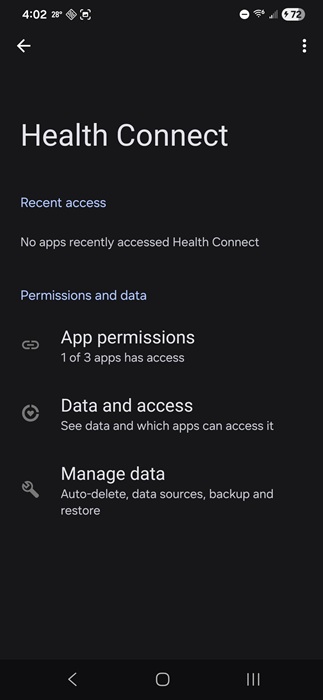
The next step is to follow the prompts to link to your device’s built-in health tracker. Most Android and iOS devices have the ability to record your steps and some other fitness data. These may or may not be enabled by default. For me, I had to enable the feature, which was Health Connect for my Samsung device. NoomVibe steps you through how to enable and connect to the right app/setting on your device.
By default, the app lists 10 habits to track. Just tap the orange + sign to change the habits. You’re limited to just the habits in the app. Personally, I kind of like this since it makes it easier to set things up.
As a tip, if there’s a healthy habit you’d like to track, but it isn’t in the app, choose a random habit from the list as a placeholder. For instance, I don’t check my weight. So, I could use the Check your weight habit as a placeholder for playing piano, which helps me to relax.
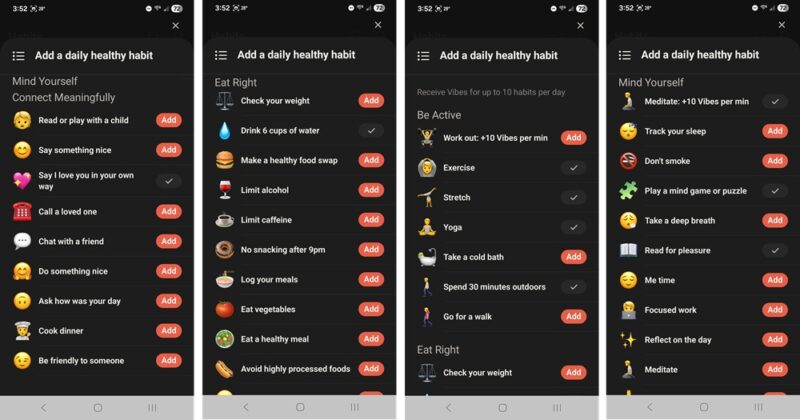
You’re not locked in to a habit. Change them at any time. I review mine monthly to make changes.
The app has four main sections, not including your profile/settings area. These include:
- Step – Step tracker and tracking for any friends you add
- Habits – Check off and manage habits
- Rewards – View current Vibes (points) and redeem when ready
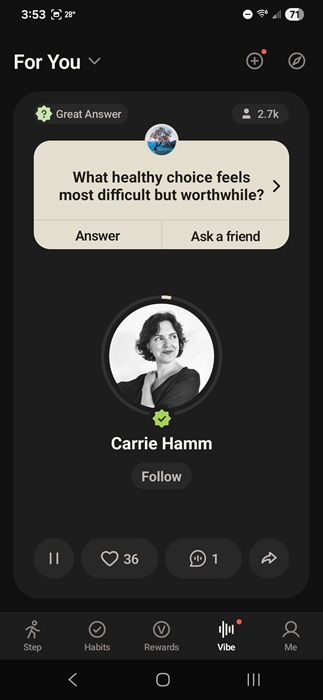
- Vibe – Check out user questions/answers (or add your own), hear short expert podcasts
Why It Works So Well for Me
I simply tuck my phone in my back pocket as I go about my day. I get Vibes for every step I take. The default goal is 4,000 steps, but you can increase that if you want. I’ve found myself eager to check in to the app after cleaning the house, doing yardwork, or even going shopping to see how close I am to my daily goal.
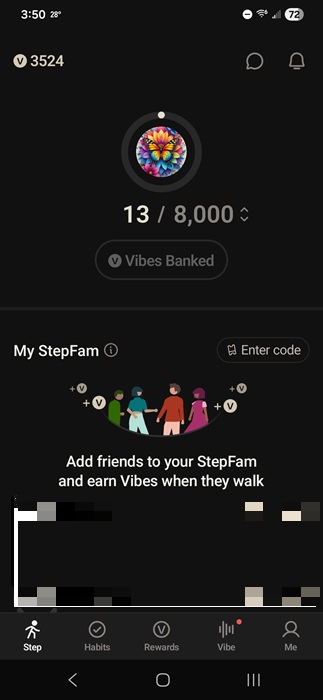
I also love seeing my Vibes increase as I check off daily habits. Just like with any fitness tracker, you have to be honest and only check off what you actually complete. There’s no pressure, no charts, just simple satisfaction.
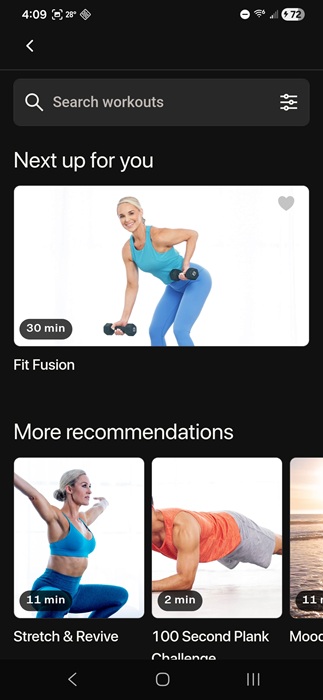
Also, if you choose the Meditate or Work Out habits, you get bonus Vibes. NoomVibe partners with FitOn to give you free exercise, meditation, and affirmation videos. Like I said, it’s an all-in-one app. You can also download other mental health apps if you want more than what FitOn offers.
By adding a few friends, it starts to feel like a competition. And, we hold each other accountable.
Add in the Vibe section and the app also gets a social element. I love hearing other’s responses and adding my own.
Admittedly, it does take a while to earn enough Vibes to cash out. For me, it’s nice knowing I’m working toward something while also better managing my overall health. And, once again, it’s all free and easy to use.
I started seeing a difference in my health in just one month. That alone was enough for this to become my go-to health and fitness tracker app.