Nintendo is finally making its Japan-exclusive My Nintendo app available in more regions around the globe. Though we’ve waited for five long years, the Nintendo Store app is here for iOS and Android for millions of users, making it easier to navigate the Nintendo Store.
In 2020, Nintendo introduced the My Nintendo app, but it was only available in Japan. Users from other regions could see it in their app stores sometimes, but were restricted from using it because they lived elsewhere.
Now, it’s available to users in the US, Canada, UK, and many countries in Europe. No, it’s still not available everywhere, but it’s a huge improvement over the extremely limited availability previously.
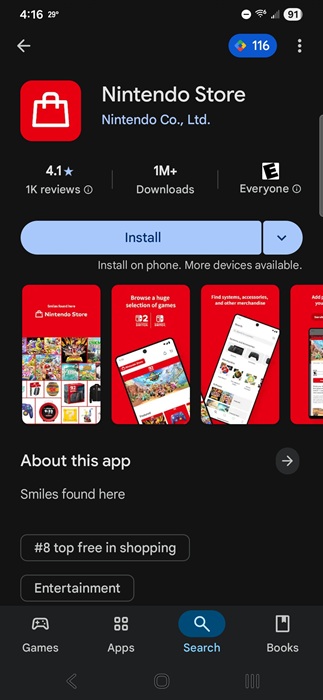
You can find it for both iOS and Android and it’s free to download and use.
Use With or Without an Account
If you just want to browse the store, you don’t need a Nintendo account. But, if you want to purchase anything, view game history/stats, or be eligible for rewards, you must link your Nintendo account.
Just enter your login details when you first open the app or click the profile icon at the bottom right and sign in from there.
Shop for Nintendo Games, Consoles, and Accessories
If you’ve ever tried browsing for games on your Switch or Switch 2 console, you know how tedious it is. But, you don’t want to always have to jump to your mobile or desktop browser either.
The Nintendo Shop app showcases bestsellers, deals, partner showcases, and more to help you find your next game. You can also filter by Nintendo Switch or Switch 2.
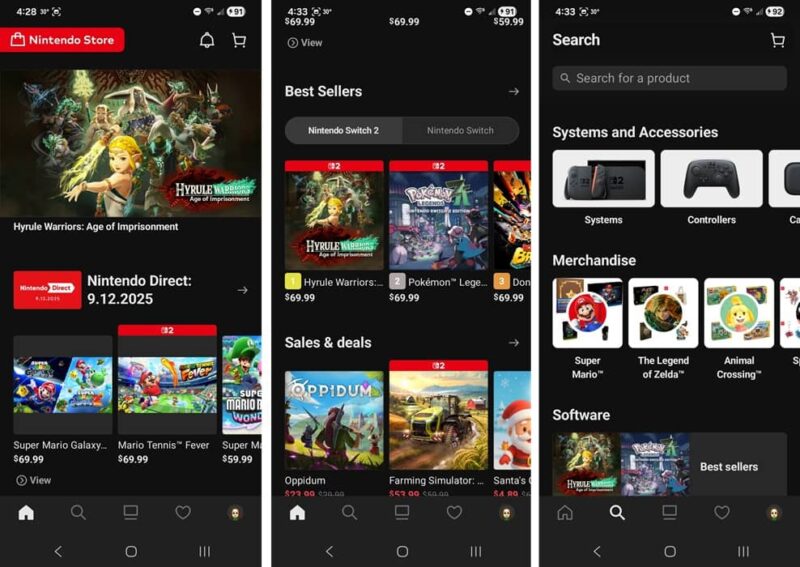
Browse from the home page or tap the Search icon to search for a specific product, view consoles and accessories, and browse games by category.
One of the downsides of the Nintendo Shop app is you can’t make purchases within the app itself. Instead, it opens a mobile web page in your default browser, letting you finish your purchase there. It’d be even more useful if you could complete purchases directly in the app.
On the other hand, this does prevent accidental one-tap purchasing. So, the extra step is worth it.
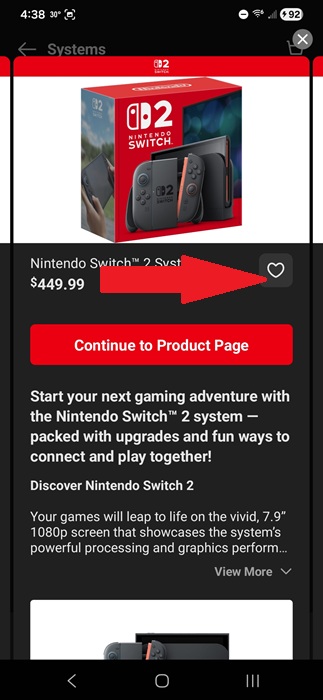
But, you can add items to your wishlist from the app. Whenever you view a game or piece of hardware, tap the Heart icon to add it to your wishlist.
If you’re buying a new console and your old still works well, reset it and sell it to someone else.
It’s important to note that you can only buy new games here. If you want to lend a game to someone, you have to do that via your Switch.
Check Out Nintendo News
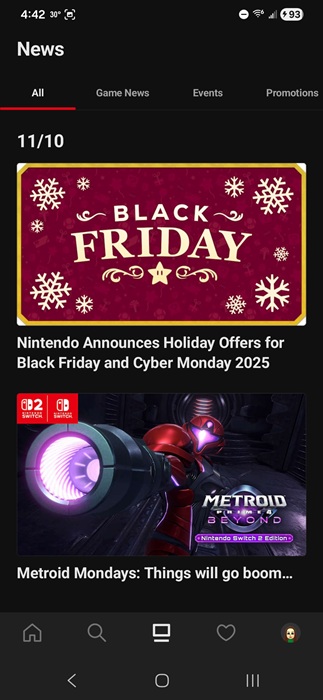
To me, one of the most useful features of the Nintendo Shop app is the game news. I usually just browsed news on my Switch, but I often missed announcements if I went a few weeks without playing.
Tap the News icon at the bottom of the app. By default, it shows all news. But, you can filter by Games News, Events, Promotions, Nintendo Switch Online, and Ask the Developer.
Check Your Nintendo Wishlist
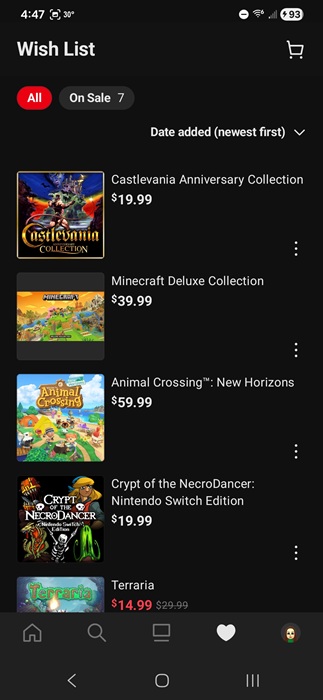
If you’ve created a wishlist, keep checking to see what’s on sale. Tap the Heart/Wishlist icon at the bottom of the app to view your current list. From here, click the three dots beside any item to share it with others (nice hints for gifts) or remove it from your list.
Tap the On Sale filter at the top to just view what’s on sale.
Setup and Manage Notifications
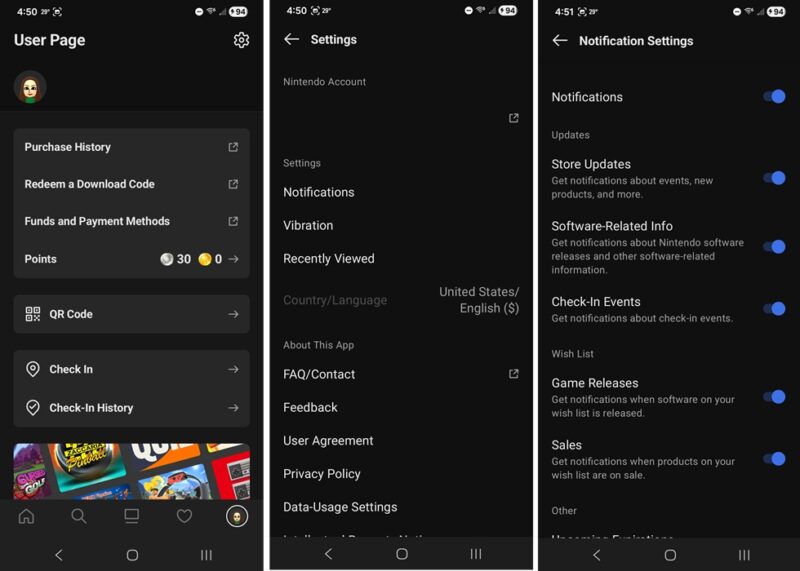
Another useful feature is getting notifications of the latest Nintendo news, promotions, and wishlist sales. Tap your profile icon at the bottom right, tap the Settings cog at the top right, and tap Notifications.
If your notifications are off, you’ll be prompted to turn them off first. Then, when you tap Notifications, you’ll see all the categories you can get notifications for. Only turn on the ones you’re most interested in.
View Your Game Stats
Another handy feature in your Profile section is your game activity and stats. Tap Play Activity at the bottom of your profile. Then, check out your most recent games along with all your Nintendo Switch and Switch 2 game activity and stats. Tap any game to view more detailed stats.
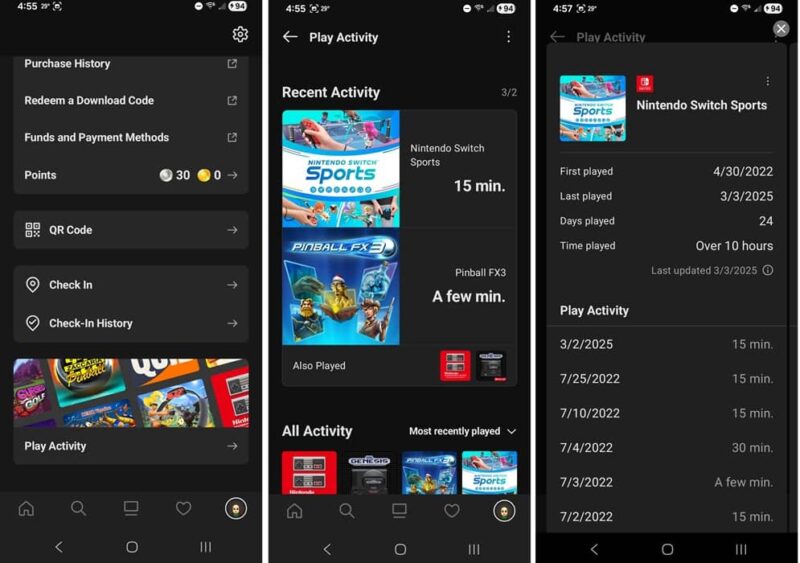
By default, the Nintendo Shop app only shows history for your Switch and Switch 2 games. But, you can link your Nintendo Network ID (NNID) used with your Nintendo 3DS and/or Wii U system and easily check out game history prior to 2020 for either system.
There isn’t support for the Wii system, even though it’s still worth playing.
Earn Rewards by Checking In
If you regularly attend Nintendo events or physical stores, why not get rewarded for them?
When you’re on location, turn on location services on your phone, open the Nintendo Store app, tap your profile icon, and tap Check In.
Select an event or store to check in to. You’ll see available rewards once you check in.
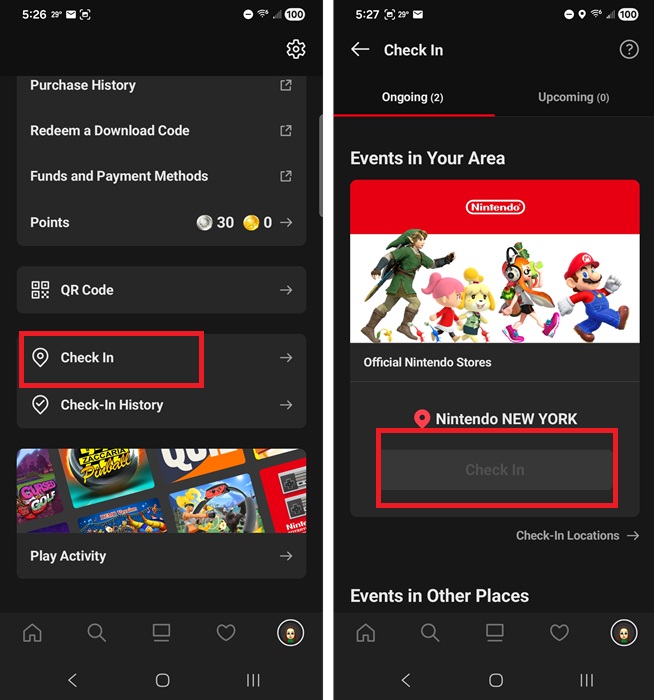
You can also view all your check in history from your profile as well.
Other Useful Features
If you find it easier to type on your phone than your Switch, you can manage your payment methods, check out your points, and redeem download game codes directly in the app.
Just like when shopping, the app opens the Nintendo Store in a mobile browser window. But, you don’t have to log in again.
Tap your profile icon to access all of these features.
Some features, games, and consoles may not be available in all regions. You can try changing your Play Store region, but you might still have issues.