
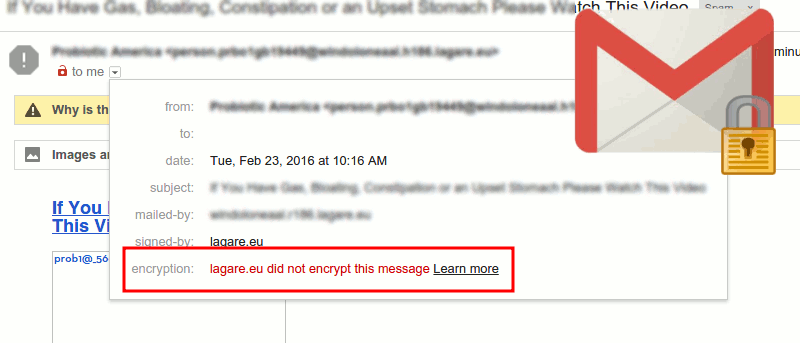

Online safety is something that never gets old, and there is always things that we can do to stay secure. Thanks to Gmail’s two new security features, we’re now going to feel a little safer since they will warn us about non-encryption connections.
The two new security features are very easy to understand and will be very useful. The first feature is an open red lock you are going to see on the same line of the name of the person you are writing to. That opened red lock means that the recipient’s email account isn’t encrypted, and the connection might not be as safe as it could be.
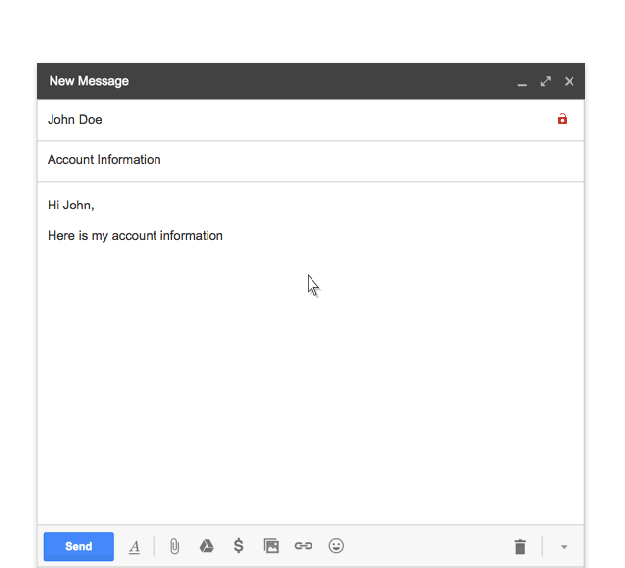
You will also see the lock when you receive an email from someone whose account doesn’t support TLS encryption. If you want more information on the matter, you can always click on the red lock to learn more, just like in the image below.
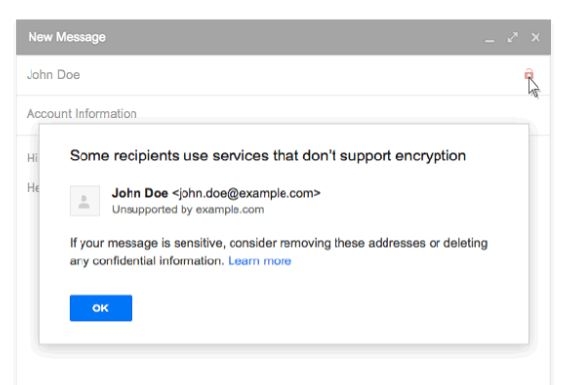
For your info, Gmail uses TLS cryptography to keep emails safe, but it requires two sides (the sender and the receiver) to make the whole process secure. Thanks to these new features, we now have visuals to tell us when we are dealing with an email service that doesn’t take security as seriously as Gmail.
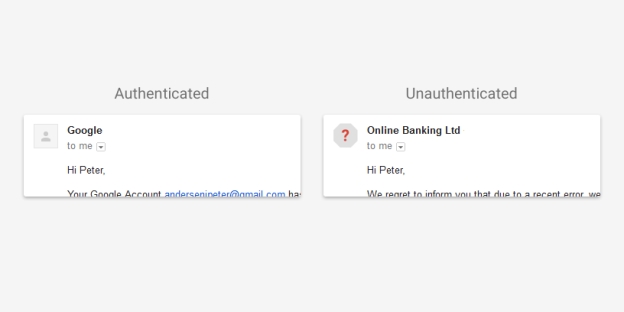
The second security feature involves a question mark. If there is an email Gmail can’t authenticate, you will see a question mark where the sender’s profile picture, logo or avatar should be. If you want to see the authentication information, you can click on the down arrow right under the sender. This will be very helpful in identifying phishing emails that claim to be from Google asking you for your personal information. If you see that the email is from “Google,” yet the email couldn’t be authenticated, you can tell right off the bat that it’s a scam.
Google also said that not all affected email should be considered dangerous; they just mean that we should be careful as to who we respond to or what links we click on.
Conclusion
Hopefully, this will be the beginning of more Gmail security features to come to make our emails even safer. What security precautions do you take when emailing someone? Let us know in the comments.