


Do you only have Microsoft Edge because it’s part of Windows 10? If so, you’re not alone. In fact, at the time of writing, Edge still has a lower market share than Internet Explorer at 6.44 percent. However, new Microsoft Edge features may make you want to give the browser a second look, even if you weren’t exactly impressed originally. Some features are already in the latest version, while others are coming soon.
Also read: Microsoft Edge (Chromium Version) vs Google Chrome
Breach Warnings
Are you always the last one to find out that your data has been involved in a breach? While you can check the Have I Been Pwned website, breach warnings are one of the most impressive Microsoft Edge features. As you save credentials in the browser, Edge warns you if anything you’ve entered is part of a known breach.
Obviously, you’ll have to save your credentials for this one to work. However, if you do this anyway, it’s an added benefit to autofill and password management.
Edge Collections
Edge Collections are incredibly useful for grouping sites together. For instance, you may group research sites together if you’re working on different projects. Click the Collections icon at the top right of an Edge window and click “Start New Collection.”
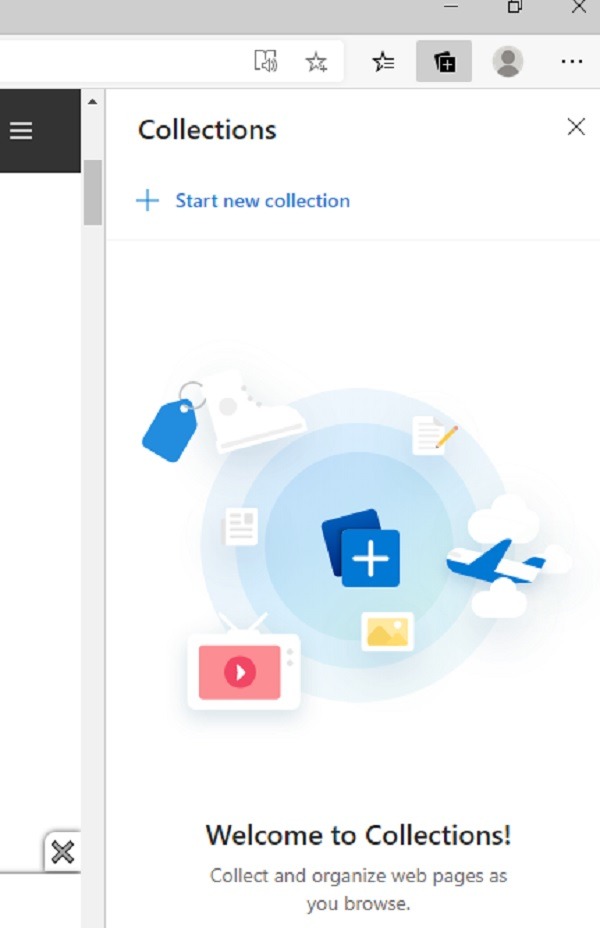
If you already have collections, you can add to them by selecting them. Add any webpage you want as you browse. While similar to bookmarks, it’s easier to use and looks more organized.
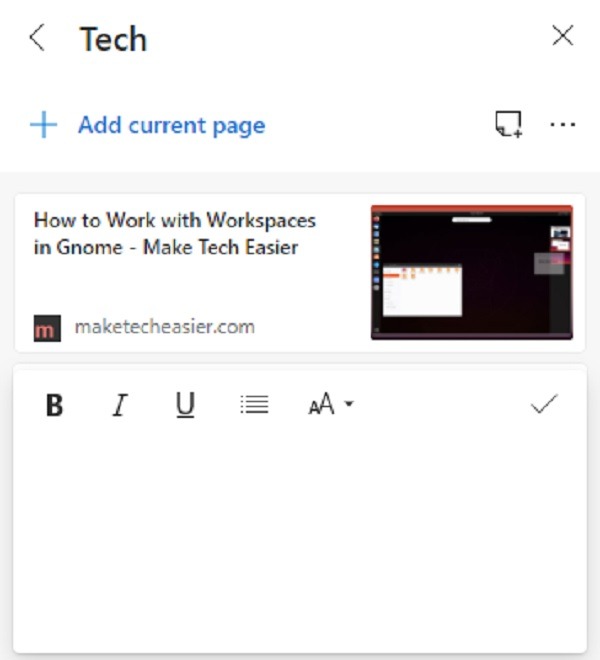
Another benefit is you can also add notes to your collections. You can add basic formatting and even lists.
Sidebar Search
This is one of the coming-soon Microsoft Edge features. At the time of writing, it’s just starting to roll out to testers. However, it’s a promising feature that makes research much easier. All you have to do is highlight a term or phrase while on a webpage, right-click it, and have Edge search for more information.
Instead of opening a new tab, a sidebar appears on the right side of your screen showing you relevant results.
Tracking Protection
Hate trackers? Who doesn’t? Microsoft Edge has already added built-in tracking protection. Open the Edge menu and choose Settings. Open “Privacy and Services.”
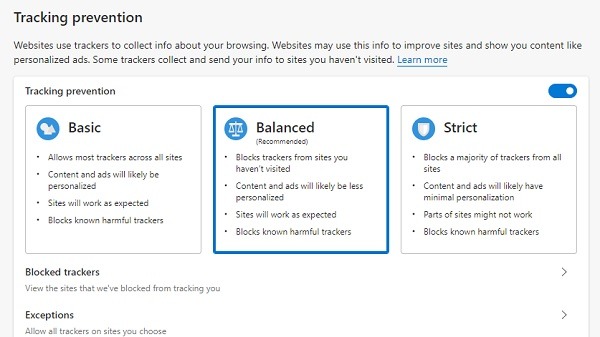
The first section is Tracking Prevention. By default, it’s set to Balanced. It blocks new trackers, known harmful trackers, and reduces ad personalization. You can also choose Basic, which allows most everything except known harmful trackers. The other option is Strict, which blocks most trackers.
You’re also able to add exceptions and see what trackers have been blocked. While it could use a little more personalization, it’s a great start to making Edge a bit more privacy-oriented.
Vertical Tabs
Vertical tabs are yet another upcoming feature. However, if you often work with numerous tabs, you know exactly how easy it is to accidentally close one. Soon, you’ll be able to switch to vertical tabs. These appear on the side of your screen, and you can even hide them with a single click to help you focus more easily.
Immersive Reader
Hate seeing clutter while you’re trying to read something online? Immersive Reader is already built in to Microsoft Edge. While additional features are being added soon, you can already experience it in the latest version. While viewing a webpage, click the Immersive Reader icon in the address bar. It’s the book with a speaker icon.
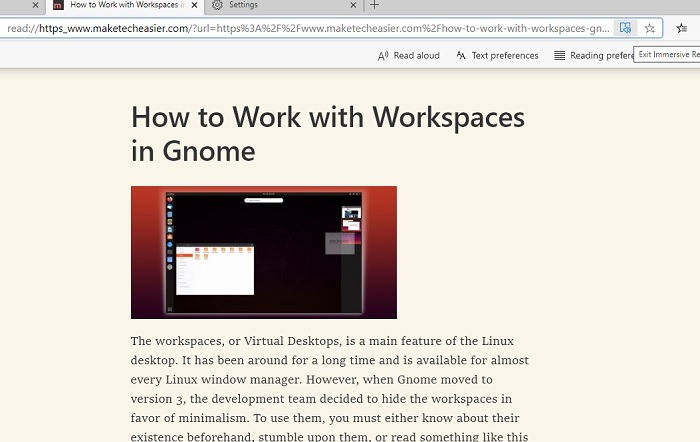
A new version of the page loads along with options to improve your experience, such as reading the page aloud, changing the font, grammar highlights, and line focus. When you’re done, click the Immersive Reader icon again to go back to the original page.
Also read: 4 Best Reader Extensions for Chrome Reviewed
Smart Copy
Copy and paste works well enough, but you may lose formatting as you go from a webpage to a document. The upcoming Smart Copy is one of the smartest Microsoft Edge features. You’ll be able to right-click on a page, enable Smart Copy, and retain the formatting for what you copy, even if you’re copying tables.
While there isn’t a definitive date on the upcoming features, they are currently being tested at the time of writing. This means they should be available in the next few months. You can check for the new version at any time by using Windows Update or from within Edge itself. Open the menu and choose “Help and Feedback -> About Microsoft Edge.”
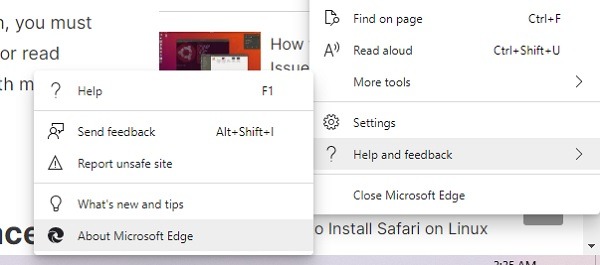
The browser automatically starts checking for updates. When a new version is available, you’ll have the option to download it then.
Image credit: Microsoft Edge