
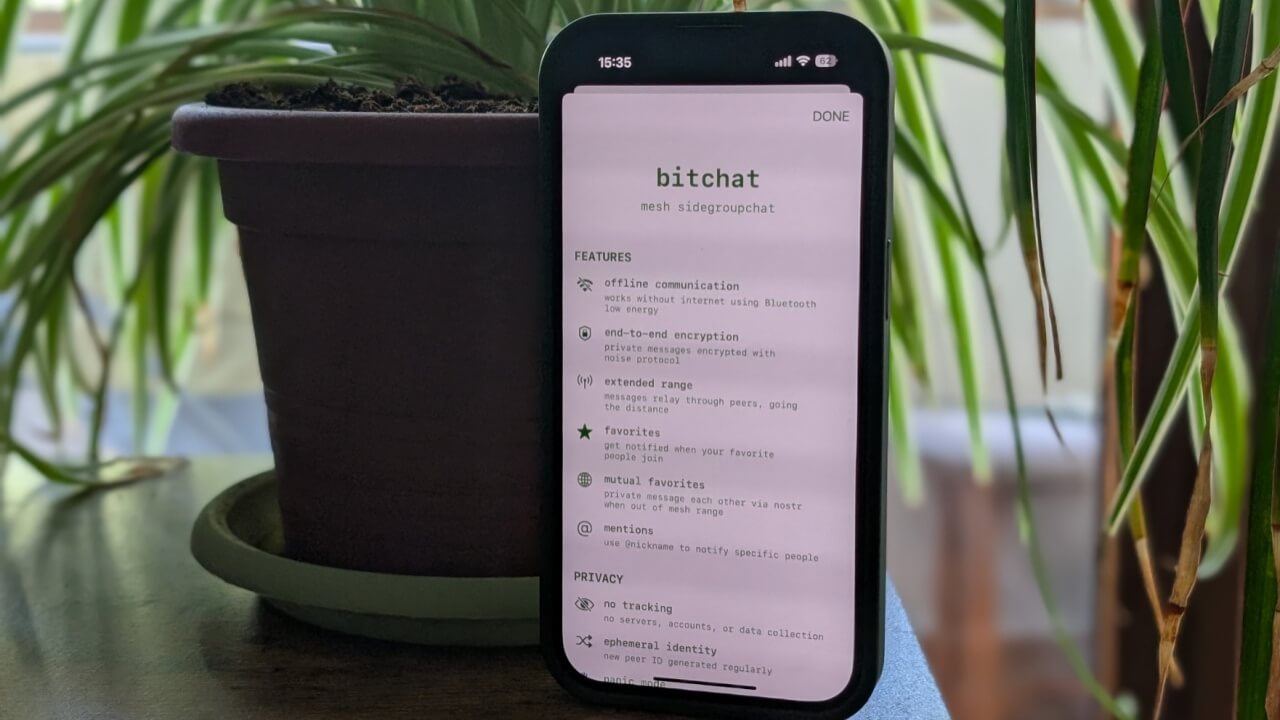

Unless you are still using SMS, most modern messaging apps require an internet connection to send your texts. However, Jack Dorsey’s (the founder of Twitter) new venture, BitChat, is shaking things up by allowing you to stay in touch with others even when offline. Here’s how it works.
Good to know: here’s how you can easily link all your chat apps with Beeper.
What Is BitChat?
BitChat is a decentralized messaging platform that supports peer-to-peer chats without the need for an internet connection. Instead, it leverages Bluetooth Low Energy (BLE) to connect devices across a mesh network.
Activating Bluetooth turns your device into a mesh node that can communicate with other nodes within range. Messages then hop from one BitChat user to another until they arrive at their final destination.
A direct Bluetooth connection is required between devices, typically covering up to 100 meters / 330ft. In this system, messages can travel further, as long as there are enough connected devices to relay them.
Tip: check the best Omeagle alternatives that allow you to chat with strangers.
When to Use BitChat?
Since devices in the Bluetooth network need to be in close vicinity for BitChat to work, use cases are restricted to nearby users. You won’t be able to text people who are kilometers/miles away.
That said, BitChat can be a worthy solution in situations when networks are down or overloaded with traffic.
For instance, in events with large crowds, such as festivals or sporting occasions, when cellular networks tend to be overwhelmed, BitChat can offer a way to maintain contact with your group. It happened to me a few times, being unable to communicate with friends at a music festival, so I’m looking forward to testing the app out in this manner in the wild.
Another scenario where BitChat might come in handy is during emergencies such as natural disasters. When an earthquake hits, BitChat might be able to play a vital role in maintaining communication with those you care about.
Use BitChat to Send Offline Messages
To begin, you need to download BitChat on your device. It is currently available in the Apple App Store. Its Android app is no longer in the Play Store. Instead, you can download the APK from the official GitHub page.
After the installation, make sure that your device has Bluetooth on, and you can start using it.
Sending messages in group chat
To start sending messages, open the app on your phone. BitChat doesn’t ask you to sign in with your email or phone number or to create an account in that manner. The onboarding process is super simple and that’s one of its major highlights. The app employs end-to-end encryption to safeguard communications, as it aims to be a privacy-oriented messaging alternative.
BitChat will automatically assign you a nickname such as @anon followed by a random number.
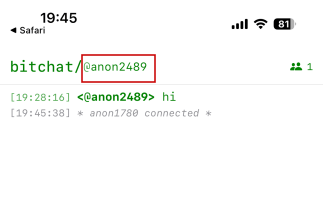
You can keep this, or you can change it. Tap on the nickname at the top and type your preferred nickname. I like that BitChat remembers the nick you set, so next time you use the app, you won’t have to change it again.
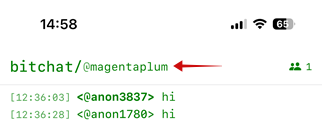
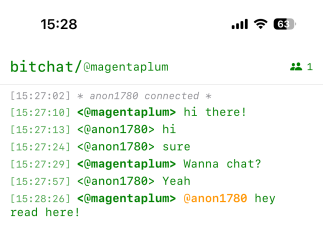
Now you are ready to start chatting. The main BitChat screen opens a group chat window where all the people nearby can participate. Type your message in the box at the bottom.
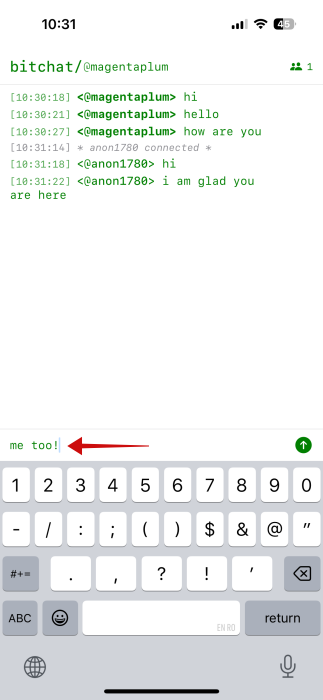
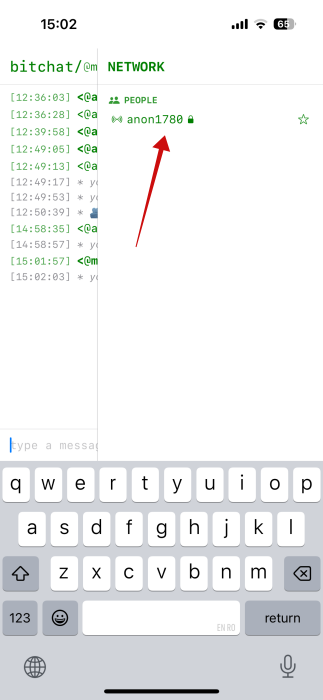
You can see who else is in your vicinity by checking the small people icon in the upper right. Tap it to view all BitChat users in your network.
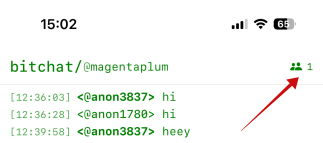
Like on other chat apps, you can also use the @nickname to mention someone in the conversation.
Starting a private chat
If, like me, you prefer to have one-on-one chats, BitChat lets you message someone privately. This option is backed up by the well-regarded Notion handshake protocol, which is meant to ensure conversations remain secure.
To start a private discussion, tap a nickname from the list and begin writing your message(s).
When you send a private message, the other party will receive a notification alerting them that they have a new direct message.
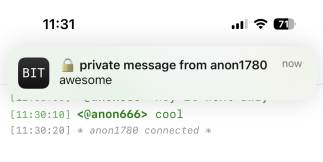
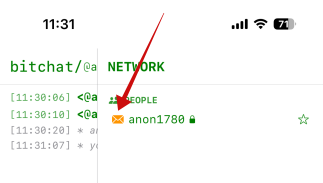
To view it, tap the notification or press the people icon again, then tap on the person’s nickname (which will feature a yellow envelope icon to highlight the presence of an unread text).
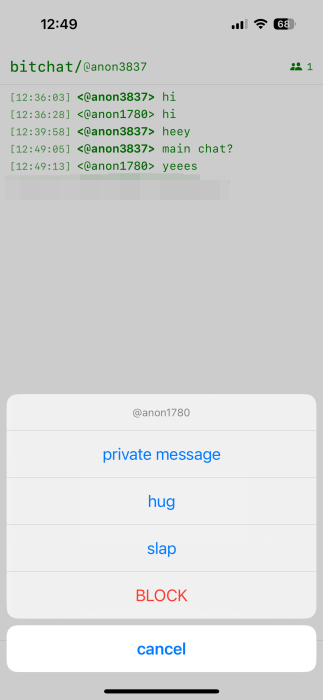
On iOS, you can also start a private chat by tapping on someone’s nickname in the group chat. Doing so brings up a menu from the bottom which includes options to Private message, hug/slap, or Block. I couldn’t find the same option on Android.
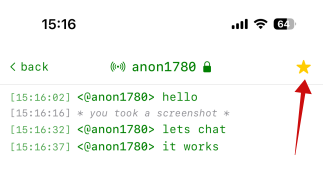
In addition, it’s possible to add a conversation to Favorites, so you can easily find them in the list of available people to chat with.
Private texts show checkmarks once they’ve been relayed to their destination.
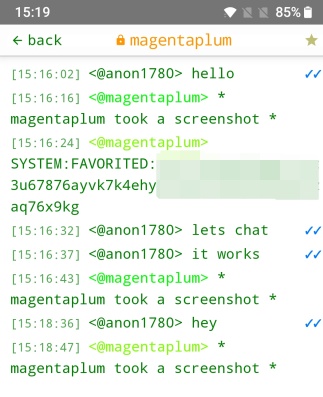
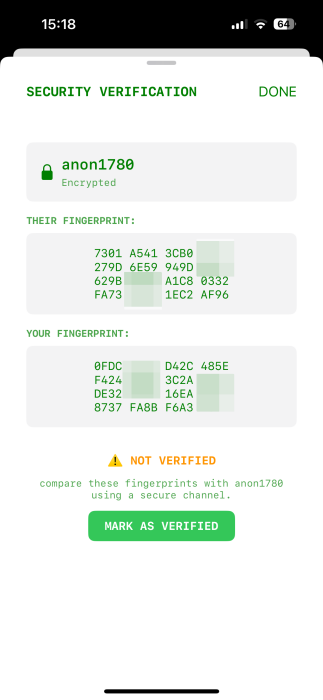
Tapping on the other party’s name at the top will show your conversation’s security verification details. I should note here that in my testing, I frequently lost the connection when engaging in private conversations (a handshake failed to establish between the user fingerprints). Messages weren’t relayed. However, I could still send texts in the main chat. I solved this by exiting the app and reconnecting.
Deleting texts
Unlike regular messaging apps like WhatsApp or Facebook, you can’t delete individual texts, which I found a bit inconvenient.
However, BitChat has a Panic Mode, which allows you to delete chats by triple-tapping on the device’s screen while in a chat. This proved functional for me on iOS, but not Android.
BitChat automatically deletes all messages when you exit and properly close the app on your device.
As BitChat is still in its early days. Its private message security currently lacks extensive third-party audits, which is something the app itself flags, alerting users not to use BitChat in critical (meaning “privacy-sensitive”) situations just yet. I’ve also noticed some errors while testing this app, so while BitChat was fun to try and experiment with, you might want to give it a little time before you try it out.