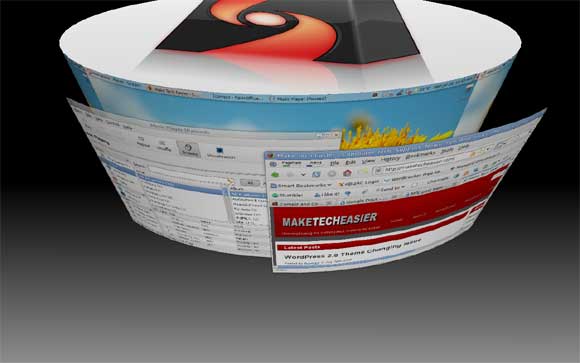
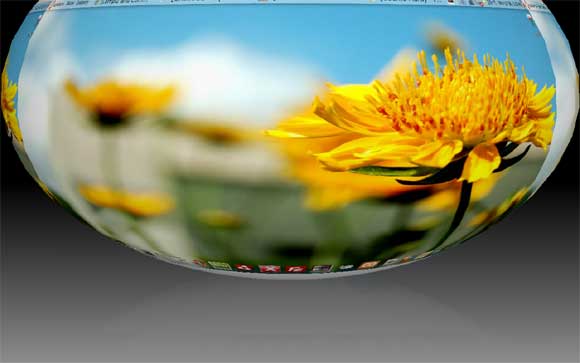
For Linux users those who like to impress their friends with the the awesome Compiz eye candy and desktop effects, here is another new trick that you can show: make your desktop rotate as a cylinder or sphere.
With the release of latest version of Compiz Fusion 0.7.6, many new plugins and eye candys have been added. Rather than the usual desktop cube rotation, you can now rotate your desktop as cylinder or sphere.


To upgrade to the latest version of Compiz, add the repository to your sources.list
In terminal, type,
gksu gedit /etc/apt/sources.list
Add the following line to the end
deb http://ppa.launchpad.net/compiz/ubuntu hardy main
Save and close the file.
sudo apt-get update
sudo apt-get upgrade
If you did not install the Compiz setting manager before, then install it now.
sudo apt-get install compizconfig-settings-manager
Open up the Compiz Setting Manager via System->Preferences->CompizConfig Settings Manager.
Restart your X (By pressing Ctrl + Alt + Backspace)
(Updated: Thanks to Ulysses comment, you can skip the restart ‘X’ part if you have “fusion-icon” installed)
After you have re-login, go to “General Options” and select “Desktop Size” tab. Set the “Horizontal virtual size to 4. Click Back.
Next, scroll down the setting manager and activate “Desktop Cube” and “Rotate Cube”. If you are using “Desktop Wall”, you will have to deactivate it first.
Scroll down to “Cube Reflection and Deformation”. Activate it. Click on it to go to its configuration page. Under the “Deformation” tab, select “Cylinder” or “Sphere” under the Deformation dropdown box. This will set the desktop rotation to cylinder or sphere mode. Click Back. Click Close.
Back to your desktop, press Ctrl + Alt + mouse left button to activate the desktop rotation mode. You should now see the rotation in action.
Some other new plugins for you to play with:
Static Switcher: See the preview of the full windows instead of the thumbnail when you press Alt + Tab.
Enhanced zoom: Select the zoom region with the mouse.
Wallpaper: Sets unique wallpapers per viewport. Replaces the background images functionality in Desktop Cube. (I have not been able to get this plugin to work in my PC.)