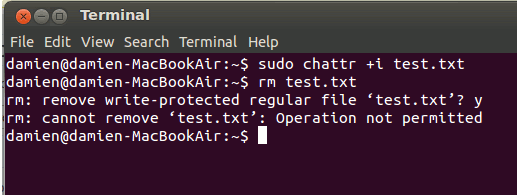
[Linux] There are times when you want to lock up files and prevent other people, or the system from making changes to them. Here is one simple command that you can use to lock up either a single file or folder:
sudo chattr +i /path/to/file
To unlock:
sudo chattr -i /path/to/file
Explanation: chattr is a command that allows a user to set certain attributes on a file residing on a Linux filesystem. A “+i” flag adds an immutable attribute to the file. When this is enabled, even a root user cannot change the file. Similarly, a “-i” flag subtracts the specific attribute from the file.
If you have a folder of files that you want to lock up, you can also add the “+R” flag. For example:
sudo chattr +R +i /path/to/folder
Note: Only the superuser or a process pessessing the CAP_LINUX_IMMUTABLE capability can set or clear this attribute.