

Sharing a computer and keeping it safe from virus or malware attacks can be a challenge. Although there are a lot of software and web tools available to increase your Firefox security, the responsibility still rests with the user. To get more control over what gets accessed and installed in Firefox, you can install an add-on called Public Fox.
Public Fox is a Firefox add-on that locks certain actions within the Firefox browser, such as accessing websites and downloading add-ons or EXE files. The add-on is set up so that a locked function becomes available when a password is entered.
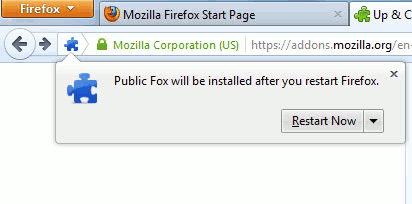
First, you need to install Public Fox add-on and restart Firefox.
Go to the Add-on management page and click on “Options”.
This brings you the main control window where you can pick blocking actions from a list. “Lock Downloads” disables downloading of files from a website. The file type are specified on the text field at the bottom of the list. By default, EXE and BAT files are already in the field, and you can add any other file type. Make sure to separate them with commas.
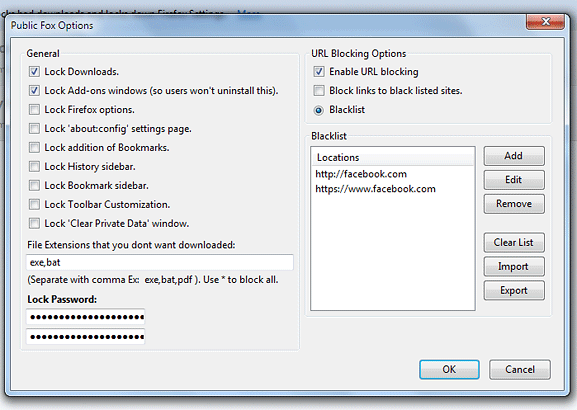
To lock access to the main add-ons page, check “Lock Add-ons windows”. This is important to lock so other users can not uninstall Public Fox and take away the locking feature. This also locks downloads of other add-ons.
Public Fox can also lock any website you specify. On the right side of the Options box, check “Enable URL blocking”. Then you can type in all websites you want to restrict. You can also import blacklisted URL’s from a text file by clicking on the Import button on the bottom right corner of the box.
Once you’ve chosen which functions to lock, type in a password in the two text fields on the bottom left corner. This password will be used to unlock any function.
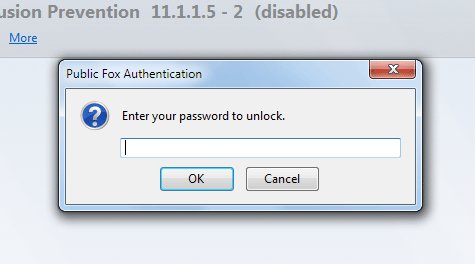
When accessing locked functions, you will be prompted to enter the password. Enter the password on the text box and click OK. If the password is correct, the said function should now be enabled.
Public Fox has other additional security options such as toolbar customization, adding bookmarks or changing Firefox settings. Remember that all these lock functions are unlocked using only one password, so make sure it’s secure and hard to guess.
To disable Public Fox, go to the Firefox menu bar and click on Add-ons. Enter the password to access the Add-on Manager screen. Find the Disable button beside the add-on and click on it. Re-enabling it will once again ask you for the password before you can continue.
Public Fox is a great solution to maintaining absolute control over what gets changed, installed and accessed from your Firefox browser. For those wanting added protection for their computers, be it for home or work, this add-on gets the job done in no time at all. With its simple and central locking method, it doesn’t take too much technical know-how to set up, making it the most user-friendly add-on for maintaining Firefox settings.