If you follow the new developments in AI and tech, you must’ve seen a ton of tech influencers recommending local large language model, or LLM, setups. When I heard the idea of a privacy-focused LLM running completely on my PC, I got excited and tried it out immediately. Here’s the thing — while a local LLM has its benefits in some very specific use cases, it’s not going to replace ChatGPT or any other big tech AI while running on your workstation. Let me explain why…
Local LLM vs. ChatGPT: Reality Check
The first and foremost bottleneck you’ll face is the hardware limitation. I am an average non-gaming laptop user who owns a Dell Latitude 5520 laptop with 64 GB of 3200 MHz RAM and two NVMe M.2 SSDs with well over 1 TB of fast storage. However, most workstations in this ballpark lack a dedicated GPU or have a low-end one fitted out of the box.
The thing with running local LLMs is that they rely less on the RAM and storage and more on the computing power of your PC, that is, the CPU and GPU. So, my i7 processor with Intel Integrated Graphics simply can’t run the bigger multi-modal models. Thankfully, I still had many options, like lfm2.5-thinking:1.2b, ministral-3:3b, and granite4:3b, along with the more popular llama3 and phi3 models.
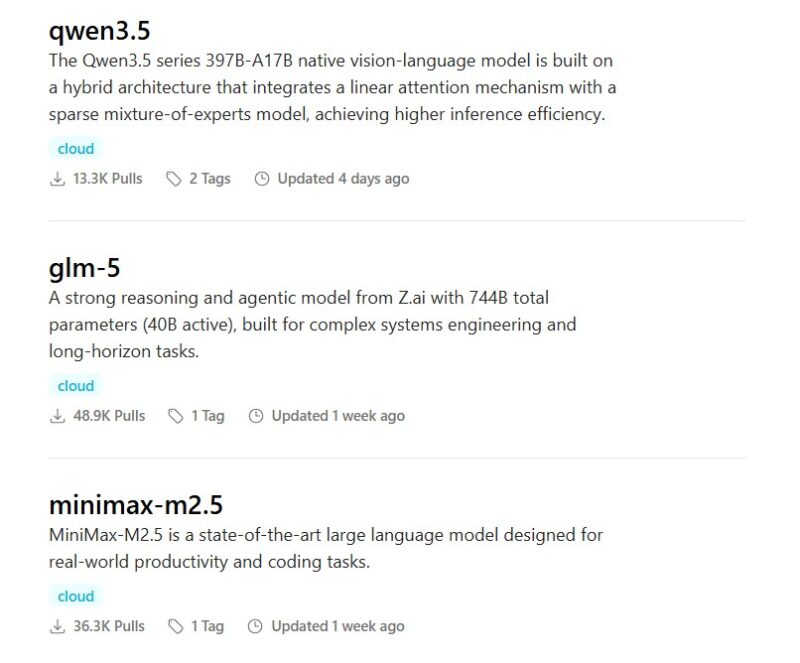
Now, let’s do the math to put the comparison into perspective. An lfm2.5, which is essentially a small language model (SLM), running on an average PC like mine has two massive limitations: very little computing power and a smaller parameter count, or brain, of the SLM itself. In comparison, cloud LLMs like ChatGPT process terabytes of data in seconds while running on literal supercomputers.
Keeping that math in mind, let’s look at some responses of a local lfm2.5-thinking:1.2b and the free version of ChatGPT. After showing you the limitations, we’ll also look at use cases where a local SLM actually outshines the commercial LLMs.
The Logic Test: Where Local LLM Failed
Note: The purpose of this comparison isn’t to berate local LLMs — local LLMs set up on high-end PCs can do wonders. But my intention is to show the average user, like myself, that a local language model running on a low-to-mid-range PC won’t produce results comparable to those of ChatGPT or Gemini.
1. “The trivia void” prompt:
A small model simply doesn’t have the parameter count to store the entire Wikipedia database. When you ask it a specific historical fact, it won’t say, “I don’t know” — it will most likely hallucinate.
Local LLM: Wrong, Hallucinated Answer

ChatGPT: The Correct Answer

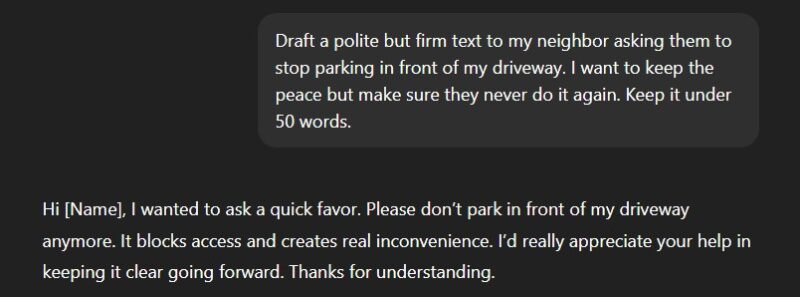
2. “The tone failure” prompt:
Small local models usually struggle with emotional nuance. They tend to swing wildly between aggressively robotic and overly passive outputs because they don’t have enough parameters to grasp human social grace.
Local LLM: Too Harsh and Blunt
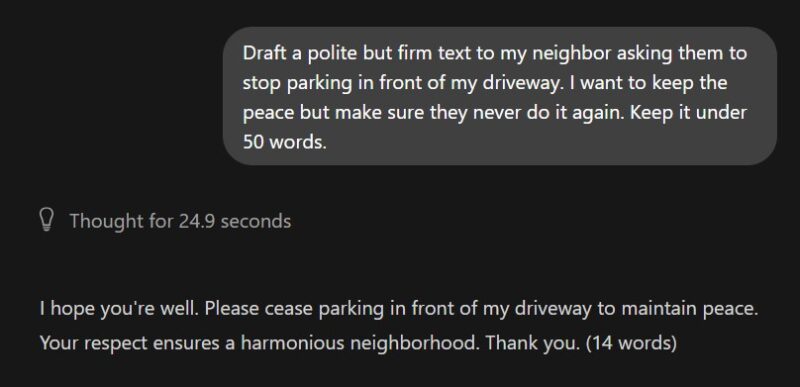
ChatGPT: Not Perfect, but Passable
3. “The jumbled input failure” prompt:
We don’t always carefully format and structure our queries. Local SLMs need structured prompts to provide structured responses — otherwise, they just mess everything up.
Local LLM: Too Vague and Not Helpful
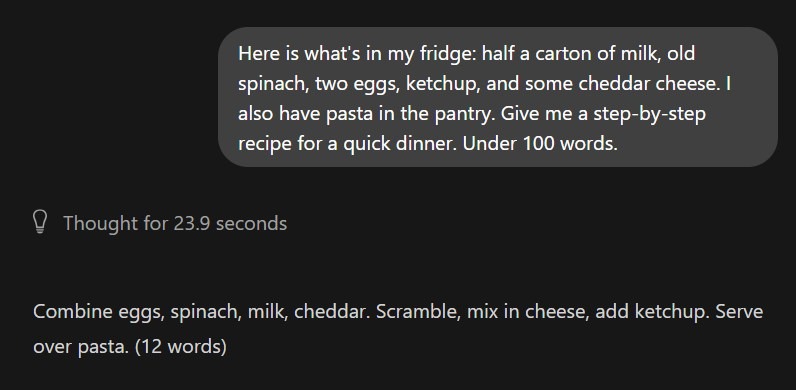
ChatGPT: A Detailed Step-by-Step Solution

4. “The ‘explain it like I’m X’ failure” prompt:
It takes massive computing power to map a complex abstract concept onto a completely unrelated subject. Small models often lose the plot when trying to merge two different domains.
Local LLM: Doesn’t Make Any Sense
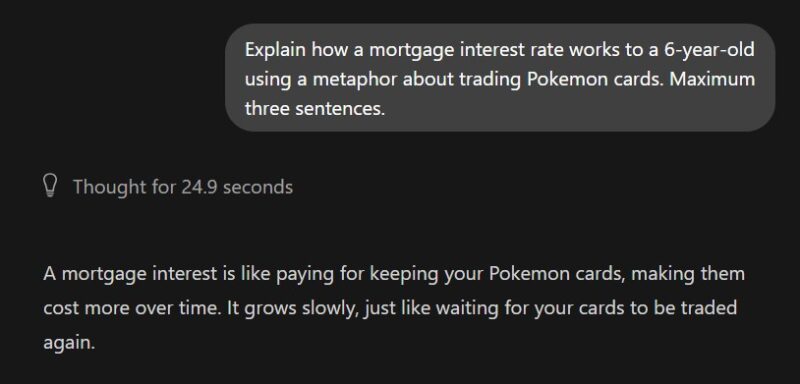
ChatGPT: Correct Use of Analogy

5. “The context void” prompt:
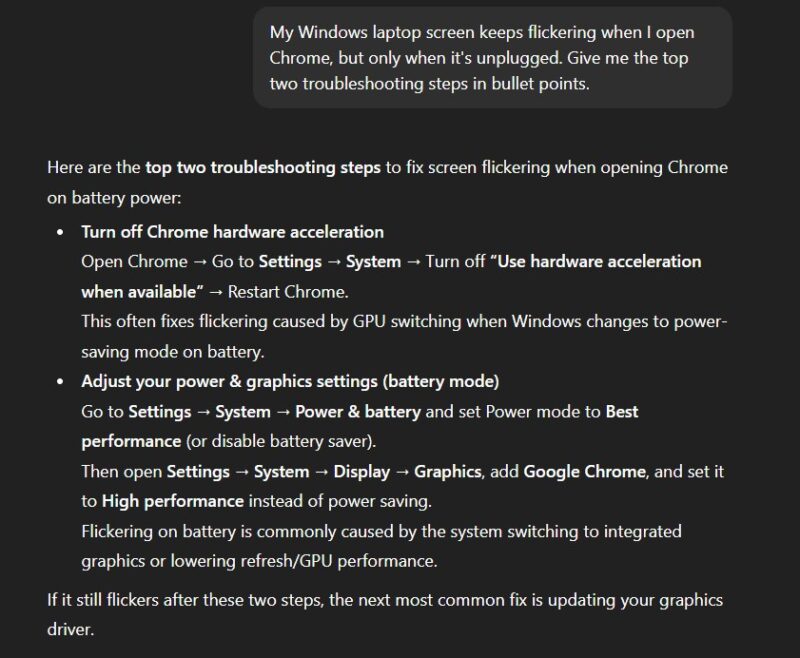
When you ask a vague tech question, cloud models use their massive training data to guess the most common modern solutions. Small local models mostly offer generic, outdated advice.
Local LLM: Generic Solutions
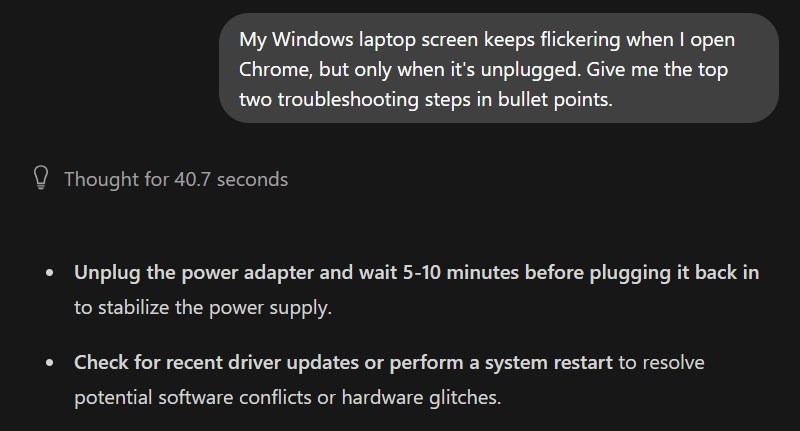
ChatGPT: Much More Likely to Resolve the Issue
The ‘Context’ Problem
Another major issue with my local SLM setup popped up when the conversations went on longer than just a few questions. Again, the 64 GB of RAM was enough, but the processing power was the main bottleneck. The fan began spinning really loudly, the laptop got hot, and Ollama started taking a lot longer to respond, even freezing at times. So, to avoid melting your PC, local AI apps cap the model’s memory significantly.
This issue can be a massive dealbreaker if you’re used to having long conversations with ChatGPT or Gemini — it certainly was for me. As discussed before, those cloud LLMs run on ultra-fast servers powered by state-of-the-art GPUs, giving them the ability to handle big context windows easily.
When Local AI Actually Wins
At this point, you might be thinking a local LLM is practically useless, but wait, there are plenty of situations where they do actually come in super handy. Here are some examples:
The ‘digital safe’ (total privacy)

If you’re working on confidential documents that you don’t want to upload to ChatGPT or Gemini’s servers, a local LLM is your 100% private solution for processing those files. Or you can simply talk about your personal problems with it without worrying about a human moderator reading your private matters to “improve the AI’s responses.”
The ‘airplane mode’ assistant
Cloud AIs need a constant internet connection to work. It’s usually not an issue, thanks to the reliable connectivity in most parts of the world. However, there are situations where the internet isn’t available or you simply don’t want to connect to it. That’s when a local LLM could potentially save the day.
The unfiltered creative writer
Most commercial AI chatbots offer a filtered experience to make it suitable for the masses. This can be particularly debilitating if you’re working on some creative project, like a crime novel. Not all free language models provide those kinds of unfiltered responses, but there are some uncensored ones available for you to try.
The real “zero cost” assistant

Once you set up an app like Ollama or GPT4ALL, you get a truly subscription-free, unlimited solution. You can use it as much as you want without ever hitting any annoying daily limits. If you keep your expectations grounded within the discussed limitations of a local SLM setup, it’s a good way to ditch at least some of your premium AI subscriptions, not all.
The ultimate roleplay solution
If you’re comfortable tinkering with some terminal commands, you can potentially customize your local LLM to act as a subject expert. For example, you can make it act like a content editor, a copywriter, a legal consultant, or literally any professional you want.
The private web assistant
This one’s a bit of an advanced use case, but you can connect your local LLM to a web assistant browser extension like Harpa AI. This way you can get an offline, privacy-focused AI browser experience that premium products like Perplexity Comet and ChatGPT Atlas offer, often with corporate data surveillance.
Why a Hybrid Setup Is the Real Answer
After going through this whole experience that I’ve shared with you, I’ve come to the conclusion that a hybrid AI setup is the best way to go about it. It is useful to have a local SLM handy, ready to be fired up whenever I need a private experience. However, for general-purpose, research-heavy tasks, I prefer to use Gemini Pro. This way, I get the best of both worlds, making full use of both amazing technologies.
By the way, Ollama and GPT4ALL are not your only options. Open WebUI is another easy way to set up a local LLM.