When the cloud fails, so does everything we depend on, from banking apps to smart locks. The recent AWS outage showed how fragile our digital lives really are. If you’re tired of these glitches disrupting your day, you’re not alone. Let’s dive into practical cloud outage solutions to help you stay connected and in control, even when Amazon stumbles and the internet grinds to a halt.
When the Cloud Goes Down, Everything Stops
When AWS went offline on October 20, 2025, millions of users lost access to the apps and devices they rely on every day. The nightmare that lasted for several hours was caused by a network health monitor fault in US-EAST-1. It triggered DNS resolution issues in DynamoDB, cascading failures to EC2, Lambda, and SQS, knocking out over 2,500 services worldwide.
The economic hit was massive, with Amazon alone bleeding about $72 million per hour, and an estimated loss of several billion dollars among companies worldwide.
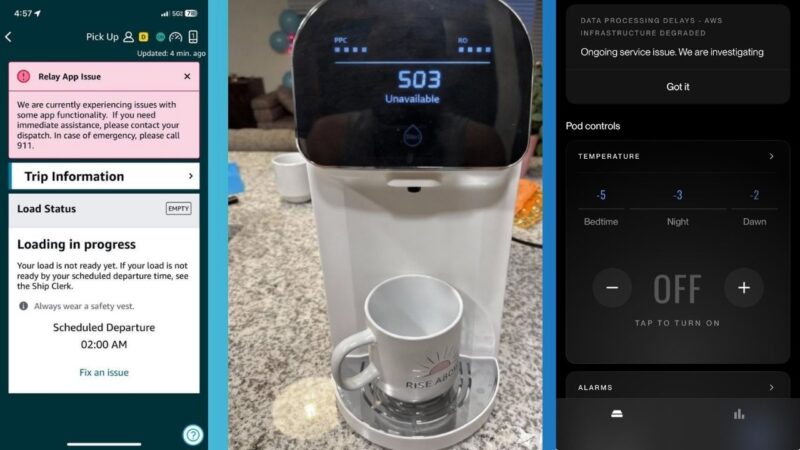
For everyday users who didn’t realize how many essential services rely on AWS, it meant stalled payments, unresponsive smart homes, and interrupted work and digital engagements.
If anything, this outage proved how one glitch can grind life to a halt. In my view, an event like this isn’t a fluke. It’s a wake-up call to rethink our reliance on centralized clouds.
Why the Internet Keeps Breaking
The internet isn’t failing randomly, and the AWS outage 2025 wasn’t random chaos. It exposed a flawed design where too much traffic and control are concentrated in a few massive companies. AWS holds about 30% of the global cloud market, with giants like Google and Azure close behind. They funnel half the web’s traffic through regions like US-EAST-1.
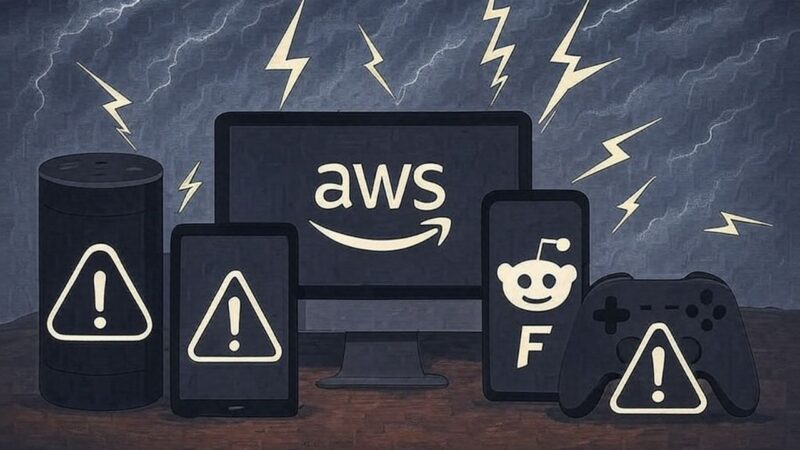
When it fails, the impact spreads instantly because thousands of web apps, payment systems, gaming platforms, and even banking apps are deeply connected.
While outages are dropping yearly, they are more expensive than ever. The cost may rise up to $2 million per hour for big firms, and an undisclosed amount for smaller ones, according to a report from New Relic. This indicates that, despite the improvements, the costs are still excessively high when they occur.
In my view, this concentration isn’t efficient – it’s risky. It turns the Internet into a house of cards, where one main company’s problem becomes everyone’s problem. Seeking cloud outage solutions starts with understanding this built-in fragility.
How Cloud Convenience Traps Users
Cloud convenience feels effortless until it fails. Seamless access to Slack for chats, Trello for projects, Alexa for smart home, or Zoom for calls. But here’s the issue: you don’t own the servers that keep them running. A single glitch can put your life on pause.
Remote workers lose access to shared documents. Smart-home owners find devices unresponsive. In fact, over 270 million IoT devices were exposed to risks in the last outage. Cloud dependence equals loss of control. You’re at the mercy of some distant servers.
Offline tech tips can break this cycle as they give you back control without ditching the perks. For instance, tweaking privacy settings in Windows can help limit data sent to clouds, adding a layer of personal control.
How to Stay Online When the Cloud Isn’t
The good news is that you can take back control, at least in little ways. Here are reliable cloud outage solutions that can reduce your dependence on AWS and keep your tech working even when the Internet is down.
1. Shift to local-first app
This is a game-changer for cloud outage solutions. Many platforms like Slack, which offers limited offline messaging, Trello for board viewing offline, Zoom with local recordings, and Notion with offline editing with sync, rely entirely on AWS. Diversify is the key here.
Try Syncthing for file sharing, Obsidian or Joplin for notes, or Matrix/Element for decentralized chats. All these run locally first, and sync later when online.
Plus, tools like LibreOffice let you work on documents without cloud ties. You’ll stay productive when cloud services fail.
2. Enable offline modes in AWS-dependent services
If you’re heavy on cloud-based tools like Notion or Slack, set up offline export, daily backups, or local sync. Enable offline access in apps like Google Docs and Gmail. Spotify lets you download playlists.
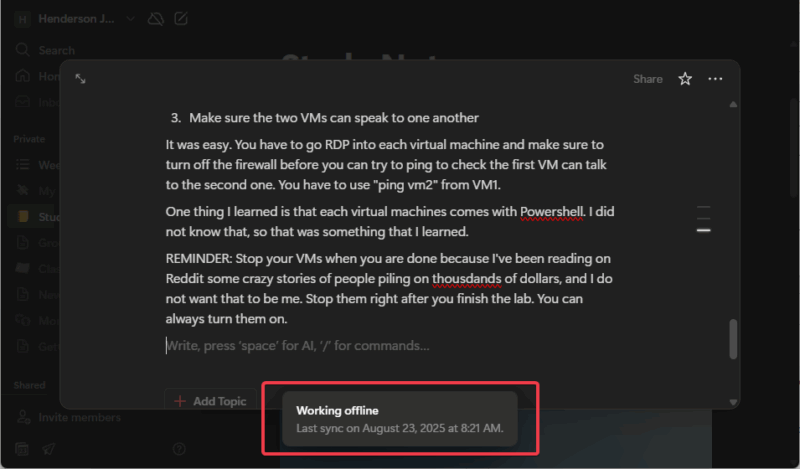
During AWS’s last outage, Notion users who kept local backups kept working while others waited. Also, use daily exports in apps like Trello for peace of mind.
3. Run your smart home locally
AWS powers most of Alexa’s infrastructure; that’s why smart homes go silent during an outage. Switch to systems that run locally, such as Home Assistant on a Raspberry Pi.
You can integrate Zigbee for lights and locks to function even without the internet. You can easily turn your Raspberry Pi into a home automation dashboard for starters.
Apple HomeKit’s Secure Video hub and Hubitat might offer a more private smart home alternative. From reviews, some people even DIY with Arduino for custom tweaks, adding sensors that work offline.
4. Set up hybrid backups
If you’re comfortable with basic networking, set up a local NAS like Synology or QNAP to mirror your cloud data and sync selectively. You can use AWS S3 for off-site storage while keeping full access locally.

Alternatively, tools like Nextcloud let you host a mini-cloud at home. It’s a perfect balance of convenience and control, and it integrates with your PC.
These tips aren’t overkill; they’re essential for resilience. They cut downtime and boost privacy. You control your uptime, not AWS or the other cloud-storage giants.
A Smarter, Stronger Way to Use the Internet
Local control isn’t about rejecting the cloud. It’s about hybrid balance. Diversify into offline-first features in apps. Prioritize using the cloud for syncing and sharing, but rely on local systems for resilience. In my view, this approach cuts risk by a huge percentage.
The AWS crash was a very expensive reminder that depending on a few companies makes the internet fragile. Taking back control of your data and devices gives you peace of mind and independence.
One thing is clear: You can’t stop cloud failures, but you can stop them from affecting you. Audit your setup today.








